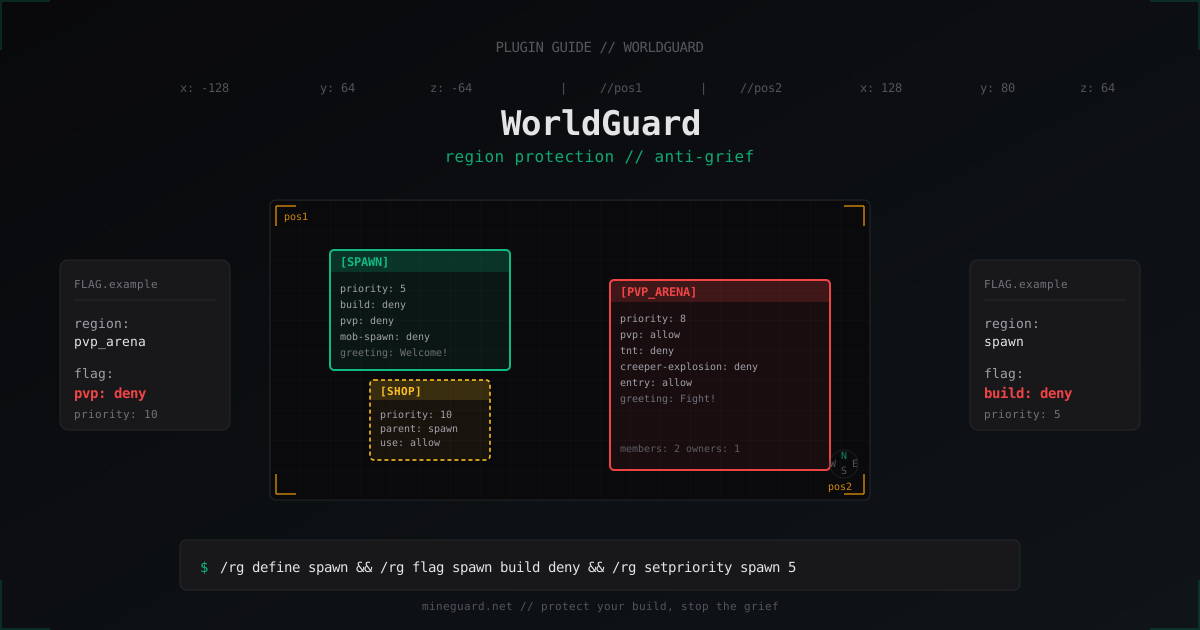
WorldGuard Setup: Minecraft Region Protection and Anti-Grief Guide
Grief kills a server faster than any DDoS. One bored visitor floods spawn with lava and half your online quits before lunch. This guide covers WorldGuard, the de-facto standard for region protection on Paper and Spigot. We will install it, draw regions, work through the flags that actually matter, set up parent/child hierarchy, and close the gaps that almost every admin overlooks the first time.
What WorldGuard Is and Why You Need It
WorldGuard is a plugin from EngineHub that adds regions with configurable rules. Inside a region you decide whether players can break blocks, open chests, spawn mobs, ignite TNT, spread fire, and so on. All of this is controlled through flags, and there are over eighty of them in the box.
WorldGuard depends on WorldEdit because the area selection uses native WorldEdit commands like //wand, //pos1, and //pos2. Without WorldEdit the plugin will not load. That is normal in the EngineHub ecosystem and you get used to it within a day.
In short, WorldGuard solves three jobs: protecting spawn and key builds, splitting the world into rule zones (PvE vs PvP, arenas, safe areas), and handing regions to players as claims with owners and members.
Installing on Paper or Spigot 1.20+
WorldGuard supports Paper and Spigot from 1.13 onwards and updates fast for new versions. As of 2026 it runs cleanly on Paper 1.20.x and 1.21.x. Folia support is partial: full async regions are not implemented yet, so production servers should stay on Paper for now.
The install itself is plain copy-and-restart:
# grab the stable WorldEdit and WorldGuard builds from EngineHub
cd /opt/minecraft/plugins
wget https://dev.bukkit.org/projects/worldedit/files/latest -O WorldEdit.jar
wget https://dev.bukkit.org/projects/worldguard/files/latest -O WorldGuard.jar

# restart the server
systemctl restart minecraft
After the first start the plugin creates plugins/WorldGuard/ with config.yml and a worlds/<world>/ subfolder for every loaded world. Region data lives in regions.yml by default, or in SQL once you switch the storage backend.
Baseline worldguard-config.yml
The default config is fine, but a few options are worth tuning right away. Here is a trimmed production example:
# plugins/WorldGuard/config.yml (excerpt)
regions:
  use-creature-spawn-event: true
  enable: true
  invincibility-removes-mobs: true
  high-frequency-flags: false
  use-paper-entity-origin: true

protection:
  item-durability: true
  remove-infinite-stacks: true
  disable-xp-orb-drops: false

ignition:
  block-tnt: false
  block-tnt-block-damage: false
  block-lighter: false

fire:
  disable-all-fire-spread: false
  disable-fire-spread-blocks: []
The top-level config.yml is global, while per-world rules sit at plugins/WorldGuard/worlds/world/config.yml and override anything for that specific world. Handy when you run survival and creative side by side.
Drawing Your First Region: //wand → //pos1/pos2 → /rg define
This is where WorldGuard shines. Grab the wooden axe, click two corners, name the region, done.
# 1. give yourself the WorldEdit wand
//wand

# 2. left click for pos1, right click for pos2
# (or set them by command at your current spot)
//pos1
//pos2

# 3. define a region called spawn within the selection
/rg define spawn

# 4. inspect it
/rg info spawn
Region names must be lowercase, no spaces, no dots. In practice teams stick to snake_case: spawn_market, pvp_arena_north, vip_zone_alpha.
To resize an existing region without losing flags or members:
//pos1
//pos2
/rg redefine spawn
redefine keeps owners, members, flags, and priority. Only the geometry changes. /rg remove spawn deletes the region entirely.
Region Hierarchy: parent, child, and priorities
This is the part newcomers trip over. Regions can overlap, and WorldGuard has to pick whose flags win. It uses two rules.
Priority (/rg setpriority <region> <number>): higher numbers win where regions overlap. Default is 0. For an arena nested inside spawn, give spawn=5 and pvp_arena=10 - inside the arena its own flags apply, not whatever spawn has.
Parent/child link (/rg setparent <child> <parent>): a child region inherits any flag the parent has unless it sets its own value. Useful for shops inside spawn, plots inside a city district, and so on.
# make shop a child of spawn
/rg setparent shop spawn

# shop now inherits spawn flags but can override use=allow for trading
/rg flag shop use allow
/rg setpriority shop 10
Most of the time priorities do all the work. Parents matter mainly for nested admin areas where you want a single flag change to cascade down a tree.
Flags You Will Actually Use
The full flag list is in the WorldGuard docs, but production servers lean on roughly twenty. Here is the daily-driver set.
# basic build protection
/rg flag spawn build deny
/rg flag spawn use deny
/rg flag spawn chest-access deny
/rg flag spawn interact deny

# kill explosions and fire
/rg flag spawn tnt deny
/rg flag spawn creeper-explosion deny
/rg flag spawn other-explosion deny
/rg flag spawn fire-spread deny
/rg flag spawn lava-flow deny
/rg flag spawn water-flow deny

# no mobs at spawn
/rg flag spawn mob-spawning deny
/rg flag spawn mob-damage deny

# PvP off
/rg flag spawn pvp deny

# entry, exit, greetings
/rg flag spawn entry allow
/rg flag spawn exit allow
/rg flag spawn greeting Welcome to spawn!
/rg flag spawn farewell Safe travels!
A few field notes. The build flag blocks placing and breaking blocks but does not block opening chests. That is what chest-access is for. The use flag covers buttons, levers, doors, and similar interactions. If you want to disable trap activation at spawn, set use deny and forget about TNT-button tricks under beds.
interact is wider than use: it covers any entity or block interaction. For a fully frozen area, interact deny knocks out 90% of grief vectors in one line.
The global Region: rules for the whole world
Every world has a hidden __global__ region that covers the entire space and applies wherever no other region exists. Great for disabling annoying mechanics world-wide:
# kill fire spread everywhere
/rg flag __global__ fire-spread deny
/rg flag __global__ lava-fire deny

# no PvP outside arenas
/rg flag __global__ pvp deny

# creepers hurt mobs but not blocks
/rg flag __global__ creeper-explosion deny
/rg flag __global__ tnt deny
Key thing to remember: __global__ has priority 0, so any normal region with priority >= 0 will override these flags inside its bounds. Set pvp deny globally, set pvp allow inside pvp_arena and the arena works as expected.
Owners and Members
A region has two roles: owner and member. Owners can change flags and add other people. Members get whatever rights the flags grant but cannot edit the region itself.
# add an owner
/rg addowner shop_alex Alex_M

# add a member
/rg addmember shop_alex Friend_42

# inspect membership
/rg info shop_alex

# remove
/rg removemember shop_alex Friend_42
A player is treated as a member if they are added explicitly or if they belong to a LuckPerms group attached with the g: prefix. For example, /rg addmember spawn g:vip makes every member of the vip group a member of spawn.
Group Flags: -g members, -g nonmembers, -g owners
Many flags can target a specific group of players via -g. The most common pattern: members can build, outsiders cannot.
# members build, others do not
/rg flag shop_alex build deny
/rg flag shop_alex -g members build allow

# everyone can enter, nobody can leave (jail)
/rg flag prison entry allow
/rg flag prison -g nonmembers exit deny

# only owners may open containers
/rg flag shop_alex chest-access deny
/rg flag shop_alex -g owners chest-access allow
Groups WorldGuard understands: members, nonmembers, owners, nonowners, all. Pair this with LuckPerms for region-aware permissions per rank.
WorldGuard plus LuckPerms
LuckPerms grants permissions in context: per world, per region, per game mode. That maps cleanly onto WorldGuard.
# allow vip group to use /home only inside the spawn region
/lp group vip permission set essentials.home true world=world region=spawn
For region context to work, the LuckPerms WorldGuard context calculator has to be enabled. Recent builds enable it by default. Verify with /lp networksync and /lp verbose while a player runs the command.
Common Mistakes Everyone Hits Once
Four classic traps that catch every first-time WorldGuard admin.
Lava and water still flow across region borders. build deny does not stop fluid flow. You need lava-flow deny and water-flow deny inside the region, plus lava-fire deny so lava cannot ignite anything around it.
Creepers still wreck spawn. tnt deny only blocks TNT. Creepers need creeper-explosion deny, ghasts and end crystals need other-explosion deny. The simplest answer is to set all three at once.
Mobs keep spawning in a protected zone. mob-spawning deny blocks natural spawning but does not stop mobs walking in from neighbouring chunks. Light up nearby caves, or accept the wandering and use mob-damage deny so they at least cannot hurt players.
Command blocks and trap buttons. If your map has arrow traps or hidden TNT switches, set use deny or interact deny. Otherwise any passerby flips a lever and erases half the build.
WorldGuard vs GriefPrevention vs Lands
A quick competitor tour. GriefPrevention focuses on auto-claims with a golden shovel and a smooth player UX, but its flag flexibility is much smaller. Lands is a modern paid plugin with GUI menus, economy hooks, and pretty visuals, a great pick for commercial survival servers. WorldGuard still wins on raw flag count and ecosystem integrations, and is the right call when you want fine control and you already use WorldEdit.
On most mid- to large-size servers WorldGuard runs alongside GriefPrevention or Lands: WorldGuard guards admin areas (spawn, shops, arenas), while the second plugin lets players claim their own homes.
FAQ
Is WorldGuard compatible with Folia
As of 2026, full compatibility is missing. EngineHub is working on it, but regions do not yet operate under Folia's per-region threading model. Production setups should stay on Paper, or wait for an official build.
How do I roll back grief that already happened
WorldGuard does not log block changes. For rollbacks use CoreProtect or LogBlock: CoreProtect is the industry default and rolls back by player or time in two commands. Install it the same day you install WorldGuard, otherwise your protection is half a story.
Can I sell regions to players for in-game money
Yes, via Vault plus any economy plugin. Set /rg flag <region> buyable allow and /rg flag <region> price 5000, then /rg buy <region> lets a player buy and become the owner. Handy for city/district projects.
How do I make only the region owner able to open chests
Deny chest-access to everyone and re-enable it for owners:
/rg flag house_42 chest-access deny
/rg flag house_42 -g owners chest-access allow
This locks chests, ender chests, barrels, and shulker boxes from anyone except the owner.
Does WorldGuard slow the server down
The plugin itself is light: flag lookups go through an R-tree index. Real cost shows up only with thousands of small overlapping regions in the same chunk. A normal server with a few hundred regions sees no measurable hit. For 10000+ claims, switch to the SQL backend and enable region cache in config.yml.
Can I use WorldGuard without WorldEdit
No. WorldEdit is a hard dependency. Without it the plugin refuses to load and the log shows Unknown dependency: WorldEdit. Install both at the same matching version.
How do I protect the entire world except one zone
Use __global__. Apply blanket denies there, then define a normal region with priority > 0 and allow what you need inside it. Example: pvp deny globally, pvp allow with priority 10 inside pvp_arena.
What Next
Once WorldGuard is in, install CoreProtect immediately. Without it any flag gap means lost builds you cannot recover. Next, sketch out your zone list on paper - spawn, shops, arenas, warps - with priorities and flags, and create them in one session. Adding regions ad hoc later turns the hierarchy into a mess.
Watch the server log for Region X has invalid flag messages after plugin updates and fix them with /rg flag <region> <flag> -e. With those habits in place your server stops bleeding from grief and you can focus on building, not patching holes.
Protect Your Server from DDoS Attacks
Free protection with 5-minute setup. 1 TB bandwidth included.
Try for FreeRelated Articles
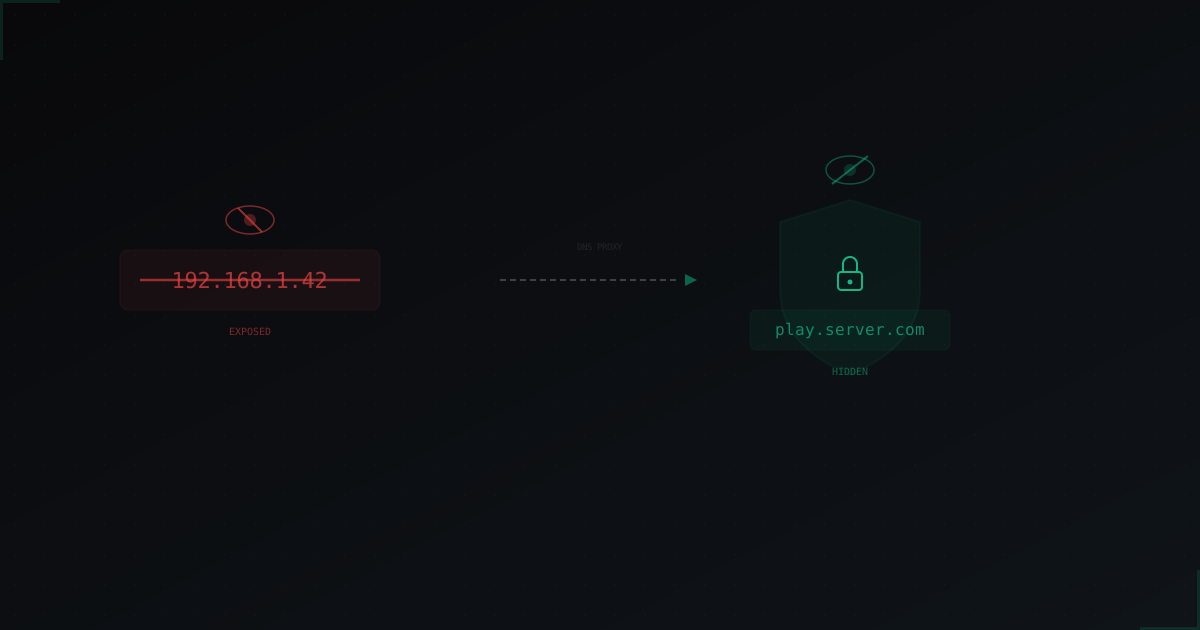
How to Hide Your Minecraft Server IP: Complete Guide
An exposed server IP is the #1 reason DDoS attacks succeed. We break down how attackers find your real IP and what you can do to make it impossible to discover.
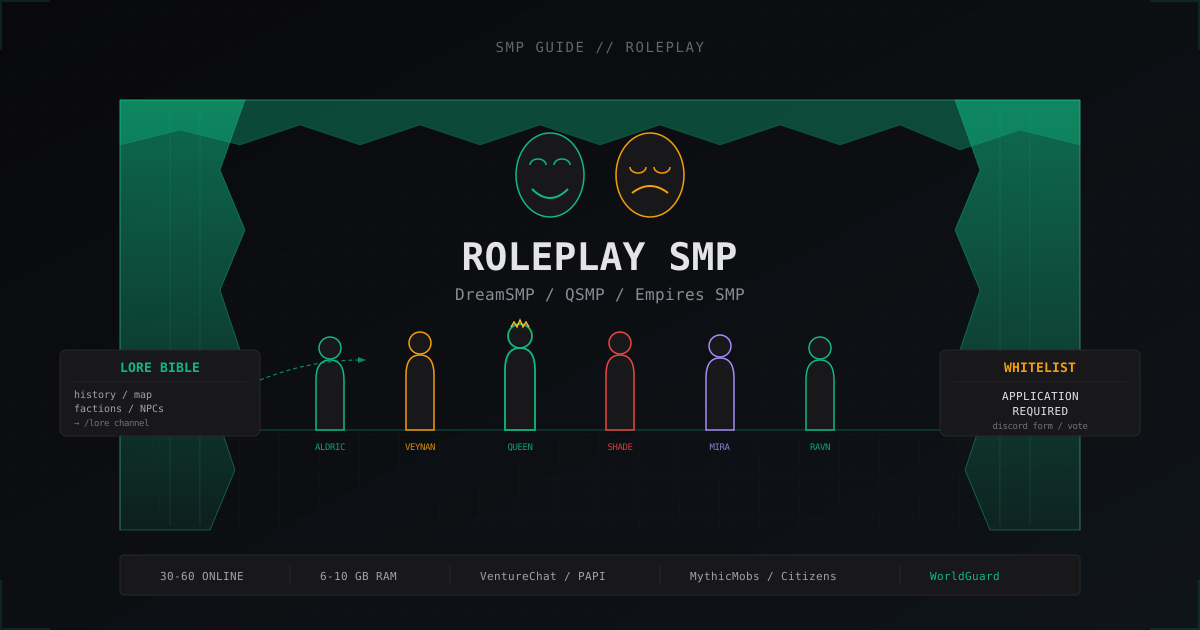
Roleplay SMP server setup: DreamSMP and QSMP style guide
How to build a Minecraft RP server like DreamSMP and QSMP: whitelist, Lore Bible, immersion plugins, events, and anti-metagaming moderation.
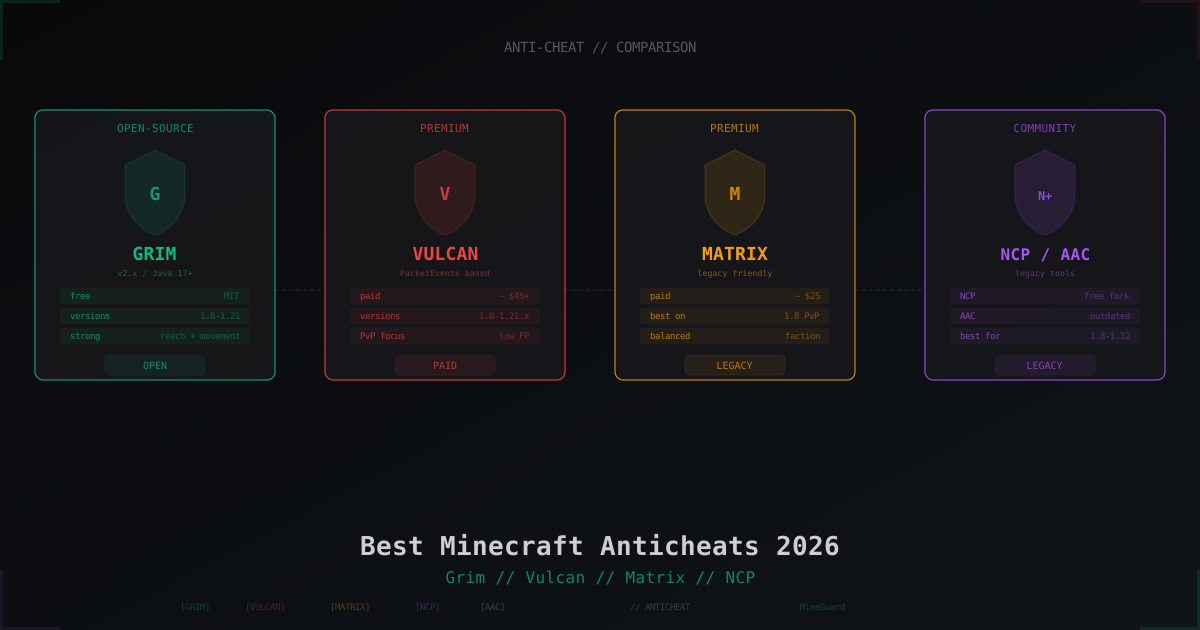
Best Minecraft Anticheats 2026: Grim, Vulcan, Matrix, AAC, NCP Compared
KillAura, Reach, Fly, Scaffold - cheaters break PvP and server economy. We compare Grim, Vulcan, Matrix, AAC and NCP: pricing, version support, false positives and which one fits your server type.