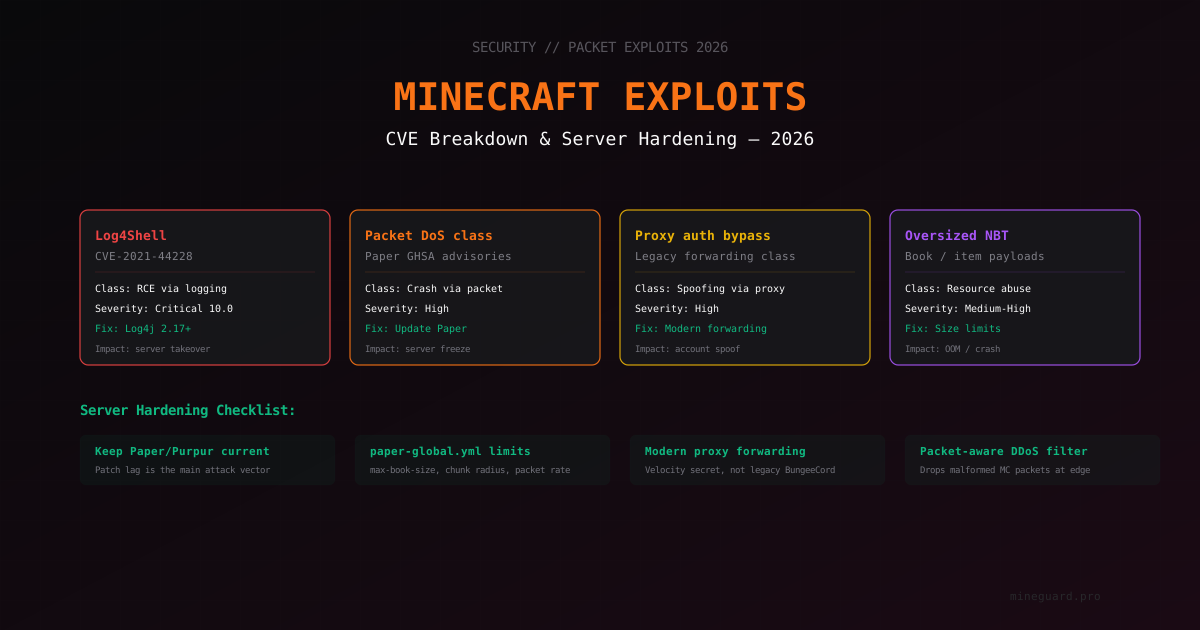
Minecraft Server Vulnerabilities in 2026: CVE Breakdown and Hardening
A Minecraft server, like any networked Java program, occasionally gets vulnerabilities. Some are small and need unusual conditions to exploit. Others at their time paralyzed the whole segment of the industry. What matters for an admin is not memorizing CVE numbers but understanding vulnerability classes and being able to quickly audit a server for typical problems.
In this article we will go through the main vulnerability classes that are relevant for Minecraft servers in 2026. We will show how to check if your server is protected and what to do if suspicious entries appear in logs. No exploitation instructions - only defense.
About the format
Vulnerabilities in Minecraft servers are published not only via classic CVEs but also through GitHub Security Advisories (GHSA) - especially common for Paper and Velocity. We will name CVE IDs where they exist, and talk about the class/advisory where a number is not meaningful.
No specific payload strings, exploitation commands, or PoC code are in this article. Only class description, versions where the issue is fixed, and ways to audit your own server.
Class 1: Remote code execution via logs (Log4Shell)
The most famous vulnerability of the Minecraft ecosystem. Registered as CVE-2021-44228.
What happened. In December 2021 it was discovered that Apache Log4j 2.x, which Minecraft uses for logging, allowed substituting expressions into messages. One of the expressions made Log4j download and execute a Java class from a remote server. Any string that landed in a log could become an attack vector. And Minecraft logs literally everything: chat messages, nicknames, commands, item names.
Scale. It hit everyone: vanilla servers, Paper, Spigot, BungeeCord, clients, launchers. Mojang released an emergency 1.18.1 patch and hotfix JARs for all supported versions. Paper and other forks shipped their own updates the same day.
Status in 2026. Completely closed in all current versions. Log4j 2.17.0+ is not affected. But caution is still needed: if you are running an old server on 1.17.x or 1.18.0 without a hotfix - you are still vulnerable.
How to audit your server.
# Find the Log4j version inside server.jar
unzip -p server.jar META-INF/maven/org.apache.logging.log4j/log4j-core/pom.properties
# or locate the log4j-core file
find . -name "log4j-core*.jar"
If you see a version below 2.17.0 - update now. For Paper/Purpur/Folia just download the latest build for your MC version. For a vanilla server - replace with the current jar from minecraft.net.
How to spot exploitation attempts. Abnormally long messages with unusual characters in brackets appear in logs (usually in chats, nicknames, item tooltips). Pattern: something that looks like a URL or command inside curly braces with a dollar sign. Any such message is a red flag.
Class 2: Packet DoS - crashing the server via a special packet
A large class of vulnerabilities where one specifically crafted Minecraft packet either freezes the server or makes it spend unreasonable resources. Usually closed via Paper Security Advisories (GHSA numbers), sometimes via CVE.
What happened. Over the years Paper has closed vulnerabilities of this class: chunk packet splitting caused memory leaks, abnormal entity spawn packets crashed the server, specific combinations of inventory actions caused loops. Publications usually go through PaperMC's GitHub with details on which version is affected.
Why it is hard to defend against. Every new class of exploit packets needs a separate fix. Vanilla server from Mojang historically does not validate packets as strictly as Paper does. So for production we always recommend Paper or Purpur, not the vanilla jar.
Status in 2026. Paper releases updates regularly - often the same day a vulnerability surfaces. Main defense is keeping the server on a current build.
How to check your installation.
# Server console
version

# On Paper you'll see something like
# This server is running Paper version git-Paper-xxx (MC: 1.21.4) (Implementing API version 1.21.4-R0.1-SNAPSHOT)
Go to Paper Downloads and compare build numbers. If yours is several versions behind - time to update. Paper keeps API compatibility, updates usually go smoothly.
How to spot exploitation attempts. Patterns in logs:
IOException: Invalid packet IDPacket too large: X bytes- unusual stacktraces in
latest.logfromNetworkManagerorServerGamePacketListenerImpl - sharp heap usage jumps without visible gameplay reason
Enable watchdog with low early-warning (in paper-global.yml) so the server writes a full thread dump on hang.
Class 3: Proxy forwarding bypass (BungeeCord legacy class)
If you run a proxy network on BungeeCord or Velocity, you need to understand a class of vulnerabilities around passing client info to the backend.
What happened. Classic BungeeCord by default passed client info (IP, UUID, name) to the backend server via a special handshake extension. The problem was that the backend did not verify the authenticity of that info. If anyone could connect to the backend directly (bypassing the proxy), they could forge any UUID and join as any player - including administrators.
This trait does not always have a CVE number because formally it is not a bug but a design decision of early BungeeCord. But exploitation of it is a full authentication bypass class vulnerability.
Status in 2026. The modern solution is "modern secret" forwarding:
- Velocity uses signed forwarding: the proxy signs client data with an HMAC key known only to the proxy and backend. Forged info fails the check
- BungeeCord + SpigotGuard / similar also offer signed forwarding
- Paper can verify Velocity modern secret out of the box
How to audit your setup.
# Velocity config.yml
player-info-forwarding-mode: "modern"
forwarding-secret-file: "forwarding.secret"

# paper-global.yml on the backend
proxies:
  velocity:
    enabled: true
    online-mode: true
    secret: "...contents of forwarding.secret..."
If you still have legacy forwarding - that is a risk. More on migration in our proxy network architecture article.
Key rule. Backend servers must never be reachable from the public internet directly. Proxy only. Close off external access to backend ports with a firewall:
# Allow only proxy IP
iptables -A INPUT -p tcp --dport 25566 -s PROXY_IP -j ACCEPT
iptables -A INPUT -p tcp --dport 25566 -j DROP
Class 4: Oversized NBT and resource overflow
NBT (Named Binary Tag) is the data format Minecraft uses for everything: items, books, entities, structures. NBT can be nested and potentially very large.
What happened. Over time various ways were found to create an item with an abnormally big NBT tree: a book with a huge number of pages, a shulker box with thousands of nested items, maps with millions of data points. Sending such an item in an inventory packet caused either very long serialization (lag) or full OutOfMemoryError freeze.
Status in 2026. Paper added configurable limits for main NBT payload classes. Enabled in paper-global.yml:
item-validation:
  max-bytes: 128000
  book:
    title-max-length: 16
    author-max-length: 16
    page-max: 50
    max-book-page-size: 2560
  resolve-selectors-in-books: false
  book-size:
    page-max: 2560
    total-multiplier: 0.98
These limits only work if you are on a current Paper. Vanilla server is still vulnerable.
How to check.
# Make sure item-validation is on and limits are reasonable
# Values above are "soft" - suitable for most servers
# Servers with custom items (skyblock, RPG) may raise max-bytes
How to spot exploitation. In logs:
OutOfMemoryErroron the main thread- abnormal size of
playerdata/*.datfiles (players can smuggle items into inventory) Packet rejected: item NBT too large
If you see playerdata files in the hundreds of megabytes - that is a clear sign of trouble.
Class 5: Pterodactyl and admin panels
A separate class of vulnerabilities is in admin panels sitting in front of the server (Pterodactyl, Crafty, Pelican, MCSManager). Most Minecraft admins use them, and many forget to update them.
What happened. Over the years Pterodactyl had vulnerabilities that allowed:
- executing code on the host via mishandled file operations (CVEs in pterodactyl/panel in 2021-2023)
- bypassing two-factor authentication
- accessing other clients' files on shared hosting
- executing commands in a container as root via incorrect SFTP handling
Status in 2026. Pterodactyl is actively patched, but not all hosters and admins update their installations. If you host a server on your own Pterodactyl panel, its security is fully on you.
What to do.
- Keep Pterodactyl on a current version. Detailed guide in our Pterodactyl security article
- Enable two-factor authentication for all admins
- Do not expose the panel to the public internet without Cloudflare or a WAF
- Monitor Wings (Pterodactyl daemon) logs for suspicious SFTP connections
Class 6: Plugin vulnerabilities
The most common class in 2026. Plugins are often written by hobbyists, code is published on SpigotMC without serious review, and holes are found in them regularly.
What happened.
- SQL injections in old versions of AuthMe, CMI, Essentials via the nickname field or
/registercommand - Path traversal in plugins that process file names (skins, custom resource packs)
- Unsafe YAML deserialization in plugins that accept user input
- Log4Shell-like issues in plugins that use their own logger
- Remote code execution via RCON-like commands in some plugins with insufficient permission checks
Status in 2026. You cannot guarantee security if you install random plugins. General rules:
- Only install plugins with active development (latest commits within a year)
- Check ratings and reviews on SpigotMC / Modrinth
- Do not install plugins from shady Telegram channels or "cracked" premium plugins - they regularly contain backdoors
- Keep plugins current - enable auto-updates where safe
More on mandatory plugins and their security in our security plugins 2026 article and must-have plugins.
Class 7: Query/RCON ports
The last class is not exactly about packet exploits but closely related. Minecraft has two auxiliary protocols: Query (UDP) and RCON (TCP). Both often get left open out of inattention.
Query. Lets anyone on the internet see players, MOTD, and plugin list. A publicly accessible query port is often used for amplification attacks: the attacker sends a query packet with a spoofed source IP, the server replies to the victim. And it gives the attacker a full list of plugins, which they then use to pick known vulnerabilities.
# server.properties - disable query if not needed
enable-query=false
RCON. Remote console. If the password is weak or left default, an attacker can execute commands as an operator, including /op for any player.
# server.properties - either disable or use a strong password
enable-rcon=false
# or
rcon.password=LongRandomPasswordNotFromDictionary
# and restrict access by firewall to trusted IPs only
More in our whitelist vs online mode article and logs analysis guide.
Basic 2026 hardening checklist
Minimum everyone needs. Anything not closed here is a potential vector.
Updates
- Paper/Purpur/Folia on the current stable build for your MC version
- Log4j 2.17.0+ (usually automatic with Paper, but verify)
- All plugins updated
- Java on current LTS (Java 21 for MC 1.21+)
Server configuration
-
item-validationinpaper-global.ymlenabled with reasonable limits -
watchdogenabled withearly-warning-delay: 10000 -
enable-query=falseif query is not needed -
enable-rcon=falseor a strong password + firewall on the RCON port -
online-mode=truefor a premium server
Network and proxy
- Backend servers closed from direct internet access
- Velocity/BungeeCord uses modern secret forwarding
- Firewall configured (see our firewall iptables guide)
- DDoS filter understands Minecraft protocol (L7)
Monitoring
- Logs archived and accessible for analysis
- Alerts set up on anomalies (see monitoring attacks)
- Regular backups of world and configs (see backup strategy)
Admin access
- 2FA on Pterodactyl/panel (see two-factor auth)
- SSH key-only, no password auth
- Operators (OP-list) only trusted people
- Regular audit of
ops.json
How to stay informed of new vulnerabilities
A good admin does not wait for the server to get broken. Sources:
- PaperMC GitHub Security Advisories - github.com/PaperMC/Paper/security/advisories
- Velocity GitHub Advisories - same for the Velocity proxy
- Twitter/X #minecraft exploit - the community often posts findings first
- Discord servers of major hosters and MineGuard - discussion picks up there when something is on fire
- CVE.org - search by keyword "minecraft"
- NVD (National Vulnerability Database) - official CVE source
What to do if you suspect a breach
If you suspect the server has been exploited:
- Take a full snapshot. World, configs, logs, playerdata. If the attack turns out to have been successful, this is your recovery material
- Check
ops.json. Look for unexpected operators - Check logs for suspicious commands. Especially
op,deop, permission changes - Check world files. Commands in
command_blocks, anomalous structures - Stop the server and update everything. Minecraft, Paper, plugins, Java, OS
- Rotate passwords. RCON, panels, SSH
- If compromise is confirmed, redeploy from scratch. The attacker may have hidden a backdoor in the world, a plugin, or even a jar file
Summary
Minecraft server vulnerabilities in 2026 fall into several main classes: RCE via logging, packet DoS, proxy forwarding bypass, NBT overflows, plugin vulnerabilities, and panel vulnerabilities. Each class has a clear defense path:
- keep Paper and plugins on current versions
- use modern secret forwarding
- close backends from public access
- enable item-validation and watchdog
- monitor logs for anomalies
- raise network defense via a filter that understands Minecraft protocol
MineGuard covers the network layer: it drops malformed packets in the kernel, filters volumetric attacks via XDP/eBPF, and detects bot-join traffic by behavior (see bot-join detection 2026). But server hardening is still the admin's job. This article is the baseline checklist.
If you need help with setting up protection or investigating suspicious activity - our support is ready to help look into a specific case.
Protect Your Server from DDoS Attacks
Free protection with 5-minute setup. 1 TB bandwidth included.
Try for FreeRelated Articles
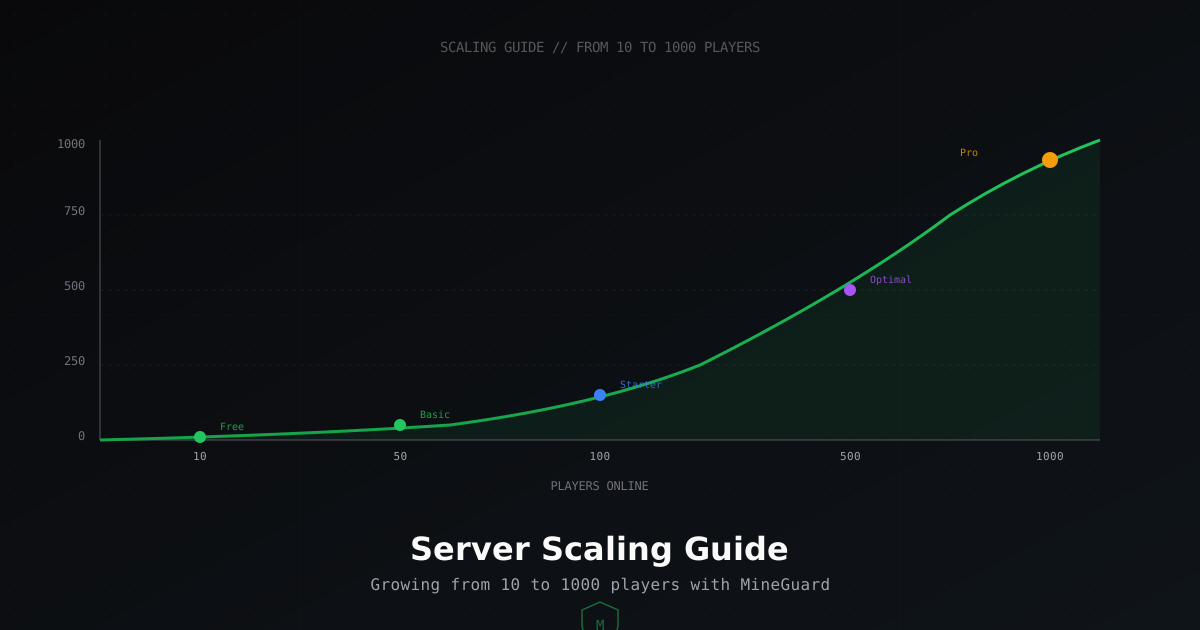
How to Scale Your Minecraft Server: From 10 to 1000 Players
A practical guide to scaling your Minecraft server. We break down hardware, bandwidth, and protection requirements at every growth stage: 10, 50, 100, 500, and 1000 players online.
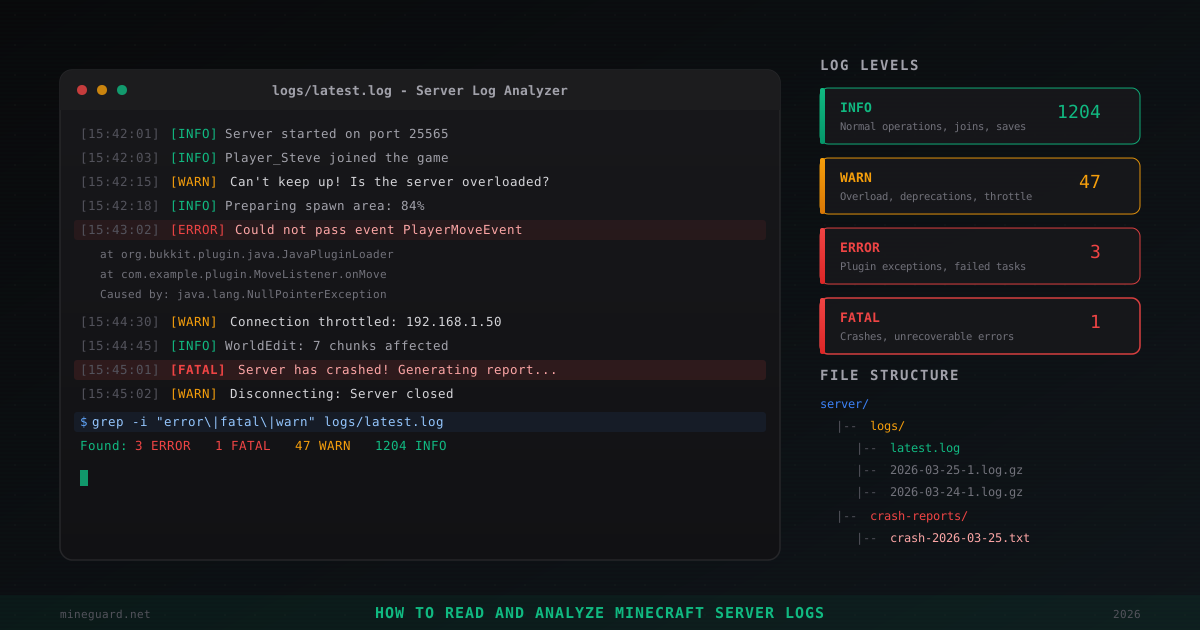
How to Read and Analyze Minecraft Server Logs
Where Minecraft server logs are stored, what INFO, WARN, ERROR, FATAL levels mean, how to find plugin errors, read crash reports, detect hack attempts, and use grep for log analysis. Practical admin guide.
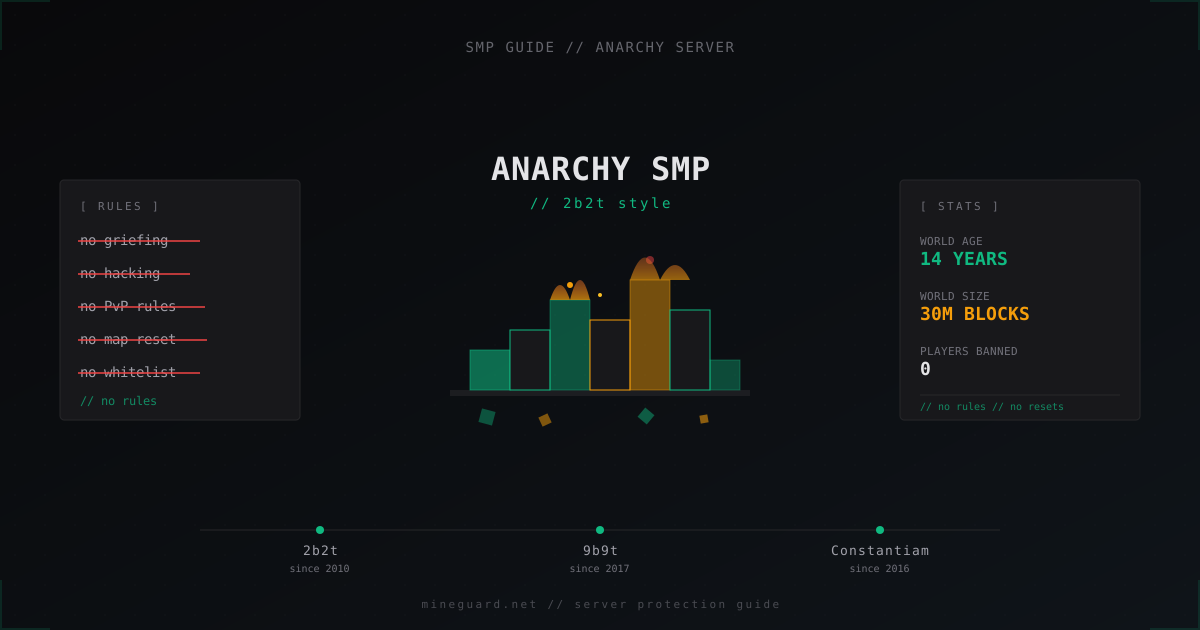
Anarchy SMP Server from Scratch: How to Build a 2b2t Style Server
Full guide: how to launch an anarchy Minecraft server in 2b2t style. Paper, Velocity, queue, DDoS protection, no-rules philosophy without anti-cheat.