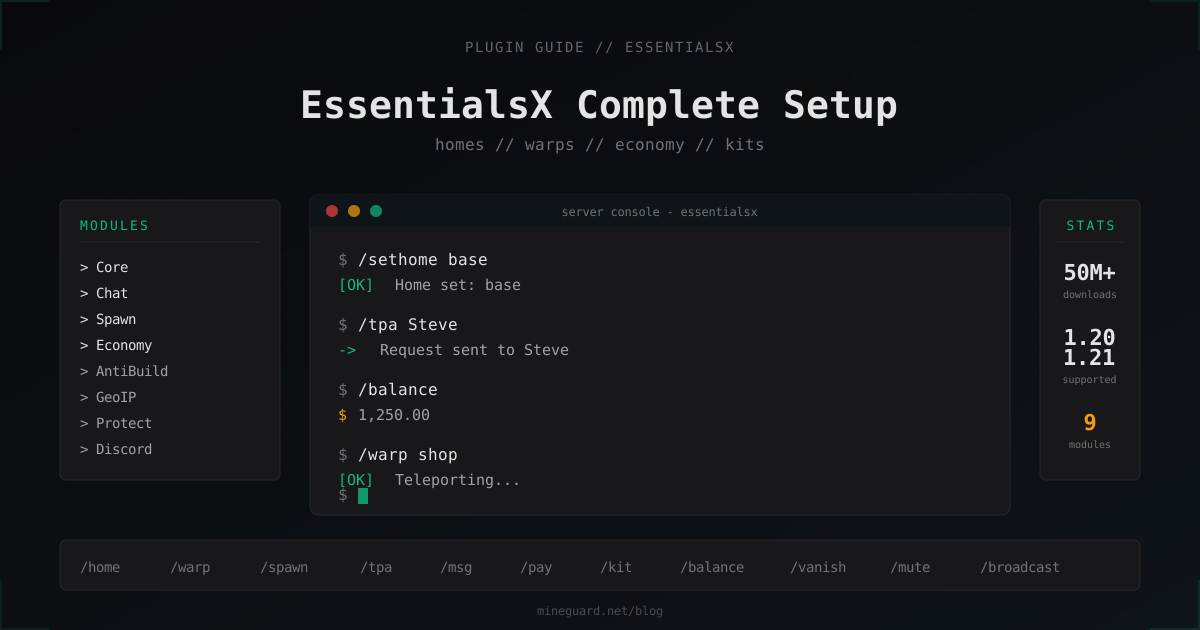
EssentialsX: Complete Setup Guide for Minecraft Server Basics 2026
If you run Paper or Spigot and want /home, /sethome, /spawn, warps, private messages and economy to just work, you need EssentialsX. It is the baseline plugin that covers around 80% of what a typical survival or mini-games server needs. Let's walk through installation, modules, config, permissions, and the corners where admins regularly break their economy or trigger lag spikes.
What EssentialsX is and why pick it
EssentialsX is the active fork of the original Essentials, which has been abandoned since 2014. All development since then happens in the EssentialsX GitHub organization, and the plugin still tops SpigotMC charts with over 50 million downloads.
It supports Paper, Spigot, Purpur, and partially Folia. On Folia only the Core and Spawn modules work in a separate EssentialsXSpigotFolia branch, the rest have not been ported because of Folia's regional tick model. Minecraft versions go from 1.8 up to 1.21, and the 1.21 branch has been stable since release 2.21.0.
There are alternatives: CMI (paid, monolithic), HuskHomes, ChestCommands. But if you want a "set and forget" base, EssentialsX wins on feature-per-zero-dollar ratio.
Modules: what to grab from GitHub releases
EssentialsX is split into several jars. The base is mandatory, the rest you pick by need:
- EssentialsX.jar - the core. Homes, warps, teleports, kits, private messages, basic economy
- EssentialsXChat.jar - chat formatting, channels, local chat
- EssentialsXSpawn.jar - custom spawn point, respawn-at-spawn for new players
- EssentialsXAntiBuild.jar - simple build protection by permissions
- EssentialsXProtect.jar - protection from creepers, fire, water flow
- EssentialsXGeoIP.jar - country lookup for player IPs, requires the MaxMind database
- EssentialsXXMPP.jar - rare module, Jabber notifications
- EssentialsXDiscord.jar - two-way Discord chat bridge
- EssentialsXDiscordLink.jar - account linking and role sync with LuckPerms
In practice most servers install Core, Chat, Spawn and Discord. The rest are either redundant or replaced by specialized plugins (WorldGuard instead of Protect, DiscordSRV instead of EssentialsXDiscord if you need rich embeds).
Only download from the official GitHub releases page. Random builds linked on YouTube often ship obfuscated backdoors.
Installation and dependencies
Drop the jars into plugins/, restart the server. EssentialsX creates plugins/Essentials/ with config.yml, kits.yml, worth.yml and a few other files.
Dependencies:
- Vault - needed if you plan to use the economy with other plugins (Shop, ChestShop, AuctionHouse). Without Vault, EssentialsX Economy is isolated
- LuckPerms - not strictly required, but without a permissions plugin you cannot configure groups and home limits properly. Out-of-the-box SuperPerms only handles operator flags
- PlaceholderAPI - needed for rich chat formatting through
%essentials_*%placeholders
Load order is correct out of the box, EssentialsX already declares softdepend: [Vault, LuckPerms, PlaceholderAPI] in its plugin.yml.
Player commands
These nodes go to the default group and get used daily:
/sethome [name]      # set a home, default cap is 1
/home [name]         # teleport to a home
/delhome <name>      # remove a home
/spawn               # to world spawn
/warp [name]         # to a warp if you have permission
/tpa <player>        # request teleport to a player
/tpaccept            # accept request
/tpdeny              # deny
/back                # return to death point or last teleport
/msg <player> <msg>  # private message
/r <message>         # reply to last DM
/mail send <p> <m>   # offline message
/balance             # check balance
/pay <player> <sum>  # transfer money
/afk                 # mark yourself AFK
/back after death is debatable. On anarchy servers it is usually disabled by removing essentials.back.ondeath, so PvP carries weight.
Moderator and admin commands
Minimum moderation toolkit:
/vanish              # invisible to players
/tempban <p> <time>  # temp ban, e.g. 7d or 2h
/mute <p> <time>     # timed mute
/jail <p> <jail>     # send to jail zone
/kick <p> [reason]   # kick
/broadcast <msg>     # message everyone
/feed                # restore food
/heal                # restore health
/gamemode <mode>     # change gamemode
/invsee <player>     # inspect inventory
/seen <player>       # last login time
Jails are created with /setjail <name> while standing on the spot. A jailed player cannot break blocks, chat (depends on jail-mute-on-jail), or use commands.
config.yml: key parameters
plugins/Essentials/config.yml is the heart of the plugin. Settings you definitely want to review:
# Home limits per group
sethome-multiple:
  default: 1
  vip: 3
  vip+: 5
  staff: 10

# Cooldown between teleports in seconds
teleport-cooldown: 60

# Delay before teleport, moving cancels it
teleport-delay: 3

# Safe teleport: checks ground block
teleport-safety: true
force-disable-teleport-safety: false

# Economy
currency-symbol: '$'
starting-balance: 100
min-money: 0
max-money: 10000000000

# AFK
auto-afk: 300        # 5 min until auto-AFK
auto-afk-kick: 1800  # kick after 30 min AFK

# Social spy: staff sees private messages
social-spy:
  available-on-vanish: true
One trap: sethome-multiple only kicks in if the player has the essentials.sethome.multiple.<group> node. Editing the number alone is not enough.
Economy: Vault, /shop, signs
EssentialsX Economy uses an in-memory store with a flat-file backup. For a server under 200 concurrent players it is fine, but at scale you should look at CoinsEngine or bridge EssentialsX onto MySQL through a third-party adapter.
For shops to work, install Vault, and EssentialsX automatically registers as the Economy provider. Verify with /vault-info.
EssentialsX has native sign shops. Build a sign like:
[Buy]
1
64
100
That means "buy 1 stack (64 items) of the indicated material for 100 currency". The full list of sign types lives in the signs: section:
enabled-signs:
  - balance
  - buy
  - sell
  - free
  - disposal
  - heal
  - mail
  - trade
  - warp
For a real GUI shop you want ChestShop or DeluxeMenus, signs are more for nostalgia.
Kits: kits.yml
plugins/Essentials/kits.yml stores item bundles. A starter kit example:
kits:
  starter:
    delay: -1
    items:
      - bread 16
      - wooden_sword
      - wooden_pickaxe
      - wooden_axe
      - leather_helmet
      - leather_chestplate
      - leather_leggings
      - leather_boots
      - torch 32
  daily:
    delay: 86400
    items:
      - cooked_beef 32
      - iron_pickaxe unbreaking:1
      - golden_apple 4
delay: -1 means "give once, never again", 86400 means "once per day in seconds". Players claim with /kit starter, permission node is essentials.kits.starter.
For enchantments use material enchantment:level, e.g. diamond_sword sharpness:5 unbreaking:3. Enchantment names follow the Bukkit API.
Spawn and warps
Set the spawn:
/setspawn          # default for all groups
/setspawn default  # explicitly for default group
You can configure per-group spawns through respawn-listener-priority and permission groups. New-player tutorials usually live in a separate world.
Warps:
/setwarp shop      # create
/warp shop         # teleport
/delwarp shop      # remove
/warps             # list available warps
Each warp requires essentials.warp.warps.<name> or the wildcard essentials.warp.*. If you have 50 warps and don't want to grant each one, just give everyone essentials.warps.*.
AntiBuild and Protect: when to skip them
EssentialsX AntiBuild is simple permission-based block protection. It works, but it's rigid: you cannot allow building only inside one region. For serious spawn protection install WorldGuard and skip AntiBuild entirely.
EssentialsX Protect handles creepers and physics. Also basic. If you run survival with PvE zones, WorldGuard with creeper-explosion deny flags is the better option.
Rule of thumb: use Core + Spawn + Chat + Economy, enable other modules only when you know you need them.
Chat and PlaceholderAPI
EssentialsXChat formats chat through chatformat in the config. Group-aware example:
chat:
  format: '{DISPLAYNAME}&7: &f{MESSAGE}'
  group-formats:
    default: '&7[Player] {DISPLAYNAME}&7: &f{MESSAGE}'
    vip: '&6[VIP] {DISPLAYNAME}&7: &f{MESSAGE}'
    staff: '&c[Staff] {DISPLAYNAME}&7: &f{MESSAGE}'
  radius: 0
radius: 0 means global chat, any number above 0 makes chat local within that block radius.
With PlaceholderAPI you can pull a LuckPerms prefix straight in:
format: '%luckperms_prefix% {DISPLAYNAME}&7: &f{MESSAGE}'
Don't forget to enable PlaceholderAPI parsing in EssentialsXChat, otherwise placeholders pass through as raw text.
Performance on bigger servers
On a server with 500+ concurrent players EssentialsX can become a bottleneck. Things to disable:
- GeoIP - loads a database into memory and does a lookup on every join. If you don't display country in chat, turn it off
- /seen storage -
last-seenis written to userdata on every disconnect. On busy servers setlast-seen-write: false - AFK auto-kick - iterates over all players every tick. Set
auto-afk-kick: -1if you don't need the kick - TPS-bound timers - EssentialsX has periodic userdata save tasks. Tune
userdata-saving-intervalbetween 60 and 300 seconds
Userdata sits in plugins/Essentials/userdata/ as one .yml per player. On big servers that's tens of thousands of files, and /baltop or /seen scans the whole tree. The fix is to migrate to MySQL through a third-party bridge or prune old userdata files with a scheduled script.
Permissions through LuckPerms
Minimum set for default group:
lp group default permission set essentials.home true
lp group default permission set essentials.sethome true
lp group default permission set essentials.sethome.multiple.default true
lp group default permission set essentials.delhome true
lp group default permission set essentials.spawn true
lp group default permission set essentials.warp true
lp group default permission set essentials.tpa true
lp group default permission set essentials.tpaccept true
lp group default permission set essentials.tpdeny true
lp group default permission set essentials.msg true
lp group default permission set essentials.mail true
lp group default permission set essentials.balance true
lp group default permission set essentials.pay true
lp group default permission set essentials.kits.starter true
lp group default permission set essentials.afk true
lp group default permission set essentials.back true
For VIP add essentials.sethome.multiple.vip and configure the home count in config.yml. For moderators add essentials.vanish, essentials.kick, essentials.mute, essentials.tempban, essentials.broadcast, essentials.invsee, essentials.seen.
Dangerous nodes you NEVER hand to regular players: essentials.god, essentials.fly, essentials.gamemode, essentials.give, essentials.eco (the last one controls server economy).
FAQ
Does EssentialsX work on Folia?
Partially. There is a separate EssentialsXSpigotFolia branch that supports Core and Spawn. Most other modules have not been ported to Folia's regional tick model. If you commit to Folia, expect to replace some EssentialsX features.
How do I make /home work only in the overworld?
Through permissions and Multiverse. Grant essentials.home.bed only in the target world via LuckPerms contexts: lp group default permission set essentials.home true world=world. The command will fail in other worlds. Alternative: enable world-teleport-permissions: true in the config.
Why do I need Vault if EssentialsX already has economy?
Vault is an API bridge between plugins. EssentialsX Economy alone only works inside EssentialsX commands (/balance, /pay). All third-party shops, auctions, and paid features go through Vault. Without Vault they cannot read EssentialsX balances.
Can I raise the home limit above 3?
Yes, through essentials.sethome.multiple.<group> and the sethome-multiple config section. Define a group like vip+ with 10 homes in config and grant the node via LuckPerms. There is no hard cap, only filesystem performance.
How do I protect /spawn from griefing?
With WorldGuard, not AntiBuild. Define a region around spawn with //wand and /region define spawn, then /region flag spawn build deny and /region flag spawn pvp deny. EssentialsX AntiBuild is too coarse for partial exceptions.
How do I reset homes for all players?
There is no direct command. Either delete the homes: section in every userdata yml with a script, or run /delhome <player>:<name> from the console for individuals. For large servers a yq or sed script across plugins/Essentials/userdata/ is the practical option.
Does EssentialsX clash with other home and warp plugins?
Yes, if you also run HuskHomes or CMI. Commands like /home, /warp, /tpa overlap, and Bukkit hands the command to whichever plugin registered first. Fix by removing duplicates in commands.yml or disabling the redundant module via disabled-commands in EssentialsX config.
What's next
EssentialsX covers the basics, no more. For a serious server plan the stack from day one: WorldGuard for regions, LuckPerms for permissions, PlaceholderAPI for integrations, plus a GUI inventory plugin (ChestShop or DeluxeMenus). Keep configs in git, snapshot userdata daily, and don't forget to shield your server from DDoS - a single SYN flood and your beautifully tuned config sits empty without players.
Protect Your Server from DDoS Attacks
Free protection with 5-minute setup. 1 TB bandwidth included.
Try for FreeRelated Articles
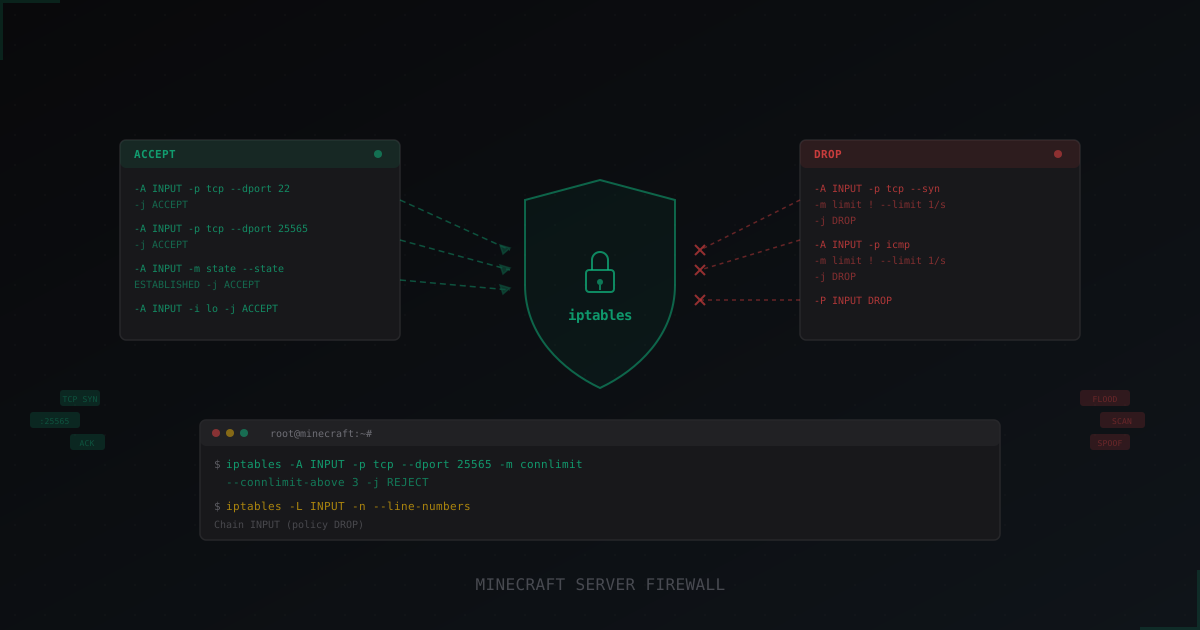
How to Set Up iptables for a Minecraft Server: Complete Guide
Step-by-step iptables setup for Minecraft server protection: basic rules, rate limiting, port scan defense, connlimit, and persistent configuration. Real command examples with comments.
How Captcha Protects Minecraft Servers from Bots
Bot attacks on Minecraft servers are growing more sophisticated. We explore how web captcha helps filter out unwanted players and which verification types work best.
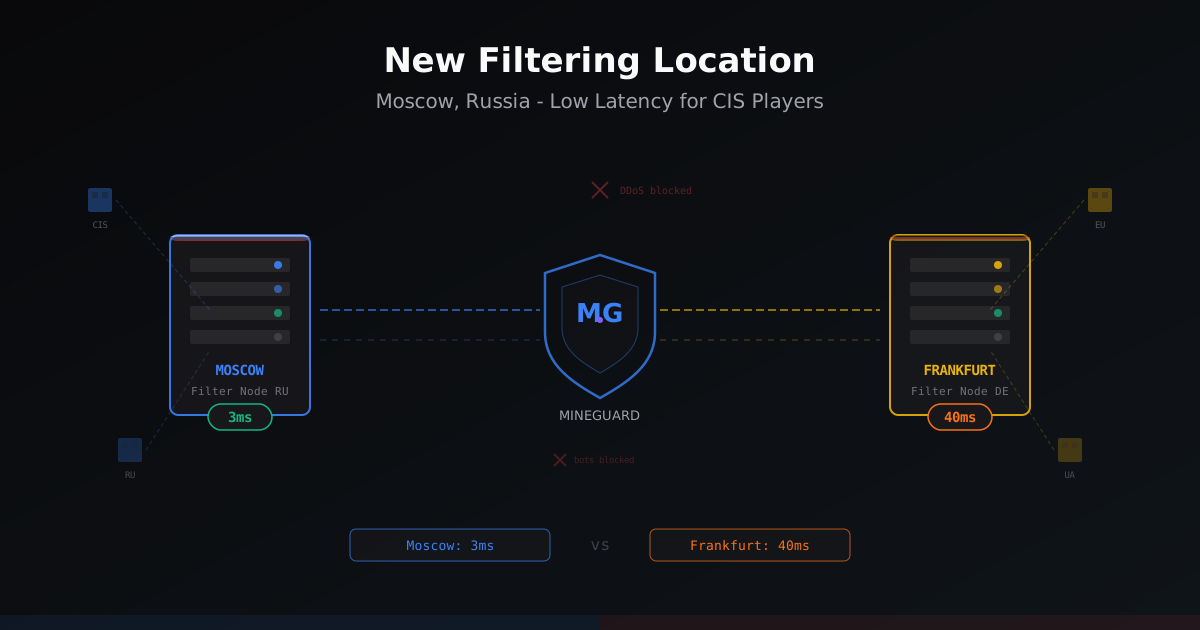
New Filtering Location in Russia - Moscow
MineGuard launched a filtering node in Moscow, Russia. CIS players get 30-40ms lower ping while European and Ukrainian traffic still routes through Germany. Learn how it works and who should enable it.