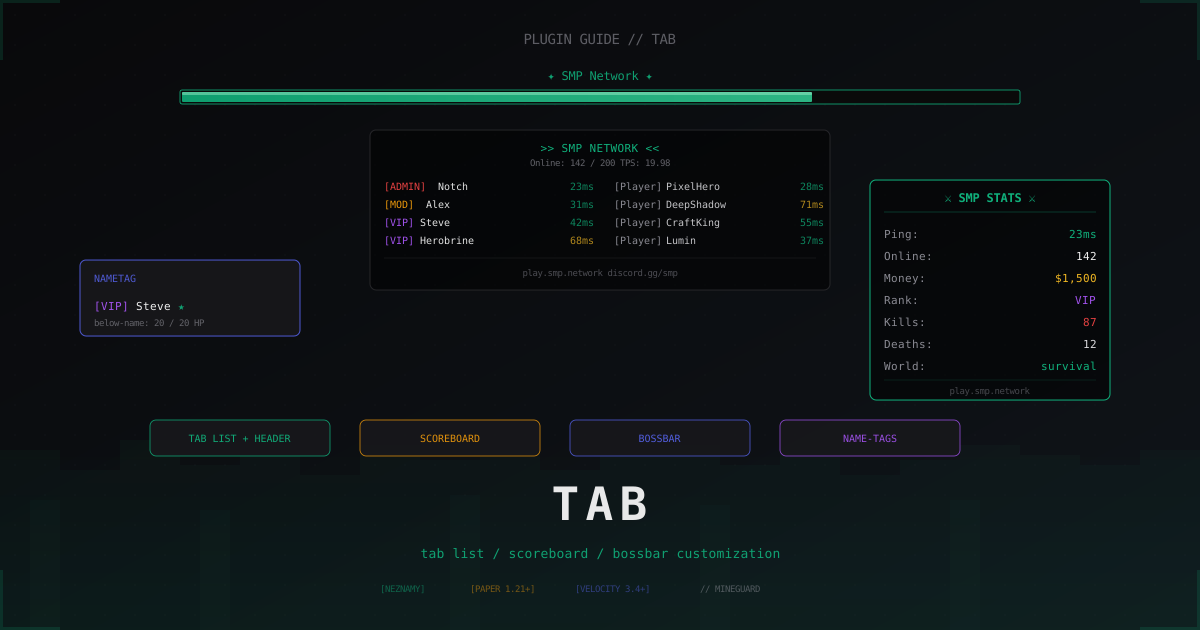
TAB plugin: tab list, scoreboard and BossBar customization (2026)
Once a server pushes past two dozen concurrent players, the vanilla tab list starts to feel rough. Names show up in random order, LuckPerms prefixes only appear in chat, there is no scoreboard sidebar, and the BossBar sits unused. TAB by NEZNAMY closes all of those gaps with a single plugin, and it is worth setting up properly once.
We will walk through installation, proxy mode, the main config files, sorting, anti-override, and the usual problems. Every snippet has been tested on Paper 1.21.4 and Velocity 3.4.
What TAB is and why it became the standard
TAB by NEZNAMY (repo at github.com/NEZNAMY/TAB, releases on hangar.papermc.io/NEZNAMY/TAB) is one plugin that replaces several older ones at once: a TAB-list editor, a custom scoreboard plugin, a BossBar plugin, and a name-tag plugin. People used to install three or four plugins from different authors for this, and they fought each other over packets.
Key modules in a single jar:
- tab list: header, footer, individual lines per slot, custom icons, sorting
- sidebar scoreboard: a set of lines, switching by world or by permission
- BossBar: one or more bars at the top with progress driven by a placeholder
- name-tags: prefix and suffix above the head, name color, hide on invisibility
- below-name: small text under the name, usually HP or clan tag
- yellow-number: the number to the right of the name in tab (HP, ping, score)
All of it is driven through config.yml, groups.yml, animations.yml and a couple of helper files. No separate plugins per component.
The current stable line in 2026 is TAB 5.x. Minimum requirements: Java 17 and Paper 1.16.5 or newer. 1.8.x has been unsupported officially for a long time, do not try to force it.
Installation
Grab the latest jar from Hangar: hangar.papermc.io/NEZNAMY/TAB. The release file is named TAB-5.x.x.jar, there is no separate Spigot/Paper build, the jar is universal.
For a single server:
- Drop the jar into
plugins/ - Restart the server (not
/reload) - Run
/plugins, TAB should be green - Run
/tab cputo confirm the plugin is alive
On first start a plugins/TAB/ folder appears with config files. Everything happens there from now on, no need to touch the jar.
For a proxy (Velocity or BungeeCord) the same jar goes into the proxy plugins/ folder. Velocity 3.4+ is required, older versions had tablist API issues.
First start and the file layout
After the first start plugins/TAB/ contains:
config.yml, the main file. You enable and disable modules, define header, footer, scoreboard, bossbaranimations.yml, animation definitions (rainbows, pulses, phrase rotations)groups.yml, prefix and tabprefix per LuckPerms group or per player nameadvanced-config.yml, placeholder refresh intervals, debug flags, smaller knobsmessages.yml, command output strings for admins (translatable)premiumvanish.yml, integration with PremiumVanish if installed
The default config.yml already runs, but it is rarely what you actually want. The scoreboard module is off by default, the header shows generic placeholders. The next section is where you customize.
Note: if PlaceholderAPI is installed (and it almost certainly is), TAB picks it up automatically. Without PAPI you only get TAB's built-in placeholders like %online%, %maxplayers%, %player%, %world%.
Proxy mode: install TAB on Velocity or on the backends
If you run a network of several backends behind Velocity or BungeeCord, you have a choice: install TAB on every backend, or install it on the proxy.
Short answer: install on the proxy. Reasons:
- single tab list across server switches, no flicker
- sorting works across all players in the network, not per backend
- header and footer are configured once on the proxy
- less duplicated configuration
For proxy mode you need:
- TAB installed on the proxy (
Velocity-plugins/orBungeeCord/plugins/) - TAB also installed on each backend (it runs as a backend client there)
enable-redis-bungeeenabled if you use RedisBungee, otherwise standard bungee messaging- PlaceholderAPI installed on backends so placeholders resolve on the right server
In config.yml on the proxy you enable modules normally. On backends you turn off the modules driven by the proxy (typically tablist and scoreboard) and leave name-tags and bossbar if they depend on the world.
Header and footer with PlaceholderAPI
The most visible piece of TAB is the header (top of the tab list) and footer (bottom). Minimal example from config.yml:
header-footer:
  enabled: true
  disable-condition: "%world%=disabled_world"
  header:
    - "&a&l>> %server_name% <<"
    - "&7Online: &f%online%&7/&f%maxplayers%"
    - "&7TPS: &a%tps%"
  footer:
    - "&7play.example.net"
    - "&8discord.gg/example"
Legacy color codes via & work, hex &#RRGGBB is supported, and gradients via <gradient:#hex1:#hex2>text</gradient> work since 5.x parses MiniMessage.
For a different header per backend on the network, use per-server:
header-footer:
  enabled: true
  per-server:
    survival:
      header:
        - "&a&lSurvival"
        - "&7%online% online"
      footer:
        - "&8survival.example.net"
    creative:
      header:
        - "&b&lCreative"
        - "&7%online% online"
      footer:
        - "&8creative.example.net"
The key names (survival, creative) must match the server names in your Velocity config.
On a single backend without a proxy, the same idea works as per-world keyed on world names.
Sorting: by LuckPerms group, permission, or placeholder
Once more than ten people are in the tab list, order matters. By default players show up in login order. TAB can sort by several criteria, and combining them is where most people get stuck.
Example from config.yml:
scoreboard-teams:
  enabled: true
  sorting-types:
    - "GROUPS:owner,admin,mod,vip,default"
    - "PLACEHOLDER_A_TO_Z:%player%"
Reading: TAB first looks at the LuckPerms group. Owner above admin, admin above mod, and so on. Inside a single group (say two players in default) the second criterion kicks in: alphabetical by name.
Supported sorting types:
GROUPS:list_of_groups, ordered by the list, missing groups go to the bottomPERMISSIONS:list_of_permissions, players with the first perm are above those with the secondPLACEHOLDER_A_TO_Z:%placeholder%, alphabetical sort by placeholderPLACEHOLDER_Z_TO_A:%placeholder%, reverse alphabeticalPLACEHOLDER_LOW_TO_HIGH:%placeholder%, numeric ascendingPLACEHOLDER_HIGH_TO_LOW:%placeholder%, numeric descending
For networks with an economy plugin, sorting by balance is handy:
sorting-types:
  - "GROUPS:owner,admin,vip,default"
  - "PLACEHOLDER_HIGH_TO_LOW:%vault_eco_balance%"
Note: sorting works through scoreboard teams, and Minecraft caps team names at 16 characters. TAB handles generation, but if another plugin also touches teams (a chat plugin with clan tags, for instance), they collide. Anti-override fixes that, see below.
Prefixes and tabprefix via LuckPerms
If LuckPerms is already in place and groups have prefixes set via /lp group <name> meta setprefix "...", TAB picks them up automatically. But often you want one prefix in the tab list (short) and a different one in chat (longer). That is what groups.yml is for:
groups:
  owner:
    tabprefix: "&4&l[OWNER] &c"
    tagprefix: "&4[OWNER] &c"
    tabsuffix: ""
  admin:
    tabprefix: "&c[ADMIN] &c"
    tagprefix: "&c[A] &c"
  mod:
    tabprefix: "&e[MOD] &e"
    tagprefix: "&e[M] &e"
  vip:
    tabprefix: "&6[VIP] &6"
    tagprefix: "&6"
  default:
    tabprefix: "&7"
    tagprefix: "&7"
tabprefix shows up in the tab list, tagprefix floats above the head, tabsuffix and tagsuffix go to the right of the name. TAB checks groups.yml first, falls back to LuckPerms data if a group is missing.
For groups to be detected correctly, config.yml needs the integration block:
use-luckperms-prefix-suffix: false
use-permissions-as-groups: false
First option: with true, TAB pulls the prefix straight from LuckPerms and ignores groups.yml. Convenient for simple setups. If you want one format in tab and another in chat, set it to false and configure via groups.yml.
Anti-override
Classic pain: you install EssentialsXChat or another plugin with tablist features, and they start rewriting tab names after TAB. Players see prefixes vanish or the order flicker.
config.yml has an anti-override section:
anti-override:
  tablist-names: true
  scoreboard-teams: true
  bossbar: true
With true, TAB intercepts attempts by other plugins to modify the matching packets and keeps its own values. Defaults are already on, so you usually do not touch it, but if prefixes drop in and out, double-check those flags.
If the issue persists, disabling tablist features in EssentialsX (change-display-name: false), ChatControl, Carbon and similar helps. One source of truth is better than two fighting each other.
Per-world and per-server configs
Every module supports per-world (single backend) or per-server (proxy) overrides. Real example for the scoreboard:
scoreboard:
  enabled: true
  default-scoreboard: main
  scoreboards:
    main:
      title: "&a&lSMP STATS"
      lines:
        - "&7Ping: &f%ping%ms"
        - "&7Online: &f%online%"
        - "&7Money: &6$%vault_eco_balance%"
        - "&7Rank: %luckperms_primary_group_name%"
        - "&7Kills: &c%statistic_player_kills%"
        - "&7World: &a%world%"
        - ""
        - "&8play.example.net"
    creative:
      title: "&b&lCREATIVE"
      lines:
        - "&7Online: &f%online%"
        - "&7World: &b%world%"
        - ""
        - "&8play.example.net"
      display-condition: "%world%=creative"
The display-condition key supports placeholders and operators =, !=, <, >, <=, >=. A single player can be eligible for multiple scoreboards, TAB shows the first whose condition matches.
BossBar
The BossBar is great for global notices: online count, current event, server status. Minimal example:
bossbar:
  enabled: true
  toggle-command: "/bossbar"
  default-bars:
    - online
    - event
  bars:
    online:
      style: "PROGRESS"
      color: "GREEN"
      progress: "%math_0_(%online%/%maxplayers%)%"
      text: "&a%online%&7/&a%maxplayers% players online"
    event:
      style: "NOTCHED_10"
      color: "PURPLE"
      progress: "100"
      text: "&dDouble XP weekend!"
      announcement-bar: true
For progress, a computed placeholder via the PAPI Math expansion works well. Styles available: PROGRESS, NOTCHED_6, NOTCHED_10, NOTCHED_12, NOTCHED_20. Colors: PINK, BLUE, RED, GREEN, YELLOW, PURPLE, WHITE.
With announcement-bar: true, the bar pops to everyone the moment it is enabled and is removed automatically after announcement-bar-time seconds. Handy for restart heads-up messages.
Animations
The animations.yml file holds a set of reusable animations. Example:
animations:
  rainbow_text:
    change-interval: 200
    texts:
      - "&cE&6X&eA&aM&bP&dL&5E"
      - "&6E&eX&aA&bM&dP&5L&cE"
      - "&eE&aX&bA&dM&5P&cL&6E"
  pulse_online:
    change-interval: 500
    texts:
      - "&aOnline: &f%online%"
      - "&2Online: &7%online%"
Reference them in any other config via %animation:name%:
header:
  - "%animation:rainbow_text%"
  - "%animation:pulse_online%"
change-interval is in milliseconds. Anything below 50 is pointless, the client will not render that fast anyway.
Integrations: PremiumVanish, PlaceholderAPI, Vault
| Feature | PremiumVanish | PlaceholderAPI | Vault |
|---|---|---|---|
| Hide vanished players from tab | Yes | No | No |
| LuckPerms prefixes | No | Via %luckperms_prefix% | Yes, direct |
| Player balance in scoreboard | No | Via %vault_eco_balance% | Through PAPI |
| Custom placeholders | No | Yes, primary source | No |
| Player group for sorting | No | Via %vault_group% | Yes |
| Online count without vanish | Yes | No | No |
| TAB compatibility | Native | Native | Through PAPI Vault expansion |
Quick rule. PlaceholderAPI is installed almost always, without it the scoreboard and header are empty. Vault is needed if you have an economy. PremiumVanish is needed only if you actually use it as your vanish plugin (not the built-in /v from Essentials).
Troubleshooting
Prefixes do not show up even though they are configured in LuckPerms. Check the permission node tab.prefixes (or its absence on the group). By default TAB shows prefixes to everyone, but if permission-required-for-prefixes: true is set in config.yml, you have to grant the permission explicitly. Also confirm the prefix is set via meta setprefix in LuckPerms, not as a prefix.10.vip permission. By default TAB reads meta prefixes.
A placeholder shows up literally (%player_world% instead of the world name). Run /papi parse me %player_world%. If it returns the text as-is, the expansion is missing. Install via /papi ecloud download Player. After that run /tab reload.
Sorting does nothing, players appear in random order. Two things to check. First: scoreboard-teams.enabled: true in config.yml (the module is off by default in some builds). Second: confirm no other plugin also touches scoreboard teams. EssentialsXChat and MyPet are the most common offenders.
Scoreboard flickers or duplicates. Most likely you have another scoreboard plugin installed (FeatherBoard, Fabled-Scoreboard). TAB and the other plugin fight over packets. Remove the other one, keep only TAB.
A second of empty tab list when switching servers on the proxy. That means TAB is installed only on backends, not on the proxy. Drop the jar into Velocity's plugins/, restart the proxy.
/tab reload does nothing after a config change. Check YAML syntax, a single misplaced space breaks the parser. Run /tab debug and watch latest.log for errors. Copy-pasting an example from github.com/NEZNAMY/TAB/wiki is often the fastest fix.
FAQ
Can I run TAB alongside FeatherBoard?
No point. TAB covers everything FeatherBoard does, and running both wastes resources and creates constant scoreboard conflicts. Pick one.
Does TAB cost a lot of CPU?
With default settings, almost nothing. On 200-player networks it sits around 0.5 to 1% of a tick. Heavy placeholders (custom PAPI ones hitting a database every tick) can hurt, but that is on the expansion, not TAB. Use refresh-intervals in advanced-config.yml to compute slow data every few seconds instead of every tick.
Does TAB support Folia?
Yes since TAB 5.0. Older versions are not Folia-aware, update if needed. The plugin works correctly through regional schedulers.
Can I disable TAB for one specific player?
Yes, the tab.staff permission grants a hidden mode, or you can use disable-condition per module. For example, disable-condition: "%world%=spectator_world" turns the module off in a specific world.
What is better for name-tags: TAB or EssentialsXChat?
TAB. EssentialsXChat only handles a chat-line prefix. The text floating above a player's head is rendered through scoreboard teams, which is exactly what TAB does. Without TAB or an equivalent the head shows only a plain white name.
Is TAB compatible with Geyser/Floodgate?
Yes, with a caveat. Bedrock clients do not render hex colors and gradients in the tab list the same way Java clients do. Use plain & codes for compatibility, or hide the fancy formatting behind a condition like %player_client%=java.
That covers the basic TAB setup. After that it is mostly scenario-specific tweaks: BossBars for PvP arenas, scoreboards tied to a quest system, custom icons in tab via tablist-formatting. All of it lives on the GitHub wiki, and reading it makes more sense once your basic config already works.
Protect Your Server from DDoS Attacks
Free protection with 5-minute setup. 1 TB bandwidth included.
Try for FreeRelated Articles
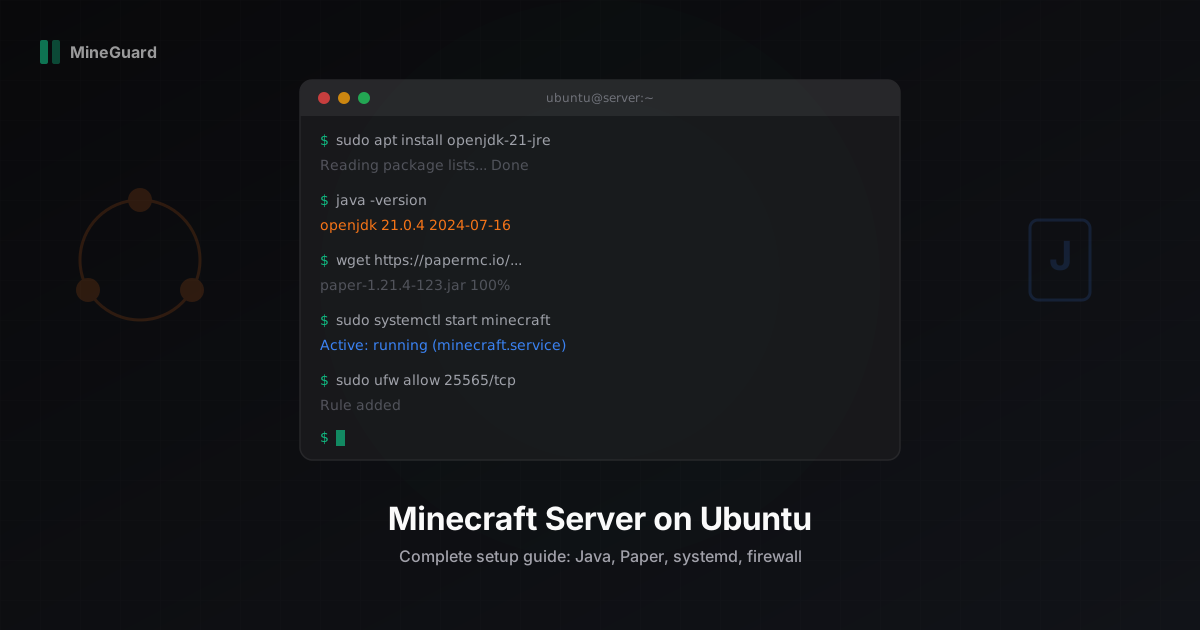
Minecraft Server Setup on Ubuntu Linux: Step-by-Step Guide
Complete guide to installing and configuring a Minecraft server on Ubuntu 22.04/24.04. Java 21, Paper, systemd, firewall, JVM flags, and auto-restart.
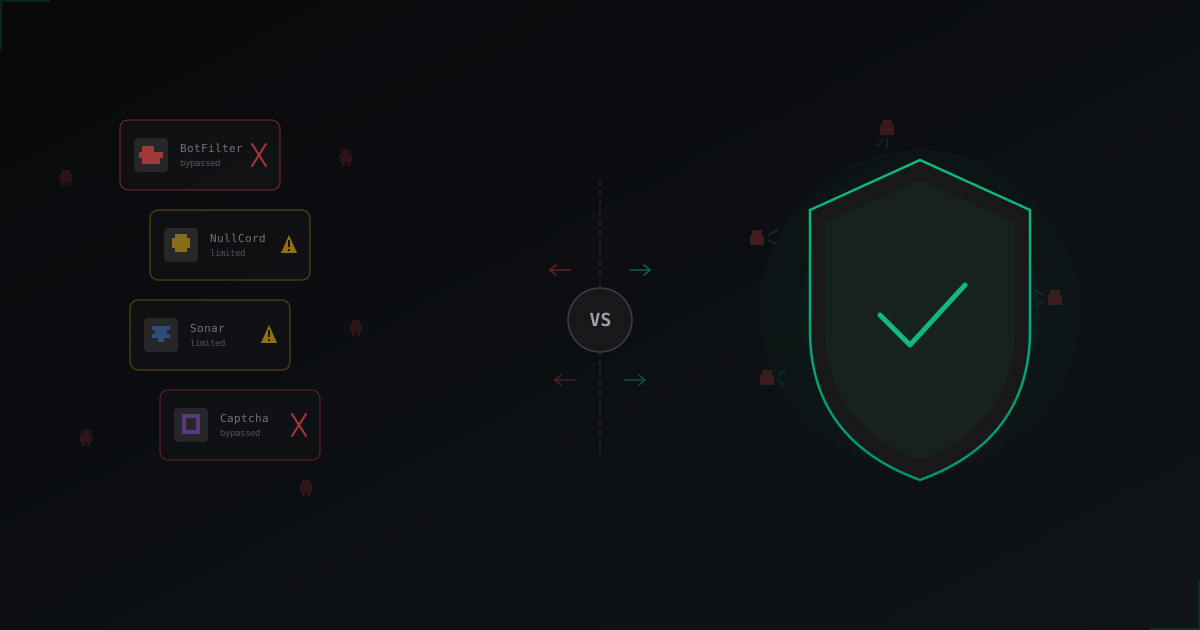
Plugins vs Protection Service: What Actually Works Against Bots in 2026
An honest breakdown of BotFilter, NullCord, Sonar and in-game captcha plugins. Why in-game checks hit a ceiling and what the servers that survive bot attacks are doing differently.
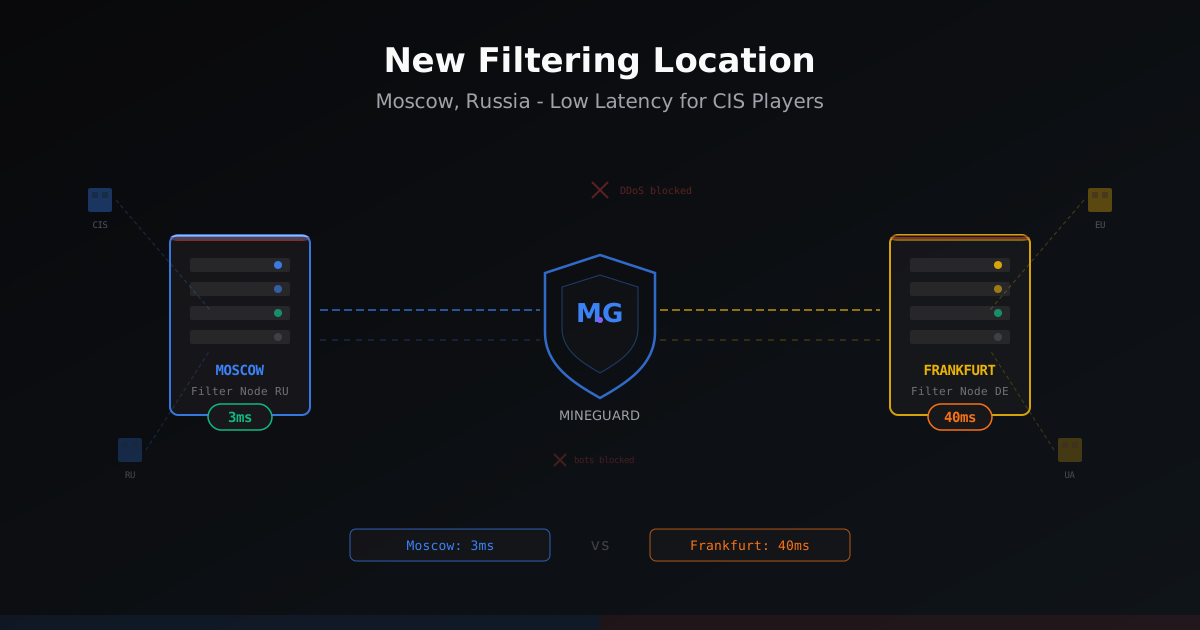
New Filtering Location in Russia - Moscow
MineGuard launched a filtering node in Moscow, Russia. CIS players get 30-40ms lower ping while European and Ukrainian traffic still routes through Germany. Learn how it works and who should enable it.