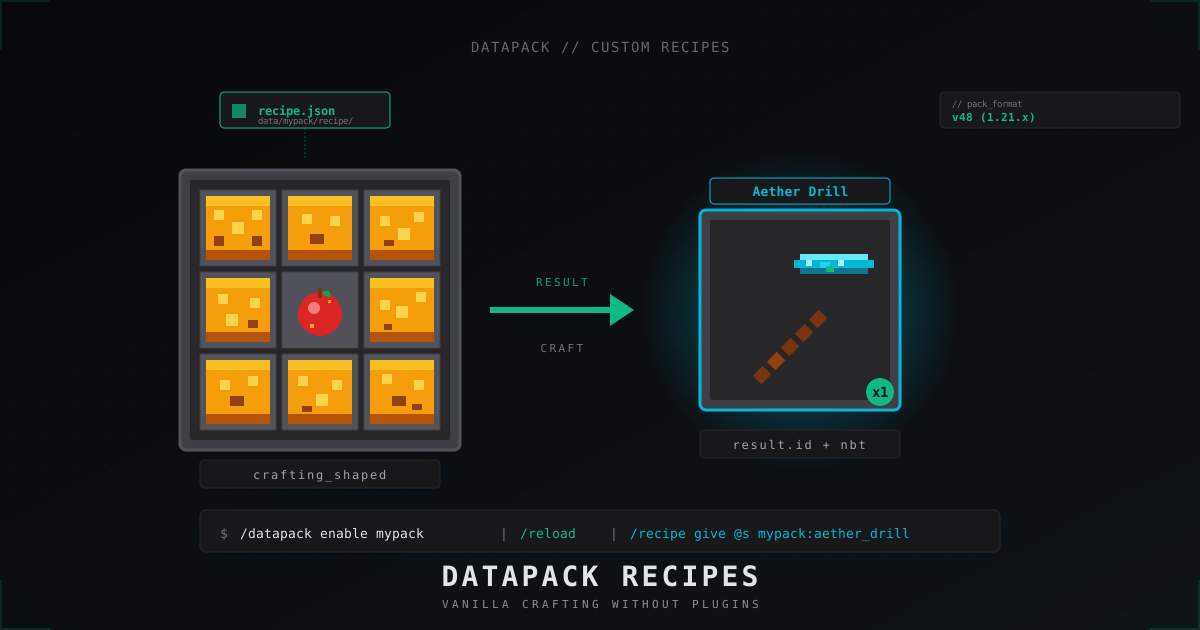
Custom Minecraft recipes with datapacks: step-by-step tutorial (2026)
Custom crafting on a Minecraft server does not need a single plugin. The vanilla datapack system covers shaped, shapeless, smelting, blasting, smoking, campfire, smithing and stonecutter. This is admin to admin: directory layout, pack_format for 1.21.x, complete JSON examples, item tags as ingredients, disabling vanilla recipes, and the usual potholes.
Every example was checked against 1.21.x as of 2026. Vanilla, Paper, Spigot, Purpur, Fabric, Forge, NeoForge: the datapack format is identical everywhere. The server core simply reads the same folder.
What a datapack actually is
A datapack is a folder of JSON and mcfunction files that the game itself loads. It uses the same definition language Mojang uses internally for vanilla recipes, loot tables, advancements and tags. To turn 9 gold blocks plus an apple into an enchanted golden apple, you do not need MMOItems.
Advantages over plugins:
- runs on every server implementation (Vanilla, Spigot, Paper, Purpur, Fabric, Forge, NeoForge),
- works in singleplayer and on Realms,
- ties to the Minecraft version, not to the server core,
- hot loads via
/reloadwithout a restart, - consumes effectively no RAM and zero tick budget.
There are limits. Datapacks cannot create new block IDs, cannot register new item types, and cannot intercept arbitrary events. For real mods you need a loader and a resource pack. For recipes a datapack is the right tool.
Datapack layout for 1.21
Every datapack has a root folder with two mandatory items.
my_recipes/
  pack.mcmeta
  data/
    mypack/
      recipe/
        super_apple.json
        aether_drill.json
        crushed_gold.json
The root folder name is arbitrary. The namespace under data/ is yours, it shows up later in the recipe ID mypack:super_apple. Do not use minecraft as namespace for your own files: that overrides vanilla and breaks compatibility.
Important change in 1.21: the recipe folder is now recipe (singular). Up to and including 1.20.6 the path was data/<ns>/recipes/. When porting an old pack, rename the folder first, otherwise the game silently skips every JSON inside. The same hit advancements (now advancement), loot_tables (now loot_table), tags/items (now tags/item). The full rename map lives at minecraft.wiki/w/Data_pack.
pack.mcmeta
Minimal valid file:
{
  "pack": {
    "pack_format": 48,
    "description": "My custom recipes"
  }
}
pack_format is an integer pinned to a Minecraft version.
| Minecraft version | datapack pack_format |
|---|---|
| 1.20.5 / 1.20.6 | 41 |
| 1.21 / 1.21.1 | 48 |
| 1.21.2 / 1.21.3 | 57 |
| 1.21.4 | 61 |
| 1.21.5 | 71 |
| 1.21.6 / 1.21.7 / 1.21.8 | 80 |
If the number does not match the server version, the warning "made for a different version of Minecraft" pops up. Recipes mostly still work, but keep the value current. The full pack_format table is maintained at minecraft.wiki/w/Pack_format.
Since 1.20.2 you can extend pack_format with supported_formats so the pack is officially valid for a range of versions:
{
  "pack": {
    "pack_format": 48,
    "supported_formats": {"min_inclusive": 48, "max_inclusive": 80},
    "description": "My recipes (1.21+)"
  }
}
Namespace and file names under data/ only allow [a-z0-9_.-]. No spaces, no uppercase.
Where the datapack goes on a server
For a server world the path is fixed:
<server>/world/datapacks/my_recipes/
For multiple worlds copy into each one or set up a symlink. Bukkit and Paper sometimes name the main world world regardless of level-name, so cross-check level.dat.
After copying, log in as op:
/datapack list
/datapack enable "file/my_recipes"
/reload
/reload rereads all datapacks without restarting the server. Players stay connected. Commands and tags take effect instantly. On a JSON error the server logs the exact line and skips only that one recipe; the rest keeps working.
On Realms and singleplayer the pack lands in the same world/datapacks/. Aternos has a built-in "Datapacks" page where you upload a Zip with the same layout.
Recipe types in 1.21
The game knows nine types. Each is a separate JSON with its own field set.
| Type | type value | Where it crafts | Key fields |
|---|---|---|---|
| Shaped | minecraft:crafting_shaped | crafting table | pattern, key, result, category |
| Shapeless | minecraft:crafting_shapeless | crafting table | ingredients, result, category |
| Smelting | minecraft:smelting | furnace | ingredient, result, experience, cookingtime |
| Blasting | minecraft:blasting | blast furnace | same, cookingtime 100 default |
| Smoking | minecraft:smoking | smoker | same, cookingtime 100 |
| Campfire | minecraft:campfire_cooking | campfire | same, cookingtime 600 |
| Smithing transform | minecraft:smithing_transform | smithing table | template, base, addition, result |
| Smithing trim | minecraft:smithing_trim | smithing table | template, base, addition, pattern |
| Stonecutting | minecraft:stonecutting | stonecutter | ingredient, result, count |
The minecraft: prefix is optional (default namespace), I always spell it out: explicit beats implicit.
The category field only affects the tab in the recipe book: building, redstone, equipment, misc for crafting, plus food, blocks, misc for smelting. Not required.
The group field stacks several recipes into one slot of the book. The six wooden stair recipes share "group": "wooden_stairs" and show up as a single entry.
Example 1: shaped recipe, golden apple from 9 gold blocks
In data/mypack/recipe/super_apple.json:
{
  "type": "minecraft:crafting_shaped",
  "category": "misc",
  "group": "golden_apple",
  "pattern": [
    "GGG",
    "GAG",
    "GGG"
  ],
  "key": {
    "G": {"item": "minecraft:gold_block"},
    "A": {"item": "minecraft:apple"}
  },
  "result": {
    "id": "minecraft:enchanted_golden_apple",
    "count": 1
  }
}
Since 1.20.5 the result key is id, not item. That is part of the Item Components refactor: every recipe JSON uses the new schema starting at pack_format 41.
pattern is an array of one to three strings, each one to three characters long. A space means an empty slot. Empty strings are forbidden.
The same recipe with a hollow centre:
"pattern": [
  "G G",
  " A ",
  "G G"
]
That is an X shape: four gold blocks at the corners, apple in the middle.
Example 2: shapeless with tags
Often you want to accept "any log" or "any sapling". That is exactly what item tags are for. Drop in data/mypack/recipe/wood_dust.json:
{
  "type": "minecraft:crafting_shapeless",
  "category": "misc",
  "ingredients": [
    {"tag": "minecraft:logs"},
    {"tag": "minecraft:logs"},
    {"tag": "minecraft:logs"}
  ],
  "result": {
    "id": "minecraft:gunpowder",
    "count": 2
  }
}
Any three logs (mangrove, cherry, every wood up to 1.21) yield two gunpowder. Order in the grid does not matter for shapeless.
In a single slot you can mix tag and item via an array:
{"ingredients": [
  [{"item": "minecraft:diamond"}, {"item": "minecraft:emerald"}],
  {"tag": "minecraft:planks"}
]}
Reads as "diamond or emerald" in the first slot plus any planks in the second.
Custom tags go to data/<ns>/tags/item/my_logs.json:
{
  "values": [
    "minecraft:oak_log",
    "minecraft:spruce_log",
    "#minecraft:cherry_logs"
  ]
}
The # means "include another tag". Clean pattern: define a tag once, reference it from several recipes; when a new wood lands, you only edit the tag file.
Example 3: smelting and its variants
Furnace, blast furnace, smoker and campfire share the field set, only type differs. Drop data/mypack/recipe/smelt_cobble_to_clay.json:
{
  "type": "minecraft:smelting",
  "category": "misc",
  "group": "clay_smelting",
  "ingredient": {"item": "minecraft:cobblestone"},
  "result": {"id": "minecraft:clay_ball"},
  "experience": 0.1,
  "cookingtime": 200
}
cookingtime counts in ticks (20 ticks = 1 second). Furnace default is 200 (10 seconds). Blast furnace and smoker run twice as fast, their recipes usually sit at 100. Campfire is slow at 600.
experience is a float. The player gets it when picking the result up.
To allow the same input in all four devices, write four files. Shortcut: keep the same ingredient block, only change type and cookingtime.
Example 4: smithing for upgrades
The smithing table in 1.21 has three slots: template, base, addition. smithing_transform makes a new item, smithing_trim only stamps a pattern onto armour.
Plain example: the vanilla netherite_pickaxe upgrade as a datapack override.
{
  "type": "minecraft:smithing_transform",
  "template": {"item": "minecraft:netherite_upgrade_smithing_template"},
  "base": {"item": "minecraft:diamond_pickaxe"},
  "addition": {"item": "minecraft:netherite_ingot"},
  "result": {"id": "minecraft:netherite_pickaxe"}
}
For a "pseudo-netherite" from copper_block plus diamond_pickaxe, swap template or addition.
Trim variant:
{
  "type": "minecraft:smithing_trim",
  "template": {"item": "minecraft:silence_armor_trim_smithing_template"},
  "base": {"tag": "minecraft:trimmable_armor"},
  "addition": {"tag": "minecraft:trim_materials"},
  "pattern": "minecraft:silence"
}
The tag here groups armour slots: any vanilla helmet or chestplate satisfies the condition.
Example 5: stonecutter
{
  "type": "minecraft:stonecutting",
  "ingredient": {"item": "minecraft:cobblestone"},
  "result": {"id": "minecraft:gravel"},
  "count": 4
}
The stonecutter always works 1 to N: one block in, N out. No pattern, no key.
Custom names and components in the result
Since 1.20.5 the vanilla recipe format supports Item Components directly inside result. The player gets a pre-named, pre-enchanted item with lore right out of the grid, no follow-up /give.
The "Aether Drill" custom pickaxe from the cover image:
{
  "type": "minecraft:crafting_shaped",
  "category": "equipment",
  "pattern": [
    "DDD",
    " S ",
    " S "
  ],
  "key": {
    "D": {"item": "minecraft:diamond"},
    "S": {"item": "minecraft:stick"}
  },
  "result": {
    "id": "minecraft:diamond_pickaxe",
    "count": 1,
    "components": {
      "minecraft:custom_name": "{\"text\":\"Aether Drill\",\"color\":\"aqua\",\"italic\":false}",
      "minecraft:lore": [
        "{\"text\":\"Forged in the void\",\"color\":\"gray\",\"italic\":true}"
      ],
      "minecraft:enchantments": {
        "levels": {
          "minecraft:efficiency": 5,
          "minecraft:unbreaking": 3
        }
      },
      "minecraft:rarity": "epic"
    }
  }
}
Text components arrive as serialised JSON strings inside the value. That is a quirk of the Item Components format: nested JSON travels as a string.
Heads up: components on the result do not make the ingredient unique. A regular diamond pickaxe also crafts an "Aether Drill". If only a named input should count, put components on the ingredient and disable the vanilla recipe.
Disabling vanilla recipes
Sometimes you want to drop a default recipe to replace it. Cleanest path: overwrite the vanilla JSON with a form that cannot be crafted.
The file goes to the vanilla path. To make the enchanting table uncraftable:
data/minecraft/recipe/enchanting_table.json:
{
  "type": "minecraft:crafting_shaped",
  "pattern": [
    "###",
    "###",
    "###"
  ],
  "key": {
    "#": {"item": "minecraft:barrier"}
  },
  "result": {
    "id": "minecraft:air"
  }
}
Players do not get barrier blocks in survival, the recipe is dead. Since 1.21 there is also /recipe take @a minecraft:enchanting_table. That command only removes the recipe from the book; the craft in the grid still works. JSON override stays the standard way.
Alternatively, drop the matching advancement, then the recipe stops auto-unlocking. Players who already unlocked it keep it.
Hot reload during development
Standard loop:
- Save JSON.
- Alt-Tab into the game,
/reload. - On error, the console has everything. Open the log, fix the JSON.
- Repeat.
Useful commands:
/datapack list available: disabled packs./datapack list enabled: active packs./datapack disable "file/my_recipes": turn a pack off./recipe give @p mypack:super_apple: push a recipe into a player's book./recipe take @a *: strip every recipe from everyone (handy for unlock testing).
/reload only refreshes datapack content. server.properties, bukkit.yml, plugins and the server core need a real restart.
Reference: recipe types side by side
| Type | Required fields | Optional | Notes |
|---|---|---|---|
| crafting_shaped | type, pattern, key, result | category, group | up to 3x3, spaces are empty slots |
| crafting_shapeless | type, ingredients, result | category, group | up to 9 ingredients, any order |
| smelting | type, ingredient, result | experience, cookingtime, category, group | default 200 ticks |
| blasting | type, ingredient, result | experience, cookingtime | default 100 ticks |
| smoking | type, ingredient, result | experience, cookingtime | default 100 ticks, food only |
| campfire_cooking | type, ingredient, result | experience, cookingtime | default 600 ticks |
| smithing_transform | type, template, base, addition, result | none | new item on output |
| smithing_trim | type, template, base, addition, pattern | none | applies a trim, type stays |
| stonecutting | type, ingredient, result | count, group | 1 to N, no shape |
Common errors
Server prints "Couldn't load data pack mypack". Three reasons:
pack_formatdoes not match the server version. Recheck the table.- JSON is syntactically broken. Run it through
jqor an online validator. - The file or folder name has forbidden characters.
The recipe is missing from the book. Minecraft only shows unlocked recipes. Unlocking is wired to advancements. Custom recipes get no automatic advancement; in 1.21 you write one yourself at data/<ns>/advancement/recipes/<name>.json. Quick path: after /reload, run /recipe give @a * once.
The craft does not trigger even though JSON loaded. Check:
patternhas at most three rows of three characters.- every key in
keyappears inpattern, and every non-space character inpatternis defined inkey. crafting_shapelesshas at most nine ingredients.- item IDs are spelled correctly:
minecraft:cobblestone, notCobblestone.
Two recipes share a shape. If your shaped recipe matches the same pattern as a vanilla one, the last loaded wins in the book. Fix: disable the vanilla one with a JSON override.
Recipe works in singleplayer but not on the server. Usually the pack sits in the wrong world folder. Bukkit and Paper have separate worlds for Nether and End (world_nether, world_the_end), but only one datapacks/ folder under the main world. Vanilla server also stores datapacks under world/datapacks/. Multiverse-Core can rename the main world: check level-name= in server.properties.
Compatibility and lifespan
A 1.21 datapack will not load on 1.20.4 and the other way around. The Item Components format changed heavily in 1.20.5. If you support several versions, keep two folders: mypack-1.20.4/ with pack_format: 26 and the legacy result (item instead of id, no components), and mypack-1.21/ with the current schema.
On every Minecraft upgrade, scan the Mojang changelog for path renames. Rare but regular: 1.21 renamed recipes to recipe and broke every old pack without migration.
Worth bookmarking:
- minecraft.wiki/w/Recipe: full spec.
- minecraft.wiki/w/Data_pack: structure overview.
- misode.github.io/recipe: visual generator with autocomplete.
- minecraft.wiki/w/Pack_format: version map.
FAQ
Can a datapack add a new item?
No. Datapacks change recipes, loot, tags, advancements and mcfunction. New ItemStack types are off the table. For that you need a mod (Fabric, Forge, NeoForge) or a Bukkit plugin. Workaround: vanilla item with custom_model_data plus a resource pack with an alternative model. From the recipe's point of view it stays a vanilla item.
Do I need an advancement for every recipe?
Not for it to function. Without an advancement the recipe still triggers in the grid; the player simply does not see it in the book. To auto-unlock (for example when the ingredient lands in the inventory), write data/<ns>/advancement/recipes/<name>.json with trigger inventory_changed and reward recipe.
How do I require a named ingredient?
Through components on the ingredient. Example:
{"item": "minecraft:diamond", "components": {"minecraft:custom_name": "{\"text\":\"Magic Diamond\"}"}}
components on ingredients works since 1.20.5+. Before that you had to solve it through an advancement predicate.
Does the datapack lag the server?
The recipe lookup itself does not run every tick, it fires only on a craft attempt. Tick lag from datapacks almost always comes from heavy execute loops in mcfunction. Pure recipes are free.
Can I unlock recipes only for certain players?
Through an advancement plus a tag predicate. Players get /tag @s add unlocked, the advancement requires that tag. Only tagged players see the recipe in the book. The craft in the grid itself cannot be blocked; whoever has the ingredients will craft. A real ban only works through scoreboard plus /clear in an mcfunction loop, which moves past pure datapack design.
How do I test without rejoining?
/reload is enough. Even when you change pack.mcmeta, add or remove a namespace, /reload covers it. Reconnect is only needed for resource pack changes (textures, models), not for datapacks.
Custom recipes through a datapack are one of those cases where vanilla covers the entire job and a plugin would be an extra dependency. The JSON format is stable, the docs are complete, misode.github.io takes 90 percent of the busy work off your plate. Drop a world/datapacks/, throw in a dozen of your own recipes, and the server gets a unique crafting layout without a single line of Java.
Protect Your Server from DDoS Attacks
Free protection with 5-minute setup. 1 TB bandwidth included.
Try for FreeRelated Articles
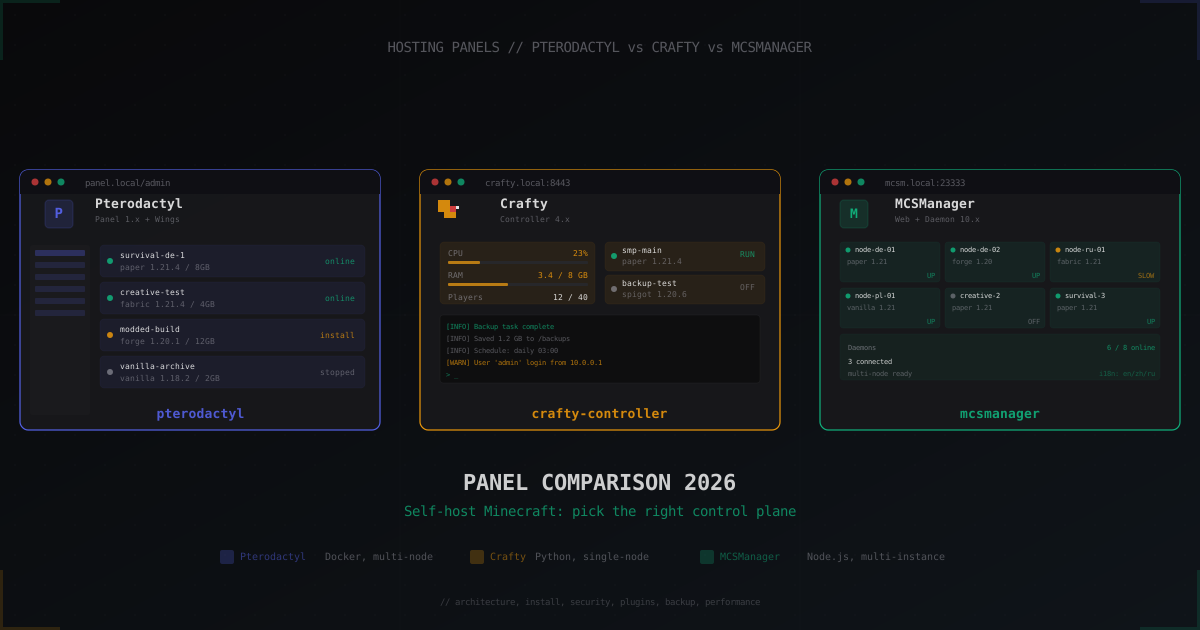
Pterodactyl vs Crafty vs MCSManager: Minecraft panel comparison 2026
Pterodactyl, Crafty Controller and MCSManager compared in 2026: architecture, install, security, backups and when to pick which panel for self-hosted Minecraft.
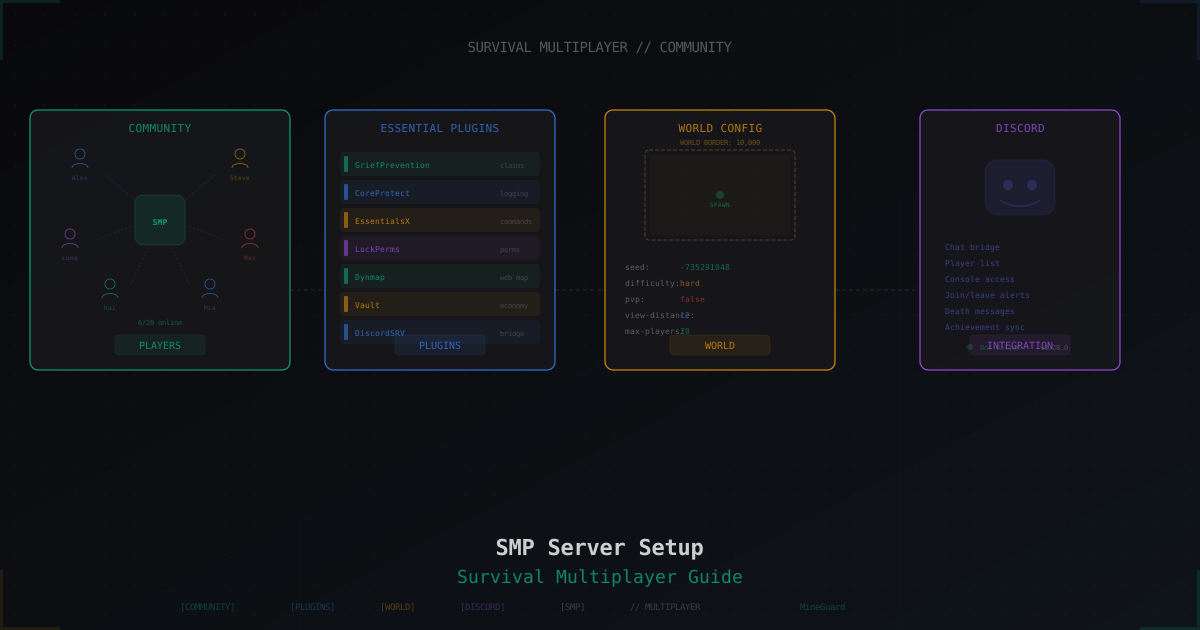
Minecraft SMP Server in 2026 - Setup and Configuration Guide
Full SMP playbook: core choice (Paper, Purpur, Folia, Fabric), JVM flags, server.properties and paper.yml tuning, pre-generation, claim and economy plugins, Grim vs Vulcan anti-cheat, anti-bot, voice chat, 3-2-1 backups, monetization without pay-to-win and DDoS protection.
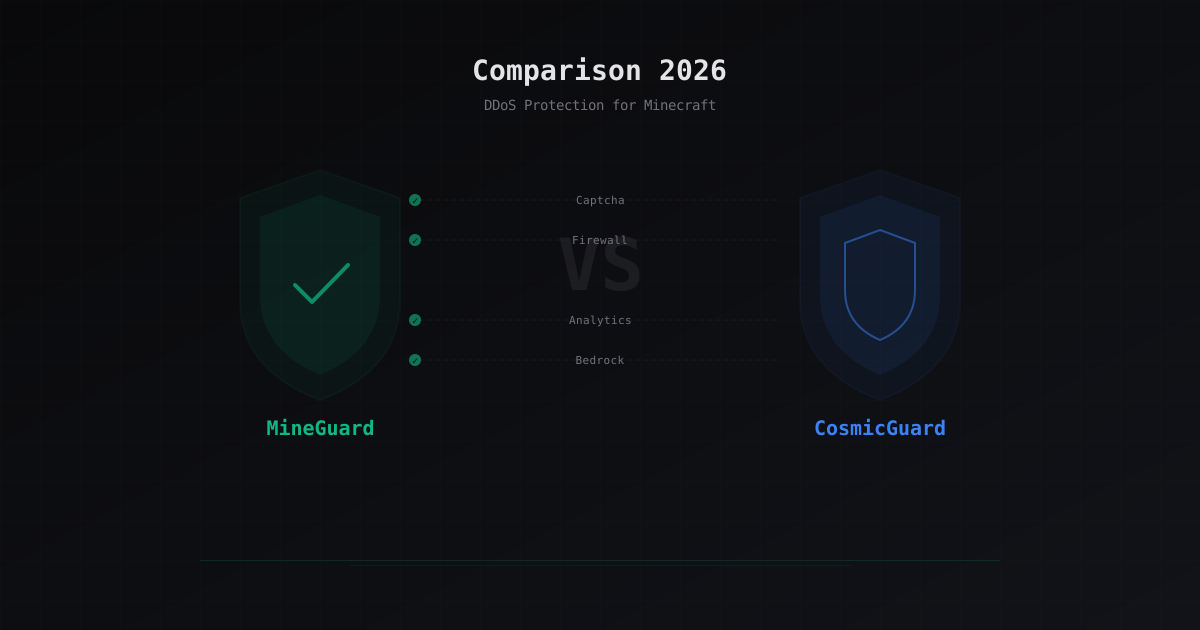
MineGuard vs CosmicGuard: Honest Comparison 2026
A detailed comparison of MineGuard and CosmicGuard. We break down features, pricing, performance and help you choose the best DDoS protection for your Minecraft server in 2026.