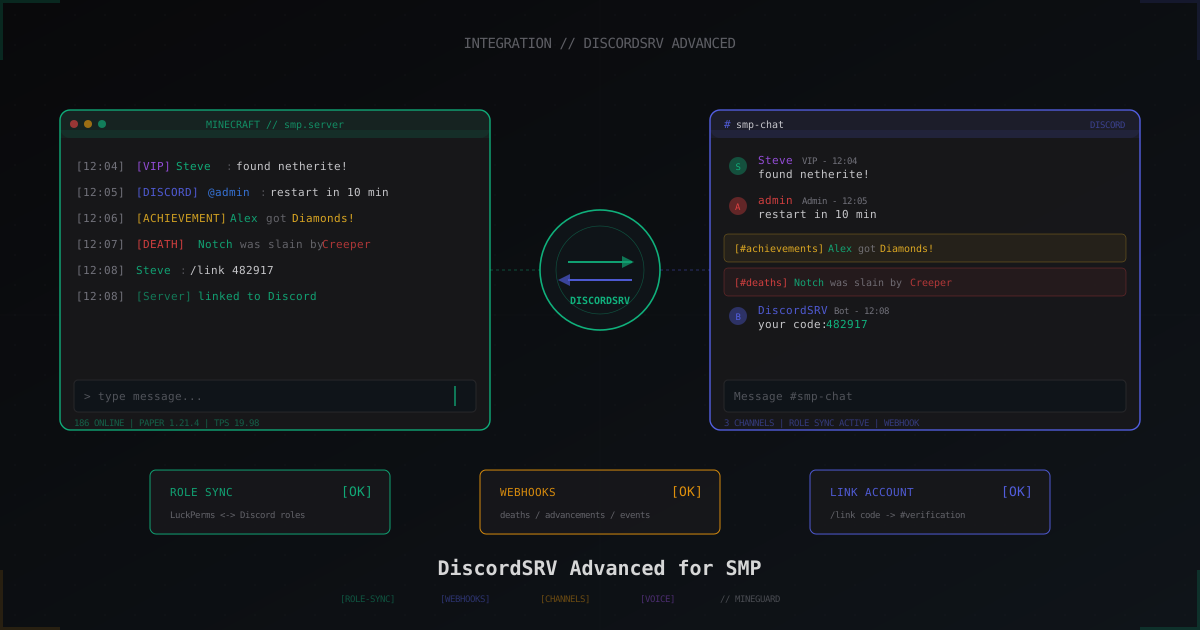
DiscordSRV for SMP: advanced setup, role sync and event automation
Basic chat bridge with DiscordSRV takes ten minutes, and most admins stop there. This guide goes further: role sync with LuckPerms, account linking via /link, dedicated channels for deaths and achievements, a console channel, voice integration and tuning for 200+ concurrent players.
What we assume is already done
Before the advanced bits, we assume the basic bridge works. If not, here is the short version. Create a Discord application in the Developer Portal, enable the three privileged intents (PRESENCE, SERVER MEMBERS, MESSAGE CONTENT), put the token into plugins/DiscordSRV/config.yml under BotToken, invite the bot with Administrator permission for testing. After a restart /discord in chat should confirm the connection.
This guide targets DiscordSRV 1.27.x on Paper 1.20-1.21, LuckPerms 5.4+ and Java 21. Folia is only partially supported, more on that in the FAQ.
Group sync: linking LuckPerms groups to Discord roles
The goal: a player donates via Discord, the bot adds them to the vip group on the server. Or the other way: an admin grants a rank in LuckPerms, Discord automatically applies the matching role.
File plugins/DiscordSRV/synchronization.yml:
GroupRoleSynchronizationGroupsAndRolesToSync:
  "vip": "987654321098765432"
  "donator": "987654321098765433"
  "moderator": "987654321098765434"
  "admin": "987654321098765435"
  "default": "987654321098765436"

GroupRoleSynchronizationCycleTime: 5
GroupRoleSynchronizationOnLink: true
GroupRoleSynchronizationOneWay: false
GroupRoleSynchronizationMinecraftIsAuthoritative: true
GroupRoleSynchronizationPrimaryGroupOnly: false
GroupRoleSynchronizationEnableDenyPermission: true
Numeric role IDs come from right-clicking a role in Discord with Developer Mode enabled. The quoted name on the left has to match the LuckPerms group exactly as shown by /lp group <name> info.
Key fields explained. GroupRoleSynchronizationCycleTime is the auto-sync interval in minutes, 5 is a sensible default. OneWay: false enables bidirectional sync: add a role in Discord, the LuckPerms group is granted, and vice versa. MinecraftIsAuthoritative decides who wins on conflict: if the LuckPerms group is missing but the Discord role is set, the bot strips the role (because Minecraft is authoritative).
For a donation server you usually want OneWay: true and MinecraftIsAuthoritative: false, since purchases happen through a Discord-side bot like Tebex or MineStore, and the role arrives there first.
For sync to work the bot needs Manage Roles permission, and its own bot role must sit above any roles it manages in the role hierarchy. This is the most common failure mode: the bot refuses to grant @Admin precisely because @DiscordSRV is below @Admin in the server role list.
Account linking: /link from in-game
Without account linking, role sync has nothing to work with. The bot doesn't know which player maps to which Discord user. By default the player runs /discord link in chat, the bot DMs a 6-digit code, the player pastes the code into a dedicated #verification channel or DMs the bot.
Channels block in config.yml:
Channels:
  global: "987654321111111111"
  verification: "987654321222222222"
  console: "987654321333333333"
  deaths: "987654321444444444"
  achievements: "987654321555555555"
Then in linking.yml tune the requirements:
RequireLinkedAccountToPlay: true
RequireLinkedAccountToPlayMessage: "&cLink Discord first: /discord link"
DiscordRequiredRoleToJoin: "987654321666666666"
SendCodeAsDirectMessage: true
ConfirmCodeInPublicChannel: false
For a donation SMP or whitelist server, RequireLinkedAccountToPlay: true cuts off alts: each Minecraft account must be linked to a Discord account, one Discord usually equals one link. DiscordRequiredRoleToJoin goes further: only Discord users with a specific role can join (for instance, only those who reacted to the rules channel).
Channel routing: per-world Discord channels
On an SMP with worlds like world, world_resource, creative_plots, mirroring all chat into one channel turns into noise quickly. Out of the box DiscordSRV routes everything into global, but combined with VentureChat or ChatControl you can map channels to specific worlds or chat prefixes.
Example with VentureChat. In plugins/VentureChat/channels.yml you have channels Global, Local, Resources. In plugins/DiscordSRV/config.yml:
Channels:
  global: "987654321111111111"
  resources: "987654321777777777"
  local: "987654321888888888"

DiscordChatChannelVentureChatNeedsToBeSetForChat: true
VentureChat broadcasts a message tagged with its channel, DiscordSRV catches the hook and routes it to the correct text channel. Same approach works with CarbonChat and CMI through their respective hooks.
The no-third-party alternative is to use the DiscordSRV channel linking plus a custom message-format filter, but that's more of a hack than a clean setup.
Death channel and achievement channel
Death spam in the main chat gets old in an hour. Move it to a dedicated channel.
Edit messages.yml:
MinecraftPlayerDeathMessage:
  Channel: "deaths"
  Embed:
    Color: "#ef4444"
    Author:
      Name: "%player%"
      ImageUrl: "https://crafatar.com/avatars/%uuid%?size=64"
    Description: "%death_message%"
    Footer:
      Text: "%world%"

MinecraftPlayerAchievementMessage:
  Channel: "achievements"
  Embed:
    Color: "#fbbf24"
    Author:
      Name: "%player%"
      ImageUrl: "https://crafatar.com/avatars/%uuid%?size=64"
    Description: ":trophy: earned **%achievement_name%**"
Crafatar serves player skins as PNG by UUID, so the embed shows the head avatar of the right player. Alternatives are MineSkin (https://api.mineskin.org/render/head?uuid=...) or mc-heads.net (https://mc-heads.net/avatar/%uuid%/64).
Channel: references a key inside the Channels: block in config.yml. If the key is missing, the message falls back to global.
Console channel: secure private logging
Mirroring console output into Discord is convenient but a serious vulnerability if the channel isn't locked down. Any player with read access can see tokens, IPs, stack traces with config paths.
Base setup in config.yml:
DiscordConsoleChannelId: "987654321333333333"
DiscordConsoleChannelUsable: true
DiscordConsoleChannelBlacklistActsAsWhitelist: false
DiscordConsoleChannelBlacklistedCommands:
  - "?"
  - "op"
  - "deop"
  - "whitelist"
  - "stop"
  - "save-all"
  - "luckperms user * permission set *"
DiscordConsoleChannelDoNotSendCommandsList:
  - "lp user * info"
DiscordConsoleChannelTruncateLength: 1900
#server-console should live under an Admin category, visible only to admin roles, with @everyone stripped of all permissions. The bot needs View Channel, Send Messages, Read Message History.
DiscordConsoleChannelBlacklistedCommands blocks dangerous commands from running via Discord: even if someone gets channel access, /op or /stop won't fire. If you want a tighter whitelist instead, flip BlacklistActsAsWhitelist: true and list only the commands you allow.
I'd also enable 2FA for every admin Discord account, and remove Administrator from the bot after the initial setup. The functional minimum is View Channels, Manage Roles, Send Messages, Embed Links, Manage Webhooks, Read Message History, Mention @everyone (only if you broadcast to the global channel).
Custom commands: executing from Discord
The bridge can run server commands from a Discord channel. Useful for moderators when they aren't in-game: /tempban Player1 1d spam, /broadcast restart in 5 minutes.
Slash commands are safer than plain text since Discord validates arguments and checks role permissions:
DiscordCommandsExecutableViaConsoleChannel: true

DiscordCommandRolesRequiredToExecute:
  "tempban":
    - "987654321moderator"
    - "987654321admin"
  "broadcast":
    - "987654321admin"
  "kick":
    - "987654321moderator"

DiscordCommandConfirmation: true
DiscordCommandConfirmationTimeout: 10
DiscordCommandConfirmation adds a reaction prompt so nobody accidentally drops the server with /stop. For /op and similar commands I strongly suggest never enabling them at all and keeping them in the blacklist.
Webhooks: season teasers and announcements
DiscordSRV supports sending custom messages through webhook URLs. Useful for scripts that publish a season update, a Patreon link or a map preview.
Create a webhook in the Discord channel settings (Edit Channel -> Integrations -> Webhooks -> New Webhook), copy the URL.
Send from a plugin or external script:
curl -H "Content-Type: application/json" \
  -X POST \
  -d '{
    "username": "Season 4 Announcer",
    "avatar_url": "https://i.imgur.com/your.png",
    "embeds": [{
      "title": "Season 4 starts May 1",
      "description": "New world, new events, x2 XP for the first week",
      "color": 1099334,
      "image": {"url": "https://example.com/season4.png"}
    }]
  }' \
  "https://discord.com/api/webhooks/123456789/abcdef..."
Easy to wire into a cron job or a Laravel task triggered from the server admin panel.
Mention parsing and formatting
By default Discord mentions (@admin) arrive in Minecraft chat as a raw ID. Turn on the friendly format:
DiscordChatChannelTranslateMentions: true
DiscordChatChannelMinecraftMentionFormat: "&9@%name%"
DiscordChatChannelEmojiBehavior: "name"
DiscordChatChannelDiscordToMinecraft:
  - "&7&o[DISCORD] &r%name%&7: &f%message%"
TranslateMentions: true parses <@123456> into @nickname. EmojiBehavior: name turns :diamond: into [diamond] instead of garbage characters on clients without an emoji font. Other values are unicode (raw, breaks on older clients) and hide (strip).
For the reverse direction, Minecraft to Discord, tweak the DiscordChatChannelMinecraftToDiscord template.
DiscordSRV-Voice and proximity voice
Voice chat through Discord is implemented either via the DiscordSRV-Voice addon or by combining DiscordSRV with Plasmo Voice. The addon spins up temporary voice channels tied to in-world zones: come closer, you hear someone, walk away, you don't.
Quick setup. Drop DiscordSRV-Voice.jar into plugins/, create a Voice Proximity category in Discord, the bot creates channels on demand. Reference the category in the config:
Voice:
  Enabled: true
  CategoryId: "987654321999999999"
  LobbyChannelId: "987654321aaaaaaaaa"
  HorizontalRadius: 50
  VerticalRadius: 30
  AllowVoiceCrossWorlds: false
The alternative is Plasmo Voice with its own server, no Discord dependency for voice. Use it when you need low ping, radio models or end-to-end encryption. DiscordSRV handles text and role sync, voice runs through Plasmo.
Performance with 200+ players
On large SMPs DiscordSRV starts hitting Discord rate limits: 5 messages per 5 seconds per channel, 50 requests per second per bot. Baseline tuning:
ChatChannelHookTimeout: 1500
DiscordChatChannelMessageBatching: true
DiscordChatChannelMessageBatchSize: 8
DiscordChatChannelMessageBatchDelay: 1500
RestActionAsyncSubmit: true
MessageBatching: true merges several chat lines into one Discord message every 1.5 seconds, cutting RPS by 5-10x. There's a small visible lag, but in heavy traffic nobody notices.
RestActionAsyncSubmit: true is mandatory: otherwise synchronous calls to the Discord API block the server main thread and tank TPS during network hiccups.
Check metrics with /discord debug: the bot prints current ping to Discord, queue length, JDA task count. If ping is consistently above 300 ms, check your network path to Discord's European data centers.
Backing up config and links
All player-Discord links are stored in plugins/DiscordSRV/linkedaccounts.json (or in MySQL if you flipped that on). This is critical data: losing it means 200 players have to re-link, and role sync starts from scratch.
A daily cron archive at minimum:
#!/bin/bash
DATE=$(date +%Y-%m-%d)
tar czf /backup/discordsrv-$DATE.tar.gz \
  /opt/minecraft/plugins/DiscordSRV/linkedaccounts.json \
  /opt/minecraft/plugins/DiscordSRV/config.yml \
  /opt/minecraft/plugins/DiscordSRV/synchronization.yml \
  /opt/minecraft/plugins/DiscordSRV/messages.yml
find /backup -name "discordsrv-*.tar.gz" -mtime +30 -delete
If you moved links to MySQL, add a dump of discordsrv_accountlinks to the main mysqldump script. And don't forget the BotToken: if you push the config to a public GitHub repo as an example, the token leaks and someone gets bot control.
FAQ
Does DiscordSRV work on Folia?
Partially. As of now DiscordSRV does not officially support Folia because many hooks rely on the main thread API. The chat bridge runs but events like deaths and achievements catch unreliably. If you're on Folia, look at EssentialsXDiscord or DiscordIntegration as alternatives, or wait for an official patch.
How do I protect the console channel from leaking?
Place the channel under an Admin category, strip View Channel and Read Message History from @everyone. Force 2FA on every admin with access, otherwise a compromised account equals console access. In DiscordSRV keep BlacklistedCommands populated with dangerous commands so even on leak /op or /stop won't fire. Never commit webhook URLs to public repos.
Can multiple Minecraft servers share one Discord?
Yes, two approaches. First: install DiscordSRV on each server, give each its own channel (#smp-chat, #anarchy-chat, #creative-chat), one Discord guild. Second: a proxy (BungeeCord/Velocity) with global chat, DiscordSRV on a proxy plugin like DiscordSRV-Bridge or Velocitab plus a unified chat plugin. For an SMP network the first approach is usually cleaner: each server is isolated, routing is straightforward.
What if the bot is rate-limited?
Enable MessageBatching as described above, that handles 90% of cases. If not, /discord debug shows which requests are clogging up. The most common offender is too-frequent role sync (CycleTime: 1 with 500 players means thousands of API calls). Bump it to 10-15 minutes. For mass linking events, temporarily disable autosync at server start and run /discord resync in batches manually.
Can I change message formats without a restart?
messages.yml and config.yml reload via /discord reload. Changes to linking.yml and synchronization.yml usually require a plugin restart. /discord debug will display the active settings, and if your changes didn't take effect, restart the server.
The bot won't grant roles even though the config looks right
Nine out of ten times: role hierarchy. Open Discord -> Server Settings -> Roles. Your bot's role must sit above any role it manages. Drag it to the top, no restart needed. The tenth case: the bot lacks Manage Roles server-wide or in a specific channel/category. Check Server Settings -> Roles -> your bot -> Permissions.
How do I make the Discord avatar match the player skin?
In messages.yml for embed messages set ImageUrl: "https://crafatar.com/avatars/%uuid%?size=128&overlay". The overlay parameter renders the second hat layer. For a full-body render use https://crafatar.com/renders/body/%uuid%?overlay. Crafatar caches results, so rate limits are not an issue.
What's next
If you're starting fresh, go in stages: chat bridge first, then account linking with RequireLinkedAccountToPlay, then role sync. Don't pile everything on at once, debug one feature at a time. And run your backup script through a staging environment before production: restoring links from a tar archive should take seconds, otherwise the recovery costs more than the time you saved.
Lock down bot permissions early. Administrator is fine during initial setup, after that keep the minimum set. Add 2FA on every Discord account with admin channel access. This is exactly the kind of thing where five extra minutes of setup saves half a night of incident recovery later.
Protect Your Server from DDoS Attacks
Free protection with 5-minute setup. 1 TB bandwidth included.
Try for FreeRelated Articles
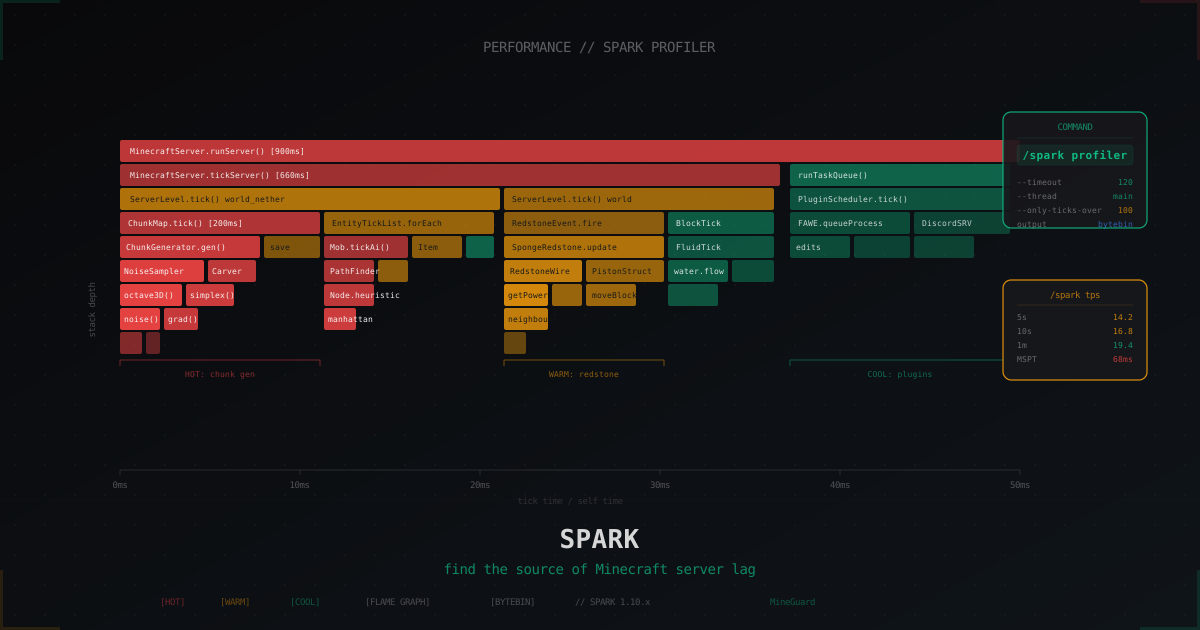
Spark profiler: how to find Minecraft server lag source in 2026
Spark replaced Timings after 1.21. Install the plugin, run /spark profiler, read flame graphs and pinpoint who eats your tick: chunk gen, GC, a bad plugin or runaway redstone.
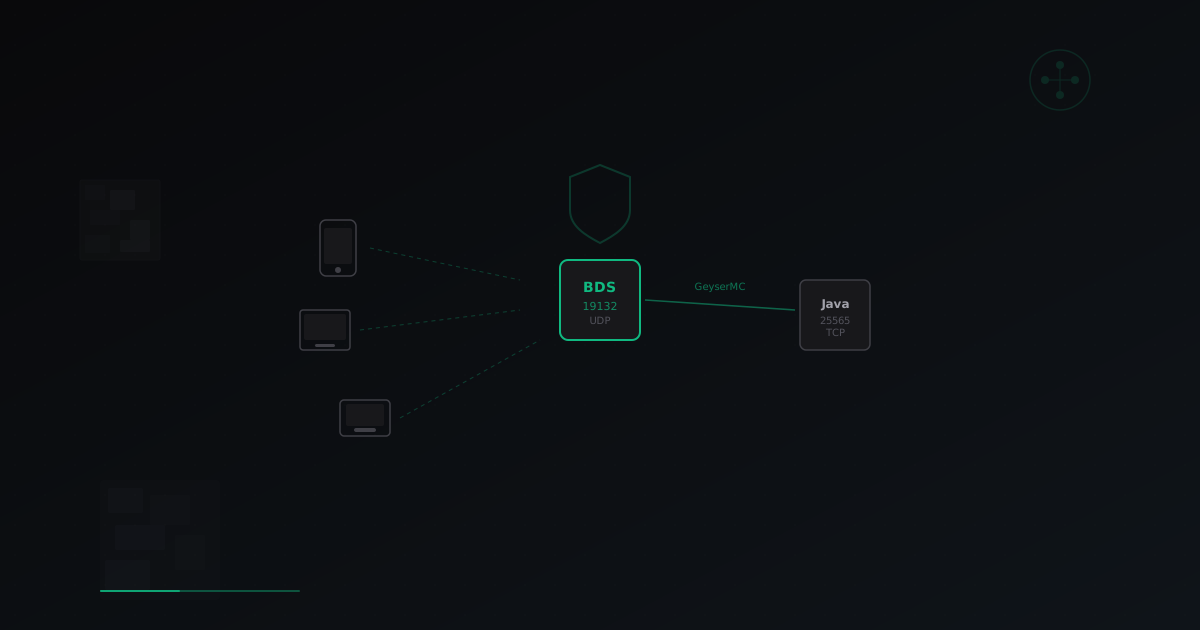
Minecraft Bedrock Server Setup: Complete Guide for 2026
Step-by-step guide to launching a Minecraft Bedrock server. BDS installation, GeyserMC crossplay setup for Java+Bedrock, performance optimization, and DDoS protection.
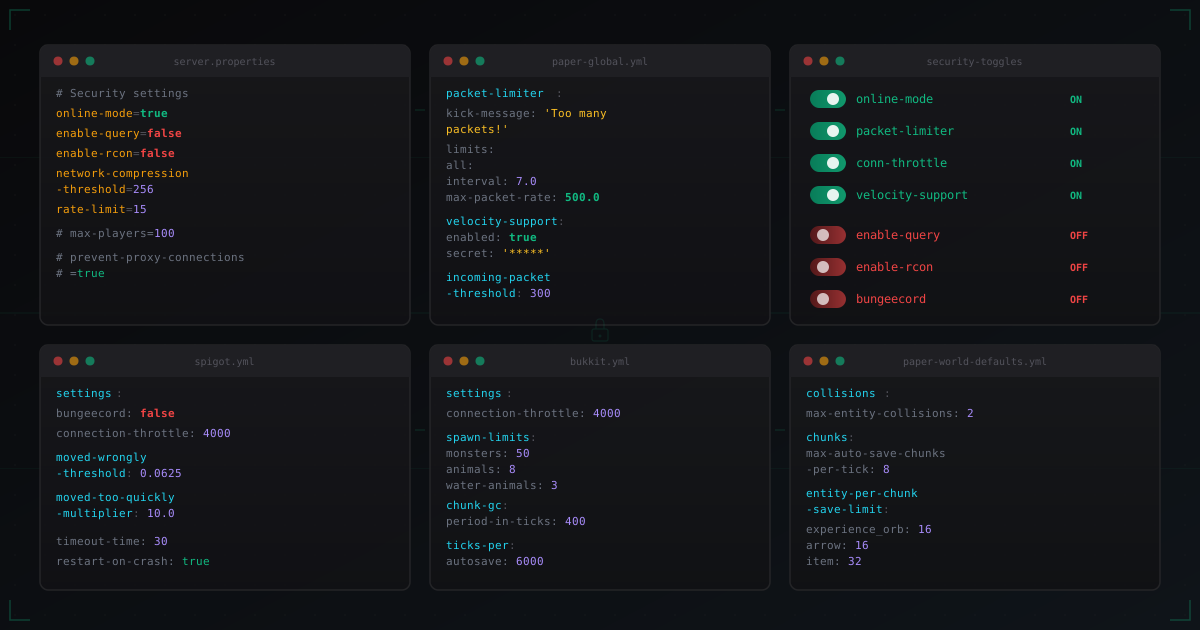
Paper and Spigot Security Settings: What to Enable and What to Disable
Detailed breakdown of security settings in server.properties, spigot.yml, paper-global.yml, paper-world-defaults.yml and bukkit.yml. Every parameter explained with production-ready values.