How to read a Minecraft server crash report: step-by-step guide (2026)
The server just crashed, the console is a wall of red text and crash-reports/ has a fresh 800-line file. If this happens once a week and you guess at the offending plugin every single time, this guide is for you. We break down the structure of a crash report, read a stack trace through the eyes of a Paper 1.21 admin, tell a Java-side crash apart from a native JVM crash and pinpoint the offending plugin in seconds.
This is written for Paper and Folia 1.21+ on Java 21, but 90% applies to Spigot, Purpur, Fabric and Forge. All class and exception names are real, nothing invented.
Where the server drops crash reports
When Minecraft catches a fatal exception on the main tick thread, vanilla code dumps a report itself. Three locations matter and you should check all three:
crash-reports/crash-YYYY-MM-DD_HH.MM.SS-server.txtnext toserver.jar. This is the primary artifact, generated bynet.minecraft.CrashReportright before the process dies.hs_err_pid<PID>.login the server working directory. This file comes from the HotSpot JVM itself, written by native runtime code when the crash is NOT in your Java but in the VM: SIGSEGV, native memory exhaustion, JIT bug.logs/latest.logand rolledlogs/*.log.gz. The stack trace usually appears here too plus the context for the minute leading up to the crash. Without latest.log a crash report is often useless because you cannot see what the plugin was doing one second before the fault.
Paper sometimes adds a fourth file: debug/ with a TPS and thread dump if watchdog fired in time. On Paper 1.21.4+ check this directory as well.
First thing first: copy the file as is. Do not edit it, do not strip "noise". A complete crash report is what the plugin author needs, and the noise often hides the root cause.
Anatomy of crash-XXXX.txt
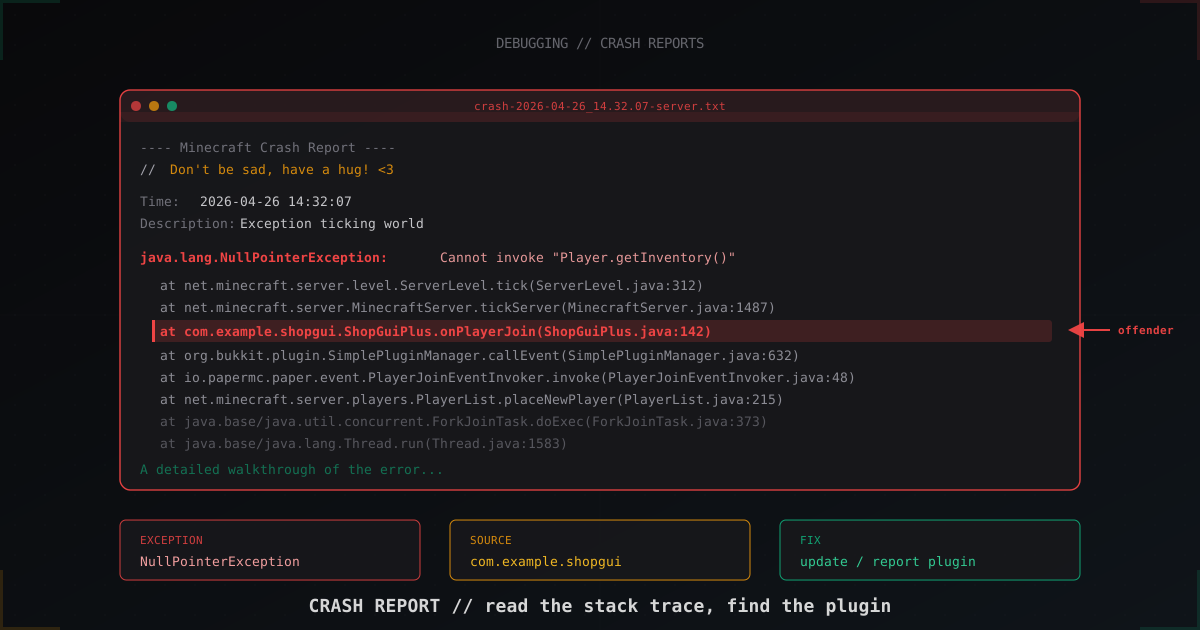
The file looks scary but its layout is mechanical. Take a typical crash:
---- Minecraft Crash Report ----
// Don't be sad, have a hug! <3

Time: 2026-04-15 18:42:11
Description: Exception ticking world

java.lang.NullPointerException: Cannot invoke "org.bukkit.entity.Player.getInventory()" because the return value of "org.bukkit.Bukkit.getPlayer(String)" is null
    at com.example.shopgui.ShopGuiPlus.onPlayerJoin(ShopGuiPlus.java:142) ~[ShopGUIPlus-1.94.0.jar:?]
    at sun.reflect.GeneratedMethodAccessor412.invoke(Unknown Source) ~[?:?]
    at org.bukkit.plugin.EventExecutor.execute(EventExecutor.java:123) ~[paper-api-1.21.4.jar:?]
    at io.papermc.paper.plugin.manager.PaperPluginManagerImpl.callEvent(PaperPluginManagerImpl.java:177) ~[paper-1.21.4.jar:?]
    at net.minecraft.server.players.PlayerList.placeNewPlayer(PlayerList.java:215) ~[paper-1.21.4.jar:?]
    ...
Layer by layer. The marker line ---- Minecraft Crash Report ---- exists so tools like mcprofile recognise this as a crash report rather than a vanilla log. Then a goofy quote, Mojang humour from net.minecraft.CrashReport.getErrorComment since 2012.
Time and Description give context. Description is what the main thread was doing when the exception fired. The most common values you will see: Exception ticking world, Exception in server tick loop, Loading entities, Unexpected error, Watching Server. If the description is Watching Server, the dump came from watchdog after a freeze, not from the exception itself, and the stack trace shows NOT the offender but the thread that hung.
After the description comes the actual exception class and call stack. That is the critical part and the next section is dedicated to it.
Reading the stack trace: where it crashed vs who is at fault
Stack trace order: top is the most recent frame (where the throw happened), bottom is the earliest frame (usually Thread.run). New admins often blame the topmost line and are wrong.
The rule is simple. Walk top to bottom and find the first frame that is NOT vanilla Minecraft, NOT Bukkit/Paper API, NOT Java standard library. The packages:
net.minecraft.*,com.mojang.*is vanilla. Rarely the cause.org.bukkit.*,io.papermc.*,org.spigotmc.*is server API. Also rarely guilty.java.*,jdk.*,sun.*is the JDK. If the crash is here it is OOM, JIT issue, or you fednullinto the API.- Anything else is third-party code. That is your offender.
In the example above the first "foreign" line is at com.example.shopgui.ShopGuiPlus.onPlayerJoin(ShopGuiPlus.java:142) ~[ShopGUIPlus-1.94.0.jar:?]. Package com.example.shopgui, jar ShopGUIPlus-1.94.0.jar, offender found in a second. File ShopGuiPlus.java line 142.
The tail in square brackets ~[ShopGUIPlus-1.94.0.jar:?] is added by Paper for convenience. On Spigot you will not see it and have to grep the package manually. com.example.shopgui googles to ShopGUIPlus in five seconds.
If the stack trace contains NO third-party code and everything is in net.minecraft.*, this is either a vanilla bug (rare), world corruption, or fallout from someone else's bug: a plugin trashed an entity earlier and vanilla crashed a minute later cleaning up. In that case open latest.log and search for WARN/ERROR in the minute before the crash.
Common exceptions: what they mean and how to fix
Nine of ten crashes boil down to one of six exceptions. Knowing the pattern saves an hour of debugging.
NullPointerException. Someone called a method on a null object. Java 14+ writes diagnostics like Cannot invoke "X.method()" because Y is null. That tells you EXACTLY what was null. Most often a plugin forgot to null-check Bukkit.getPlayer() or world.getBlockAt().getState(). Fix: update the plugin or report to the author with the trace.
ConcurrentModificationException. Thread A modifies a collection while thread B iterates over it. This plague hits plugins that touch the world from an async task. Any operation on the world, chunks, entities or inventories MUST run on the main thread via Bukkit.getScheduler().runTask(plugin, ...). If the offending package contains words like Async, Tasks or Sync, this is almost certainly it.
OutOfMemoryError: Java heap space. The heap is exhausted. This is not a code bug, this is either a memory leak or your -Xmx is too small. Before the OOM the JVM almost always writes hs_err_pid or java_pid<PID>.hprof (if -XX:+HeapDumpOnOutOfMemoryError is enabled). Open the hprof in Eclipse MAT or VisualVM and look at which class retains the most. On 1.21 the usual suspects: Citizens (frozen NPCs), large Dynmap renders, plugins with caching HashMap<UUID, ...> and no cleanup.
StackOverflowError. Infinite recursion. Usually a circular PlaceholderAPI: placeholder A expands to B, B expands to A. Or an EventListener fires an event that re-enters the same listener. The stack trace shows the SAME lines hundreds of times, look for the pattern.
NoClassDefFoundError / ClassNotFoundException. The plugin references a class that is not on the classpath. Most often because:
- The plugin depends on ProtocolLib/Vault/PlaceholderAPI and you forgot to drop it into plugins/.
- You upgraded Paper and the plugin tries to use a Mojang-mapped class that was renamed (e.g.
net.minecraft.server.v1_17_R1.*after 1.17 is gone). - Version conflict: two plugins shaded different versions of the same library and the ClassLoader picked the wrong one.
IllegalStateException on Paper 1.21 mostly means "you touched the world off the main thread", "iterator invalidated" or "plugin disabled". The exception message is almost always explicit.
Table: exception, probable cause, first fix
| Exception | Probable cause | First step |
|---|---|---|
| NullPointerException | Plugin missed null-check after API call | Find first foreign package in trace, update plugin |
| ConcurrentModificationException | Async code mutates world/entities | Disable the plugin with "Async" in its name and retest |
| OutOfMemoryError: Java heap space | Memory leak or -Xmx too small | Verify -Xmx, take heap dump, open in MAT |
| StackOverflowError | Cyclic recursion (often PAPI) | Search for repeated lines in the trace |
| NoClassDefFoundError | Missing dependency or version clash | Check required plugins live in plugins/ |
| IllegalStateException | Async API access or disabled plugin | Read the message, it is usually explicit |
hs_err_pid: when the JVM itself crashes
If an hs_err_pid12345.log file appears in the server directory, this is a different category of crash. Java exceptions are caught by the JVM cleanly. When you see hs_err_pid, the virtual machine itself died: SIGSEGV, SIGBUS, native memory exhaustion, JIT bug.
The file opens like this:
#
# A fatal error has been detected by the Java Runtime Environment:
#
#  SIGSEGV (0xb) at pc=0x00007f4a8c1d3a40, pid=12345, tid=12378
#
# JRE version: OpenJDK Runtime Environment Temurin-21.0.4+7 (21.0.4+7) (build 21.0.4+7-LTS)
# Java VM: OpenJDK 64-Bit Server VM Temurin-21.0.4+7 (21.0.4+7-LTS, mixed mode, sharing, tiered, compressed oops, compressed class ptrs, g1 gc, linux-amd64)
# Problematic frame:
# C  [libc.so.6+0x9aa40]
#
What to look at:
Problematic frameis the most important line. If it saysC [libc.so.6+...]orC [libfreetype.so+...], this is a native OS library. Often a NIC driver, glibc on an old Ubuntu, OpenSSL.- If
Problematic frameisJ net.minecraft.server.MinecraftServer.tick, that is a JIT bug, upgrade Java to a recent patch release. JRE versionmatters. Java 17.0.2 had a known JIT bug, 21.0.0 GA also had issues. Move to the latest Temurin LTS, see adoptium.net.- The
THREADsection shows what the thread was doing. If it is"Server thread"running throughorg.bukkit.craftbukkit.v1_21_R3.*, the server was just ticking and crashed in native code. - The
Memorysection matters for OOM. Look atNative Memory Trackingif you started JVM with-XX:NativeMemoryTracking=summary.
If hs_err_pid appears regularly, run memtest86 against the server RAM (on dedicated boxes). A flaky DIMM produces SIGSEGV in random places. More common than you would like.
Latest.log: context for the minute before the crash
The crash report shows the exact moment of failure. What happened BEFORE lives in logs/latest.log. Open it and find the timestamp 30-60 seconds before Time from the crash report. You care about:
[WARN]and[ERROR]lines from plugins. The plugin often spends five minutes printing warnings before it falls over.Can't keep up!and watchdog messages. The server was freezing before death.- Player join lines. If the crash always happens when a specific UUID logs in, their
playerdata/<uuid>.datis probably corrupted. - Commands from admins or plugins. WorldEdit operations,
/reload(never run/reloadon a live server), mass kicks.
A useful combo: latest.log two seconds before the crash prints [WARN] [ShopGUIPlus] Failed to load shop config for player Steve, and the crash report stack ends in ShopGuiPlus.onPlayerJoin. Offender confirmed without guesswork.
Finding the offending plugin: from package to download
So the trace points at at com.example.shopgui.ShopGuiPlus.onPlayerJoin. What now:
- Open
plugins/and find the jar by the bracketed nameShopGUIPlus-1.94.0.jar. Note the version. - If there are no brackets (Spigot), run
unzip -p plugins/*.jar plugin.yml | grep -A1 main:and match themain:class to the package. The output tells you which jar contains the package. - Googling
com.example.shopguiusually leads to SpigotMC resources, Modrinth or the author's GitHub. - Check the plugin version against the latest release. Every SpigotMC resource has a changelog and an issue tracker.
- If the latest plugin version is newer and its changelog has "fix NullPointerException on player join", upgrade. Done.
- If you are already on the latest version, file an issue. Include the WHOLE crash report (via pastebin, mclo.gs or a GitHub gist), Paper version (
/version), Java version (java -version) and reproduction steps.
For Paper plugins a good habit: check whether the same crash is already reported in Paper issues. Sometimes the bug is in Paper itself, especially right after a new release.
Tools that speed up triage
mclo.gs accepts a crash report and highlights plugin packages in separate blocks. Handy for sharing in a Discord support channel.
mcprofile.io parses crashes and colours stack frames by ownership. No paid features, all free.
For hprof dumps Eclipse MAT has been the standard for fifteen years. Opens dumps up to 8 GB on a laptop, see eclipse.dev/mat.
IntelliJ IDEA Community can open hs_err_pid and split it into tabs. Free as well.
If you want zero local install, plain grep covers 80% of needs: grep -A 30 "Stacktrace:" crash-reports/crash-*.txt gives you the stack with no surrounding noise.
How to report a bug to the plugin author
A good issue is the difference between "closed in a day" and "ignored for six months". Minimum kit:
- Plugin version (
/version <Plugin>). - Server version (
/version, copy the whole line including Paper build number). - Java version (
java -version). - Full crash report via mclo.gs or a GitHub gist. Never paste 800 lines into the issue body.
- latest.log for the five minutes before the crash, again through mclo.gs.
- Reproduction steps. If the crash is random say so: "happens randomly 1-2 times per day, no obvious trigger".
- List of plugins running alongside the offender.
What NOT to do: do not paste raw text, do not edit the crash report ("I removed the noise"), do not write "crashed pls fix" only.
FAQ
Which matters more, crash-report.txt or hs_err_pid?
If you have both, start with crash-report.txt. It is a Java exception with a meaningful stack trace and an identifiable plugin. Read hs_err_pid when crash-report.txt never appeared at all or only contains a Watching Server description with no useful trace.
Why does the trace show only net.minecraft.* and no plugin?
Two reasons. Either the crash happened on a thread that did not run plugin code (chunk gen, network) and the plugin corrupted data earlier. Or this is a watchdog dump, in which case the stack is the frozen main thread, not the cause of the freeze. In both cases open latest.log and look for WARN entries 30 seconds before the crash time.
The server crashes on startup and no crash report is written. Where do I look?
If the process dies before creating crash-reports/, the log goes to stdout. Run the server inside screen/tmux or with 2>&1 | tee start.log and check stdout. Usually it is a NoClassDefFoundError from a plugin with a missing dependency or an incompatible Java version.
How do I tell OOM from regular lag?
OOM appears as java.lang.OutOfMemoryError: Java heap space or GC Overhead Limit Exceeded. If you do not see those but TPS dropped to zero and watchdog killed the server a minute later, that is NOT OOM, that is a long GC pause or a stuck plugin. Run Spark profiler (/spark profiler) and capture a flame graph.
What to do when the server keeps crashing with a different report each time?
Classic symptom of hardware trouble or a corrupted world. First run memtest86 overnight on dedicated boxes. Then check the world with chunky or regionfixer. On managed hosts ask to be moved to another node, sometimes a noisy neighbour OOMs your JVM.
Should I disable -XX:+HeapDumpOnOutOfMemoryError?
No, leave it on. The dump is written once during OOM and is roughly the size of your -Xmx. On -Xmx16G it produces 16 GB, so make sure free disk space exists. Without a heap dump finding a memory leak is possible but takes far longer.
If the server falls over once a week and every crash report rhymes, you probably already know the guilty plugin. But if the crashes are random with no readable pattern, check whether a packet flood is hitting your network stack and starving real player connections. MineGuard catches such attacks before they reach Minecraft and leaves only genuine plugin crashes in your logs.
Protect Your Server from DDoS Attacks
Free protection with 5-minute setup. 1 TB bandwidth included.
Try for FreeRelated Articles
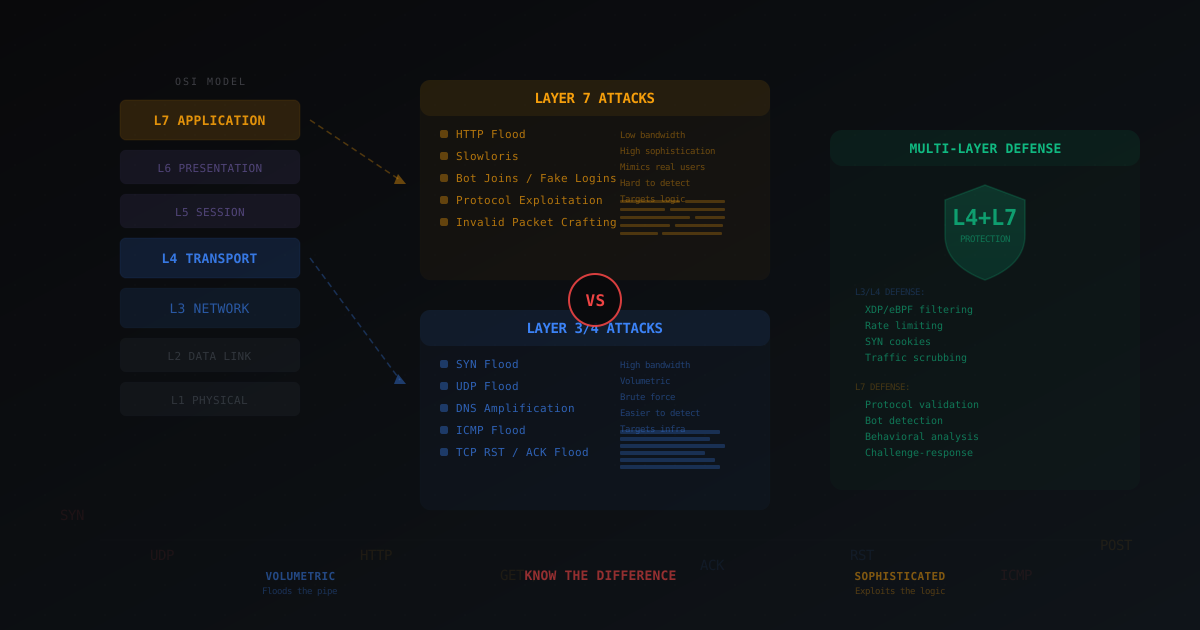
Layer 4 vs Layer 7 DDoS Attacks - What's the Difference
Breaking down the OSI model in plain terms, explaining the difference between L3/L4 and L7 attacks with gaming examples: SYN flood, UDP flood, HTTP flood, bot joins and invalid packet crafting. Why real protection requires both layers.
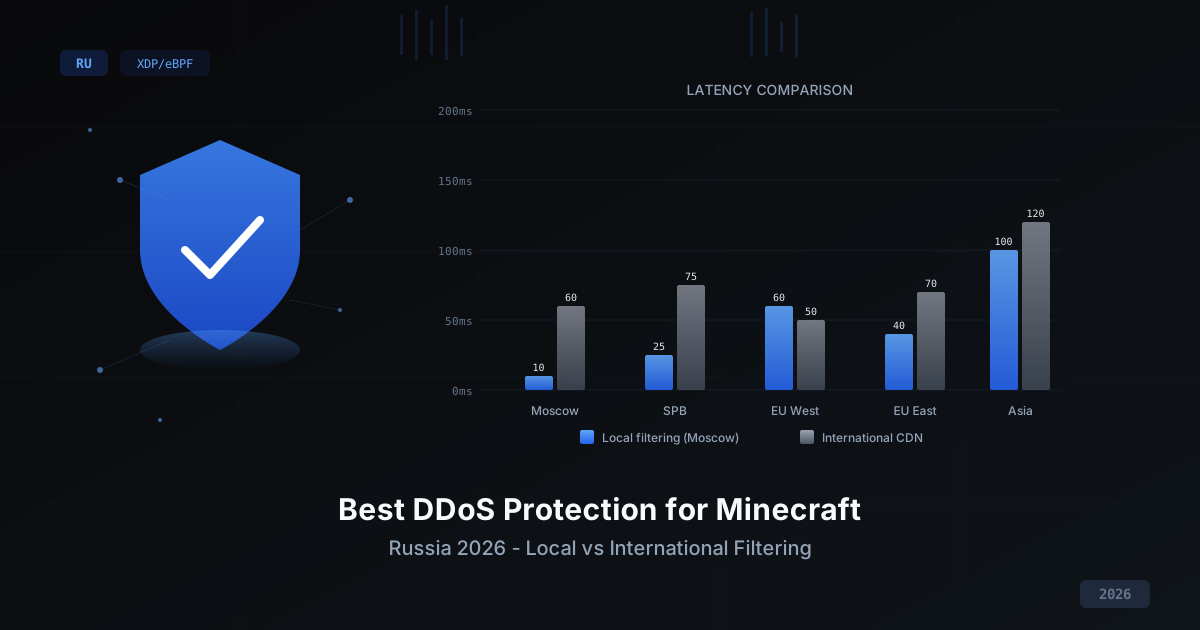
Best DDoS Protection for Minecraft in Russia 2026
Comparing DDoS protection approaches for Minecraft servers in 2026: international CDN vs local filtering, self-hosted vs managed, free vs paid. Selection criteria, XDP/eBPF technology breakdown, and why latency matters for PvP gameplay.
DDoS Attack Trends for Minecraft Servers in 2026
Breaking down the top DDoS attack trends for Minecraft servers in 2025-2026: growing volumes, new attack vectors, smart botnets, and how to defend against it all.