Discord Whitelist Bot: Application Form and Auto-Whitelist for SMP
If your SMP lets anyone in, the chat will be a mess within a week: griefers, kids without microphones, and a couple of trade bots. A Discord application form filters out random people and collects info on every player. Below: which ready-made bots to use, how to build a custom one with discord.js, and how to wire everything to RCON or DiscordSRV.
Why an Application Form Instead of Just /whitelist
An open whitelist via /whitelist add nick works only while the server is small. The moment the project hits a top list or Reddit, the flood becomes unmanageable. A Discord form solves three problems at once.
First: filtering randoms. Someone who is not willing to write five sentences about themselves probably will not stick around longer than two days. That is natural selection.
Second: data collection. Username, age, prior SMP experience, how they found the server, what they like doing in Minecraft. This info later helps admins understand the audience and lets staff resolve conflicts.
Third: a single entry point. All applications go into one channel #applications, with accept/deny buttons and a decision history. If a player breaks rules later, you can pull their original form and see whether they lied at the start.
In most cases a Discord bot takes a few hours to set up and runs for years without changes.
Architecture: How It Works
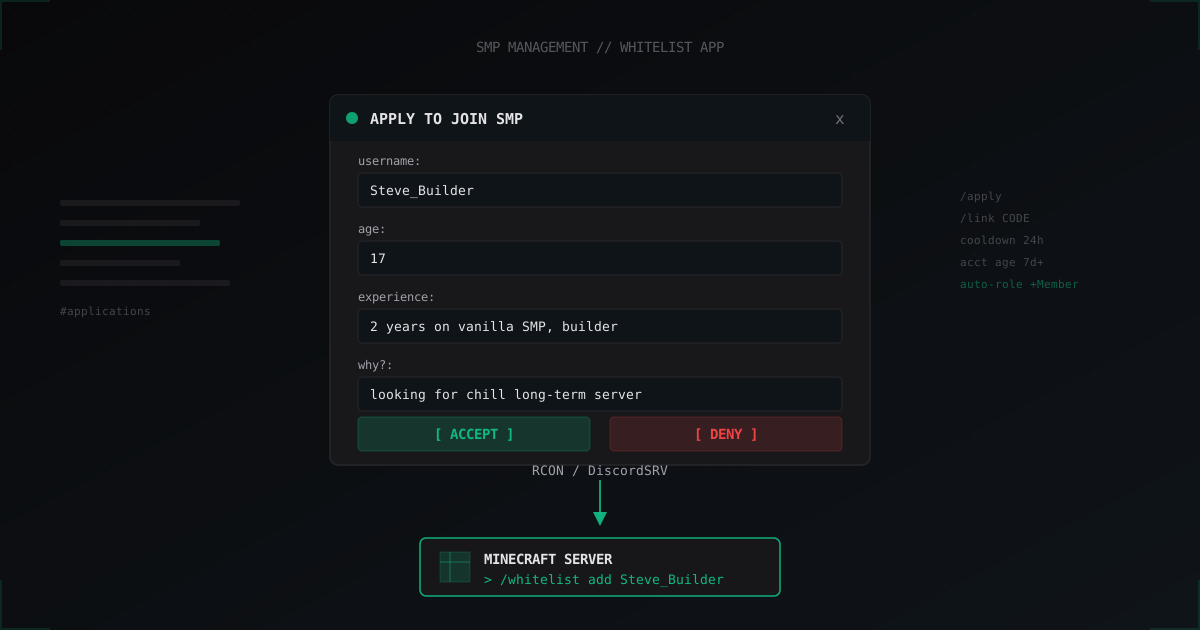
Basic flow:
- Player joins the project's Discord server.
- Runs the slash command
/applyin any channel. - Bot opens a Modal with fields: Minecraft username, age, experience, why join.
- After submit, the bot posts the application into a private
#applicationschannel with two buttonsAcceptandDeny. - A moderator clicks
Accept, the bot sendswhitelist add <username>to the server via RCON or REST, and grants the Discord role@Member. - On
Denythe bot DMs the player a reason and logs the event.
The link to the Minecraft server uses one of three channels: RCON (TCP on port 25575), the DiscordSRV plugin with its API, or REST through a thin custom plugin. The most reliable option is DiscordSRV because it reconnects on its own and survives server restarts.
Ready Bots: WhitelistBot, ApplicationBot, DraftBot
If you do not want to write code, here are working off-the-shelf options.
DraftBot is a large bot with an applications module. Custom forms and webhook integration are available on the paid tier. Good fit for communities where Discord is already the main hub. Downside: the Minecraft side needs a webhook handler plugin you build yourself.
ApplyBot (apply-bot.com) is a dedicated application bot. It supports Modal forms, category split (whitelist, staff, builder), custom questions. Free tier limits the number of active forms.
WhitelistBot is a simple open-source discord.py bot you can find on GitHub under that name. Out of the box: one form, RCON integration, accept/deny buttons. Downside: not actively maintained, recent discord.py versions throw deprecation warnings.
For most SMPs under 200 players, ApplyBot or DraftBot is enough without custom code. If the project is bigger or needs unusual logic (like auto-checking Discord account age), build your own.
Cheap Path: DiscordSRV-Apply
If you already run DiscordSRV for chat sync, install the DiscordSRV-Apply addon. The form opens directly in Discord through a slash command, answers go to a chosen channel, accept/deny buttons are right there. No separate bot, no hosting, no VPS.
The addon config looks like this:
applications:
  default:
    questions:
      - "Your Minecraft username?"
      - "How old are you?"
      - "Describe your SMP experience"
      - "Why do you want to join?"
      - "How did you find the server?"
    review-channel: "1234567890"
    on-accept:
      - "whitelist add %username%"
      - "lp user %username% parent set member"
      - "discord-role-add %discord_id% Member"
    on-deny:
      - "discord-dm %discord_id% Application denied. Reason: %reason%"
It works out of the box, DiscordSRV substitutes %username% and %discord_id% itself. In practice this is the fastest way to launch a whitelist form on an SMP up to 500 players.
Custom Bot in discord.js: A 100-Line Skeleton
If you need custom logic, here is a discord.js v14 skeleton. It implements /apply, opens a modal, posts to the channel, handles buttons.
const { Client, GatewayIntentBits, SlashCommandBuilder,
        ModalBuilder, TextInputBuilder, TextInputStyle,
        ActionRowBuilder, ButtonBuilder, ButtonStyle,
        EmbedBuilder } = require('discord.js');
const { Rcon } = require('rcon-client');

const client = new Client({ intents: [GatewayIntentBits.Guilds] });
const APPLICATIONS_CHANNEL = '1234567890';
const COOLDOWN = new Map();

client.on('interactionCreate', async (interaction) => {
  if (interaction.isChatInputCommand() && interaction.commandName === 'apply') {
    const last = COOLDOWN.get(interaction.user.id) || 0;
    if (Date.now() - last < 24 * 3600 * 1000) {
      return interaction.reply({ content: 'You already submitted in the last 24 hours.', ephemeral: true });
    }
    const accountAge = Date.now() - interaction.user.createdTimestamp;
    if (accountAge < 7 * 24 * 3600 * 1000) {
      return interaction.reply({ content: 'Discord account too new (need at least 7 days).', ephemeral: true });
    }

    const modal = new ModalBuilder().setCustomId('apply_modal').setTitle('SMP Application');
    const fields = ['username', 'age', 'experience', 'why'];
    const labels = ['Minecraft username', 'Age', 'SMP experience', 'Why join us?'];
    fields.forEach((id, i) => {
      const input = new TextInputBuilder()
        .setCustomId(id).setLabel(labels[i])
        .setStyle(i >= 2 ? TextInputStyle.Paragraph : TextInputStyle.Short)
        .setRequired(true).setMaxLength(i >= 2 ? 500 : 50);
      modal.addComponents(new ActionRowBuilder().addComponents(input));
    });
    return interaction.showModal(modal);
  }

  if (interaction.isModalSubmit() && interaction.customId === 'apply_modal') {
    const data = {
      username: interaction.fields.getTextInputValue('username'),
      age: interaction.fields.getTextInputValue('age'),
      experience: interaction.fields.getTextInputValue('experience'),
      why: interaction.fields.getTextInputValue('why'),
    };
    COOLDOWN.set(interaction.user.id, Date.now());

    const embed = new EmbedBuilder()
      .setTitle(`Application from ${interaction.user.tag}`)
      .addFields(
        { name: 'Username', value: data.username, inline: true },
        { name: 'Age', value: data.age, inline: true },
        { name: 'Experience', value: data.experience },
        { name: 'Why', value: data.why },
      ).setFooter({ text: `discord_id: ${interaction.user.id}` });

    const buttons = new ActionRowBuilder().addComponents(
      new ButtonBuilder().setCustomId(`accept_${interaction.user.id}_${data.username}`)
        .setLabel('Accept').setStyle(ButtonStyle.Success),
      new ButtonBuilder().setCustomId(`deny_${interaction.user.id}`)
        .setLabel('Deny').setStyle(ButtonStyle.Danger),
    );

    const channel = await client.channels.fetch(APPLICATIONS_CHANNEL);
    await channel.send({ embeds: [embed], components: [buttons] });
    return interaction.reply({ content: 'Application submitted. Wait for moderator review.', ephemeral: true });
  }

  if (interaction.isButton()) {
    const [action, userId, username] = interaction.customId.split('_');
    if (action === 'accept') {
      const rcon = await Rcon.connect({ host: 'mc.example.com', port: 25575, password: process.env.RCON });
      await rcon.send(`whitelist add ${username}`);
      await rcon.send(`lp user ${username} parent set member`);
      await rcon.end();
      const member = await interaction.guild.members.fetch(userId);
      await member.roles.add('ROLE_ID_MEMBER');
      await member.send(`Application accepted. Connect: mc.example.com`).catch(() => {});
      await interaction.update({ content: `Accepted by ${interaction.user.tag}`, components: [] });
    } else if (action === 'deny') {
      const member = await interaction.guild.members.fetch(userId);
      await member.send('Application denied.').catch(() => {});
      await interaction.update({ content: `Denied by ${interaction.user.tag}`, components: [] });
    }
  }
});

client.login(process.env.TOKEN);
Slash command registration is done by a separate register.js script via the Discord REST API, the docs are on discord.js.guide. Then deploy on any 5 dollar VPS or even a Raspberry Pi.
Minecraft Link: RCON, DiscordSRV, or REST
RCON is the standard. Enable in server.properties:
enable-rcon=true
rcon.port=25575
rcon.password=long_random_password_here
From the bot you send commands via rcon-client (Node) or mcrcon (Python). RCON downside: the port must be firewalled to allow only the bot's IP, otherwise any brute-forcer gets a console shell.
DiscordSRV exposes an API through its plugin channel, you can send commands via dsrv:execute. Safer because it does not open extra ports. Downside: requires DiscordSRV with its dependency stack.
REST plugin means you write a tiny Paper plugin (about 50 lines) that listens on HTTP on localhost and accepts a token in the header. The bot calls it via curl or fetch. This is the cleanest path for production: no externally exposed ports, token in header, and you can log everything you want.
LinkAccount: Binding Discord to Minecraft
If you want to link a Discord account to a Minecraft username permanently (for auto-roles, shop, stats), use the link-code pattern.
Player joins the server, types /link, plugin gives them a code like A7K2-9XQ8. In Discord they DM the bot /link A7K2-9XQ8, the bot sends the code to the server through RCON, the plugin verifies it, binds discord_id to UUID and stores the pair in the database.
DiscordSRV does this out of the box with /discord link. If rolling your own, store a linked_accounts(uuid, discord_id, linked_at) table in SQLite or MySQL.
Anti-Spam and Fake Protection
Without protection, the #applications channel will fill with junk in a week. Bare minimum:
- Cooldown by discord_id: one application per 24 hours, or one per week if the previous was denied.
- Minimum Discord account age: 7 to 30 days. Freshly created accounts are almost always alts or bots.
- Captcha role: before
/applythe player must pass basic verification through a bot like Wick or Captcha.bot. - Minimum answer length: require 100+ characters on the "why" field, otherwise you get one-word answers.
- Source logging: if the bot is behind a reverse proxy, you can flag bots by suspicious patterns.
Bigger projects also verify the username through Mojang API: does the Minecraft account exist, is it banned on VPN servers.
Question Template for SMP
Do not write 20 questions, no one will finish. Sweet spot is 4 to 6 fields:
- Minecraft username (exact spelling).
- Age (number, no honesty check, but fakes drop).
- SMP experience: which servers, what they built.
- What you like in Minecraft: building, redstone, farming, PvP.
- Why us specifically, what caught your eye.
- How you found the server: top lists, Reddit, friend, YouTube.
The sixth question helps marketing analytics. If 80% of people write "from a friend", organic growth is dominant and you can pause paid channels.
Auto-Roles After Accept
After accepting an application, do all of this in one go:
- Grant the
@Memberrole in Discord. - Bind to the LuckPerms group
memberon the server. - Remove
@Applicantrole if it existed. - Record the decision in
#mod-logwith moderator name and timestamp.
Via DiscordSRV this is one line in the group sync config. Via custom bot, three API calls in a row.
GroupRoleSynchronizationGroupsAndRolesToSync:
  member: "1234567890"
  vip: "9876543210"
  staff: "5555555555"
DiscordSRV watches role changes in Discord and group changes in LuckPerms, sync runs both ways.
FAQ
Can I build an application form without programming?
Yes, through DiscordSRV-Apply addon or paid ApplyBot. DiscordSRV-Apply installs as a normal Paper plugin, configures via yaml, no code at all. Fits servers up to 500 active players. ApplyBot is configured directly in Discord through slash commands.
How do I block fake applications and bots?
Minimum: 24-hour cooldown by discord_id, account age limit (7+ days), captcha verification before the /apply command is allowed. Larger projects also validate the Minecraft username through Mojang API and manually moderate the first 24 hours after Discord registration.
Should the bot live in Discord or be a Minecraft plugin?
Depends on the approach. A Discord bot (discord.js, discord.py) is hosted separately and talks to the server via RCON. A plugin variant is DiscordSRV plus addon, everything runs on the Minecraft server. Plugin path is simpler for small SMPs, bot path is more flexible for large ones.
What do I do with denied applications?
Log denials to a separate channel with the reason. After 30 days allow a re-submission automatically. Do not delete denied messages right away, moderators need to see the decision history. If denial rate goes above 50%, revisit your form questions, they are probably too strict.
How do I make accept automatically grant Minecraft roles?
Via RCON lp user <username> parent set member after whitelist add. If you run DiscordSRV, configure group sync in the config, the Discord role will map automatically to a LuckPerms group when granted.
Should I ask for real age?
You cannot legally verify it, but even a self-reported age cuts off some trolls. Set a minimum of 13 (Discord ToS requirement) by default. For an SMP aiming at adult audiences, write 16+ or 18+ in the description and state it explicitly in the form.
Can one bot serve multiple servers?
Yes, in the bot config you list several RCON endpoints, and the form asks "which server are you applying for". Each application routes to its own channel: #apps-survival, #apps-creative, and so on. One process handles all of them.
What's Next
If you already run DiscordSRV, try the DiscordSRV-Apply addon first, it covers 90% of needs in an hour of work. If you need custom logic (linked accounts, multi-server, unusual checks), grab discord.js and build your own bot. Never expose RCON to the internet, always firewall by IP or run a REST plugin on localhost.
A Discord application form saves hours of moderation work per week and raises community quality dramatically. Main rule: do not make a 15-question form, almost no one will finish it.
Protect Your Server from DDoS Attacks
Free protection with 5-minute setup. 1 TB bandwidth included.
Try for FreeRelated Articles
Bot Attacks on Minecraft Servers: How to Identify and Stop Them
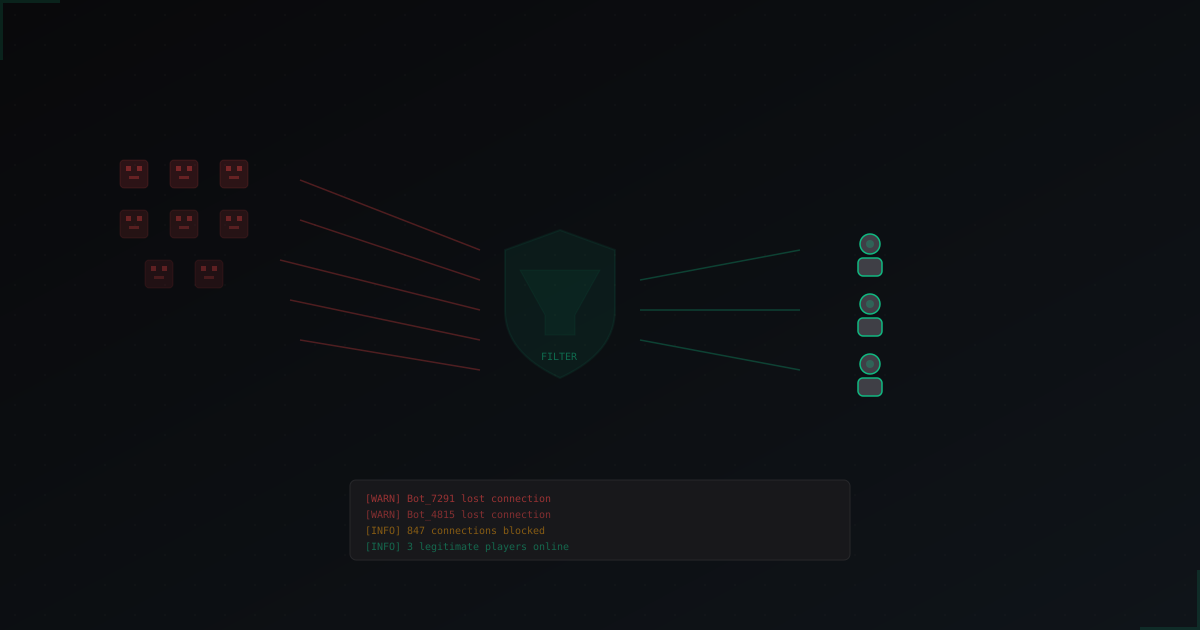
Bot attacks are one of the most common problems for Minecraft servers. We break down bot types, how they differ from DDoS, what to look for in logs, and which protection methods actually work.
Must-Have Plugins for Your Minecraft Server in 2026
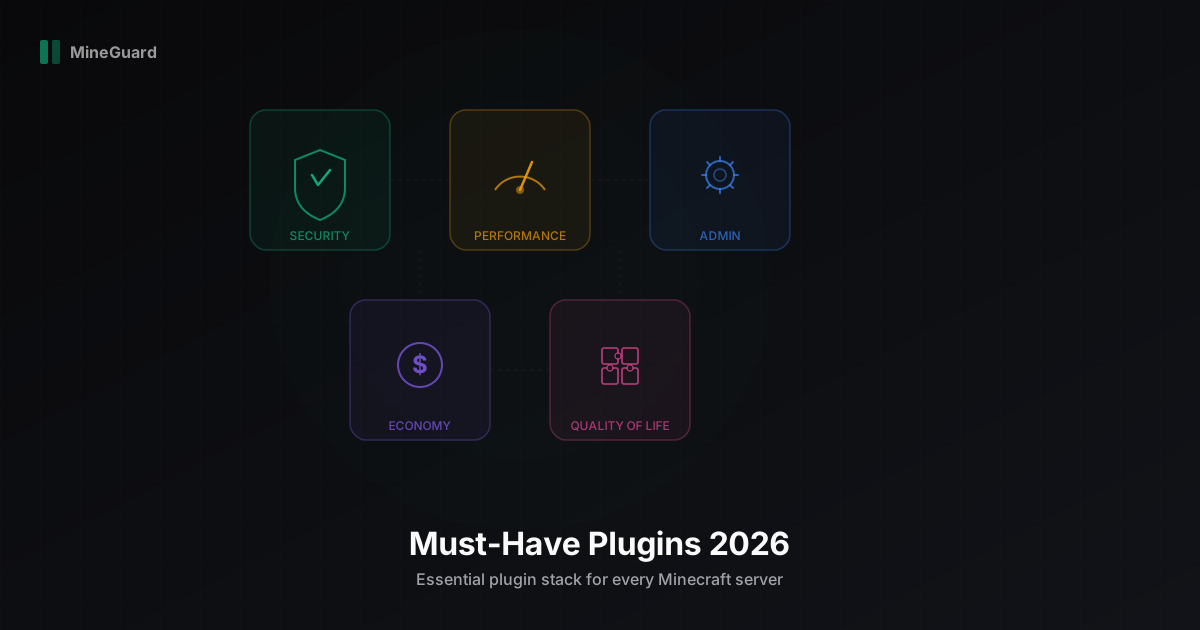
A curated list of the best Minecraft server plugins in 2026: security, performance, administration, economy, and monitoring. We break down each category with specific recommendations.
Minecraft Server Cores Compared 2026: Spigot vs Paper vs Purpur vs Pufferfish vs Leaf
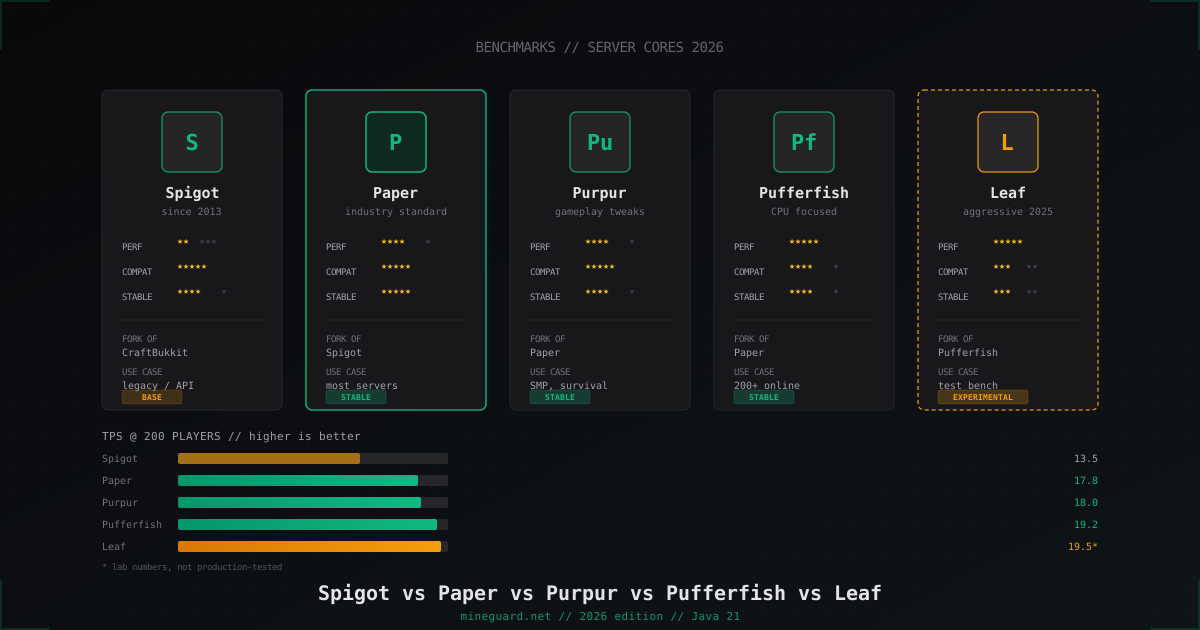
Which Minecraft server core to pick in 2026: deep dive into Spigot, Paper, Purpur, Pufferfish and Leaf with real TPS numbers and player-count guidance.