SYN Flood: The Most Common DDoS Attack on Minecraft Servers
Every Minecraft server owner encounters DDoS attacks sooner or later. And in most cases, the first thing that hits you is a SYN flood. Not because it's the most sophisticated attack. Quite the opposite, because it's the simplest and still effective technique that can take down an unprotected server in seconds.
To understand how SYN flood works, you need to understand how TCP connections are established. Minecraft Java Edition runs on TCP, so every player connection goes through this process.
How the TCP Three-Way Handshake Works
When a player connects to your server, a "three-way handshake" takes place. Three packets, three steps.
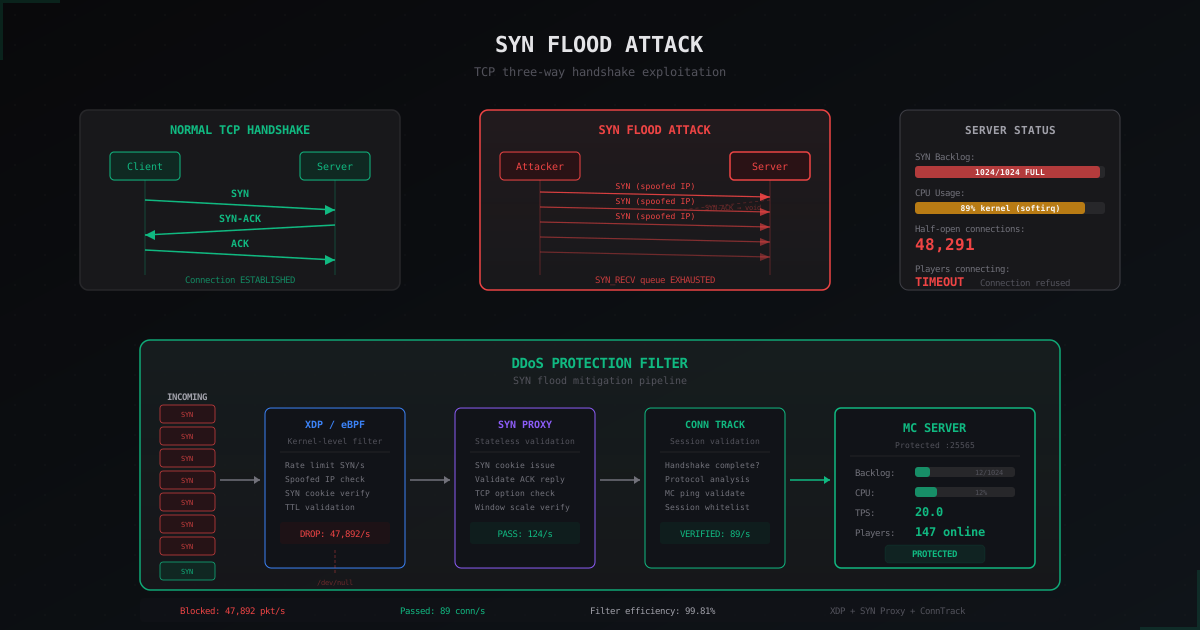
Step 1: SYN. The client sends a packet with the SYN (synchronize) flag. This packet says: "Hey, I want to establish a connection. Here's my initial sequence number."
Step 2: SYN-ACK. The server receives the SYN, allocates resources for the new connection (creates an entry in the SYN backlog), and sends back a SYN-ACK packet. This means: "I heard you, here's my sequence number, please confirm."
Step 3: ACK. The client sends the final ACK. Connection established. Data can flow, and Minecraft begins the login process.
The whole process usually takes less than 100 milliseconds. But here's the critical part: between step 2 and step 3, the server holds the connection in a "half-open" state. It has already spent resources but hasn't received confirmation yet. This is exactly what SYN flood exploits.
How SYN Flood Breaks Your Server
The idea is dead simple. The attacker sends thousands (or millions) of SYN packets to your server's port. Each packet arrives with a spoofed IP address (IP spoofing). The server dutifully responds to each SYN with a SYN-ACK and creates a backlog entry. But the SYN-ACK goes to a fake address that will never send an ACK back.
Here's what happens:
- The SYN backlog fills up with half-open connections
- Each half-open connection sits in memory waiting for an ACK (default 75 seconds on Linux)
- When the backlog is full, the server stops accepting new connections
- Real players get "Connection timed out" or "Can't connect to server"
The default SYN backlog size in Linux is 128 or 256 entries. Even with an increased backlog of 1024, at an attack rate of 50,000 SYN packets per second the backlog fills instantly. And the attack can be generated from a single rented server, no botnet needed.
Why Minecraft Servers Are Especially Vulnerable
Minecraft servers have several characteristics that make them ideal SYN flood targets.
Single port. All traffic goes to one TCP port (usually 25565). The attacker doesn't need to spread efforts, just flood that one port.
TCP protocol. Unlike UDP-based games (Bedrock Edition, CS2, Valorant), Java Edition uses TCP. Every connection requires a full handshake, and every SYN packet consumes server resources.
Public address. Most Minecraft servers publish their IP on server lists, forums, and Discord. The attacker always knows where to aim.
Limited resources. A typical Minecraft server runs on a VPS or dedicated server with limited network resources. Even if you have a 1 Gbps link, a 500 Mbps SYN flood will create serious problems.
No built-in protection. Neither Vanilla, nor Paper, nor Velocity have built-in SYN flood protection mechanisms. This is a task for the OS and network level, not the application.
How to Detect a SYN Flood
Before fighting an attack, you need to diagnose it. Here are the specific commands.
Check connection states with ss
ss -s
This shows overall socket statistics. An abnormally high synrecv count means SYN flood.
ss -tnp state syn-recv | wc -l
Shows the number of connections in SYN_RECV state. Normal value for a Minecraft server with 200 players is 0-5. If you see hundreds or thousands, you're under attack.
Analysis with netstat
netstat -n | awk '/^tcp/ {print $6}' | sort | uniq -c | sort -rn
This groups TCP connections by state. During a SYN flood you'll see something like:
  4891 SYN_RECV
    47 ESTABLISHED
    12 TIME_WAIT
     3 CLOSE_WAIT
Thousands of SYN_RECV with dozens of ESTABLISHED is a clear sign of attack.
Live monitoring with tcpdump
tcpdump -i eth0 -n 'tcp[tcpflags] & tcp-syn != 0' -c 100
Shows SYN packets in real time. During a SYN flood you'll see packets streaming from different (spoofed) IP addresses. Pay attention to TTL values: if they're identical across packets from different "IPs", the packets actually come from a single source.
SYN packet rate monitoring
watch -n 1 'ss -s | grep synrecv'
Real-time monitoring. If SYN_RECV grows by thousands per second, it's an active attack.
Kernel-Level Protection
The first line of defense is proper kernel tuning. This won't stop a serious attack, but it buys you time.
SYN Cookies
sysctl -w net.ipv4.tcp_syncookies=1
SYN cookies eliminate the need to store half-open connection state. Instead, the server encodes connection info directly into the SYN-ACK sequence number. When the ACK arrives, the server recovers the info from the sequence number.
Pros: backlog doesn't fill up, server keeps accepting connections. Cons: some TCP options (window scaling, timestamps) don't work, which may increase latency. For Minecraft, this is usually not critical.
Increasing the SYN Backlog
sysctl -w net.ipv4.tcp_max_syn_backlog=65535
sysctl -w net.core.somaxconn=65535
Increases the half-open connection queue size. Not a solution by itself, but with syncookies enabled it gives additional headroom.
Reducing SYN-ACK Retries
sysctl -w net.ipv4.tcp_synack_retries=2
By default Linux retransmits SYN-ACK 5 times waiting for an ACK. Each retransmission increases the lifetime of a half-open connection. Reducing to 2 means the connection is dropped faster.
Complete sysctl Configuration
# /etc/sysctl.conf - SYN flood mitigation
net.ipv4.tcp_syncookies = 1
net.ipv4.tcp_max_syn_backlog = 65535
net.core.somaxconn = 65535
net.ipv4.tcp_synack_retries = 2
net.ipv4.tcp_timestamps = 1
net.ipv4.tcp_fin_timeout = 15
net.ipv4.tcp_tw_reuse = 1
net.core.netdev_max_backlog = 65535
net.ipv4.ip_local_port_range = 1024 65535
Apply with:
sysctl -p
iptables SYN Flood Mitigation
Second layer: netfilter/iptables filtering.
SYN Rate Limiting
iptables -A INPUT -p tcp --syn -m limit --limit 100/s --limit-burst 200 -j ACCEPT
iptables -A INPUT -p tcp --syn -j DROP
Accepts max 100 SYN packets per second with a burst of 200. Everything above gets dropped. For a Minecraft server with 200-300 players, 100 SYN/s is more than enough since players don't connect every second.
Blocking Invalid TCP Packets
iptables -A INPUT -p tcp --tcp-flags ALL NONE -j DROP
iptables -A INPUT -p tcp --tcp-flags ALL ALL -j DROP
iptables -A INPUT -p tcp --tcp-flags SYN,FIN SYN,FIN -j DROP
iptables -A INPUT -p tcp --tcp-flags SYN,RST SYN,RST -j DROP
iptables -A INPUT -p tcp --tcp-flags FIN,RST FIN,RST -j DROP
iptables -A INPUT -p tcp --tcp-flags ACK,FIN FIN -j DROP
iptables -A INPUT -p tcp --tcp-flags ACK,URG URG -j DROP
These rules block packets with invalid TCP flag combinations. A normal TCP stack never generates a packet with both SYN and FIN set. Such packets are either an attack or a port scan.
Connection Limiting per IP
iptables -A INPUT -p tcp --dport 25565 --syn -m connlimit --connlimit-above 3 --connlimit-mask 32 -j DROP
No more than 3 simultaneous new connections per IP. A normal player creates 1 connection. If 3+ SYNs come from the same IP simultaneously, that's suspicious.
Using SYNPROXY
iptables -t raw -A PREROUTING -p tcp --dport 25565 --syn -j CT --notrack
iptables -A INPUT -p tcp --dport 25565 -m conntrack --ctstate INVALID,UNTRACKED -j SYNPROXY --sack-perm --timestamp --wscale 7 --mss 1460
iptables -A INPUT -m conntrack --ctstate INVALID -j DROP
SYNPROXY is an iptables target that implements SYN proxy at the kernel level. It responds to SYN packets instead of the application, and only after receiving a valid ACK creates a real connection to the backend. One of the most effective iptables-based SYN flood defenses.
Why Application-Level Protection Isn't Enough
Some server owners install "anti-DDoS" plugins on Paper or Velocity and consider themselves protected. This is a dangerous assumption.
A Minecraft plugin runs at the application layer (Layer 7). When a SYN packet arrives, it passes through the kernel network stack, the TCP/IP stack, and the accept queue before Java ever sees it. SYN flood kills the server at the TCP stack level, before Java processes anything.
An "Anti-Bot" plugin protects against bots that have already established a TCP connection and are trying to log into Minecraft. That's a different type of attack (Layer 7 bot flood). Against SYN flood, the plugin is useless because connections never reach it.
Think of it like posting a guard inside a building while attackers have barricaded the front door from outside. The guard can't do anything because the problem is before them.
How Professional DDoS Protection Handles SYN Floods
Professional solutions like MineGuard work fundamentally differently. Instead of protecting the server, they prevent the traffic from reaching it.
XDP/eBPF Filtering. XDP processes packets before they enter the kernel TCP stack. It's the fastest way to filter, dropping packets at the network driver level. For a 10 Gbps SYN flood, this is the only option that won't max out the CPU.
SYN Proxy at the filter level. The filter accepts the SYN from the client, responds with a SYN-ACK containing a SYN cookie, and waits for the ACK. If a valid ACK arrives and the cookie checks out, the filter establishes a new connection to the backend and bridges them. The backend server only sees completed, validated connections.
Pattern Analysis. Professional filters analyze TTL, TCP window size, MSS, and other SYN packet parameters. Real clients have varying values depending on their OS (Windows, macOS, Linux, Android). SYN flood tools (hping3, scapy) typically use default or anomalous values, making them easy to filter before even checking cookies.
Difference from Other Flood Types
SYN flood is often confused with other TCP attack types. Let's break down the differences.
UDP Flood. UDP is connectionless. UDP flood simply saturates bandwidth with junk packets. It doesn't exploit the handshake. For Java Edition (TCP), UDP flood is less dangerous since UDP packets to a TCP port are simply dropped, though they still consume bandwidth.
ACK Flood. ACK flood sends packets with the ACK flag without a preceding SYN. Stateful firewalls can easily detect and drop these since there's no matching connection tracking entry.
RST Flood. RST packets are meant to forcefully terminate connections. If the attacker guesses the sequence number of an active connection, they can disconnect a player from the server. More targeted and harder to execute than SYN flood.
TCP Connection Flood. The attacker completes the handshake (SYN, SYN-ACK, ACK) and creates real connections. This bypasses SYN cookies but requires real IPs (no spoofing), making the attacker vulnerable to IP blocking.
Real-World Scenarios and Numbers
For context, some real numbers.
A typical SYN flood targeting a Minecraft server ranges from 100,000 to 5,000,000 packets per second. In volume that's 50-200 Mbps, which doesn't seem like much compared to 100+ Gbps volumetric attacks. But SYN flood isn't about volume; it's about resource exhaustion.
An unprotected server with default settings (backlog 128) goes down at 1,000 SYN/s. A sysctl-tuned server (backlog 65535, syncookies) can handle 50,000-100,000 SYN/s but starts dropping packets and increasing latency. Only hardware or XDP-level filtering handles millions of SYN/s.
In practice, attackers often combine SYN flood with other techniques. First comes SYN flood to overload the network stack, then a Layer 7 bot attack with real connections. The first wave distracts resources, the second finishes the job. We wrote about these combined attacks in detail in our article on DDoS trends for Minecraft in 2026.
Quick Checklist: Under Attack Right Now
If you're currently under SYN flood and need to act fast:
1. Diagnose (30 seconds):
ss -s | grep synrecv
ss -tn state syn-recv | wc -l
2. Emergency syncookies:
sysctl -w net.ipv4.tcp_syncookies=1
sysctl -w net.ipv4.tcp_max_syn_backlog=65535
sysctl -w net.ipv4.tcp_synack_retries=1
3. iptables rate limiting:
iptables -I INPUT -p tcp --dport 25565 --syn -m limit --limit 50/s --limit-burst 100 -j ACCEPT
iptables -A INPUT -p tcp --dport 25565 --syn -j DROP
4. If the attack continues, get professional DDoS protection. We've outlined a detailed action plan in our guide "Minecraft Server Under DDoS: What to Do".
Don't Confuse SYN Flood with Other Problems
Not every timeout is DDoS. Sometimes the server lags for other reasons, and it's important to tell them apart.
If ss -s shows a normal SYN_RECV count (under 10) but players complain about lag, the problem is likely the server itself: TPS drops, RAM shortage, overloaded chunks. We have a separate article on diagnosing lag: DDoS or server problems.
If SYN_RECV is elevated but not critical (20-50), it might not be an attack. Lots of players might be connecting simultaneously (after a server restart, or during a server event). Check whether the IPs in SYN_RECV match real players.
Another common case: the hosting provider enables SYN flood protection on their end, which starts dropping legitimate SYN packets under moderate load. Symptoms look like DDoS but it's actually overly aggressive filtering. Verify by disabling rate limiting on the hosting side.
Bottom Line
SYN flood exploits a fundamental TCP mechanism, and completely eliminating this vulnerability isn't possible without changing the protocol itself. But you can minimize the impact.
For a small server (under 50 players), proper sysctl tuning plus basic iptables rules is usually enough. For larger servers with a real audience, professional DDoS protection isn't a luxury, it's a necessity. The difference between losing all players for 4 hours and filtering the attack without a single disconnect is the difference between a hobby and a working project.
Configure sysctl, add iptables rules, keep diagnostic commands handy. And remember: SYN flood is just one attack type. Good protection covers all vectors simultaneously.
Protect Your Server from DDoS Attacks
Free protection with 5-minute setup. 1 TB bandwidth included.
Try for FreeRelated Articles
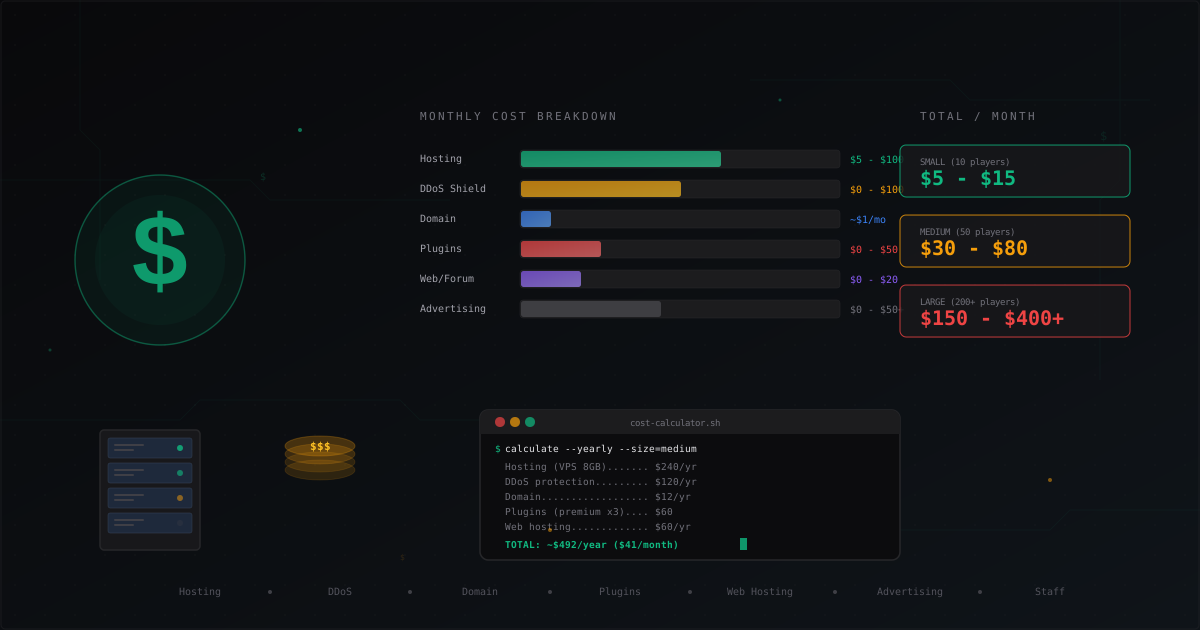
How Much Does It Cost to Run a Minecraft Server
Complete cost breakdown for running a Minecraft server: hosting, domain, DDoS protection, plugins, website, advertising, staff. Monthly and yearly cost tables for small, medium, and large servers plus tips to cut expenses.
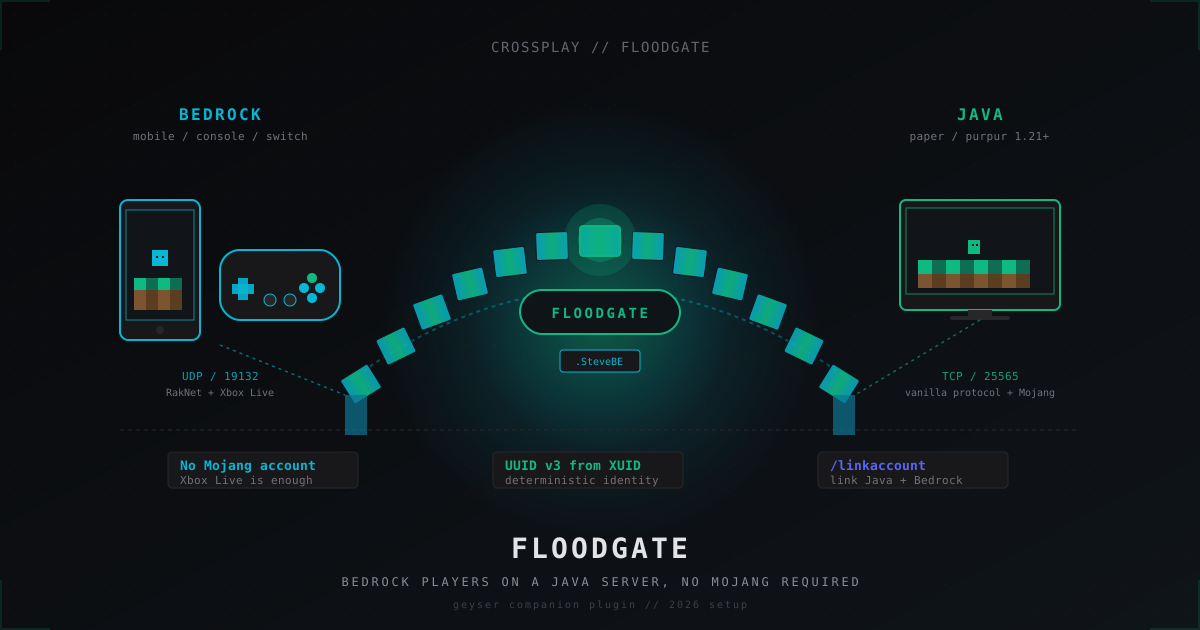
Floodgate: letting Bedrock players join Java servers without a Mojang account (2026)
Floodgate paired with Geyser is the official, Microsoft-blessed route from GeyserMC that lets phone, Switch and Xbox players onto a Java server without buying a separate Mojang account. Install, configs, UUID prefix, /linkaccount and the anti-abuse story.
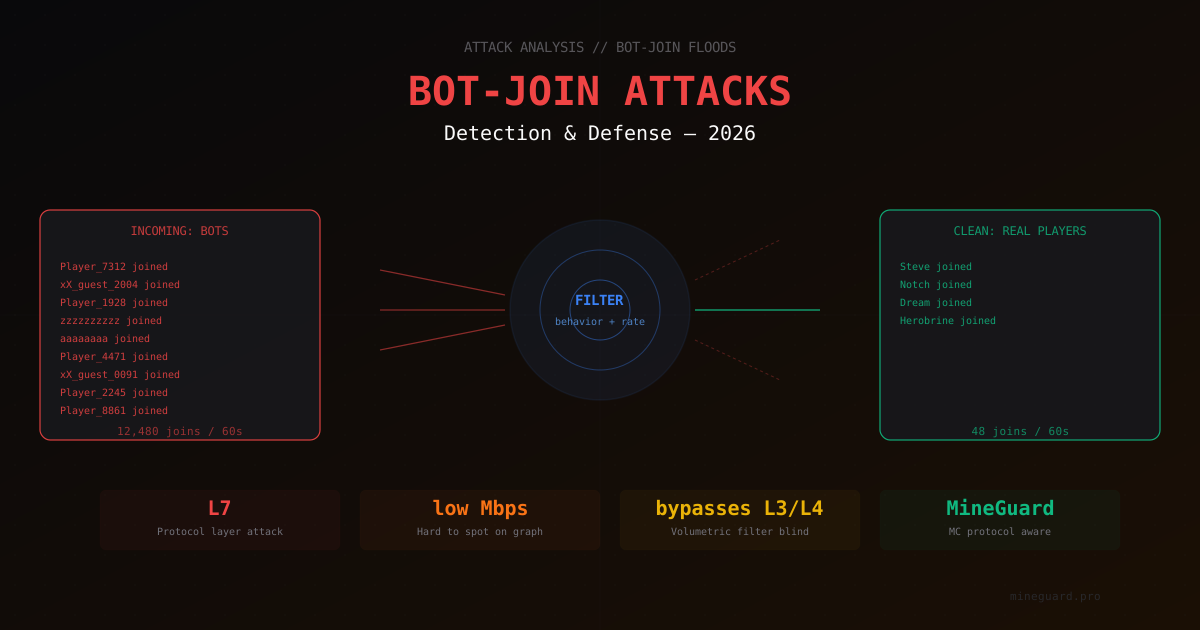
Bot-Join Attacks on Minecraft 2026: How to Tell a Bot from a Real Player
In-depth look at bot-join attacks on Minecraft servers in 2026. How bot connections look in logs, what signals filters use for detection, and which defensive measures actually work.