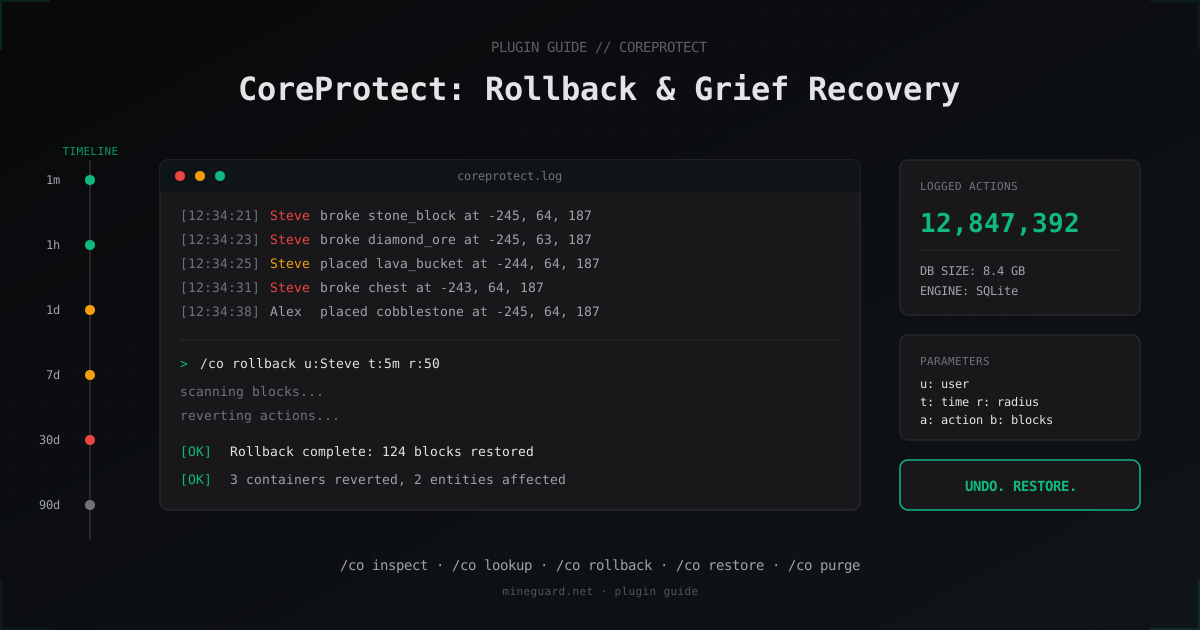
CoreProtect: Rollback Grief and Investigate Incidents on Your Minecraft Server
CoreProtect logs every player action and lets you undo grief with a single command. Here is how to install it, what to put in config.yml, how to track down the culprit, and how to restore the world without rolling back a backup.
Why every server needs CoreProtect
Run a server with whitelist off or even five regulars, and sooner or later one of two things happens: someone empties a chest that was not theirs, or someone pours lava on a build. Without logs you cannot prove who, and without a rollback you fix the area by hand or restore a world backup, losing everything else done since.
CoreProtect does both. It is a logging plugin for Paper and Spigot that writes every block place, block break, container access, chat, command, and potion use into a database. Any of those actions can then be rolled back or re-applied for a chosen time window. In practice CoreProtect runs on more than 90% of servers from 10 to 1000 concurrent players, because nothing else in 2026 matches it on speed, support, and compatibility.
This guide covers installation, the config file, investigation commands, rollback workflow, and database trade-offs. Versions: CoreProtect 22.x, Minecraft 1.20-1.21, Paper and its forks.
Installation on Paper and Spigot
Download the jar from the official Modrinth page or SpigotMC. Drop it into plugins/, restart the server, and the plugin generates plugins/CoreProtect/config.yml plus a database.db SQLite file.
Minimum requirements: Java 17+, Paper 1.20.1 or newer. It works on Spigot too, but Paper is the recommended choice. Events fire faster and the plugin keeps up without lag spikes.
Verify the install:
# In the server console or as an operator
/co help
/co status
If you see the version and Database is operational, you are good. By default no permissions are granted to players. Hand them out explicitly through LuckPerms or your permissions plugin.
SQLite vs MySQL
Out of the box CoreProtect writes to SQLite (database.db next to the config). That is enough for around 50 concurrent players, or until the file grows past 50-100 GB. After that SQLite struggles with wide-radius lookup queries, and it pays to migrate to MySQL or MariaDB.
When to switch to MySQL:
- consistently more than 50 concurrent players
database.dblarger than 100 GB/co lookupqueries taking 5-10 seconds or more- multi-server network (BungeeCord/Velocity) sharing one log database
MySQL config in config.yml:
mysql: true
mysql-host: "127.0.0.1"
mysql-port: 3306
mysql-database: "coreprotect"
mysql-username: "coreprotect_user"
mysql-password: "***"
table-prefix: "co_"
After the switch, the plugin creates fresh tables on next start. Old SQLite data is not migrated automatically, only third-party migration scripts can do that.
What to log in config.yml
Logging everything eats disk fast. On a mining server with 200 concurrent players, block-break: true plus item-pickup: true produces gigabytes per day. Log only what you actually use during incident response.
A working baseline:
# What gets written
block-place: true
block-break: true
natural-break: false      # gravity-broken blocks: noise, off
explosions: true          # creepers, TNT, end crystals: always on
fire: true
liquid-tracking: true     # lava/water flow
sign-text: true
container-transactions: true
item-transactions: true
item-pickup: false        # usually overkill, eats disk
player-interactions: true # doors, levers, buttons
chat: true
commands: false           # turn on if /sudo or /tp are exposed
worldedit: true           # critical if WorldEdit is given to staff

# Storage
default-radius: 10
date-format: "yyyy-MM-dd HH:mm:ss"
api-enabled: true

# Performance
table-version: 9
disable-wal: false        # WAL speeds up SQLite, leave it on
commands: true records every typed command including arguments. Useful when you suspect dupe via commands, but if players send /msg with private content, that is a privacy concern. Decide per server.
Inspector mode
The most-used command after grief is to walk over and check who did what. Toggle it on:
/co inspect
# or simply:
/co i
A left click on any block now shows who placed or broke it and when. A right click on a chest shows every transaction that touched it. Very handy when a player complains "diamonds disappeared from my chest": stand next to it, right click, see the full transaction log with username and timestamp.
Toggle it off with another /co i.
Inspector requires coreprotect.inspect. Do not give it to regular players, otherwise moderators are out of a job and everyone starts auditing their neighbors.
Searching logs: /co lookup
When you need a structured search across logs instead of clicking blocks:
# Everything Steve did in the last 7 days
/co lookup u:Steve t:7d

# What Steve mined within 100 blocks of you in the last 24 hours
/co lookup u:Steve t:24h r:100

# All explosions in the last 6 hours
/co lookup a:+block t:6h b:tnt

# Container access in the last week
/co lookup t:7d a:container
Output is paginated in chat. Page through with /co l <page>. For exporting results, use a webhook plugin or query the database directly via SQL.
Parameters:
u:- player name (or#environmentfor survival,#tnt,#fire)t:- time back:1m,1h,7d,30d, combinable ast:1d2hr:- radius around you in blocks,r:#worldfor the entire world,r:#chunkfor the current chunka:- action type:block,+block(place only),-block(break only),chat,command,containerb:- specific block:b:diamond_ore,b:tnte:- exclude:e:#dirt,grass_blockfilters out noisei:- item filter for container transactions:i:diamond
Rolling back grief: /co rollback
Once you know who did it and the scope, undo it:
# Roll back everything Steve did in the last hour within 50 blocks
/co rollback u:Steve t:1h r:50

# Roll back all TNT placements in the last 30 minutes across the whole world
/co rollback t:30m a:+block b:tnt r:#world

# Roll back lava pours in the last 2 hours
/co rollback t:2h a:liquid e:water
Rollback runs asynchronously: large regions do not lag the server, but the operation takes minutes. Progress prints to the server console. Do not interrupt it, wait for Rollback complete.
Important detail: rollback restores the state from BEFORE the first action in the selection. So if Steve placed a block and then broke it, rollback returns the area to a clean state (no block). Test parameters on a sandbox area before swinging at production.
Restore: /co restore
What if part of the rollback was a mistake? Say you reverted the griefer, but along the way you also undid a neighbor who was patching the holes. Then:
/co restore u:Steve t:1h r:50
Restore is the inverse: it brings the world back to the state AFTER the actions. Effectively an undo for rollback. For partial work, narrow it down with b: and e: filters.
Cleaning up: /co purge
The database grows quickly. On a server with 100 concurrent players and item-pickup off, expect 5-10 GB of logs per month. After half a year you have 30-60 GB and lookups are sluggish. Purge old data:
# Delete everything older than 30 days
/co purge t:30d

# Limited to one world
/co purge t:30d w:world_nether
Run purge at night or during a low-activity window. It locks the database while it runs. After SQLite purges, reclaim disk space with VACUUM:
sqlite3 plugins/CoreProtect/database.db "VACUUM;"
For MySQL: OPTIMIZE TABLE co_block, co_container, co_chat;. Big tables can take an hour, do this with the server stopped.
Performance and monitoring
What to watch:
- DB size: track growth. If it grows faster than 10 GB per week, you are logging too much. Trim
item-pickup,natural-break,liquid-tracking. - TPS during lookup: queries with
r:#worldandt:30dare heavy. On SQLite they block writes, the world cannot record new events, expect lag spikes. - disk IOPS: SQLite generates many small writes. SSD is mandatory. On HDD, CoreProtect collapses past 50 concurrent players.
The plugin maintains its own indexes on co_block(time, user) and similar, no manual tuning needed. If you write custom report queries, add your own indexes on the columns you filter on.
Real scenario: overnight grief
You wake up, log in, and see a tunnel blasted through spawn into the admin room. No one is online, you have no idea who or when. Steps:
- Stand next to the first blown block.
/co i, left click. You see the username and time of the first explosion. /co lookup u:Griefer123 t:12h r:#world a:+block b:tntshows every TNT placement by that user in the last 12 hours world-wide. Turns out they were placing TNT from 03:14 to 03:42./co lookup u:Griefer123 t:12h a:containerchecks whether they hit any chests. Often a griefer first cleans out the admin chest, then covers tracks with an explosion./co rollback u:Griefer123 t:12h r:#worldreverts every action from that period. Both blocks and container contents come back.- Ban the player, then check LuckPerms to see how they bypassed WorldGuard. Often the griefer logged in on an alt account with permissions earned via social engineering.
Reverting an admin room takes 2-5 minutes. Reverting large-scale world grief takes 10-30 minutes.
What does NOT come back
CoreProtect is powerful but not magic. It will not restore:
- mob drops: an enderman killed for pearls is not logged
- furnace smelts: smelted items are gone, the source ore is not tracked back
- enchants and anvil combines: a new item is not remembered as a combination of two old ones
- non-player world changes: spawner-driven block updates, water-flow erosion, partially logged via
liquid-trackingbut not always cleanly - the world itself if the folder was deleted: CoreProtect stores changes, not the world. If
world/is wiped, you need a world backup
For player inventory, only container transactions (chest contents) are recovered. Steve's personal inventory is not restored by /co rollback. For that, install a separate plugin like InventoryRollback Plus.
Integration with other plugins
The CoreProtect API is public and many plugins talk to it:
- WorldGuard: denied actions show up in the log as
bypass_attempt - Citizens: NPC interactions are logged with the NPC name
- MythicMobs: custom mobs and their attacks are visible via
/co lookup a:kill - WorldEdit:
//set,//paste, and friends are logged whole. A bad WE operation can be reverted via/co rollback u:OperatorName a:worldedit
For developers, the CoreProtect API lets you query data programmatically: fetch actions by coordinates, filter by user, plug into your own plugin.
FAQ
Can CoreProtect restore the world if the folder was deleted?
No. CoreProtect stores changes in a database, not the world itself. If world/ is gone, you need a world backup. CoreProtect helps when the world still exists but something in it was modified. Set up world backups separately with AutoSaveWorld or your host's snapshot feature.
How much disk does CoreProtect use per month?
Depends on traffic and config. On 100 concurrent players with default config and item-pickup off, plan for 5-10 GB per month. With item-pickup: true and commands: true, that can be 20-30 GB. Run /co purge t:60d once a month to keep growth under control.
Which is better: CoreProtect, Prism, or LogBlock?
CoreProtect is the most actively maintained and fastest in 2026. Prism has a stronger API and a web UI, but updates lag behind. LogBlock is old and rarely patched, not recommended for new servers. If you already run LogBlock and it works, leave it, but a migration to CoreProtect simplifies life.
Can I roll back a player's inventory?
Only container contents via /co rollback ... a:container. Personal inventory is not tracked by CoreProtect. For that, install InventoryRollback Plus or PlayerInventoryRollback, which log inventory slots separately.
Does CoreProtect work on Folia?
There is a fork for Folia, but not every feature is stable. Rollbacks over big regions can crash because of Folia's regionalized threading. On regular Paper, CoreProtect runs without caveats. If you depend on Folia for performance and need logging, look at alternatives or wait for a more stable release.
How do I protect the log database from the griefer themselves?
If the griefer had operator rights, they could edit the database to clean up after themselves. Defense: move MySQL to a separate host with IP allowlisting, run regular mysqldump backups via cron, keep copies offline. For SQLite, back up database.db daily to S3 or a separate drive.
How long does a 100k-block rollback take?
On SSD with SQLite, around 1-3 minutes. MySQL is faster. On HDD, do not even try, expect 20+ minutes with stutters. Watch progress in the server console, it does not stream into chat.
Next steps
Install CoreProtect when you create the server, before the first incident. After a week of activity, check database size, turn off the logging categories you do not use, and schedule /co purge t:60d monthly. Hand out coreprotect.inspect only to staff. Regular players do not need it and it just adds load.
And protect the server itself from outside attacks. The cleanest log on earth does not help if the server falls under DDoS and players leave. MineGuard offers Minecraft-aware filtering with no TPS loss, worth setting up before you need it.
Protect Your Server from DDoS Attacks
Free protection with 5-minute setup. 1 TB bandwidth included.
Try for FreeRelated Articles
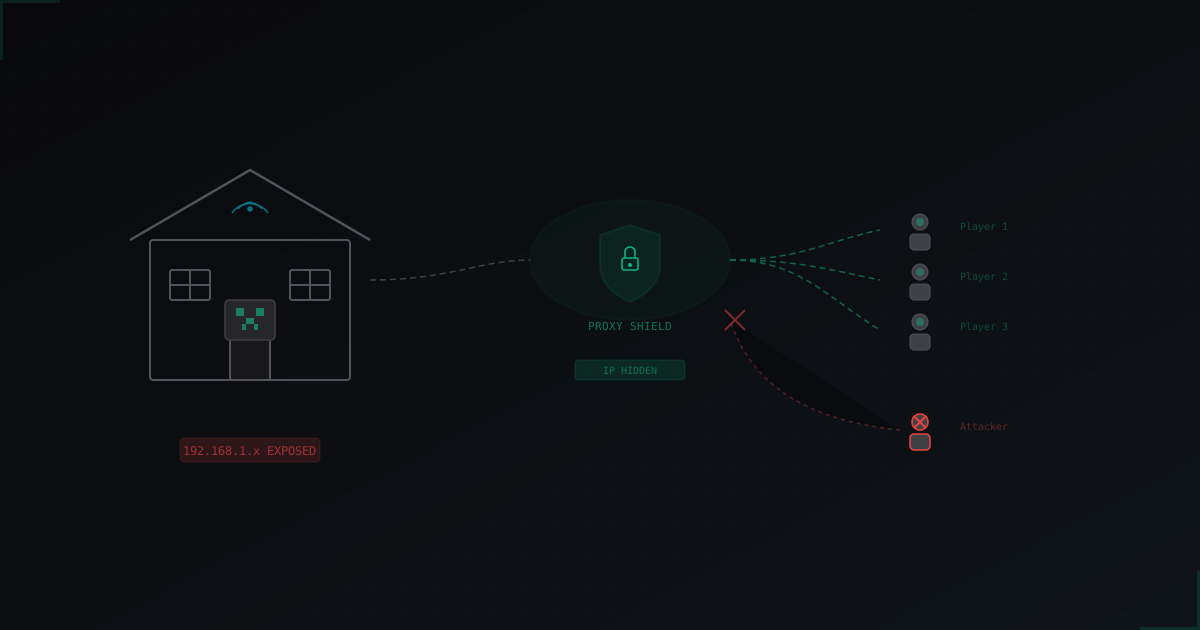
Protecting a Home-Hosted Minecraft Server from DDoS: Complete Guide
A home-hosted Minecraft server is cheap and convenient, but every player sees your real IP address. One angry kid with a $5 booter and your entire home internet goes down, not just the server. Here's how to protect yourself without moving to a hosting provider.
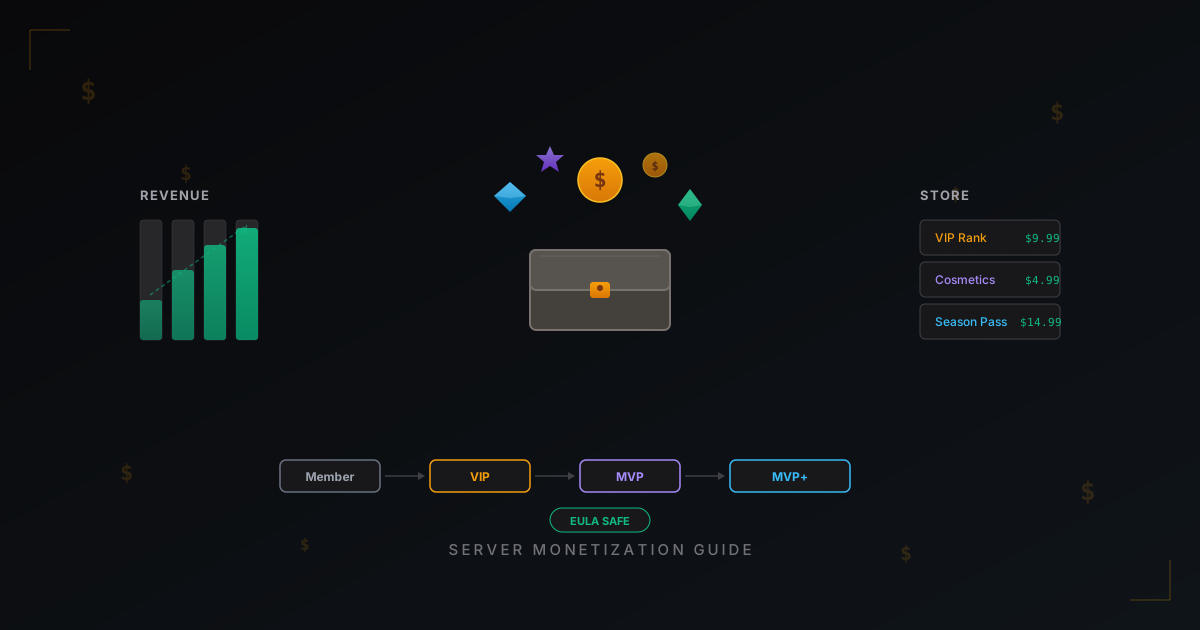
How to Monetize a Minecraft Server: Donations, Ranks, Stores & EULA
Complete guide to earning money from your Minecraft server without breaking the Mojang EULA. Monetization models, donation plugins, pricing strategies, and real revenue numbers.
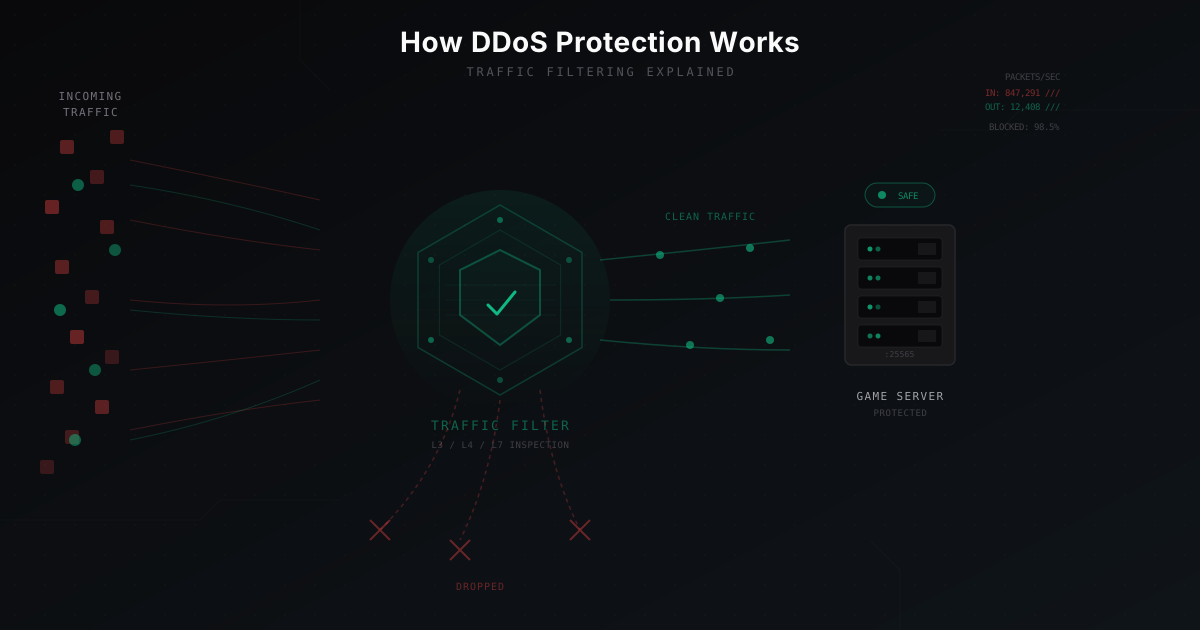
How DDoS Protection Works: Explained Simply
A step-by-step breakdown of how DDoS protection filters traffic, separates real players from bots, and keeps your server online. DNS redirection, scrubbing, GRE tunnels, anycast, and Minecraft protocol inspection.