BetonQuest: Minecraft Server Quest Setup (Complete 2026 Guide)
If your RPG project needs branching NPC dialogs with conditions, rewards and persistent state instead of plain "kill 10 zombies", BetonQuest covers the whole stack with declarative YAML and zero code. Below: installation, the 2.x package layout, objectives and conditions, integrations with Citizens and DecentHolograms, migration from 1.x and the performance traps to watch.
What BetonQuest is and why declarative quests
BetonQuest is a plugin for Bukkit-compatible cores that defines quests through plain YAML files. No scripting, no compilation: write the config, reload, the quest works. Source and docs live at github.com/BetonQuest/BetonQuest and docs.betonquest.org.
The philosophy is simple. A quest is built from four primitives.
- Objectives - tasks the player completes (kill a mob, craft an item, reach a point)
- Conditions - checks the server runs (does the player have a tag, what class, what level)
- Events - actions the server fires in response (give an item, teleport, set a tag)
- Conversations - dialog trees with NPCs whose nodes carry conditions and events
The result is a state graph for each player where transitions between nodes are driven by tags and points. You don't write any code for "if the player saved the princess, the village blacksmith offers a discount": it all comes from tag conditions and tag add events.
Alternatives exist. Quests Plugin has a lower learning curve but a hard ceiling: complex branches and conditions don't fit. ZNPCsPlus + ZSkriptCore work but require Skript code. For a serious RPG server with hundreds of dialog nodes and persistent progress between sessions, pick BetonQuest from day one.
Installation and dependencies
BetonQuest 2.x targets Paper 1.21+ and requires Java 21. The 1.x branch covers older cores (1.16-1.20) but no longer receives new features.
cd plugins/
wget -O BetonQuest.jar https://github.com/BetonQuest/BetonQuest/releases/latest/download/BetonQuest.jar
# or grab from hangar.papermc.io/BetonQuest/BetonQuest
After server boot the plugin creates plugins/BetonQuest/ with this layout:
plugins/BetonQuest/
├── config.yml
├── messages.yml
├── menuConfig.yml
├── lang/
└── QuestPackages/
    └── default/
        ├── package.yml
        ├── events.yml
        ├── conditions.yml
        ├── objectives.yml
        ├── conversations/
        └── journal.yml
Optional integrations almost every server installs:
- Citizens - bind dialogs to visible NPCs instead of standing skeletons
- DecentHolograms - holograms above NPCs and at points of interest
- LuckPerms - grant permissions through
permissionevents - PlaceholderAPI - use
%betonquest_*%in chat, sidebar, holograms - MythicMobs - spawn bosses through BetonQuest events and use kill conditions for MythicMobs
- ProtocolLib - several subsystems need it, install by default
After any YAML edit run /q reload. This re-reads all packages without a server restart. If the chat shows a red parse error, open logs/latest.log: BetonQuest prints the full path to the broken line.
Package layout in 2.x: the main difference from 1.x
In 2.x packages became proper directories. The old layout kept everything in a single package.yml: events, conditions, objectives, dialogs. The new layout splits the parts into subfolders, and any file inside the package is auto-merged into the configuration.
QuestPackages/
└── city_quests/
    ├── package.yml          # package metadata
    ├── events/
    │   ├── reward.yml
    │   └── teleport.yml
    ├── conditions/
    │   └── access.yml
    ├── objectives/
    │   └── main_chain.yml
    ├── conversations/
    │   ├── innkeeper.yml
    │   └── blacksmith.yml
    └── journal.yml
This pays off heavily once you cross 50 quests. Each story arc lives in its own file, sub-packages map to nested folders: QuestPackages/main/chapter_one/ and QuestPackages/main/chapter_two/ are two distinct packages named main-chapter_one and main-chapter_two.
A minimal package.yml:
package:
  enabled: true
  priority: 0
variables:
  city_name: "Northhaven"
  reward_amount: 200
Variables from variables: are then available as %city_name% in any dialog text or message.
First conversation: a real YAML example
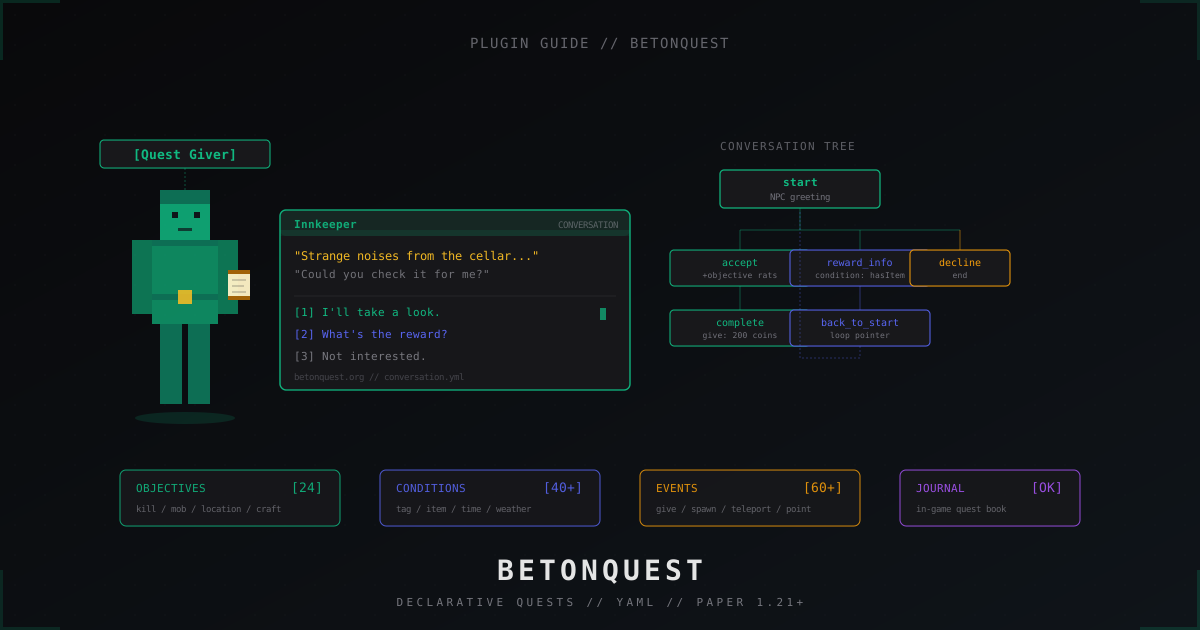
Create QuestPackages/city_quests/conversations/innkeeper.yml. This is a dialog with the innkeeper, who hands out a quest to clear rats from the cellar.
conversations:
  innkeeper:
    quester: "&6Innkeeper"
    first: greeting
    NPC_options:
      greeting:
        text: "Strange noises from the cellar... could you take a look?"
        conditions: "!quest_started,!quest_done"
        pointers: accept,ask_reward,decline
      already_started:
        text: "Any luck with those rats?"
        conditions: "quest_started,!rats_killed"
        pointers: still_busy,decline
      give_reward:
        text: "Thanks, here's your share."
        conditions: "rats_killed,!quest_done"
        events: pay_reward,close_quest
      after_done:
        text: "Drop by anytime, traveler."
        conditions: "quest_done"
    player_options:
      accept:
        text: "I'll take a look. Where's the entrance?"
        events: start_quest,give_torch
        pointer: accepted
      ask_reward:
        text: "What's in it for me?"
        pointer: reward_info
      decline:
        text: "Not now."
      still_busy:
        text: "Still hunting them."
      reward_info:
        text: "200 coins and a meal on the house."
        pointer: greeting
What's happening here:
quester- the name shown in the dialog windowfirst- the starting NPC node where the conversation beginsNPC_options- NPC lines. Each has its own conditions and a list of pointers to player optionsplayer_options- player lines. Each can fire events and jump further viapointerconditions- what must be true for a line to show up. The!prefix invertsevents- fire when the line is selected
The accept, quest_started, pay_reward ids are not defined yet, so the server will complain on /q reload. Time to add objectives and events.
Objectives and conditions: tasks and checks
Objectives in QuestPackages/city_quests/objectives/main_chain.yml:
objectives:
  hunt_rats:
    type: mobkill
    conditions: ""
    events: rats_done
    instruction: mobkill RAT 5 events:rats_done notify
  reach_cellar:
    type: location
    instruction: location 100;64;200;world 3 events:cellar_reached
  craft_torch:
    type: craft
    instruction: craft TORCH 4
The mobkill type uses a MythicMob with id RAT, so this example needs MythicMobs. For vanilla mobs replace it with mobkill ZOMBIE 5. The notify flag pushes progress to the player via the action bar.
Conditions in conditions.yml:
conditions:
  quest_started:
    type: tag
    instruction: tag rats_quest_started
  rats_killed:
    type: objective
    instruction: objective hunt_rats
  quest_done:
    type: tag
    instruction: tag rats_quest_done
  has_torch:
    type: item
    instruction: item torch:1
  is_warrior:
    type: variable
    instruction: variable %class% warrior
Conditions read as "server checks at click time". When the player picks the accept line, BetonQuest evaluates all conditions of the parent NPC node, and only renders the line if they all pass.
Events and tags: how the plugin reacts
Events are what the server fires on player action or on a timer. The events.yml file:
events:
  start_quest:
    type: tag
    instruction: tag add rats_quest_started
  pay_reward:
    type: give
    instruction: give emerald:5,gold_ingot:10
  close_quest:
    type: folder
    instruction: folder mark_done,remove_objective,journal_finished
  mark_done:
    type: tag
    instruction: tag add rats_quest_done
  remove_objective:
    type: objective
    instruction: objective remove hunt_rats
  give_torch:
    type: give
    instruction: give torch:4
  journal_finished:
    type: journal
    instruction: journal add rats_finished
  teleport_cellar:
    type: teleport
    instruction: teleport 100;64;200;world
  rats_done:
    type: notify
    instruction: notify {en}Rats cleared!{de}Ratten erledigt! io:Title
The folder trick is a container that runs several events in order. It avoids duplicating calls in every dialog branch.
Tags are the most reliable way to remember quest state. They live in the plugin's database (SQLite by default, or MySQL if switched in config.yml) and survive restarts. On a real production project always switch storage to MySQL: SQLite's file lock loses progress when the server crashes mid-write.
Citizens and DecentHolograms integration
To bind a dialog to a Citizens NPC, add an npcs: block to package.yml. The NPC id comes from /npc select then /npc info.
npcs:
  "12": innkeeper
  "13": blacksmith
  "14": village_elder
Now a right click on NPC id 12 opens the innkeeper dialog. No separate npc.yml, everything sits in the package.
DecentHolograms makes holograms conditional, for example a "?" icon above an NPC who has a quest available:
events:
  show_marker:
    type: hologram
    instruction: hologram quest_marker
  hide_marker:
    type: hologram
    instruction: hologram quest_marker hide
The hologram itself is created via /dh create quest_marker and pinned with /dh attach quest_marker npc_12 0 2.5 0. BetonQuest only manages visibility.
Journal and player UI
The journal is a book that tells the player what they're doing now and what they've finished. Entries in journal.yml:
journal:
  rats_started: "&7Something is rustling in the inn cellar. The innkeeper asked me to clear the rats."
  rats_finished: "&aRats are gone, reward collected."
  blacksmith_intro: "&7The blacksmith is looking for an apprentice."
Entries are added with journal add <id> and removed with journal del <id>. By default the player opens the journal with /journal. You can attach the open action to right-clicking the book in the inventory in config.yml:
journal:
  give_on_join: true
  custom_journal: true
  show_in_backpack: true
For a unified progress UI there's the built-in menu (/q menu) or external plugins like QuestsGUI. Big projects usually build their own GUI on top of PlaceholderAPI, since the built-in menu is feature-thin.
Objectives cheatsheet
| Type | What it tracks | Example instruction |
|---|---|---|
mobkill | mob kills | mobkill ZOMBIE 10 notify |
location | reach a radius | location 100;64;-50;world 5 |
block | break/place block | block COAL_ORE 32 events:done |
craft | crafting | craft DIAMOND_PICKAXE 1 |
interact | click block/mob | interact left ANY ENTITY |
consume | eat/drink | consume cooked_beef 5 |
enchant | enchanting | enchant diamond_sword sharpness:3 |
fish | fishing | fish COD 20 |
kill | player kill | kill name:Steve 1 |
breed | animal breeding | breed COW 3 |
command | command input | command !/spawn |
delay | wait X minutes | delay 30 ticks:false |
experience | gain xp | experience 30 level |
password | type in chat | password secretWord |
The full list and parameters live at docs.betonquest.org/objectives. Each objective accepts flags like notify, persistent (don't reset on reconnect), events: to fire on completion.
Migration from 1.x to 2.x: things to watch
If you still run 1.x in production, jumping to 2.x isn't drop-in. The package format changed, many events were renamed, the journal was rewritten on top of the new storage. The BetonQuest team shipped a built-in migrator:
/q migrate
The command converts old QuestPackages/<name>/main.yml flat layouts into the new directory structure. Before running it, back up plugins/BetonQuest/ and the database (SQLite file or MySQL dump). After migration test on a staging server: custom events and integrations will need manual fixes.
What changed names:
- inline
tag:-> explicittagtype withinstruction - inline-conditions joined by commas -> separate
conditions:field - old
pointformat -> newpointevent withinstruction - compat with Heroes/MythicLib rebuilt against the new APIs
If migration breaks, roll back to the backup and walk through docs.betonquest.org/migration step by step. The maintainers document every breaking change.
Performance: what eats TPS
BetonQuest itself is light: events and conditions run on Bukkit hooks, checks fire on the main thread. Bottlenecks come from misconfiguration.
- MySQL over SQLite is mandatory in production with 100+ concurrent. SQLite's file lock blocks writes, and quest events queue up
locationobjectives check every player's position once per second. With 200 such objectives across 100 online that's 20000 checks per second. Uselocationfor final waypoints, preferregionwith WorldGuard and aworldguardcondition for zonesdelayobjectives only run on ticks if you setticks:true. By default they use system time, survive restarts and don't load the schedulerdebugin config.yml must befalsein production. Withtrue, BetonQuest spams every action to the console, and an active quest line bloats the log by 100 MB/hour- conversations with huge trees (100+ nodes) take seconds to parse on
/q reload. Split them across files insideconversations/, the plugin merges automatically
If the plugin shows up in spark profiler, look at WorldGuard tickers and the objectives themselves. The cause is often not BetonQuest but the callback plugins (MythicMobs, Citizens) that BetonQuest invokes.
Common admin mistakes
- All quests in one package. After six months
default/holds 200 files and any edit breaks a neighbor. Split per story line - Tags instead of objective conditions. If you can check the objective directly (
condition objective hunt_rats), don't multiply intermediate tags likestarted_hunt_rats - Hardcoded coordinates in YAML. Move spawn and every
locationobjective breaks. Push coordinates tovariables:and reference%spawn_x% - No journal entries. The player walks through 5 NPCs, forgets who to return to, drops the quest. Every meaningful step should append a journal line
- ID collisions between packages. A
startdialog id in three packages: BetonQuest picks the first loaded. Prefix everything:city_innkeeper,dungeon_innkeeper - No
!inversions. Without!quest_donethe NPC will keep offering a quest already finished - MySQL without backups. Quest progress is player data, losing it hurts as much as wiped inventories. Set up an hourly dump to a separate disk
FAQ
Does BetonQuest run on Folia? There's no official Folia support. Some pieces work, but conversations and timers break across regions. The team's issue tracker says Folia is on the roadmap with no fixed date. For Folia, stick with Quests Plugin or wait.
How does BetonQuest differ from Quests Plugin? Quests is easier to start: GUI configurator, simple objectives. BetonQuest is harder but supports branching dialogs, arbitrary condition logic and a real quest graph. For "kill 50 zombies, get a diamond" Quests is enough. For a Skyrim-like chain across 30 NPCs and conditions, only BetonQuest delivers.
How do I make daily quests?
Use the delay event with ticks:false and an objective condition. The player finishes a quest -> an event adds a tag with a TTL via a delay objective -> after 24 hours BetonQuest drops the tag and the quest is available again.
What if the plugin crashes on startup?
In 90% of cases it's broken YAML in one of the packages. Check logs/latest.log: BetonQuest prints the exact path. Running the file through yamllint often catches it.
Can I import ready-made quests?
Yes, github.com/BetonQuest/Quest-Tutorials hosts a 2.x sample collection. Drop the folder into QuestPackages/ and run /q reload. Verify the version compatibility before use: 1.x packages won't load without migration.
How do I split quests by server in BungeeCord?
In config.yml point mysql: at a single database for all servers. BetonQuest stores tags by player UUID, so progress is shared. Packages still differ per server: a hub set, an RPG world set, a minigames set.
When your quests pick up traction and the server starts pulling a real audience, keep DDoS protection in mind for big event launches. A well-staged quest event with a mass teleport has, in our experience, lined up more than once with attempted attacks. BetonQuest itself doesn't change that, but having a filter in front during such peaks is worth keeping on the checklist.
Protect Your Server from DDoS Attacks
Free protection with 5-minute setup. 1 TB bandwidth included.
Try for FreeRelated Articles
MineGuard vs CosmicGuard: Honest Comparison 2026
A detailed comparison of MineGuard and CosmicGuard. We break down features, pricing, performance and help you choose the best DDoS protection for your Minecraft server in 2026.
Anarchy SMP Server from Scratch: How to Build a 2b2t Style Server
Full guide: how to launch an anarchy Minecraft server in 2b2t style. Paper, Velocity, queue, DDoS protection, no-rules philosophy without anti-cheat.
Velocity + DDoS Protection: Complete Guide to a Secure Minecraft Network
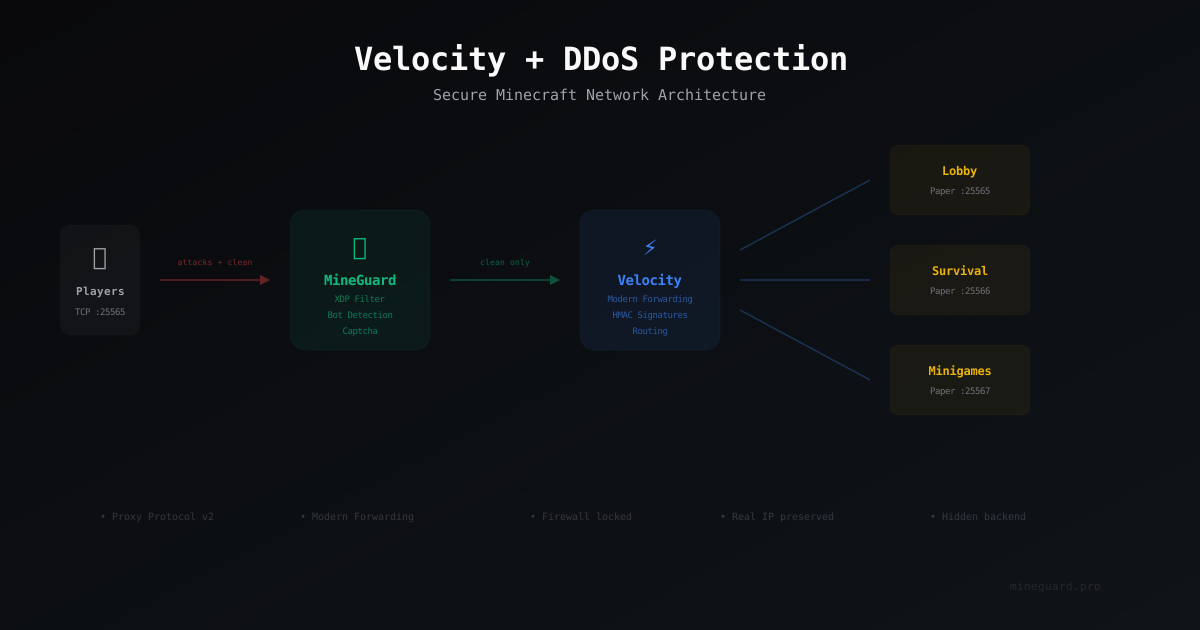
Step-by-step guide to setting up Velocity proxy with MineGuard DDoS protection. Architecture, modern forwarding, Proxy Protocol, firewall.