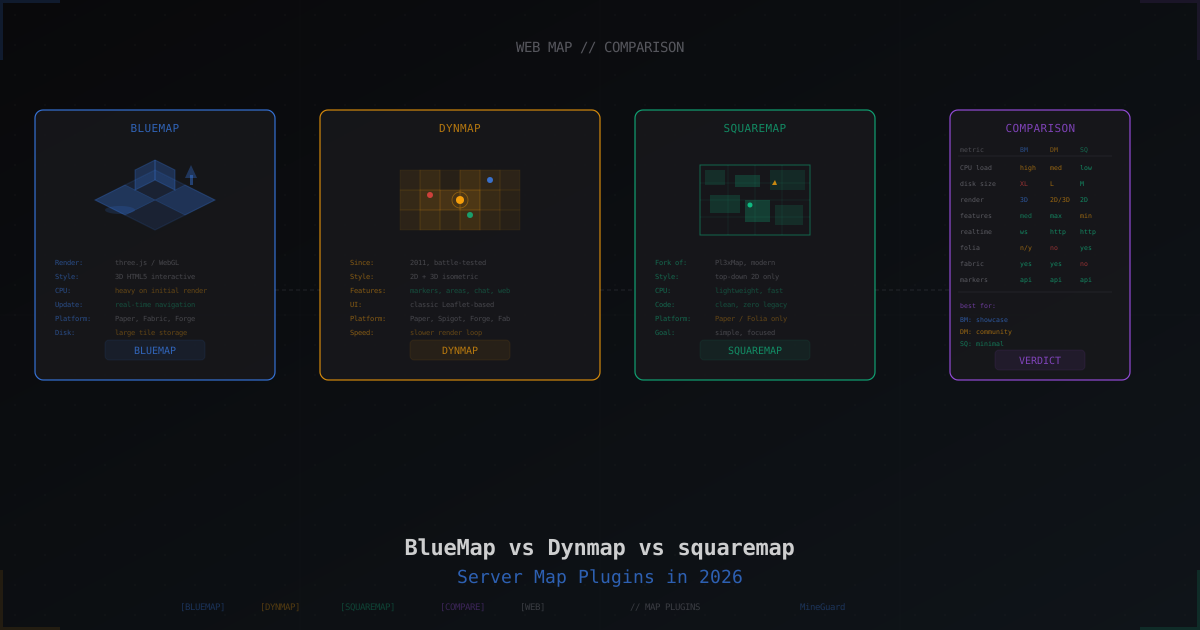
BlueMap vs Dynmap vs squaremap: Which Server Map to Pick in 2026
A web map for your server is not just decoration. Players see where they are, where to go for resources, where their friends built bases. Admins watch how the world grows, where the activity is, where it's empty. A live map is also strong marketing: a screenshot of your server's world pulls attention on social media and top lists.
In 2026, three serious options exist: BlueMap, Dynmap, and squaremap. They solve the same problem but do it in very different ways. Below we cover each one, compare load and features, and give recipes for setup.
Why Your Server Needs a Web Map
A short list of reasons so you don't waste time:
- Player navigation: link in Discord, open map, find a biome or friend's base
- Points of interest: spawn, shops, warps, arenas, events
- Real-time player tracking (optional, can be turned off)
- Screenshots and promo: fresh view of your world for publishing
- Moderation: admin sees active zones, suspicious builds, cave claims
- Backup visualization: map shows what was there before a big event or crash
A map doesn't replace admin tools like CoreProtect or Plan, but it works alongside them.
Three Players on the Market
| Plugin | Since | Style | Platform | Character |
|---|---|---|---|---|
| BlueMap | 2020 | 3D HTML5 (three.js) | Paper, Spigot, Fabric, Forge, Sponge | Visual, modern, heavy on initial render |
| Dynmap | 2011 | 2D plus 3D isometric | Paper, Spigot, Forge, Fabric | Classic with max features, old-school UI |
| squaremap | 2022 | 2D top-down | Paper, Folia | Minimal, fast, zero legacy |
Each has its purpose. There is no objectively best option, only the right one for the job.
BlueMap: Full 3D View of the World
BlueMap renders your world as a 3D model and displays it in the browser via three.js. Players rotate the camera, zoom in, zoom out, dive from surface into caves - it feels like Google Earth for your server.
Pros
- Real 3D view, not a flat image
- Modern UI with smooth navigation
- WebSocket for real-time player positions
- Works on Paper, Fabric, Forge, Sponge
- Good documentation and active community
- Marker support via API and config files
- Nice lighting and shadows via shaders
Cons
- Heavy CPU during render, especially first pass on a large world
- Tiles eat a lot of disk (3-5x more than squaremap for the same area)
- Requires WebGL in the player's browser (laggy on weak devices)
- Sensitive to custom blocks and mods (some textures may not render)
Installation on Paper
# 1. Grab the latest Paper release
cd /your/server/plugins
wget https://github.com/BlueMap-Minecraft/BlueMap/releases/latest/download/BlueMap-5.X-paper.jar

# 2. Start the server, plugin creates config and stops
# 3. Accept the license in config/core.conf
nano config/core.conf
# accept-download: true

# 4. Start again, render begins
Key Settings
File plugins/BlueMap/core.conf:
accept-download: true
metrics: false
data: "bluemap"
render-thread-count: 2
render-thread-count is how many threads go to rendering. On weak servers use 1-2, on strong ones 4-6. Don't use all cores, or TPS suffers.
File plugins/BlueMap/webserver.conf:
enabled: true
ip: "0.0.0.0"
port: 8100
webroot: "bluemap/web"
Pre-rendering the World
A large world (say, 10k blocks in each direction from spawn) takes hours. Run a pre-render via command:
/bluemap freeze <world>       # pause live render
/bluemap fullrender <world>    # start full render
/bluemap unfreeze <world>
TPS can dip during fullrender. Schedule it at night or during maintenance windows.
Dynmap: Classic with Maximum Features
Dynmap launched in 2011. Over the years it grew functions, bridge plugins, and community addons. If you want things like "show WorldGuard regions on the map" or "broadcast in-game chat to the web" or "display GriefPrevention claims" - Dynmap is usually the only answer.
Pros
- Alive for 13+ years, battle-tested on thousands of servers
- Supports 2D flat, 3D isometric, surface, cave modes
- Integrations: WorldGuard, Towny, Factions, GriefPrevention, Essentials
- Built-in web chat: players in-game and on the map share one chat
- Dynamic labels, full API for third-party plugins
- Runs on Paper, Spigot, Forge, Fabric
Cons
- UI feels dated - Leaflet from 2015
- Render is single-threaded per map, hence slow
- Updates are irregular, new Minecraft versions come with delay
- No Folia support (Paper's region-threaded model)
- Config is verbose, lots of YAML for simple tasks
Installation on Paper
cd /your/server/plugins
wget https://dev.bukkit.org/projects/dynmap/files/latest -O Dynmap.jar
Restart the server, Dynmap creates plugins/dynmap/ with configs.
Web Port Configuration
File plugins/dynmap/configuration.txt:
webserver-bindaddress: 0.0.0.0
webserver-port: 8123
allow-symlinks: true
Default port is 8123, open whatever you want. Remember it has to be reachable externally or through a reverse proxy.
Render Types
worlds:
  - name: world
    title: "Main World"
    maps:
      - class: org.dynmap.hdmap.HDMap
        name: flat
        prefix: flat
        perspective: iso_S_60_lowres
      - class: org.dynmap.hdmap.HDMap
        name: surface
        prefix: surface
        perspective: iso_SE_30_lowres
      - class: org.dynmap.hdmap.HDMap
        name: cave
        prefix: cave
        perspective: cave
Three maps at once - flat top-down, 60-degree isometric, and cave mode. Each eats its own tiles and its own render budget.
Full Render
/dynmap fullrender world
/dynmap pause all
/dynmap pause none
Fullrender hits CPU hard. Check your free cores before launching.
squaremap: Lightweight 2D Map for Paper
squaremap is a fork of Pl3xMap focused on one goal: a fast 2D top-down map without extras. The author (jpenilla) is also a Paper developer, so the code is clean and plays nice with new versions right after release.
Pros
- Minimal CPU load, rendering on separate threads, no main-thread blocking
- Tiles take little space, only what's needed
- Clean modern code, no 2011 baggage
- Folia support out of the box
- Fast updates for new Paper versions
- Simple, clear marker API
- Modern JavaScript web client
Cons
- Paper and forks only (Purpur, Folia), no Fabric or Forge
- 2D only, no isometric or 3D
- Fewer ready integrations than Dynmap
- Minimalist UI - a plus for some, a minus for others
Installation
cd /your/server/plugins
wget https://github.com/jpenilla/squaremap/releases/latest/download/squaremap-paper-mc1.21.X.jar
Restart, config appears in plugins/squaremap/config.yml.
Key Settings
settings:
  web-address: "auto"
  language-file: en_US.yml
  locale: en_US

  internal-webserver:
    enabled: true
    bind: 0.0.0.0
    port: 8080

world-settings:
  default:
    enabled: true
    background-render:
      enabled: true
      max-rate-per-second: 32

    render:
      max-render-threads: -1
      biome-blend: 3
max-rate-per-second: 32 is how many chunks to render per second in the background. 32 is conservative. On a strong server you can go 128 or higher.
Pre-render
/squaremap fullrender world
/squaremap cancelrender world
/squaremap radiusrender world 5000
radiusrender renders only the area around spawn, handy if you have a 30k world but players only use a 3k zone.
Comparison by Key Metrics
Server Load
| Metric | BlueMap | Dynmap | squaremap |
|---|---|---|---|
| CPU during live render | Medium | High | Low |
| CPU during fullrender | High | High | Medium |
| Idle RAM | 150-300 MB | 200-500 MB | 80-150 MB |
| Main-thread blocking | No | Partial | No |
| TPS impact | Minor | Noticeable | Minimal |
On a weak server with 2-4 cores and 4 GB RAM, squaremap is the gentlest. BlueMap works, but the first render on a big world is felt. Dynmap is the heaviest, especially with multiple map perspectives.
Disk Usage
| World size | BlueMap | Dynmap | squaremap |
|---|---|---|---|
| 5k x 5k blocks | 2-4 GB | 1-3 GB | 500-800 MB |
| 10k x 10k blocks | 8-15 GB | 5-10 GB | 2-4 GB |
| 30k x 30k blocks | 60-100 GB | 40-80 GB | 15-25 GB |
BlueMap stores more data per tile because 3D needs geometry and textures. Dynmap with multiple perspectives also eats disk. squaremap is thrifty.
Features
| Feature | BlueMap | Dynmap | squaremap |
|---|---|---|---|
| Markers | Yes, API plus config | Yes, API plus config | Yes, API |
| Areas (zones, regions) | Yes | Yes | Yes via addon |
| Player tracking | Yes, WebSocket | Yes | Yes |
| Web chat | No | Yes | No |
| Event webhooks | Not built-in | Yes | No |
| 3D mode | Yes | Partial (isometric) | No |
| Caves and underground | Yes (via navigation) | Yes (cave perspective) | No |
| WorldGuard integration | Via addon | Native | Via addon |
If your server runs on WorldGuard or Towny and you want regions auto-drawn - Dynmap is easiest. For a flashy 3D view - BlueMap. For a plain map - squaremap.
Update Speed
- BlueMap: tile rebuild 5-30 seconds after chunk change
- Dynmap: 10-60 seconds depending on
updaterate - squaremap: 5-15 seconds per change
All three support live updates. Pause happens only if you disable background render or fullrender is running.
External Web Server and Reverse Proxy
All three plugins run their own embedded web server. It works, but has downsides: no HTTPS, no caching, no rate limiting. In production, put nginx in front of the plugin.
Example nginx Config for BlueMap
server {
    listen 80;
    listen [::]:80;
    server_name map.example.com;

    # HTTPS redirect
    return 301 https://$host$request_uri;
}

server {
    listen 443 ssl http2;
    listen [::]:443 ssl http2;
    server_name map.example.com;

    ssl_certificate /etc/letsencrypt/live/map.example.com/fullchain.pem;
    ssl_certificate_key /etc/letsencrypt/live/map.example.com/privkey.pem;

    # WebSocket support for BlueMap live updates
    location / {
        proxy_pass http://127.0.0.1:8100;
        proxy_http_version 1.1;
        proxy_set_header Upgrade $http_upgrade;
        proxy_set_header Connection "upgrade";
        proxy_set_header Host $host;
        proxy_set_header X-Real-IP $remote_addr;
        proxy_set_header X-Forwarded-For $proxy_add_x_forwarded_for;
        proxy_set_header X-Forwarded-Proto $scheme;
        proxy_read_timeout 3600s;
    }

    # Static tile caching
    location ~* \.(png|webp|json)$ {
        proxy_pass http://127.0.0.1:8100;
        proxy_cache_valid 200 1h;
        expires 1h;
        add_header Cache-Control "public, no-transform";
    }
}
For Dynmap and squaremap the config is similar, just without the WebSocket upgrade (they use plain HTTP polling).
Getting a TLS Certificate
sudo certbot --nginx -d map.example.com
After this your map serves over HTTPS with TLS 1.3, works in iframes and on mobile.
Markers: Automatic and Manual
Markers are points on the map. Spawn, shop, player home, event.
Static Markers via Config
BlueMap - file plugins/BlueMap/marker-sets.conf:
"server-landmarks" {
    label: "Server Landmarks"
    toggleable: true
    default-hidden: false

    markers: {
        "spawn" {
            type: "poi"
            position: { x: 0, y: 64, z: 0 }
            label: "Spawn"
            icon: "assets/poi.svg"
        }
        "shop" {
            type: "poi"
            position: { x: 100, y: 65, z: 50 }
            label: "Server Shop"
        }
    }
}
Dynmap - in-game commands:
/dmarker add id:spawn "Spawn" icon:redflag
/dmarker addset id:landmarks "Landmarks"
/dmarker add id:shop set:landmarks "Shop" icon:bighouse
squaremap - via an addon like squaremap-region-visualizer or your own plugin via the API.
Automatic Markers
Dynmap can auto-show WorldGuard regions, Towny towns, Factions claims - install a bridge plugin and you're done. BlueMap and squaremap need addons:
- BlueMapMarkerManager - GUI marker editor for BlueMap
- BlueMapWorldGuard - auto-draws WG regions
- BlueMapFloodgate - shows Bedrock players with a prefix
- squaremap-region-visualizer - WG regions for squaremap
Web Map Security
The map is a public endpoint looking at your server. Think about what to expose.
What to Hide
- Spawn and admin-base coordinates (offset map or hide zones)
- Private player regions if they want privacy
- Admin warps and secret locations
- Vanished players (all three plugins handle this with correct config)
Hiding Vanished Players
BlueMap - works automatically if you have Essentials or SuperVanish.
Dynmap:
# configuration.txt
player-info-protocol: hidden
hide-ops: true
squaremap via player-tracker.yml:
player-tracker:
  enabled: true
  hidden-players: []
  nameplate:
    enabled: true
    show-head: true
Plus Essentials/CMI automatically hides vanished players.
IP Whitelist on Admin Endpoints
If your map is open to players but the Dynmap control panel has dangerous commands, protect it:
location /up/sendmessage {
    allow 192.168.1.0/24;
    allow your.admin.ip/32;
    deny all;
    proxy_pass http://127.0.0.1:8123;
}
Or disable web chat entirely if you don't need it:
# Dynmap configuration.txt
allowwebchat: false
webchat-interval: 5
webchat-requires-login: true
Rate Limit Against Scrapers
A scraper can pull every tile and overload your server. In nginx:
limit_req_zone $binary_remote_addr zone=mapzone:10m rate=30r/s;

server {
    location / {
        limit_req zone=mapzone burst=50 nodelay;
        proxy_pass http://127.0.0.1:8100;
    }
}
30 requests per second is fine for interactive browsing, but stops aggressive scraping.
When to Pick What
Pick BlueMap if:
- You want a beautiful 3D view, map as a marketing asset
- You have a strong server (4+ cores, 8+ GB RAM) and free disk
- Server runs on Paper, Fabric, Forge, or Sponge
- You need impressive visuals for screenshots and video
- You don't care about extended web features like chat
Pick Dynmap if:
- You use WorldGuard, Towny, Factions and want auto-drawn regions
- You need web chat between website and server
- Server is on Forge or Fabric and options are limited
- You have CPU and disk to spare for maximum features
- You can live with the dated UI
Pick squaremap if:
- You want a simple, fast 2D map
- Server runs on Paper or Folia
- Low CPU budget or a cheap host
- You don't want to fiddle with configs and perspectives
- You value a clean modern stack
You Can Run Two
Nothing stops you from running squaremap for quick 2D navigation and BlueMap for 3D screenshots. Just use different ports:
# squaremap
port: 8080

# BlueMap
port: 8100
And different subdomains in nginx. Load is a bit higher, but that's not a problem on a big server.
Discord Integration
Maps are often shared via Discord. Options:
- Webhook link: send updates with map URL on important events
- Embed with screenshot: a script grabs a map screenshot and posts it to a channel
- Iframe on the server website: players open the map in a "World Map" section
DiscordSRV (popular Minecraft-Discord bridge) can relay Dynmap web chat to a Discord channel and back. Configure it in DiscordSRV config under DynmapHook.
Performance: Tips from Experience
Don't Render Everything
If your world is 60k x 60k but players hang out within 5k of spawn, don't render all of it. Use radiusrender or bounds in config:
# squaremap world-settings
world-settings:
  world:
    zoom:
      max-out: 3
      max-in: 5
    render:
      visible-areas:
        - center: [0, 0]
          radius: 5000
Night Fullrender
Render is TPS-sensitive. Schedule fullrender via cron at 4 AM when online is minimal:
# crontab
0 4 * * * rcon -H localhost -p 25575 -P yourpass "bluemap fullrender world"
SSD for Tiles
Tiles are constantly read and written. HDD turns the map into a slideshow. SSD is mandatory for an active map.
Dedicate Render Threads
On a multi-core CPU give 2-4 cores to rendering, rest to the game. BlueMap:
render-thread-count: 4
Dynmap:
render-triggers:
  - chunkloaded
  - blockupdate
render-max-threads: 2
squaremap:
render:
  max-render-threads: 4
Common Problems
BlueMap: White Page
Usually means the browser can't load WebGL resources. Check:
- HTTPS instead of HTTP (some WebGL features need secure origin)
- Browser console (F12) for tile loading errors
- CORS: if the map is on another domain, set
allow-origins: "*"in webserver.conf
Dynmap: Map Doesn't Update
Check the log for "Render queue full" errors. That means the server can't keep up. Reduce active maps or tune:
timesliceinterval: 0.5
maxchunkspertick: 200
parallelrendercnt: 2
squaremap: 404 on Tiles
Webserver is up but tiles don't appear. Check that the world is enabled in plugins/squaremap/config.yml and that you ran /squaremap fullrender world at least once.
High Load After Enabling
The first full render is always heavy. After it, updates are incremental and light. Don't disable the plugin mid-render, next time it restarts from scratch.
A Note About DDoS
Your web map is a public HTTP/HTTPS endpoint. It can be attacked separately from the game port, not Layer 4 UDP floods but Layer 7 HTTP floods: thousands of tile requests per second will take down nginx and the plugin.
Solved by Cloudflare in front of nginx (free, basic WAF) or a dedicated protected proxy. MineGuard protects the Minecraft game port, but the web map needs HTTP-layer defenses. Keep this in mind if your map becomes a target or just very popular.
Summary
- Want a visually stunning 3D map for promo - BlueMap
- Want maximum features and integrations - Dynmap
- Want a fast minimalist 2D map on Paper - squaremap
All three are free, active, and have big communities. Pick the one that fits the job, don't chase the trendiest. A good server map is one that works, doesn't murder TPS, and shows players what you want them to see.
Protect Your Server from DDoS Attacks
Free protection with 5-minute setup. 1 TB bandwidth included.
Try for FreeRelated Articles
Why MineGuard Web Captcha Cannot Be Auto-Solved by Bots
We explain why in-game captchas are useless against modern bots, and how MineGuard web captcha creates an insurmountable barrier for automated attacks on Minecraft servers.
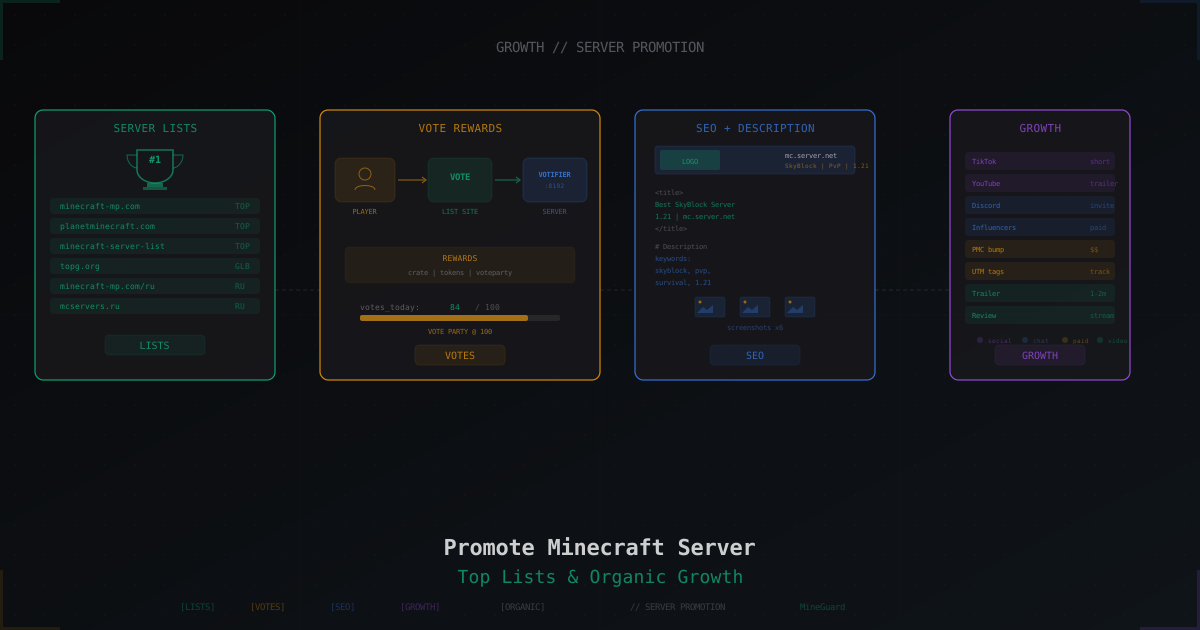
How to Promote a Minecraft Server: Top Lists, Voting and Ads
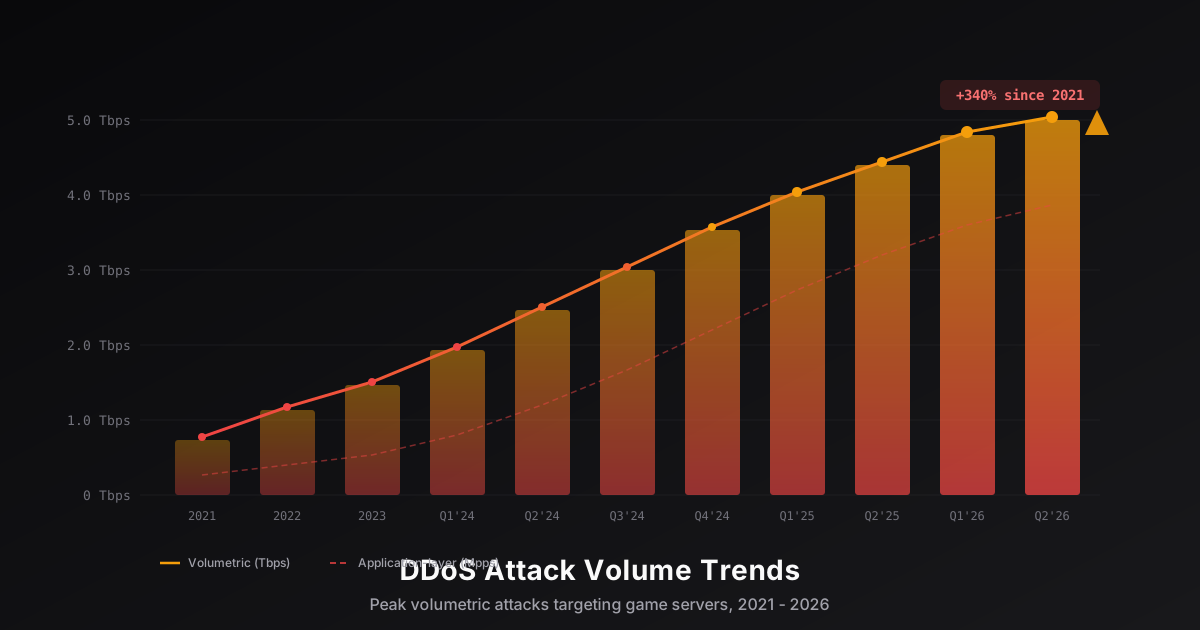
DDoS Attack Trends Targeting Game Servers in 2026
An analysis of key DDoS attack trends targeting the gaming industry in 2026: volume growth reaching terabit scale, evolution of Minecraft-specific attacks, IoT botnet proliferation, and new defense technologies built on XDP/eBPF and machine learning.