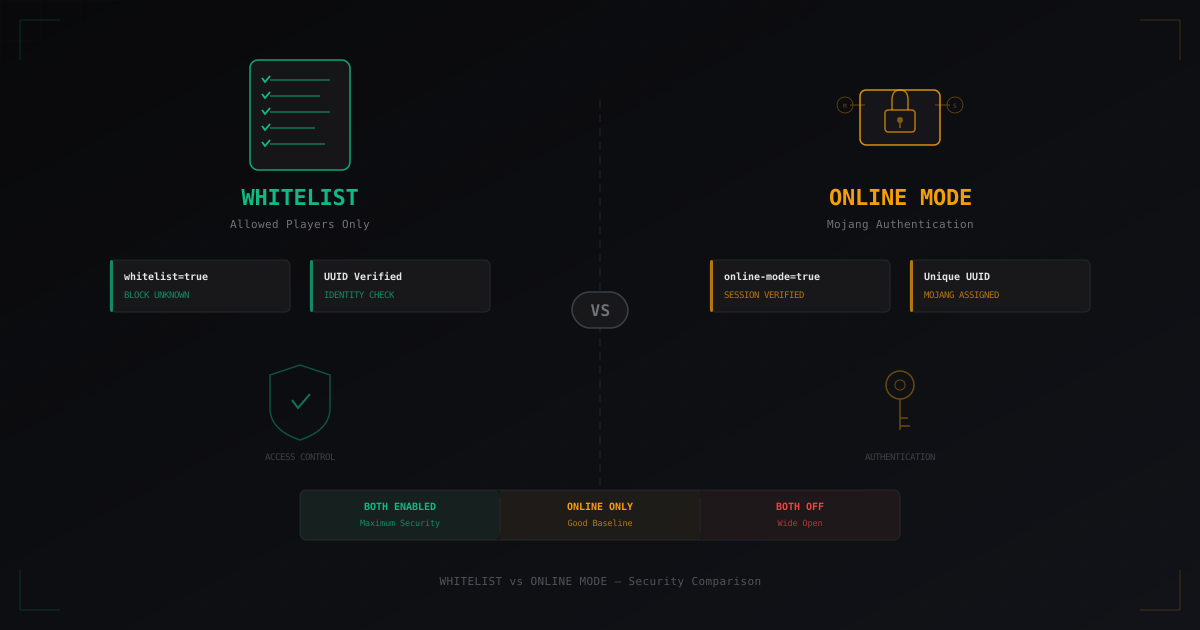
Whitelist vs Online Mode in Minecraft - What's More Secure?
Two settings in server.properties that confuse even experienced admins: white-list and online-mode. Both deal with player access, but they work in completely different ways. One verifies a player's identity, the other checks if they're on a list. Get either one wrong, and you're looking at anything from "someone logged in as me" to "our entire world got griefed overnight."
Let's break down what each one does, the risks of each configuration, and how to actually secure your server.
What online-mode does
online-mode=true tells your server: "verify every connecting player through Mojang's servers." When a player joins, the client sends a request to sessionserver.mojang.com, and Mojang confirms that this account actually belongs to the person trying to connect.
What this gives you in practice:
- Every player gets a unique UUID tied to their purchased account
- Nobody can join under someone else's username - the server just won't let them
- All data (inventory, permissions, bank) is tied to UUID, not username
- Skins load correctly through Mojang's servers
UUID is the foundation of identity. With online-mode=true, a UUID looks like 069a79f4-44e9-4726-a5be-fca90e38aaf5 and is generated by Mojang for each purchased account. It doesn't change even if the player changes their username. Every plugin, database, and world data ties to this identifier.
What happens with online-mode=false
When you set online-mode=false, the server stops verifying accounts through Mojang. Any client can connect with any username. The UUID is generated offline based on the username using UUID.nameUUIDFromBytes("OfflinePlayer:PlayerName") - this is called an offline UUID.
Why this is dangerous:
- Anyone can join as an admin and get all their permissions
- UUID is tied to the username, not the account - change the name, lose all data
- Impossible to tell a real player from an impersonator
- Bot attacks become trivial - no need to buy accounts, just generate random usernames
Yes, offline mode lets people without a purchased account play. But the cost is a complete absence of built-in identity verification.
What whitelist does
white-list=true enables the whitelist - a file called whitelist.json that contains the list of players allowed to connect. Everyone else gets "You are not white-listed on this server!" and can't join.
Managing it is simple:
/whitelist add PlayerName
/whitelist remove PlayerName
/whitelist list
/whitelist reload
Whitelist works at the connection level - the server checks the username (and UUID if online-mode is on) before the player fully joins. This means unknown people won't just be unable to play - they won't even see the world.
How whitelist and online-mode interact
Here's the critical part. With online-mode=true, the whitelist checks the player's UUID. With online-mode=false, it only checks the username. The difference is massive.
With online-mode=true + whitelist: the server verifies the player is actually who they claim to be (through Mojang), AND that they're on the allowed list. Double verification. Maximum security.
With online-mode=false + whitelist: the server only checks the username. And anyone can type any username. The whitelist becomes a lock where the key is just knowing someone's name.
Cracked servers: real risks
Cracked servers (with online-mode=false) aren't just "servers for pirates." They're servers with a fundamentally different security model where Minecraft's standard protection mechanisms don't work.
Here's what can go wrong:
Account hijacking. Without Mojang authentication, anyone can join with any username. If an admin's username is known - and it usually is - an attacker just types it in and gets all their permissions, inventory, and access. No whitelist will help because the attacker simply uses the admin's username.
Bot floods. Attacking an online-mode server requires hundreds or thousands of purchased accounts (or stolen session tokens). On a cracked server, the bot just generates random usernames. Attack cost drops to zero. A bot can create 1000 connections per minute with different names, and the server has to process each one.
UUID spoofing. In offline mode, the UUID is predictable - it's computed from the username. This means an attacker can calculate any player's UUID in advance and potentially manipulate their data.
Exploits through fake usernames. Some plugins trust the username or UUID without additional verification. On a cracked server, this opens holes - from privilege escalation to SQL injection if a plugin doesn't sanitize the username in database queries.
AuthMe: the workaround that became standard
If your server runs in offline mode, AuthMe is the first thing you need to install. It adds a registration and login system on top of the standard connection.
How it works: on first join, a player must run /register password password. On subsequent joins - /login password. Until authenticated, the player can't move, break blocks, chat, or interact with the world.
AuthMe stores passwords hashed (bcrypt by default), supports MySQL/MariaDB, has brute-force protection, and tons of settings. For offline servers, it's the bare minimum.
But AuthMe isn't a replacement for online-mode. It's a patch. Here's why:
- Players have to remember yet another password (and many will set "123456")
- If the AuthMe database leaks, every account is compromised
- Timing attacks and other bypass methods exist
- New players get confused by the registration process and leave
For servers with a large cracked audience, AuthMe paired with FastLogin (auto-login for licensed accounts) is a working configuration. But if you can run online-mode - run online-mode.
For a deeper look at security plugins and their setup, check out our plugins review.
BungeeCord and Velocity: forwarding modes and security
When you run a server network behind a proxy (BungeeCord or Velocity), things get more complicated. The proxy handles authentication, and backend servers run with online-mode=false because the proxy already did the verification. But this opens a new attack vector - if someone connects to a backend server directly, bypassing the proxy, they skip all authentication.
Legacy forwarding (BungeeCord)
The old mechanism. BungeeCord passes the player's UUID and IP through special fields in the handshake packet. The backend server blindly trusts this data when bungeecord: true is set in spigot.yml.
The problem: anyone can forge these fields. If the backend server is reachable via its direct IP, an attacker can connect and pretend to be anyone - including an administrator. That's why a firewall blocking external access to backend ports isn't optional - it's mandatory.
BungeeGuard
BungeeGuard fixes legacy forwarding's trust problem with a shared secret token. The proxy adds the token to the handshake, and the backend server verifies it. If the token is missing or wrong - connection rejected. It's a simple and effective solution if you can't switch to Velocity for some reason.
Modern forwarding (Velocity)
Velocity uses its own forwarding mechanism that cryptographically signs player data. The backend server verifies the signature using a shared secret. Forging this data without knowing the secret is impossible.
In Velocity's config, it's player-info-forwarding-mode = "modern", and on the backend in paper-global.yml you specify the same secret. This is the most secure way to forward player data in 2026.
Recommendation: if you're building a network from scratch - use Velocity with modern forwarding. If you're already on BungeeCord and can't migrate - install BungeeGuard and lock down your ports.
Real attack scenarios
Let's look at how this plays out in practice. These are situations I've seen more than once.
Scenario 1: Admin account takeover on a cracked server
Server with online-mode=false, no AuthMe. An admin with the username "ServerAdmin" has OP. Attacker joins as "ServerAdmin", gets all permissions, runs /op on their main account, destroys spawn, bans everyone. The whole thing takes 30 seconds.
Defense: AuthMe + strong passwords, OP only through console (never via /op in-game), use permission plugins instead of OP.
Scenario 2: Bot flood on a cracked server
Attacker launches a botnet generating hundreds of connections per second with random usernames. The server spends resources processing each connection, TPS drops, real players can't join. If AuthMe is installed, bots get stuck on the login screen but still eat resources.
Defense: LimboFilter on the proxy (filters bots before they reach the main server), rate-limiting by IP, external traffic filtering.
Scenario 3: Direct backend connection
Server network: BungeeCord + several Spigot instances. The admin forgot to close port 25566 (one of the backends). Backend has bungeecord: true and online-mode=false. Attacker connects directly, forges the handshake with an admin's UUID, gets full access.
Defense: firewall (only the proxy can connect to backends), BungeeGuard or switch to Velocity modern forwarding, regular port audits.
Scenario 4: UUID collision on an offline server
On an offline server, UUID is computed from the username. An attacker creates an account with a username that produces the same UUID as the target player (through brute force or specialized tools). Result: access to the target player's inventory, ender chest, and plugin data.
Defense: online-mode=true solves this completely since UUID is assigned by Mojang and doesn't depend on the username.
Which configuration to choose
Here are my recommendations based on server type:
Private server for friends: online-mode=true + white-list=true. Maximum protection with minimal effort. No outsiders get in.
Public licensed server: online-mode=true + whitelist off. Mojang authentication provides baseline security. Add security plugins as needed.
Public cracked server: online-mode=false + AuthMe + FastLogin + LimboFilter. That's the minimum. Without it, you'll be under constant attack. Even with it - the risks are higher than a licensed server.
Server network (BungeeCord/Velocity): proxy with online-mode=true, backends with online-mode=false + Velocity modern forwarding (or BungeeGuard). Firewall on backend servers is mandatory.
Combining whitelist + online-mode
The best option for servers that need strict access control is to enable both. online-mode=true guarantees the player is who they claim to be. white-list=true restricts access to a specific list of verified people.
This is ideal for:
- Servers in development (so random people don't join)
- Private community servers
- Servers with valuable content (big projects where griefing = huge losses)
- Test servers where you need to control the environment
The only downside is that managing the whitelist takes manual work. Every player needs to be added by hand. But for security, that's a small price to pay.
Server security checklist
Here's a baseline checklist worth going through for any server:
- online-mode=true - unless you have a strong reason for offline mode
- whitelist - enable it if the server isn't public
- Firewall - close all ports except what's needed (25565 for the main server, everything else through VPN or internal network)
- AuthMe - mandatory for offline servers
- Velocity modern forwarding - for server networks
- Backups - regular, to a separate server
- Monitoring - watch for suspicious logins and anomalies
More details on each point in our complete security checklist.
Bottom line
Online-mode and whitelist solve different problems. Online-mode is about authentication: "are you who you say you are?" Whitelist is about authorization: "are you allowed in here?"
Both mechanisms complement each other. Online-mode without whitelist protects against impersonators but not unwanted guests. Whitelist without online-mode protects against random joins but not targeted spoofing.
If you can - enable both. If you're running offline mode - compensate for the lack of Mojang authentication with plugins. And either way - don't forget network security: firewall, proper forwarding, and external DDoS protection.
Protect Your Server from DDoS Attacks
Free protection with 5-minute setup. 1 TB bandwidth included.
Try for FreeRelated Articles
How Captcha Protects Minecraft Servers from Bots
Bot attacks on Minecraft servers are growing more sophisticated. We explore how web captcha helps filter out unwanted players and which verification types work best.
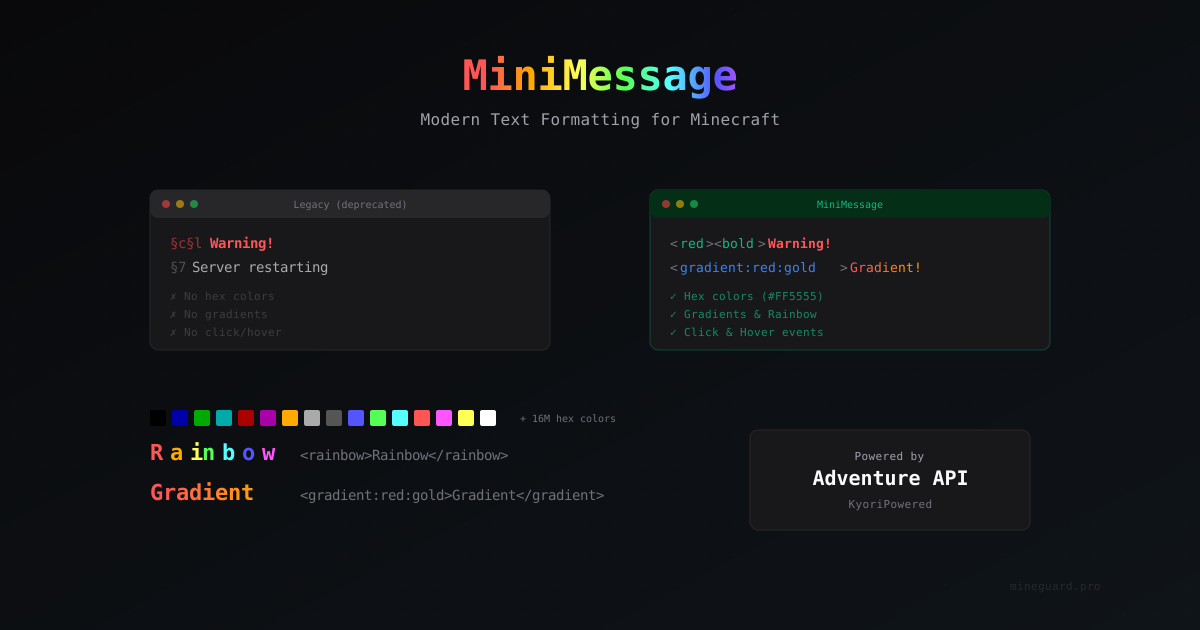
MiniMessage: Modern Text Formatting for Minecraft Servers
MiniMessage is a text format from Adventure API that replaces outdated §-codes. Hex colors, gradients, clickable links, and hover tooltips.
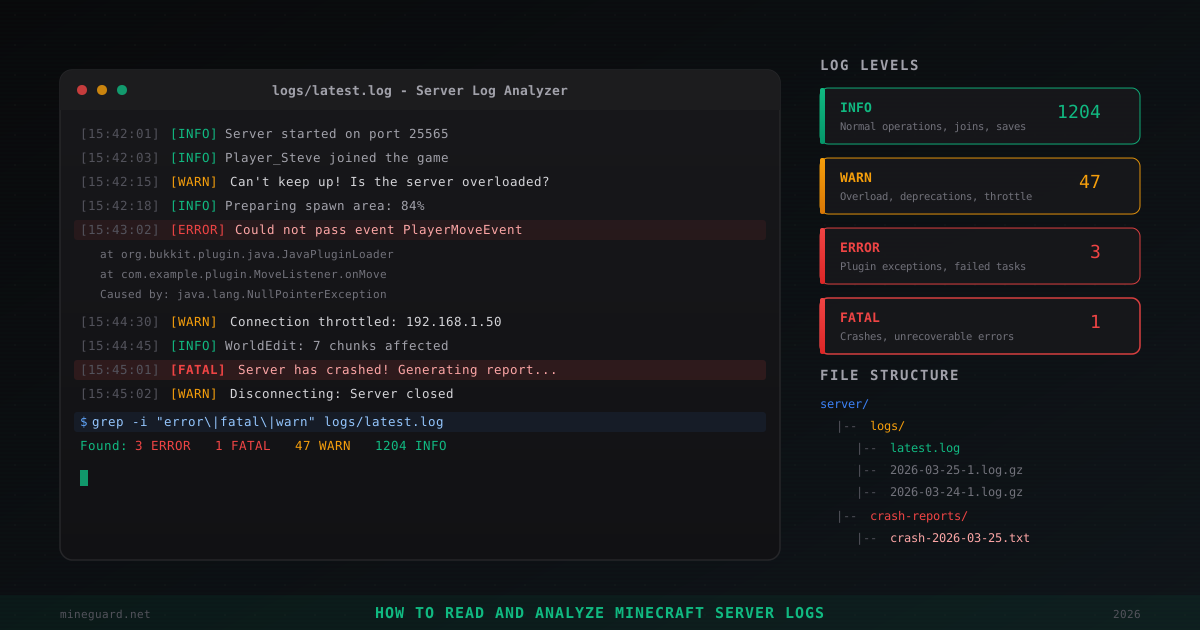
How to Read and Analyze Minecraft Server Logs
Where Minecraft server logs are stored, what INFO, WARN, ERROR, FATAL levels mean, how to find plugin errors, read crash reports, detect hack attempts, and use grep for log analysis. Practical admin guide.