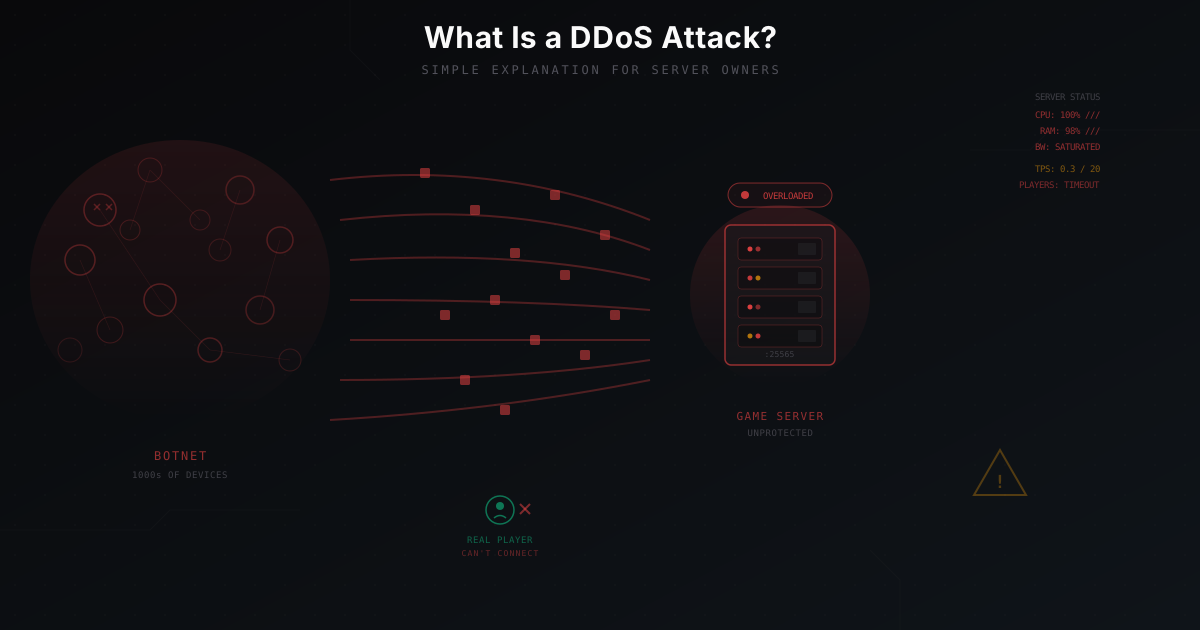
What Is a DDoS Attack - Simple Explanation for Server Owners
You rented a server, installed Minecraft, invited some friends. Two weeks later you have 30 regular players. Everything was going great - until one morning the server just stopped responding. Players say "can't connect", the console is frozen, and hosting support mentions something about "abnormal traffic". You're under attack.
If you've never dealt with DDoS before, this is confusing and scary. What's happening? Who's doing this? And most importantly - how do you stop it?
In this article I'll explain DDoS in the simplest terms possible. No complex jargon, no packet dumps. Just the core idea.
The Restaurant Analogy
Before we get into technical details, let's use an analogy.
Imagine you own a restaurant. Small, cozy, 40 seats. Every evening 25-30 guests come in, everyone's happy.
Now imagine someone hired 2,000 people. Their job is to just show up at your restaurant and stand there. They're not going to order anything. They fill the entrance, the sidewalk, the parking lot. Real guests can't physically get in. They see the crowd, turn around, and leave.
The restaurant is still running. Chefs are ready, tables are set. But no customers - because nobody can reach the door.
That's a DDoS attack. Your server is running, Minecraft is up, the world is loaded. But the network connection is clogged with junk traffic, and real players can't connect.
What "DDoS" Actually Means
DDoS stands for Distributed Denial of Service.
Let's break it down:
- Denial of Service - the goal is to make your server unable to serve real users.
- Distributed - the attack comes not from one computer, but from thousands simultaneously.
Why "distributed"? If the attack came from a single IP address, blocking it would be trivial. One address, one firewall rule, done. But when 50,000 different devices from 80 countries are flooding you with traffic - you can't block each one manually.
These devices are infected computers, routers, security cameras, even smart fridges. Together they form a botnet. The owners of these devices usually have no idea their hardware is participating in an attack.
Three Types of DDoS Attacks
Not all attacks are the same. There are three main types, and understanding the difference helps you see why some defense methods work and others don't.
1. Volumetric Attacks
This is the brute-force type. The idea is simple: flood your network connection with so much data that it physically can't handle it.
Back to the restaurant analogy. A volumetric attack is 2,000 trucks driving down the only road to your restaurant at the same time. The road is blocked. Doesn't matter how good your restaurant is - you just can't get there.
In reality: your server has a 1 Gbps connection. The attacker sends 50 Gbps. Your connection is overloaded 50 times over. No settings on the server itself will help - the problem isn't the server, it's the pipe.
Common examples: UDP flood, DNS amplification, NTP amplification.
2. Protocol Attacks
These are sneakier. They don't try to fill the entire pipe - they exploit quirks in network protocols to exhaust server resources.
Analogy: people walk up to your restaurant, ask "can I see the menu?", and leave without waiting for an answer. But your waiter grabs a menu, walks to the table, waits... and the person is gone. Thousands of times. Waiters are busy serving people who aren't there, while real guests wait.
In network terms: the attacker starts a TCP connection (SYN) but never finishes the handshake (SYN-ACK-ACK). The server allocates memory for each "half-open" connection and waits. When there are tens of thousands of these - resources run out.
Common examples: SYN flood, ACK flood, Ping of Death.
3. Application-Layer Attacks
The sneakiest type. These attacks mimic real user behavior, but at massive scale.
Analogy: normal-looking people come to your restaurant, sit down, place extremely complicated orders... and leave when the food is ready. They look like regular customers. The bouncer lets them in. But the kitchen is overwhelmed with pointless orders.
For Minecraft, this looks like thousands of bots connecting to your server, completing the handshake, starting the login process. Each bot looks like a real player from a protocol perspective. The server spends CPU and memory processing each connection.
Common examples: HTTP flood, bot-join flood, slowloris.
Why Game Servers Get Targeted
If you're thinking "who would bother attacking my little 30-player server" - you're not alone. Most server owners genuinely don't understand why they're targeted. Here are the main reasons:
Competition. The most common reason. A rival server owner wants to steal your players. If your server is down and theirs is up - players switch. Sounds childish? Yes. But it's reality. Especially in niches like SkyBlock or Factions where the audience overlaps.
Revenge. You banned a player, and they have a friend who "knows computers". Or a former admin got angry. Sounds petty, but it's the second most common reason.
Just because. Teenagers download DDoS tools or buy a stresser for $10 for "fun". They don't need a reason. They see a server address in a list and click a button.
Extortion. Less common, but it happens. "Pay up, or we'll attack every day." Usually targets larger servers with donation revenue.
If you want to understand the scale of the problem and current trends, check out our article on DDoS attack trends in 2026.
What an Attack Looks Like From the Admin Side
If you haven't been attacked yet - here's what you'll see when it happens:
TPS drops. Normal TPS (ticks per second) for Minecraft is 20. During an attack it can drop to 5, to 1, to zero. The world literally freezes.
Players disconnect. First come timeouts - "Connection timed out", "Read timed out". Then players mass-disconnect.
Console is flooded. Either a stream of connect/disconnect messages, or the console stops responding entirely.
CPU and RAM maxed out. If it's an application-layer attack, CPU hits 100%, memory fills up. If it's volumetric, the server might not even be under heavy load - but the network pipe is completely jammed.
Ping goes through the roof. Instead of the usual 50-80 ms, ping becomes 2000+, or the server simply doesn't respond to pings.
Hosting sends alerts. Many hosts will simply block your IP when they detect abnormal traffic. Null routing - all traffic to your IP is just dropped. The attack stops working, but your server is also unreachable.
What Does NOT Help
Now for the unpleasant part. Many things that seem logical actually don't work.
"Anti-DDoS" Plugins
I've seen dozens of servers where the owner installed a plugin called "AntiDDoS" or "DDoS Protection" and thought they were safe.
Here's the problem: a plugin runs inside Minecraft. For the plugin to see a connection, traffic has to reach the server, go through Java, through Bukkit/Paper. If the attack saturates the network - traffic never reaches the plugin. If it's a TCP-level attack - the plugin won't even know about it.
Plugins can help against bot-join attacks (where bots connect as players), but that's the weakest attack type. Against real DDoS, plugins are useless.
Changing the Port
"What if I use port 25566 instead of 25565?" - won't help. Attackers scan ports in seconds. Or they don't need a specific port at all - UDP flood hits all ports simultaneously.
Hiding IP Behind a Domain
"But I have a domain, not an IP!" - the domain resolves to an IP. Running nslookup play.myserver.com shows your real address to anyone. DNS records aren't protection, they're a phone book.
Getting More Bandwidth
"I have 10 Gbps, that's enough!" - it won't be. The average DDoS attack in 2026 is tens of gigabits. Large ones are hundreds. You won't win this arms race.
iptables/Firewall on the Server
A firewall on the server works when traffic has already reached the machine. It can filter packets, but the pipe is still clogged. If the attack is volumetric, a firewall won't save you because the problem isn't the packets - it's the bandwidth.
What Actually Helps
If none of those methods work, then what does? External traffic filtering.
How It Works (Simplified)
The idea is straightforward: you put a special filter between the internet and your server. All traffic goes to this filter first, not to your server. The filter drops the junk and only lets clean traffic through.
Back to the restaurant. You hire a security company. They set up a checkpoint on the road to your restaurant. They check everyone: do you have a reservation? Do you look like a real guest? Come in. You? No, you're one of the fakes. Not getting through.
The filter on the protection provider's side:
- Has network pipes of tens and hundreds of gigabits (unlike your server)
- Is specifically designed to process massive amounts of packets
- Uses smart algorithms to separate players from bots
- Knows what normal Minecraft traffic looks like
For a deeper dive into how filtering works, read our article on DDoS protection principles.
Specialized Minecraft Protection
Generic DDoS protection services (Cloudflare, AWS Shield) are designed for websites - HTTP/HTTPS. They don't work for Minecraft because Minecraft uses its own protocol over TCP.
Specialized services (like MineGuard) understand Minecraft traffic specifically. They know the protocol, know what a real client looks like, and can tell a player from a bot at the packet level.
What connecting through protection looks like:
Player types: play.yourserver.com
     |
     v
DNS points to filter (not your server)
     |
     v
Filter inspects traffic
     |
     v
Clean traffic -> your server
Junk -> trash
The player doesn't notice anything different. They connect normally, play normally. There's just an invisible filter between them and your server.
Choosing a Host with Protection
Some hosting providers offer built-in DDoS protection. That's convenient if you don't want to deal with setup. But here's the catch: quality varies wildly. Some hosts simply null-route your IP during an attack, which effectively does the attacker's job for them.
When choosing a host, ask:
- What's the protection capacity? (how many Gbps can they filter)
- Do they use L7 filtering? (does the protection understand Minecraft protocol)
- What happens when the limit is exceeded? (null route or continued filtering)
My Server Is Small - Surely Nobody Will Attack Me?
Unfortunately, size doesn't matter. Servers with 10 players get attacked just as often as servers with 1,000. Sometimes more - small servers are usually completely unprotected.
Attacking an unprotected server costs almost nothing. A 5-minute stresser can be found for free. For a beginner attacker, your server is an easy target.
Don't wait for the first attack. Prepare in advance. And if you're currently under attack, here's a step-by-step guide on what to do right now.
Quick Summary
- DDoS is when thousands of devices simultaneously flood your server with junk traffic
- Three types: volumetric (clog the pipe), protocol (exhaust resources), application (mimic users)
- Game servers get attacked due to competition, revenge, and just for fun
- Plugins, port changes, and server-side firewalls won't help against serious attacks
- The only real solution is external traffic filtering through a specialized service
- Server size doesn't protect you - everyone gets targeted
Don't be afraid of DDoS attacks. Just be prepared for them.
Protect Your Server from DDoS Attacks
Free protection with 5-minute setup. 1 TB bandwidth included.
Try for FreeRelated Articles
DDoS Attack Trends for Minecraft Servers in 2026
Breaking down the top DDoS attack trends for Minecraft servers in 2025-2026: growing volumes, new attack vectors, smart botnets, and how to defend against it all.
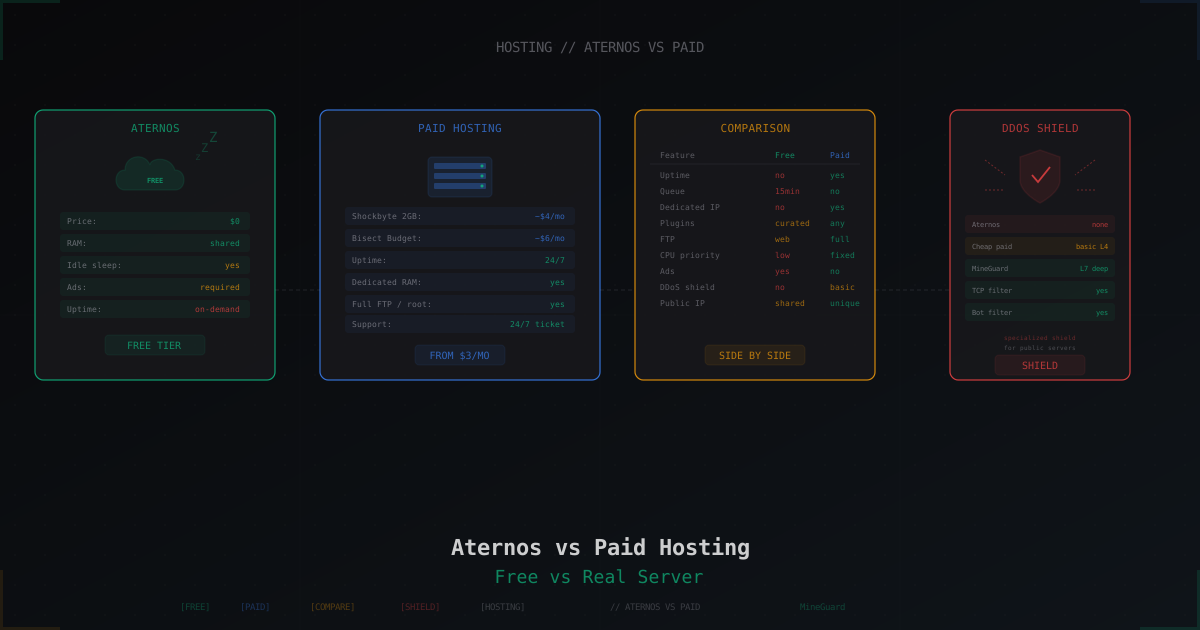
Aternos vs Paid Hosting: When Free Is Enough and When It Isn't
Honest breakdown of Aternos in 2026: real limits, idle sleep, ads, startup queue. Plus comparison with Minehut, Exaroton, Falix, and paid hosts from $3.
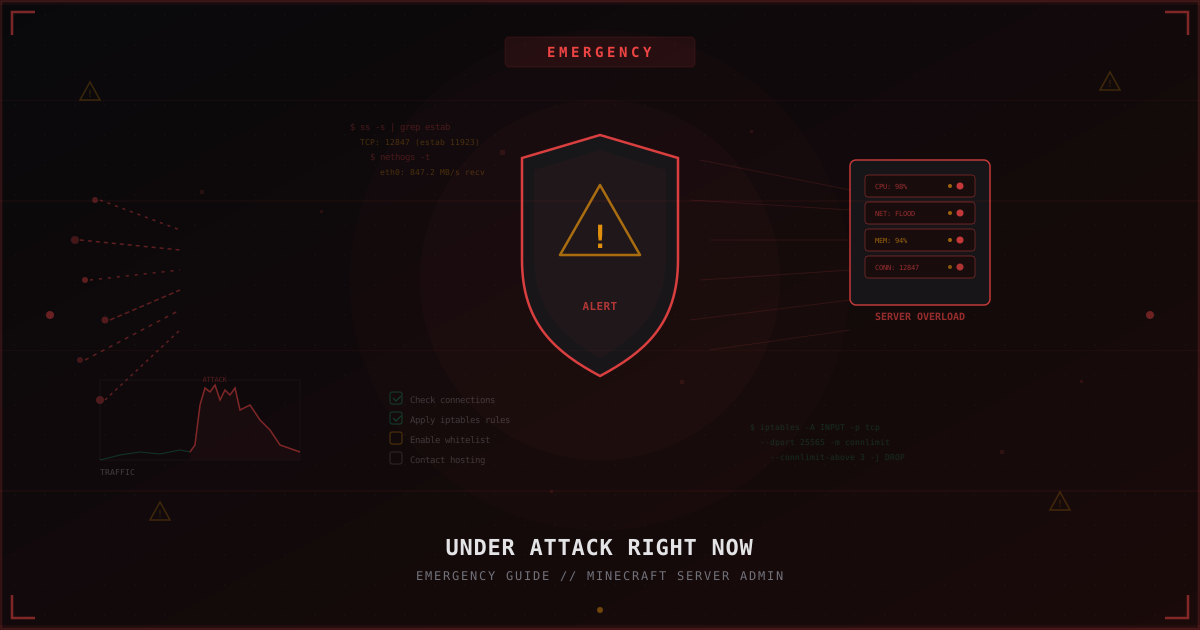
Under Attack Right Now: Emergency Guide for Minecraft Server Admins
Step-by-step emergency checklist: what to do when your Minecraft server is under attack right now. Diagnostics, quick iptables mitigations, temporary whitelist, when to contact hosting, and how to prepare for the next attack.