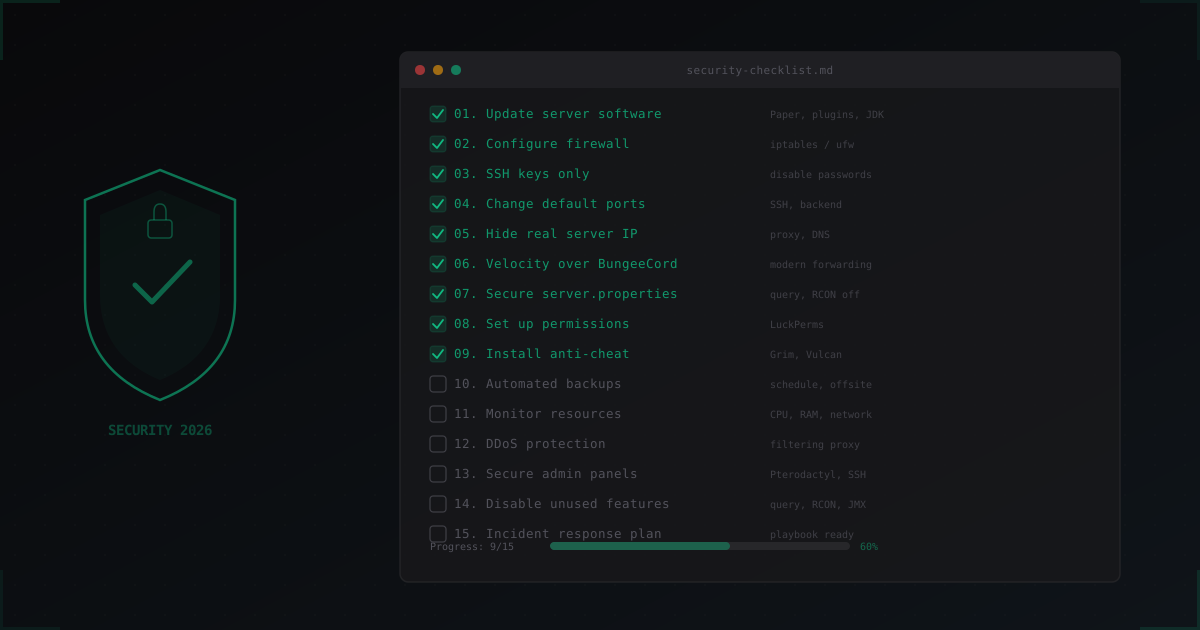
Minecraft Server Security Checklist: 15 Essential Points for 2026
Minecraft server security isn't a one-time task. It's a process. You can have the best hosting, the coolest plugins, but if you forgot to close RCON to the internet or left a default password somewhere, none of that matters.
This checklist covers 15 specific items every server admin should complete in 2026. Not vague "be careful" advice, but concrete actions with config examples and commands. Go through each point, check off what's done, and by the end your server will be significantly better protected.
1. Keep Server Software Updated
Sounds obvious, but outdated versions are behind most compromises. Paper, Velocity, plugins, Java itself - everything needs to be current.
Paper regularly releases security patches. When a chunk data processing vulnerability was found in 2024, the patch dropped within hours. But if you're running a three-month-old build, that patch doesn't help you.
What to do:
- Follow Paper's Discord announcements channel
- Check plugin updates at least weekly
- Run Paper 1.21.x or newer
- JDK 21+ (LTS) for current Java security patches
# Check Java version
java -version

# Download latest Paper (example)
wget https://api.papermc.io/v2/projects/paper/versions/1.21.4/builds/latest/downloads/paper-1.21.4-latest.jar
Don't update everything at once on production. Test server first, then production. Set up a separate folder or Docker container for testing. Apply the update, run it for 30 minutes, check the logs, make sure plugins aren't crashing. Only then move to production.
A separate point about plugins. Many admins install a plugin and forget about it for years. Meanwhile the author abandoned it, and it has a known vulnerability. Once a month, go through your plugin list and remove anything unused. Fewer plugins means a smaller attack surface.
2. Set Up Your Firewall
The firewall is your first line of defense. Without it, anyone can scan your ports and find open services.
Minimum iptables rules for a Minecraft server:
# Allow established connections
iptables -A INPUT -m state --state ESTABLISHED,RELATED -j ACCEPT

# Allow loopback
iptables -A INPUT -i lo -j ACCEPT

# SSH (change port to yours, see point 4)
iptables -A INPUT -p tcp --dport 22 -j ACCEPT

# Minecraft (main port)
iptables -A INPUT -p tcp --dport 25565 -j ACCEPT

# Drop everything else
iptables -A INPUT -j DROP
If you run a network with multiple servers, backend ports should only be accessible from the proxy:
# Backend servers localhost only
iptables -A INPUT -p tcp --dport 30001:30010 -s 127.0.0.1 -j ACCEPT
iptables -A INPUT -p tcp --dport 30001:30010 -j DROP
We have a dedicated article on iptables for Minecraft if you want to go deeper.
Save the rules so they survive reboots:
apt install iptables-persistent
netfilter-persistent save
3. SSH Keys, No Passwords
Passwords for SSH are outdated. Brute force attacks on SSH happen constantly, and even a strong password can eventually be cracked. SSH keys eliminate this entirely.
# On your local machine: generate key
ssh-keygen -t ed25519 -C "minecraft-admin"

# Copy to server
ssh-copy-id -i ~/.ssh/id_ed25519.pub user@your-server
In /etc/ssh/sshd_config:
PasswordAuthentication no
PubkeyAuthentication yes
PermitRootLogin no
MaxAuthTries 3
sudo systemctl restart sshd
Important: verify your key works before disabling passwords. Open a second SSH connection using the key, confirm it works, then close the first one. Otherwise you'll lock yourself out and need to contact your hosting provider to reset things.
Bonus: if you have multiple admins, each should use their own key. Don't share one key across the team. This way you always see in logs who connected, and you can revoke access for a specific person without changing keys for everyone else.
4. Change Default Ports
Port 22 for SSH and 25565 for Minecraft are known to every script kiddie. Changing ports won't stop a targeted attack, but it eliminates 90% of automated scanning.
For SSH:
# /etc/ssh/sshd_config
Port 2847  # Any non-standard port
Changing the Minecraft port is harder since players need to know it. But change SSH port always. For networks, use non-standard backend ports and block them with the firewall (see point 2).
Add fail2ban for SSH:
apt install fail2ban

# /etc/fail2ban/jail.local
[sshd]
enabled = true
port = 2847
maxretry = 3
bantime = 3600
findtime = 600
Fail2ban automatically bans IPs that try to brute force your SSH.
5. Hide Your Real Server IP
If an attacker knows your real IP, they can hit you directly, bypassing any protection. Hiding your IP is critical.
Key methods:
- Use a proxy or DDoS protection service (players connect to the protection IP, not yours)
- Don't expose your IP in DNS records
- Don't use the same IP for your website and game server
- Check historical DNS records (SecurityTrails, Shodan)
IPs often leak through unexpected places: plugin logs, Discord webhooks, control panel URLs. Audit everything.
Another common leak source: DNS configuration mistakes. You might have pointed your main domain directly at the server before, then added a proxy later. But the historical A record remains in databases like SecurityTrails. An attacker checks DNS history and finds your real IP in a minute. Before enabling a proxy, it's best to change your server IP if possible.
We covered this topic in detail in our guide to hiding your Minecraft server IP.
6. Velocity Over BungeeCord
If you run a server network with a proxy, BungeeCord is a serious risk. Its IPForward system sends player UUIDs in plain text. With direct access to a backend server, an attacker can log in as any player.
Velocity Modern Forwarding uses HMAC-SHA256 to sign data. Impossible to forge.
# velocity.toml
player-info-forwarding-mode = "modern"
# paper-global.yml on backend servers
proxies:
  velocity:
    enabled: true
    online-mode: false
    secret: "your-secret-from-forwarding.secret"
Even if a backend port is accidentally exposed, connections without a valid HMAC signature get rejected. Fundamentally different level of security.
Full comparison and migration guide: Velocity vs BungeeCord.
7. Secure server.properties
Several server.properties settings get overlooked. They shouldn't be.
# Disable query protocol
enable-query=false

# Disable RCON (or bind to localhost only)
enable-rcon=false

# If RCON is needed - strong password, localhost only
rcon.password=LongComplexPassword2026!
rcon.port=25575

# Rate limiting
rate-limit=10

# Enforce secure profiles
enforce-secure-profile=true
If you're behind a proxy (Velocity), backends should listen on localhost only:
server-ip=127.0.0.1
server-port=30001
About online-mode: behind a proxy, set it to false on backends and true on the proxy. Without a proxy, always true unless you want a cracked server.
Another important parameter is max-players. Set a realistic value. If you normally have 50 players, there's no point setting it to 1000. This is less about security and more about overload protection. If a botnet starts flooding bots, the slot limit at least partially slows down server load.
The prevent-proxy-connections setting is worth enabling if you don't use a proxy. It blocks connections through VPNs and proxies, making life harder for attackers. But if your players often use VPNs, this will cause problems.
8. Proper Permission System
Minecraft's default permission system is minimal. You need LuckPerms.
Core rules:
- Never use
ops.json. Use permission groups instead - Create a hierarchy: default > vip > moderator > admin > owner
- Each group gets only the permissions it needs
- Never grant
*(all permissions) to any group
# LuckPerms basics
/lp group default permission set minecraft.command.msg true
/lp group moderator permission set essentials.kick true
/lp group moderator permission set essentials.ban true
/lp group admin parent add moderator
Watch plugin permissions carefully. Some plugins grant dangerous commands to the default group on install. Check each plugin's plugin.yml.
WorldEdit, FAWE, Multiverse give massive power. Restrict their permissions to owner and maybe senior admin.
Common mistake: giving moderators /give or /gamemode permissions. A compromised moderator account with those permissions will destroy your server economy in minutes. Moderators need kick, ban, mute, and teleport. Everything else is unnecessary.
Audit permissions regularly. Use /lp user <name> permission info to see what permissions a specific player has. You might be surprised how many unnecessary permissions have accumulated.
9. Install Anti-Cheat
Cheaters aren't just a gameplay problem. Some cheats can crash your server through packet exploits, item duplication, or chunk overloading.
Popular options in 2026:
- Grim - free, open source, great at catching movement cheats
- Vulcan - paid, more comprehensive. Catches combat, movement, player exploits
- Spartan - middle ground, good for smaller servers
Any anti-cheat is better than none. But configure it properly: overly aggressive settings will kick legitimate players with bad connections.
Beyond standard anti-cheat, pay attention to crash protection. There are special clients (like Meteor, Wurst) that send invalid packets or books with massive NBT data, crashing the server or individual players. Plugins like Grim or dedicated solutions like PacketLimiter help filter these packets before they cause damage.
Set up logging for suspicious activity. When the anti-cheat kicks a player, that information should be recorded with details: which check triggered, coordinates, time. This helps distinguish false positives from actual cheaters.
10. Automated Backups
Backups aren't about "if something happens" but "when something happens." Without backups, one deleted world or one database wipe means the end of your server.
Minimum setup:
- Daily backups of worlds, configs, and databases
- Store on a separate server or cloud (not the same disk)
- Rotation: keep at least 7 daily + 4 weekly
#!/bin/bash
DATE=$(date +%Y-%m-%d_%H-%M)
BACKUP_DIR="/backups/minecraft"
SERVER_DIR="/opt/minecraft"

# Disable auto-save
screen -S minecraft -p 0 -X stuff "save-off$(printf '\r')"
screen -S minecraft -p 0 -X stuff "save-all$(printf '\r')"
sleep 5

# Backup
tar -czf "$BACKUP_DIR/backup-$DATE.tar.gz" \
    "$SERVER_DIR/world" \
    "$SERVER_DIR/world_nether" \
    "$SERVER_DIR/world_the_end" \
    "$SERVER_DIR/plugins"

# Re-enable auto-save
screen -S minecraft -p 0 -X stuff "save-on$(printf '\r')"

# Delete backups older than 14 days
find "$BACKUP_DIR" -name "*.tar.gz" -mtime +14 -delete
Add to cron:
# Daily at 4:00 AM
0 4 * * * /opt/scripts/backup.sh
Test your backups. A backup you can't restore is useless. Try restoring on a test server once a month.
Don't forget to back up your database if you use MySQL/MariaDB for plugins (LuckPerms, economy, player data):
# MySQL database backup
mysqldump -u minecraft -p minecraft_db > "$BACKUP_DIR/db-$DATE.sql"
Store backups off-site. If the server dies or gets compromised, backups on it are gone too. Use rsync to a second server, S3-compatible storage (Backblaze B2 is cheap), or even a basic FTP to another machine. The key is physical separation.
11. Monitor Server Resources
If you're not monitoring your server, you won't know about problems until players start complaining. By then it might be too late.
What to monitor:
- CPU - sustained load above 80% is a problem
- RAM - plugin memory leaks
- Disk - logs and chunks can eat all space
- Network - unusual traffic indicates an attack
- TPS - below 18 means noticeable lag
For basic monitoring:
# Install htop
apt install htop

# Spark - in-game TPS monitoring and profiling
# Install as a plugin, use /spark tps, /spark profiler
For serious monitoring, use Prometheus + Grafana. Paper supports metrics export through Spark. Set up alerts for anomalies: CPU spikes, TPS drops, traffic surges.
It's also useful to monitor connection counts. If you normally have 20-50 players and suddenly see 500 connections, that's likely a bot attack. Quick way to check:
# TCP connections on Minecraft port
ss -tn state established '( dport = :25565 )' | wc -l

# Unique IPs
ss -tn state established '( dport = :25565 )' | awk '{print $5}' | cut -d: -f1 | sort -u | wc -l
Set up alerts in Telegram or Discord. When TPS drops below 15 or CPU goes above 90%, you should know instantly, not 30 minutes later from player complaints.
12. DDoS Protection
DDoS attacks on Minecraft servers are common. Competitors, angry players, script kiddies - motivation varies. Without protection, even a small attack takes your server down.
Key points:
- Hosting providers usually handle volumetric attacks (L3/L4) but not application-level (L7)
- Minecraft-specific attacks (bot join flood, null ping, handshake flood) need specialized filtering
- A simple TCPShield or HAProxy won't help against advanced attacks
Specialized Minecraft protection (like MineGuard) analyzes the Minecraft protocol and blocks bots at the handshake level. Generic L3/L4 filters can't tell the difference between a bot and a player since both use identical TCP packets.
For the basics, start with our beginner's guide to Minecraft server protection.
Worth mentioning separately: Java-level exploits. Log4Shell (CVE-2021-44228) affected thousands of Minecraft servers when it hit. While that specific exploit is long patched, similar JVM-level vulnerabilities keep appearing. DDoS protection won't help against a code exploit. That's why updates (point 1) and DDoS protection work together, covering different threat types.
13. Secure Admin Panels
Pterodactyl, AMP, Multicraft - every server has some control panel. And often it's less protected than the server itself.
Panel checklist:
- Strong password + 2FA for all accounts
- HTTPS (not HTTP) - Let's Encrypt is free
- Restrict access by IP if possible
- Update the panel regularly
- Use a separate subdomain (panel.example.com), not on the main server IP
For Pterodactyl specifically:
# Set up SSL
apt install certbot python3-certbot-nginx
certbot --nginx -d panel.example.com
Wings (Pterodactyl daemon) also needs protection. Port 8080 should not be publicly accessible.
If you use SFTP for file uploads, make sure the SFTP user only has access to the server folder, not the entire filesystem. Pterodactyl handles this automatically through Docker isolation, but if you use plain SFTP, configure chroot.
Panel passwords must be unique. Don't reuse the same password as SSH or your database. If one service is compromised, the others stay safe.
14. Disable Unused Features
Every open port and every enabled service is a potential entry point. Disable what you don't use.
Most common culprits:
Query Protocol (port 25565 UDP) - used for server lists. If you're not listed on GameTracker or similar, disable it.
enable-query=false
RCON (port 25575) - remote console. If you use it, bind to localhost. If not, turn it off.
enable-rcon=false
JMX Monitoring - Java Management Extensions. If enabled, gives full JVM access. Make sure JMX ports are closed.
GeyserMC - if you use it for Bedrock players, port 19132 UDP needs to be open. If you don't use it, remove the plugin.
Simple rule: if you don't know why a port is open, close it and see what breaks. Nothing broke? It wasn't needed.
A useful command for auditing open ports:
# Show all listening ports
ss -tlnp

# Or scan yourself from outside with nmap
nmap -sT -p 1-65535 your-server-ip
Scan your server from outside once a month. You'll be surprised how many ports can be open without your knowledge: a plugin started an HTTP server on port 8123, DynMap opened a web interface, MySQL is listening on 3306 externally.
15. Incident Response Plan
This is the point everyone skips. And then at 3 AM when the server is down, they're frantically googling "what to do."
Your plan should cover:
During a DDoS attack:
- Enable protection / contact your protection provider
- Check if the real IP leaked (if yes, change IP)
- Notify players through Discord
- Log the attack for analysis
During a breach:
- Immediately disconnect the server from the network
- Change all passwords (SSH, panels, RCON, database)
- Check logs - what was changed
- Restore from backup (see point 10)
- Fix the vulnerability that was exploited
- Notify players if data may have leaked
During a dupe/exploit:
- Stop the server
- Roll back to a pre-exploit backup
- Update the plugin that caused the issue
- Assess damage to server economy
Write this plan down and share it with all admins. When an incident happens, there's no time to think. You need to follow the plan.
Run drills every six months. Pretend an incident happened and walk through the plan. Measure recovery time. If restoring from backup takes 4 hours when you assumed 30 minutes, better to learn that during a drill than during a real breach.
Keep the plan somewhere accessible even when the server is down. Google Docs, Notion, a printed sheet of paper. Anything except the server itself. Because when the server is compromised, you can't read the plan that's stored on that server.
Keep these contacts handy:
- Hosting provider (phone, ticket system)
- DDoS protection provider
- Senior administrator (phone)
Summary
Quick checklist recap:
- Update Paper, plugins, Java
- Configure iptables/ufw
- SSH keys, no passwords
- Non-standard ports for SSH
- Hide your real IP
- Velocity over BungeeCord
- Secure server.properties
- LuckPerms, no op
- Anti-cheat
- Daily backups
- Monitor CPU/RAM/TPS
- DDoS protection
- Secure panels (2FA, HTTPS)
- Disable query, RCON, extras
- Incident response plan
You don't have to do everything in one day. Start with the first five points - they're the most critical and take a couple of hours. Then gradually work through the rest.
Security is a process, not a state. New vulnerabilities appear constantly. Review this checklist quarterly and update your configurations.
Better to spend a weekend on security than to lose your server and players to an attack that could have been prevented.
Protect Your Server from DDoS Attacks
Free protection with 5-minute setup. 1 TB bandwidth included.
Try for FreeRelated Articles
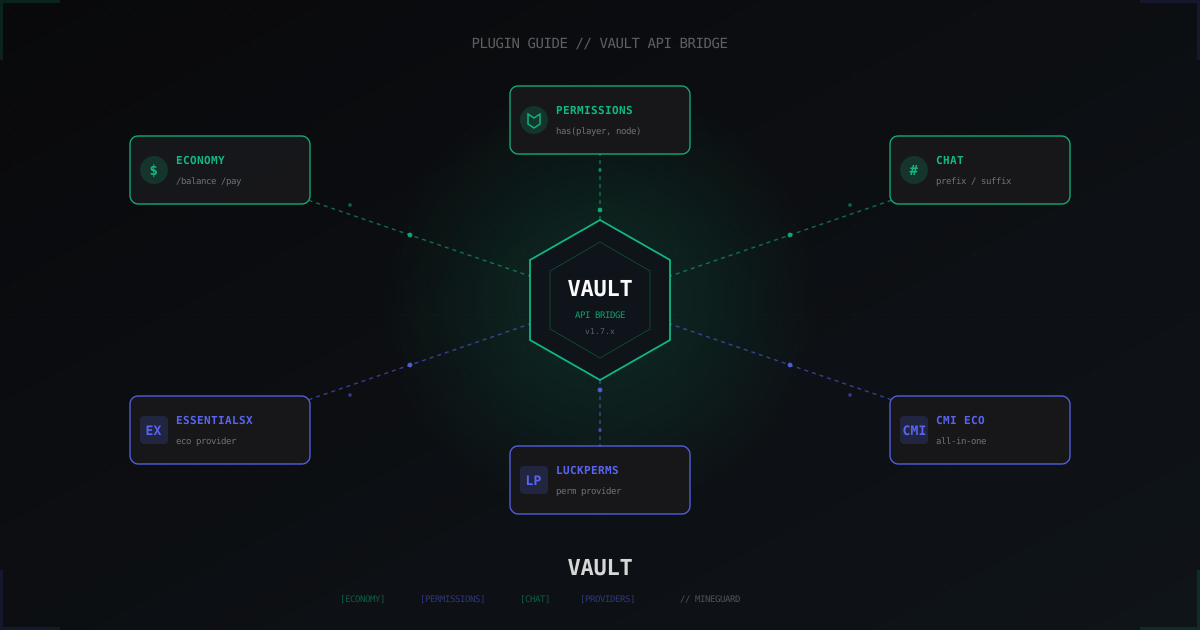
Vault Plugin Minecraft: Economy and Permissions API Bridge (2026)
What the Vault plugin is for Minecraft, how economy and permission providers work, and how to fix the no compatible economy plugin found error.
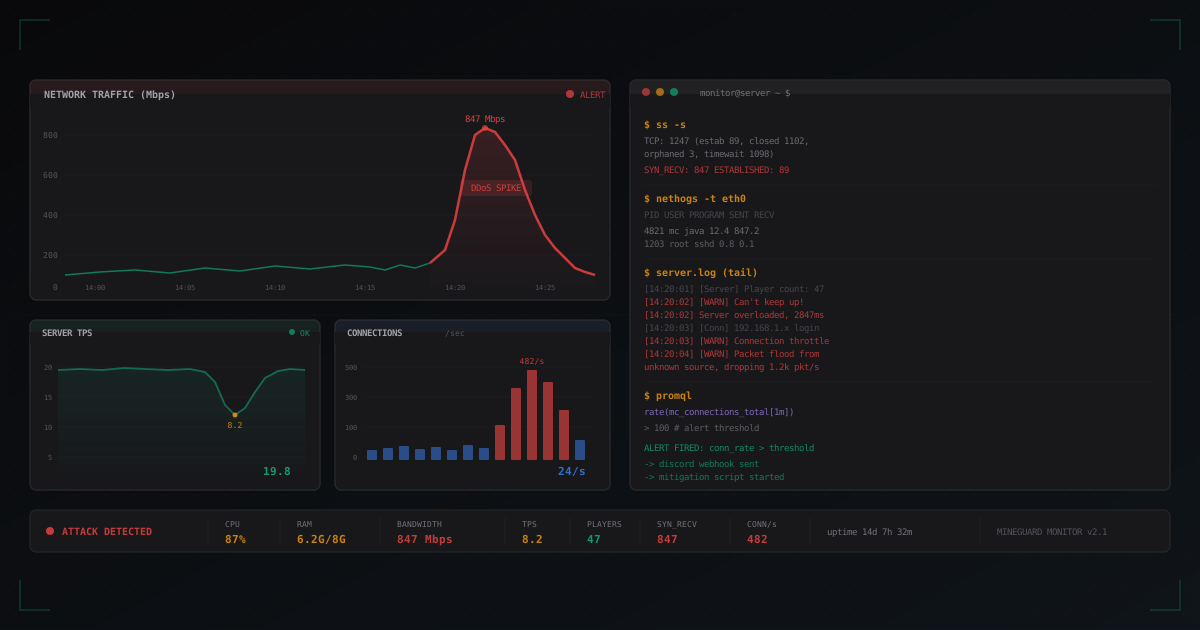
Minecraft Server Monitoring: How to Track Attacks in Real Time
Complete guide to Minecraft server monitoring: from basic Linux tools to Prometheus + Grafana. Which metrics to track, how to set up Discord alerts, and how to automatically respond to DDoS attacks.
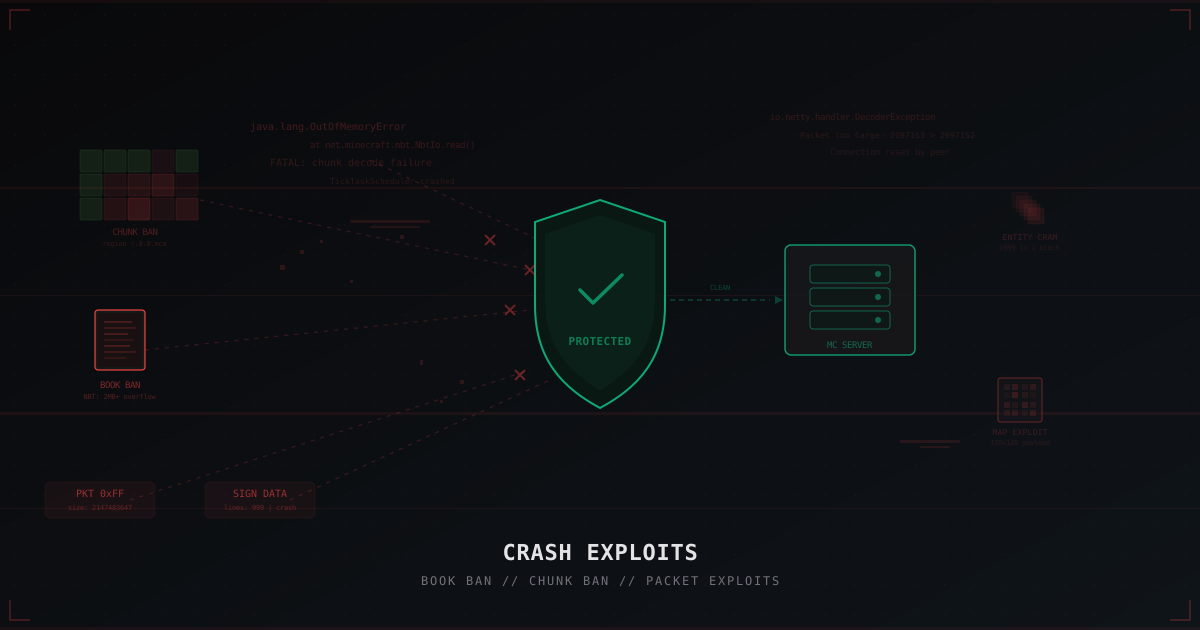
Crash Exploits in Minecraft: Book Ban, Chunk Ban and How to Protect Against Them
A deep dive into crash exploits: book ban, chunk ban, packet exploits, entity cramming and more. How they work, how they differ from DDoS, and how to protect your server with Paper settings, plugins, and network filtering.