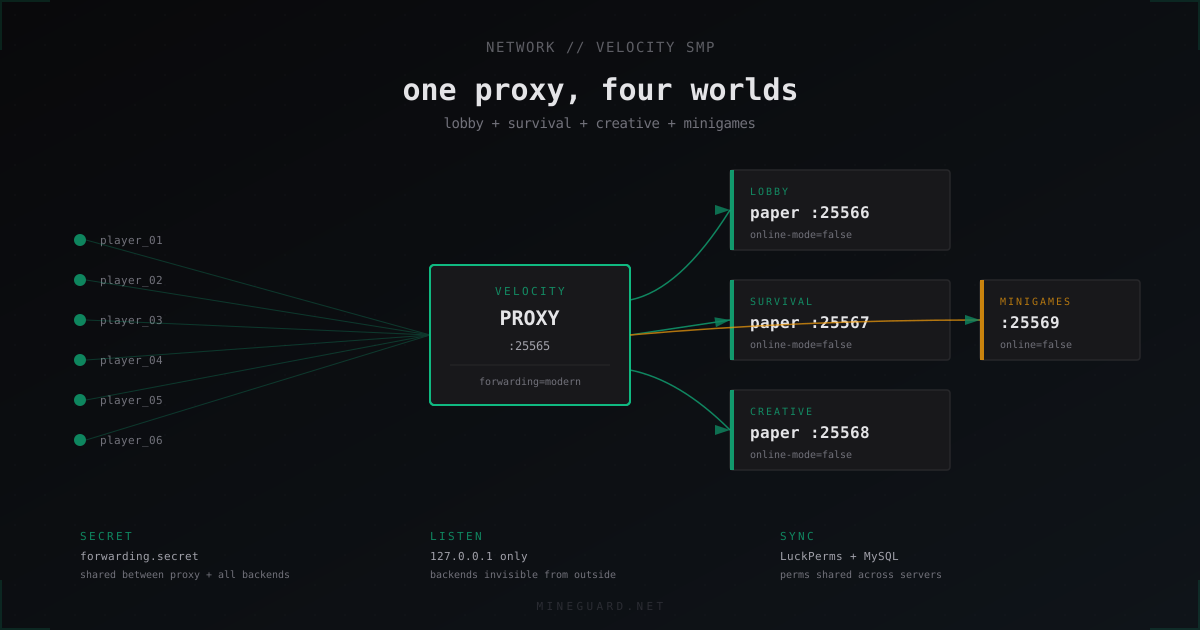
Velocity SMP network: lobby, survival, creative and minigames behind one proxy
When a server outgrows a single world, the natural next step is a network: a lobby with portals, the main survival, a creative server for builders, and a minigames block. Velocity stitches all of that into a single entry point like play.example.net:25565. Below is a hands-on walkthrough on how to build that network from scratch, what to put in velocity.toml, how to sync permissions and chat, and which backend mistakes leave the door wide open for UUID spoofing.
Why a proxy and why Velocity specifically
A proxy is needed once you have more than one server and players should switch between them without reconnecting to a new IP. BungeeCord and Waterfall handle this, but both run on an older Netty model and carry years of legacy code. PaperMC rewrote Velocity from scratch on Java 21 with async packet handling and a clean plugin system. In practice a single Velocity instance comfortably handles 1000+ concurrent connections on 1 GB RAM and does not hit GC walls the way Bungee does at the same numbers.
Practical wins:
- modern forwarding - signed UUID and IP transfer to backends, protected by a secret
- prevent direct connections - backends reject anything not coming from the proxy
- Java 21 native, no preview flag tricks
- timely support for new Minecraft versions without waiting on Bungee maintainers
If you are picking between Velocity and BungeeCord in 2026, the choice is clear. Bungee only makes sense in niche cases where a critical plugin still has not been ported to Velocity API.
Network architecture
A typical SMP network layout looks like this:
                  ┌──────────────┐
   Players ──────▶│ Velocity     │ :25565 (public)
                  │ proxy        │
                  └──────┬───────┘
                         │ modern forwarding
        ┌────────────────┼────────────────┐
        ▼                ▼                ▼
   ┌─────────┐    ┌──────────┐    ┌──────────┐
   │ lobby   │    │ survival │    │ creative │   ┌──────────┐
   │ :25566  │    │ :25567   │    │ :25568   │   │minigames │
   └─────────┘    └──────────┘    └──────────┘   │ :25569   │
                                                  └──────────┘
All backends listen only on the local interface or sit behind a firewall blocking the outside world. Players only see play.example.net:25565, the internal topology is none of their business.
Resource-wise, Velocity itself takes 512 MB to 1 GB RAM, the rest goes to backends. The lobby is fine with 2 GB, survival and creative want 4 GB and up depending on online count, the minigames block lands at 2-4 GB.
Installing Velocity
Grab the latest Velocity 3.x build from paper.io. Make a dedicated user, dedicated directory, drop the jar:
sudo useradd -m -s /bin/bash velocity
sudo -u velocity mkdir /home/velocity/proxy
cd /home/velocity/proxy
sudo -u velocity wget https://api.papermc.io/v2/projects/velocity/versions/3.4.0/builds/.../downloads/velocity-3.4.0.jar
systemd unit for autostart:
[Unit]
Description=Velocity Proxy
After=network.target

[Service]
Type=simple
User=velocity
WorkingDirectory=/home/velocity/proxy
ExecStart=/usr/bin/java -Xms1G -Xmx1G -XX:+UseG1GC -XX:+ParallelRefProcEnabled \
  -XX:MaxGCPauseMillis=200 -jar velocity-3.4.0.jar
Restart=on-failure
RestartSec=5

[Install]
WantedBy=multi-user.target
The first run creates velocity.toml, forwarding.secret and the plugins/ directory. The main file you will edit from now on is velocity.toml.
Configuring velocity.toml
A minimal working config for our network:
config-version = "2.7"
bind = "0.0.0.0:25565"
motd = "<bold><green>Example Network</green></bold>\n<gray>SMP - Creative - Minigames</gray>"
show-max-players = 500
online-mode = true
force-key-authentication = true
prevent-client-proxy-connections = true
player-info-forwarding-mode = "modern"
forwarding-secret-file = "forwarding.secret"
announce-forge = false

[servers]
lobby = "127.0.0.1:25566"
survival = "127.0.0.1:25567"
creative = "127.0.0.1:25568"
minigames = "127.0.0.1:25569"
try = ["lobby", "survival"]

[forced-hosts]
"smp.example.net" = ["survival"]
"build.example.net" = ["creative"]
"play.example.net" = ["lobby"]

[advanced]
compression-threshold = 256
compression-level = -1
login-ratelimit = 3000
connection-timeout = 5000
read-timeout = 30000
haproxy-protocol = false
tcp-fast-open = false
What matters here:
online-mode = trueon the proxy: Mojang license check happens here and only hereplayer-info-forwarding-mode = "modern": signed UUID/IP transfertry = ["lobby", "survival"]: if lobby crashes, players land on survival instead of getting kickedforced-hosts: handy trick if you have multiple subdomains all pointing to port 25565
The forwarding.secret file is created automatically. Its contents go into every backend.
Preparing backends: Paper config
Each Paper server behind the proxy is configured the same way ideologically. Take survival as an example. Open paper-global.yml:
proxies:
  bungee-cord:
    online-mode: false
  proxy-protocol: false
  velocity:
    enabled: true
    online-mode: true
    secret: 'PASTE_YOUR_FORWARDING_SECRET_HERE'
Then server.properties:
server-port=25567
online-mode=false
prevent-proxy-connections=false
server-ip=127.0.0.1
network-compression-threshold=-1
Key points:
online-mode=falsein server.properties is mandatory. Otherwise Paper tries to validate the session itself and breaks modern forwarding.online-mode: truein paper-global.yml under velocity is where actual UUID validation happens, against what Velocity sent.server-ip=127.0.0.1makes the server listen on loopback only. Nobody outside can connect directly even if they find the port.
Repeat for lobby (port 25566), creative (25568), minigames (25569). Each gets the same forwarding.secret copied from the proxy, each on its own port.
Security: the online-mode trap
The most common hole in self-hosted networks is leaving online-mode=true on the backend together with modern forwarding. The thinking goes: if the backend is online, it validates sessions through Mojang itself. But Velocity already did that. So Paper responds with "cannot verify", the admin gets frustrated, opens the port externally or sets prevent-proxy-connections=false without understanding the fallout.
The hard rule:
- Proxy:
online-mode = true - Backend
server.properties: alwaysonline-mode=false - Backend
paper-global.yml:velocity.online-mode: trueplus the correct secret
Leaving the backend in online mode without proxy validation lets any client with a spoofed UUID join under someone else's name, because Mojang never validated that session against your server. This is the textbook mistake behind most "operator account stolen" incidents.
Add a firewall on top. If everything is on one machine, 127.0.0.1 already takes care of it. If backends live on other VPS, then iptables or ufw only allows the proxy IP:
sudo ufw default deny incoming
sudo ufw allow from <PROXY_IP> to any port 25567 proto tcp
sudo ufw allow ssh
sudo ufw enable
Cross-server synchronization
A real network is more than connection routing. Players need shared permissions, shared chat, sometimes shared balance. Without sync, each backend is an island with its own ranks and logs.
Shared permissions via LuckPerms
LuckPerms goes on every backend and on Velocity itself (separate jar for the proxy). Switch storage from file to MySQL/MariaDB:
storage-method: mysql
data:
  address: 127.0.0.1:3306
  database: luckperms
  username: lp_user
  password: 'strong-password'
messaging-service: sql
When LuckPerms on every server points at one database and subscribes to a messaging channel, any group or permission change applies instantly across all backends. Grant a player [VIP] via /lp user Steve parent set vip and they are VIP in lobby, survival and creative all at once.
Shared balance and economy
Three options here, each with caveats:
- CMI or EssentialsX with a MySQL backend: simplest path for most SMP networks. Balance writes to a shared DB,
/balanceshows the same number anywhere. - Vault bridge through the proxy: more complex, needs helper plugins like
RedisEconomy. Suited for networks with high concurrent online where MySQL chokes. - Isolated economies per server: a valid choice if creative is intentionally separated from survival by design.
In most cases EssentialsX with economy-storage: mysql configured in the matching bridge plugin does the job.
Cross-server chat
For a survival message to reach lobby, you need an aggregator plugin. Working choices:
- VentureChat with Velocity component: rich channel system, supports global and local chat
- CarbonChat: modern alternative with fine-grained channel control
- GlobalTabList: only synchronizes the player list in tab, no chat
For our network, install VentureChat on the proxy and every backend, set up a global channel that syncs everywhere and a local channel visible only on its own server. Result: shared chat for socializing, local chat for what is actually happening on each backend.
Player switching
Velocity ships with /server <name> out of the box, available to anyone with the velocity.command.server permission. For nicer UX, add portals and NPCs.
Lobbies usually run a few NPCs from Citizens or FancyNpcs, each tied to velocity send self <server> via VelocityPortals or PortalsPlus. Player walks up to a mode-selection NPC, clicks, and gets sent to the right backend.
An alternative is physical obsidian portals tied to a command. Multiverse-Portals in the lobby can trigger cross-server commands if you feed it a bridge plugin.
Bare minimum without portals: the player just types /server survival. Cheap and effective.
Whitelist and locking down access
For a private network, whitelist needs to live in two places:
- On Velocity via the VelocityWhitelist or NetworkManager plugin. First barrier.
- On every backend:
/whitelist add <name>inserver.propertiesor via a sync plugin that mirrors the whitelist through MySQL.
The duplication sounds redundant but covers the case where the proxy restarted without the whitelist plugin and backends are reachable from a trusted internal network.
Performance and hosting
Hardware split depends on online count:
- up to 50 players: a single dedicated server with 16 GB RAM. Velocity, lobby, survival, creative, minigames all on one box, separated by ports.
- 50-200 players: a VPS for the proxy (4 GB), a dedicated survival VPS (8 GB), a combined VPS for lobby + creative + minigames (8 GB).
- 200+ players: each backend on its own machine, proxy in a separate datacenter with strong network, private network between them from the provider.
Velocity itself is CPU-light, what matters for it is network and low latency. If the proxy and backends are on different hosts, the extra 2-3 ms per hop becomes lag visible to players. When possible, keep them in the same availability zone.
For DDoS protection, the proxy can sit behind a traffic filter like MineGuard. Attacks hit the public proxy IP, backends stay quiet on the private network. More on this: Velocity network DDoS protection guide.
FAQ
Velocity vs BungeeCord vs Waterfall, what to pick?
In 2026, Velocity is the answer. BungeeCord is architecturally outdated, Waterfall (PaperMC fork of Bungee) was a stopgap and is now in maintenance mode. Velocity is actively developed, has a modern API and supports new Minecraft versions natively without adaptation delays.
Can Velocity and a server run on the same machine?
Yes, and it is often the best option for small networks. Velocity listens on 25565 on the public IP, backends on 127.0.0.1 with different ports. Nobody outside sees them, latency between proxy and backend is in microseconds. Just make sure to allocate enough RAM with headroom for peak online.
How do I protect a backend from direct connections?
Three layers. First: backends listen only on loopback (server-ip=127.0.0.1) if they share the box with the proxy. Second: firewall allows only the proxy IP to backend ports. Third: properly configured modern forwarding in paper-global.yml with a unique secret that Paper validates on every connection.
How do I make shared chat between servers?
Install VentureChat or CarbonChat on the proxy and all backends, configure a shared channel. Messages from survival chat appear in lobby and vice versa. Local chat stays alongside, so per-server conversations do not pollute the global one.
What if a player gets kicked with "If you wish to use IP forwarding, please enable it in your BungeeCord config"?
That kick comes from a backend that does not understand what the proxy is sending. Check paper-global.yml: velocity.enabled: true, correct secret, and server.properties must have online-mode=false. Restart the backend after edits.
Do I need a separate VPS for the proxy?
Not strictly. For networks under 50 online, running everything on one machine is fine. For larger networks a dedicated proxy box helps, because it is easier to defend against DDoS and host in a region with great network without dragging heavy game servers along.
Does Velocity work with Forge or Fabric modded packs?
Yes, via announce-forge and bridge plugins. Forge servers behind Velocity work but want a bit more careful setup and matching client versions. For mixed networks (vanilla + modded), it is easier to keep modded servers in a separate branch with /server switching.
What next
Once the network is up, add things one at a time. First confirm lobby + survival are linked and switching works. Then plug in creative and minigames. LuckPerms, chat and economy come after the basic routing, otherwise you drown in debugging what broke where.
Keep a backup of velocity.toml, forwarding.secret and paper-global.yml from every backend in one place, this saves hours during hardware migration. And do not skip monitoring: tps per backend plus ping between proxy and servers should be visible on a single dashboard.
Protect Your Server from DDoS Attacks
Free protection with 5-minute setup. 1 TB bandwidth included.
Try for FreeRelated Articles
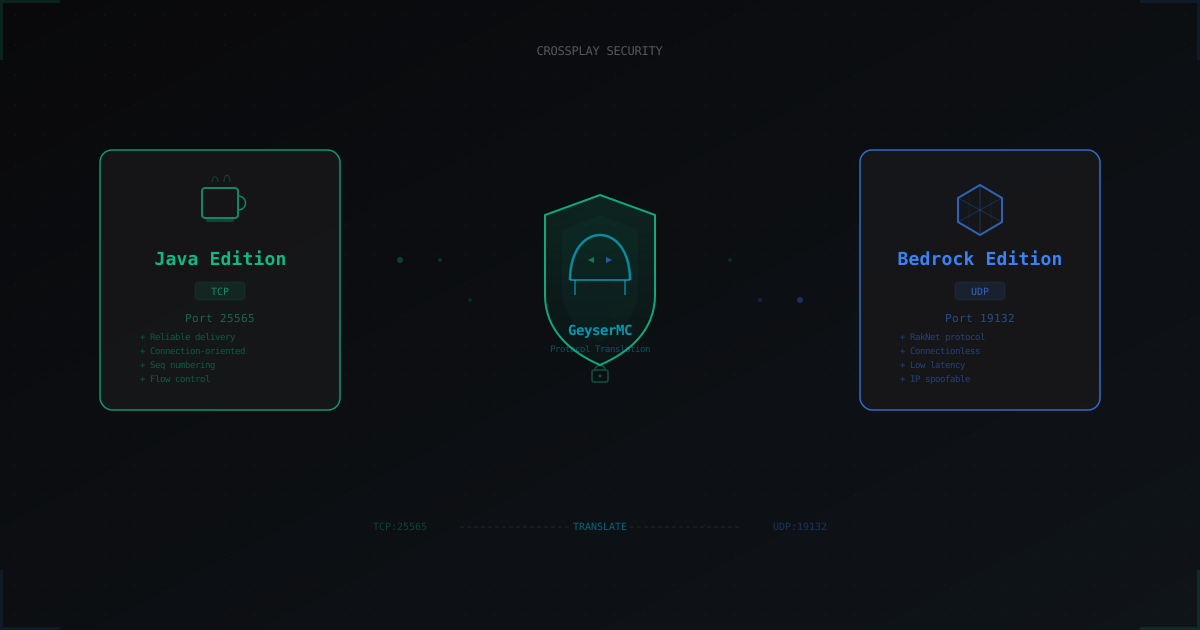
GeyserMC and Crossplay: How to Secure a Server with Bedrock Players
GeyserMC opens the door for mobile and console players, but adds a UDP port, new attack vectors, and authentication headaches. We break down crossplay risks and how to mitigate them.
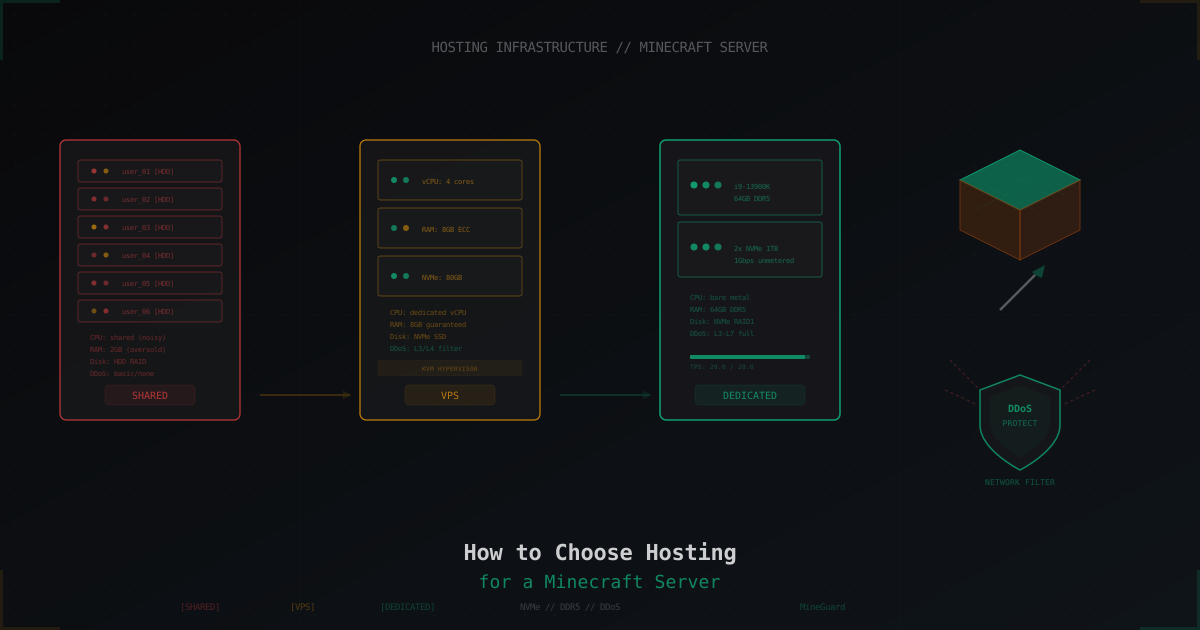
How to Choose Hosting for a Minecraft Server
A practical guide to choosing Minecraft server hosting: shared vs VPS vs dedicated, CPU and RAM requirements, disk types, DDoS protection, control panels, and red flags when picking a provider.
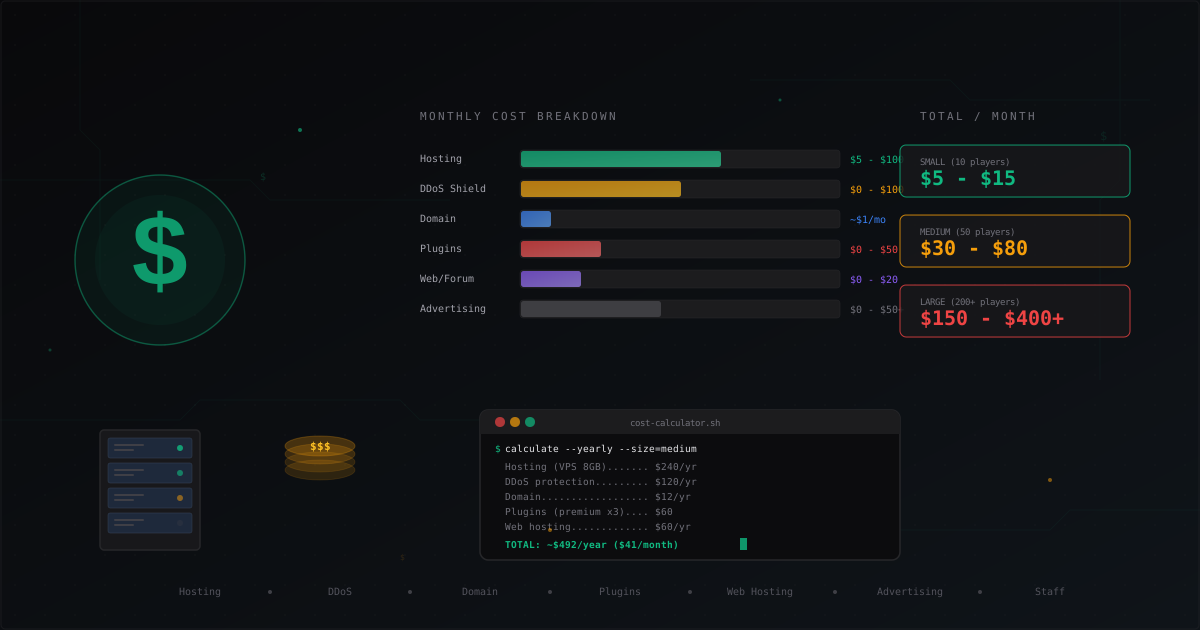
How Much Does It Cost to Run a Minecraft Server
Complete cost breakdown for running a Minecraft server: hosting, domain, DDoS protection, plugins, website, advertising, staff. Monthly and yearly cost tables for small, medium, and large servers plus tips to cut expenses.