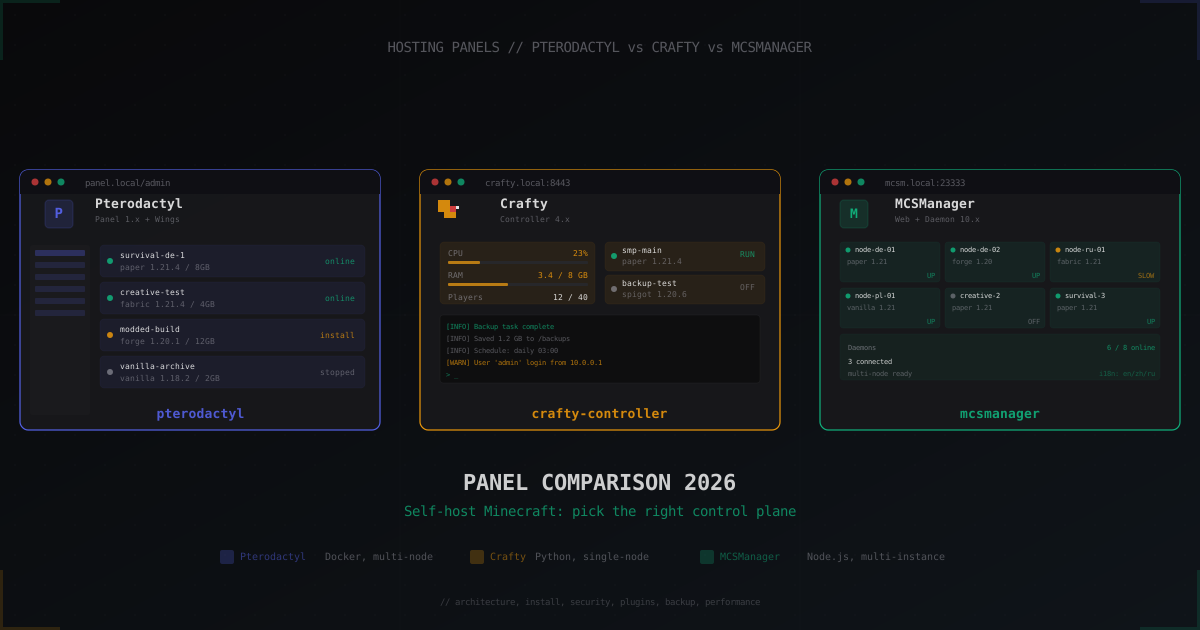
Pterodactyl vs Crafty vs MCSManager: Minecraft panel comparison 2026
Anyone running Minecraft on their own dedicated box or VPS hits the same question sooner or later: which control panel should drive the servers. The three free, self-hosted candidates that actually matter in 2026 are Pterodactyl, Crafty Controller, and MCSManager. What follows is a hands-on comparison covering architecture, install, security, and UX, with real configs and no marketing fluff.
What a control panel actually does
Bare screen with java -Xmx8G -jar paper.jar works. Right up until a moderator needs console access without root, a second server has to come up, a daily S3 backup has to run, CPU and player metrics matter, or an OOM restart needs to happen on its own. A panel covers process control, isolation, web console, file manager, scheduler, user management, SFTP, and backups.
All three projects are alive: Pterodactyl Panel sits on the 1.x line with active 2.x discussion, Crafty Controller is on 4.x, MCSManager ships 10.x. All three are free and open source.
Pterodactyl: the industry default at hosters
Pterodactyl is not one program but a pair:
- Panel (PHP/Laravel + MySQL + Redis): web UI, database, API.
- Wings (Go): the per-node daemon that boots game servers inside Docker containers.
Panel and Wings talk over HTTPS with a node token. Panel keeps configuration and sessions, Wings does the heavy lifting: bringing up containers, proxying console over WebSocket, handling files, exposing its own SFTP server.
Architectural backbone: every game server lives in its own Docker container, with its own uid, CPU/RAM/IO limits, and its own namespaces. A misbehaving plugin on one server does not drag the neighbours down. That is also why roughly 90% of commercial Minecraft hosts (Bisect, Shockbyte, ScalaCube, Apex, and the rest) run Pterodactyl or its Pelican fork under the hood.
The price for that:
- Docker and Linux networking basics are mandatory.
- Panel install needs PHP 8.2+, composer, Node, MySQL/MariaDB, Redis, Nginx, certbot, plus Wings on every node.
- Footprint is real: 1.5-2 GB RAM for Panel + Wings idle is typical.
Pterodactyl Panel install (skeleton)
Full guide on pterodactyl.io, here is the outline:
# Dependencies
sudo apt update
sudo apt -y install nginx mariadb-server redis-server certbot \
  php8.2 php8.2-{cli,gd,mysql,pdo,mbstring,tokenizer,bcmath,xml,fpm,curl,zip} \
  composer git

# Pull Panel
sudo mkdir -p /var/www/pterodactyl
cd /var/www/pterodactyl
sudo curl -L https://github.com/pterodactyl/panel/releases/latest/download/panel.tar.gz | sudo tar -xzv

# Configure
sudo cp .env.example .env
sudo composer install --no-dev --optimize-autoloader
sudo php artisan key:generate --force
sudo php artisan p:environment:setup
sudo php artisan p:environment:database
sudo php artisan migrate --seed --force
sudo php artisan p:user:make
Then Wings on the node:
# Node (same machine or separate)
curl -sSL https://get.docker.com/ | sh
sudo systemctl enable --now docker

sudo mkdir -p /etc/pterodactyl
sudo curl -L -o /usr/local/bin/wings \
  "https://github.com/pterodactyl/wings/releases/latest/download/wings_linux_amd64"
sudo chmod u+x /usr/local/bin/wings
Node config is generated in Panel and copied to /etc/pterodactyl/config.yml. After systemctl enable --now wings, the node turns green in admin UI.
Crafty Controller: a panel for one box
Crafty Controller (repo craftycontrol/crafty-4 on GitLab/GitHub) is written in Python (Tornado) and ships as a monolith. Web UI and daemon in the same process. That simplifies operations but closes one door: a single Crafty instance only manages servers on the same machine it runs on. No multi-node.
In return, you get:
- One-command install (script or Docker container).
- Built-in scheduler for backups, restarts, console commands.
- Simple RBAC with roles, users, and role-to-server binding.
- Import of existing world folders and servers from disk.
- Small overhead: 200-400 MB RAM for the panel itself.
Crafty does not wrap game servers in Docker. Each Minecraft instance is a java process that Crafty forks directly and drives over stdin/stdout. Isolation is weaker than Pterodactyl, but the operational surface is much smaller.
Crafty Controller install
Cleanest path is Docker Compose:
# docker-compose.yml
services:
  crafty:
    container_name: crafty_container
    image: registry.gitlab.com/crafty-controller/crafty-4:latest
    restart: always
    environment:
      - TZ=Etc/UTC
    ports:
      - "8443:8443"
      - "8123:8123"
      - "19132:19132/udp"
      - "25500-25600:25500-25600"
    volumes:
      - ./docker/backups:/crafty/backups
      - ./docker/logs:/crafty/logs
      - ./docker/servers:/crafty/servers
      - ./docker/config:/crafty/app/config
      - ./docker/import:/crafty/import
After docker compose up -d, open https://localhost:8443, pull default credentials from docker compose logs crafty, change the password, and create the first server in the wizard.
MCSManager: lightweight multi-instance panel from China
MCSManager (MCSManager/MCSManager on GitHub) comes from China and has been growing in EU and RU communities since 2024. Architecture is two-part like Pterodactyl, but without Docker as a hard requirement:
- Web (Node.js + Vue): panel UI and cross-node administration.
- Daemon (Node.js): runs processes on the node, talks to Web over TCP/HTTPS.
One Web instance can drive dozens of Daemons across multiple machines. Daemon launches Minecraft instances as regular processes, optionally inside Docker (per-instance toggle).
What MCSManager does well:
- Light: Daemon sits at 50-150 MB RAM, Web roughly the same.
- Multi-node without Docker as the mandatory layer.
- File manager and web terminal out of the box.
- i18n: Chinese, English, Russian, Japanese.
- Plugins, mods, worlds drag-and-drop straight into the browser.
What is rough:
- English documentation is thin in places, the best guides are still in Chinese.
- Security model is simpler: server processes run under the same uid as the Daemon. Without Docker they see each other in the filesystem.
- Fewer billing integrations.
MCSManager install
Official one-liner (installs Web and Daemon):
sudo su -c "wget -qO- https://script.mcsmanager.com/setup.sh | bash"
The script grabs Node.js 20+, clones the repo, sets up mcsm-web and mcsm-daemon systemd units. Web listens on 23333, Daemon on 24444. Hit http://server-ip:23333, register an admin, attach the local Daemon by token.
For multi-node, daemon only on the second machine:
sudo su -c "wget -qO- https://script.mcsmanager.com/setup_daemon.sh | bash"
cat /opt/mcsmanager/daemon/data/Config/global.json | grep key
Grab the key, add the node in Web by IP and token.
Comparison table
| Criterion | Pterodactyl 1.x | Crafty Controller 4.x | MCSManager 10.x |
|---|---|---|---|
| Language/stack | PHP Laravel + Go (Wings) | Python (Tornado) | Node.js + Vue |
| Architecture | Panel + Wings (split) | Monolith | Web + Daemon |
| Multi-node | Yes, native | No | Yes, native |
| Docker for game servers | Required | None | Optional |
| Install difficulty | High (10-15 steps) | Low (one docker compose) | Low (one script) |
| Panel RAM idle | 1.5-2 GB | 250-400 MB | 100-200 MB (Web+Daemon) |
| Web console | WebSocket | WebSocket | WebSocket |
| File manager | Yes, + SFTP | Yes | Yes |
| Per-server SFTP | Yes, built-in | No (host SSH) | No (host SSH) |
| Backups | Local + S3 | Local + schedule | Local + schedule |
| Plugin install UX | File upload | CurseForge catalog (4.4+) | File upload, fast |
| RBAC/roles | Granular | Granular | Basic |
| Billing integrations | Blueprint, Pterodactyl Billing | None | None |
| 2FA | Yes, TOTP | Yes, TOTP | Yes, TOTP |
| Process sandbox | Docker namespaces, cgroups | None | Optional Docker |
| API | REST, documented | REST | REST |
| Forge/Fabric/Paper | Via eggs | Via server types | Via templates |
| Repo activity (2025-2026) | High | High | High |
| Best fit | Hosters, teams | Solo admins, home servers | Tinkerers, multi-node without Docker |
Plugin and file UX
Pterodactyl exposes files through a web file manager and per-server SFTP. Plugins normally land in plugins/ over SFTP or via in-browser upload. The panel itself has no plugin marketplace, but third-party modules like Blueprint add a PluginUploader.
Crafty Controller, since 4.4, ships built-in plugin search and install from CurseForge via API key. Type EssentialsX, click Install, the jar lands in plugins/.
MCSManager bets on upload speed. The file manager handles drag-and-drop, bulk delete, zip extraction, in-browser editor for YAML/JSON. No catalog, but the upload-and-restart workflow feels the fastest of the three.
Backups
Pterodactyl treats backups as a first-class object: per-server cap, rotation, backend (local disk or S3-compatible). Snapshot via UI or API, restore by picking from the list.
Crafty schedules backups via cron-like rules, drops them in /crafty/backups, rotates by count or age. No native S3, but a bucket can be attached through rclone-mount.
MCSManager runs scheduled per-instance backups locally. No native S3.
Performance and overhead
On a 16 GB / 8 vCPU box the difference only bites near the ceiling:
- Pterodactyl: Panel + Wings together hold 1.5-2 GB RAM idle, plus Docker daemon. Each game container adds ~30-50 MB namespace overhead.
- Crafty Controller: 300-400 MB for the panel, game processes run native, no container overhead.
- MCSManager: 100-200 MB for Web+Daemon, native processes.
On a 4 GB home box Pterodactyl will choke the rest. On a 16 GB+ VPS the gap disappears in noise.
Security: what really matters
Pterodactyl gives the strongest isolation. Each server in its own container, own uid, cgroups limits. Plugin RCE on one server does not hand the attacker a shell across the host. SFTP is also Wings-owned, not host sshd, with per-user rights and no shell access.
Crafty runs every Minecraft instance under the crafty uid. If an attacker gets in via plugin RCE on one server, they can read files of every other server in the same Crafty install. Player and admin access goes through the web UI with RBAC, no separate SFTP.
MCSManager resembles Crafty in single-node mode, but Daemon can sit on a separate machine and gain network isolation between nodes. On one node, instances see each other unless the per-instance Docker toggle is on.
Common minimum across all three:
- TLS on web UI is mandatory (Let's Encrypt).
- 2FA on every admin.
- Restrict admin access by IP (nginx or firewall).
- Off-site backups.
- Apply security patches within a week of release.
When to pick which
Pterodactyl, if:
- Commercial hosting or internal multi-tenant with 5+ users.
- Hard isolation and CPU/RAM quotas required.
- Docker and MySQL are not blockers.
Crafty Controller, if:
- One person or a 2-3 admin team.
- One server, one VPS, or one dedi.
- Simple onboarding without the Docker tax matters.
MCSManager, if:
- 2+ nodes but Docker not as the substrate.
- Minimal daemon footprint counts.
- The team handles English docs and the occasional Chinese issue.
Ecosystem and forks
Pterodactyl has the deepest add-on ecosystem of the three. Blueprint extensions add plugin uploaders, backup to specific S3 buckets, theme packs. Pterodactyl Billing, Paymenter, and similar modules tie game-server sales to the panel for resellers. Crafty and MCSManager do not have this in comparable form because their target user is the self-admin, not the hosting business.
Crafty leans on an active Discord community. Releases are regular, GitLab issue tracking is responsive. No plugin market in the Pterodactyl sense, but for a small crew the built-in features cover roughly 95% of needs.
MCSManager has the strongest community in Asia. Releases are frequent, GitHub tracker is bilingual, English UX has improved noticeably with each minor release through 2025-2026. If absolute lowest footprint is the goal, this is the panel.
Once it goes public
Once the panel is up and Minecraft instances are reachable on play.example.com, the next problem lands: cleaning incoming traffic. Any public box with port 25565 open will eventually catch either bots from Minecraft scanners (the IPs that show up in logs spamming \x00) or a UDP flood from an annoyed player. The panel isolates processes, the network layer stays on the server. That is exactly where L4/L7 filters (MineGuard, Cloudflare Spectrum, custom nftables rules) sit between the internet and the node. Panel choice does not affect filter choice: Pterodactyl, Crafty, and MCSManager all accept proxied traffic the same way.
FAQ
Can I migrate from Crafty to Pterodactyl without losing worlds?
Yes. Stop the server in Crafty, copy the world folder and server.properties over SFTP. Create a new server in Pterodactyl on the matching egg (Paper, Fabric, etc.), stop it, upload world and plugins via SFTP, start it. Players only lose chat history if it lived in a logger plugin database tied to the old host.
Pterodactyl or the Pelican fork?
Pelican is the fork born from the Pterodactyl team conflict in 2024. Early 2026, Pelican is in active development, but the ecosystem (eggs, themes, billing) is broader on the Pterodactyl side. Fresh deploy with no egg lock-in: Pelican is worth a look. Existing Ptero install: no urgent reason to migrate.
Is MCSManager safe given its origin?
Source is open on GitHub, the community has done reviews, releases are active. No known backdoors. Standard hygiene (firewall, 2FA, never expose port 24444 to the public internet) applies the same as for any other panel.
Which panel is most comfortable for Forge/NeoForge modpacks?
All three handle modded servers, just by different routes. Pterodactyl needs an egg for Forge/NeoForge (ready ones in pterodactyl/yolks). Crafty has a built-in Forge installer wizard. MCSManager handles Forge via a template or manual jar upload with a mods/ folder.
How much RAM realistically for panel + 2-3 servers?
Comfortable on a dedi: Pterodactyl wants at least 16 GB (2 GB panel + Docker + 3x4 GB servers + headroom). Crafty/MCSManager fit the same load in 14-15 GB.
Can I keep the panel behind Cloudflare?
Web UI, no problem. Game port (25565) is not proxied on Cloudflare Free, for UDP/Bedrock and TCP gameplay you need Cloudflare Spectrum or another proxy or filter.
Whichever panel wins, it pays to close the whole path: only the filter or proxy IP should touch the game port, and the Java side should require BungeeGuard or Velocity Modern Forwarding so nobody can bypass the front end and spoof an IP straight to the backend. Pick the panel by team size and isolation needs, then treat the network layer as a separate question with its own answer.
Protect Your Server from DDoS Attacks
Free protection with 5-minute setup. 1 TB bandwidth included.
Try for FreeRelated Articles
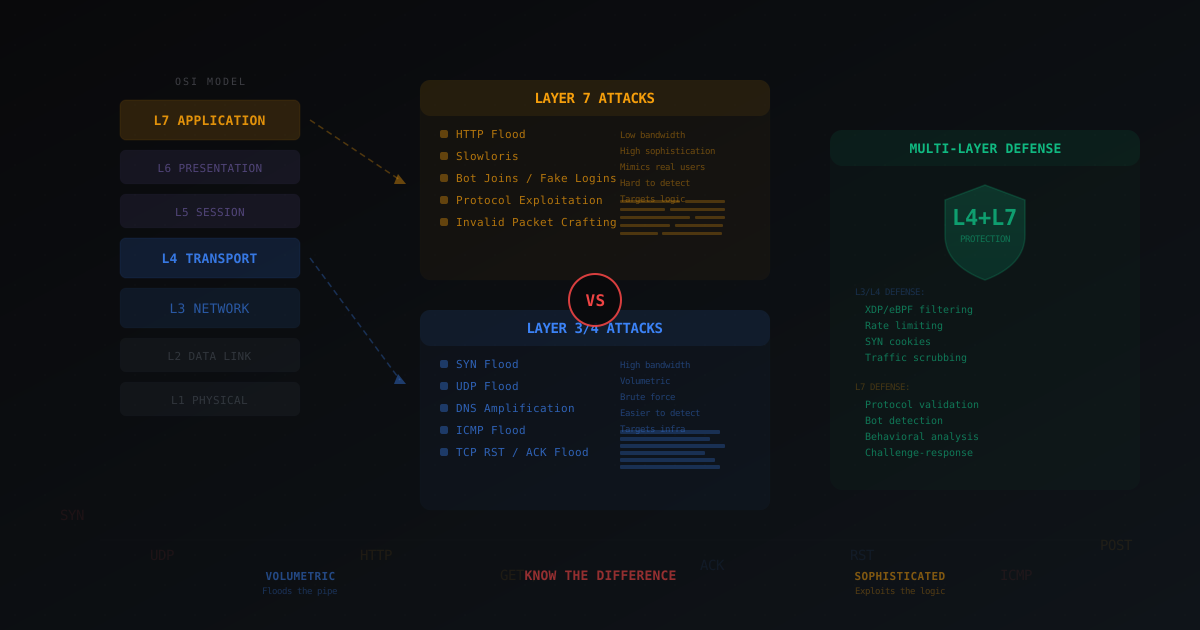
Layer 4 vs Layer 7 DDoS Attacks - What's the Difference
Breaking down the OSI model in plain terms, explaining the difference between L3/L4 and L7 attacks with gaming examples: SYN flood, UDP flood, HTTP flood, bot joins and invalid packet crafting. Why real protection requires both layers.
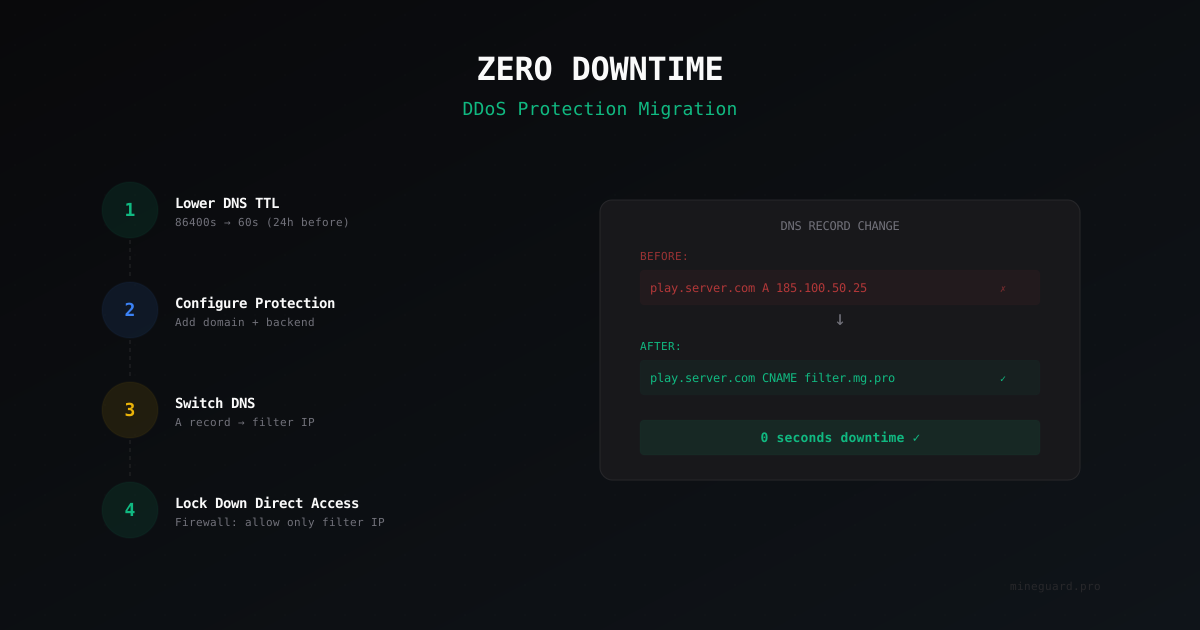
How to Migrate Your Minecraft Server to DDoS Protection with Zero Downtime
A step-by-step guide to moving your Minecraft server behind DDoS protection via DNS. No player loss, no downtime, no panic.
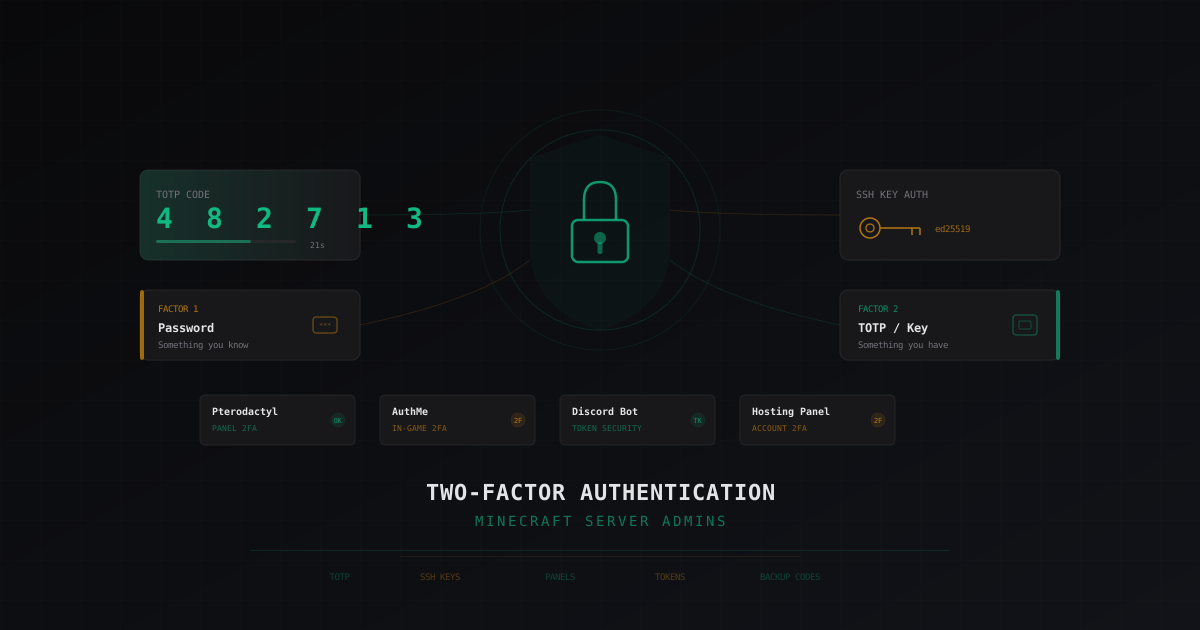
Two-Factor Authentication for Minecraft Server Admins: A Complete Guide
Why every Minecraft server admin needs 2FA, what happens when an admin account gets compromised, TOTP setup in AuthMe, panel access, and SSH. Protecting Discord bot tokens and backup codes.