Crossplay SMP: One Server for Java and Bedrock with Geyser and Floodgate
When PC friends and the cousin on a phone want the same world, splitting them onto two servers makes no sense. Geyser plus Floodgate turns regular Paper into a cross-platform SMP where Java and Bedrock players share one world. In this guide we walk through the install, how Floodgate authenticates Bedrock without a Java account, and the gotchas around prefixes, resource packs and anti-cheat.
Why merge Java and Bedrock at all
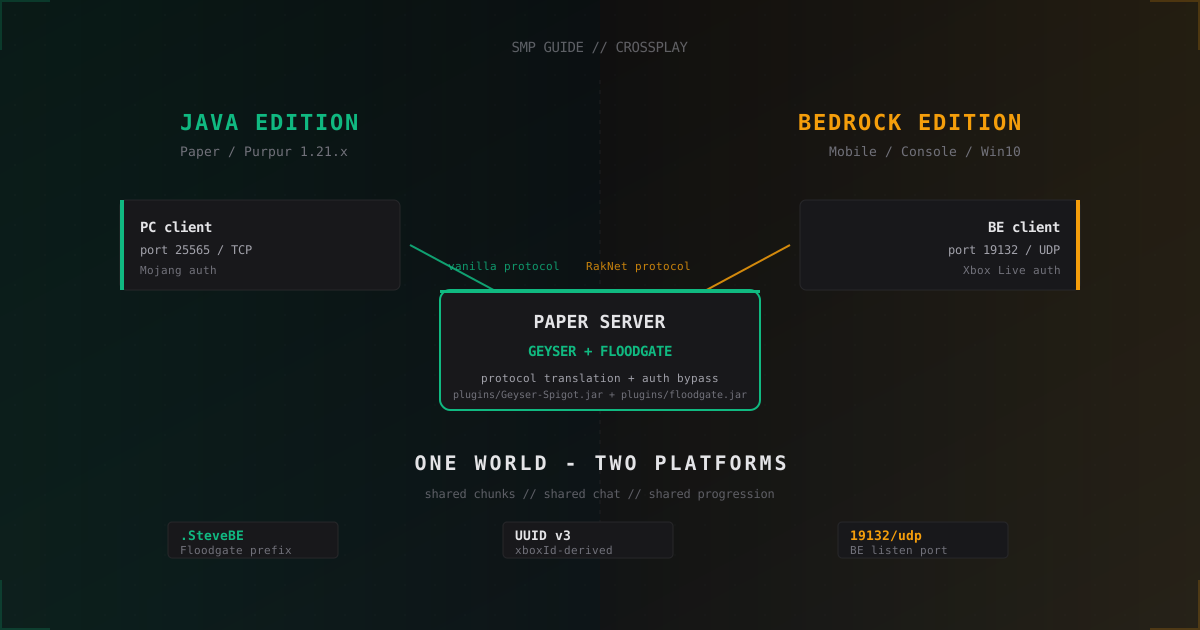
The two clients are split by protocol and platform. Java Edition speaks TCP and asks for a Mojang login. Bedrock Edition (mobile, Switch, Xbox, PlayStation, Windows 10) uses RakNet over UDP and is tied to Xbox Live. On a stock vanilla server they never meet.
Geyser ships as a plugin or proxy and translates RakNet packets from a Bedrock client into Java packets that Paper understands. Floodgate solves the second problem: it lets a Bedrock player onto the server without a Java account, generating a deterministic UUID and username from the Xbox Live ID.
The result is one Paper server holding both audiences, shared world, shared chat, shared progression. The cheapest way to spin up an SMP for 30-50 mixed-platform players.
Geyser-Spigot or Geyser-Standalone
Geyser comes in several flavors and you have to pick the right one upfront:
- Geyser-Spigot - jar dropped into
plugins/of regular Paper or Purpur. Runs in the server process. Recommended for a single SMP. - Geyser-Standalone - separate process, listens on a port and forwards to the Java server. Useful on managed hosts where you do not control the server.
- Geyser-Velocity / Geyser-BungeeCord - for proxy networks. The plugin sits on the proxy.
- Geyser-Fabric / Geyser-NeoForge - for modded servers.
For a classic Paper SMP grab Geyser-Spigot.jar and floodgate-spigot.jar from GeyserMC GitHub Releases and Floodgate Releases. Both jars must match the same Minecraft version.
Install on Paper or Purpur
Minecraft versions with solid current support: 1.20.x and 1.21.x. Geyser still works on 1.19 and below but receives no updates anymore.
The steps are short:
- Stop the server.
- Drop
Geyser-Spigot.jarandfloodgate-spigot.jarintoplugins/. - Start the server. The plugins generate
plugins/Geyser-Spigot/config.ymlandplugins/floodgate/config.yml. - Stop again, edit configs, start once more.
A minimal plugins/Geyser-Spigot/config.yml:
bedrock:
  address: 0.0.0.0
  port: 19132
  clone-remote-port: false
  motd1: "Crossplay SMP"
  motd2: "Java + Bedrock"
  server-name: "Crossplay SMP"

remote:
  address: auto
  port: auto
  auth-type: floodgate

passthrough-motd: true
passthrough-player-counts: true
allow-third-party-capes: true
allow-third-party-ears: false
show-cooldown: title
show-coordinates: true
auth-type: floodgate tells Geyser to hand Bedrock authentication off to the Floodgate plugin. Without this Geyser would try to ask the client for a Java account, which never works on consoles or phones.
A minimal plugins/floodgate/config.yml:
key-file-name: key.pem
username-prefix: "."
replace-spaces: true
disable-firstjoin-message: false
disable-leave-message: false
default-locale: system
The key.pem file is generated by Floodgate on first start. If you also run Geyser-Standalone separately, copy that same file over.
Ports and firewall
Bedrock runs on UDP, not TCP. This trips up a lot of people because for Java the habit is to open only 25565/tcp.
You need to open:
25565/tcpfor Java clients (the standard server port)19132/udpfor Bedrock clients (the standard Geyser port)
In iptables that looks like:
iptables -A INPUT -p tcp --dport 25565 -j ACCEPT
iptables -A INPUT -p udp --dport 19132 -j ACCEPT
If you sit behind DDoS protection, the provider has to be told explicitly that 19132/udp must also be proxied as a game port. UDP attacks have their own flavor: RakNet loves spammed unconnected ping packets, and without a proper UDP filter the server will fall over fast. Solutions like MineGuard catch this at the filter level.
Floodgate prefix and why names start with a dot
By default Floodgate prepends . to every Bedrock username. If a player is SteveBE on Xbox Live, on the server they appear as .SteveBE.
The reason: Java and Bedrock have different rules for usernames. Java forbids special characters and spaces, Bedrock allows a lot including spaces and emoji. If a Java player registers as SteveBE and later a Bedrock account with the same name shows up, you get a clash. The dot prefix solves this: a dot is invalid in a Java name, so a Java account .SteveBE cannot exist by definition.
replace-spaces: true additionally swaps spaces in Bedrock names for _, otherwise plugins parsing command arguments break.
You can change the prefix to empty, but then you own every collision. I usually leave the dot in place: guests see .Username and immediately understand the player is on a phone or console.
Bedrock player UUIDs
Floodgate does not hand out random UUIDs. It takes the Xbox Live ID and computes a deterministic UUID via UUID v3 (name-in-namespace), always the same for a given account. This matters because every inventory and progress entry in Minecraft is tied to UUID.
The practical takeaway: if you migrate a player between servers running the same Floodgate, inventory and LuckPerms grants line up. If you switch Floodgate logic or migrate from a different solution like GeyserConnect, UUIDs may drift and Bedrock players lose progress.
In most cases this is one-time migration pain. Within a single server the UUID is stable.
Resource packs and textures
Geyser converts Java resource packs into Bedrock format on the fly, but not every pack survives the conversion. What works well:
- Block and item texture replacement
- Sound replacement
- Custom models via CustomModelData (with a caveat, see below)
What works poorly or not at all:
- OptiFine CIT (Connected Item Textures) - partial through Geyser, not everything
- OptiFine CEM (Custom Entity Models) - not supported on Bedrock
- Shaders - unrelated to resource packs anyway, Bedrock has its own RenderDragon system
About CustomModelData. Java plugins like ItemsAdder, MMOItems and Oraxen use CMD for custom items. On Bedrock that only works if a Bedrock-format pack is built separately. ItemsAdder ships with a Bedrock pack generator out of the box; Oraxen has a Geyser bridge through plugin-mappings; MMOItems is harder and usually needs a hand-rolled Bedrock pack.
In Geyser-Spigot/config.yml enable:
load-resource-packs: true
After that all packs in plugins/Geyser-Spigot/packs/ are pushed to the Bedrock client.
UI and interfaces: what breaks on Bedrock
Bedrock renders most Java interfaces through its native UI, and not everything moves over cleanly.
- Sign editing - Bedrock opens its own keyboard, works. Color codes via
&may not pass through. - Anvil - renaming works with a length limit. Long names get truncated.
- Books - editing works, but without formatting.
- Command blocks - open as plain text fields, work.
- Custom GUIs over inventory (plugin menus through chest GUI) - work almost always, but Bedrock players miss the tick animations and sometimes misclick during the first split second after opening.
- Geyser form menus - Geyser exposes an API for opening native Bedrock forms from the plugin side. This is the better route for admin panels aimed at Bedrock players, vs chest GUIs.
Before launch walk through the main scenarios on a Bedrock device. Catching one bug locally beats sorting it out when actual players arrive.
What does not work or works differently on Bedrock
The eternal crossplay headache. A few key items:
- Redstone automation. Basic circuits behave the same, but fine timings (BUDs, instant-repeat edges) tick differently on Bedrock. Here we are on a Java server, so Java logic rules. The Bedrock player only sees the result.
- Elytra flight. Works, but pitch sensitivity differs on consoles, especially with a controller.
- F3 menu, pie chart, lag graphs. Bedrock has none of this. Performance diagnostics are Java-side only.
- Commands. Bedrock draws its own UI for commands, but custom plugin commands without a Brigadier argument provider show up as bare text. Wrap them via the Geyser Form API.
Anti-cheat and Bedrock
A delicate spot. Anti-cheats like GrimAC and Vulcan are written against the Java engine and check physics with Java-style formulas. Bedrock physics is slightly different, and without exemptions Bedrock players catch false-positives on MovementY or KnockbackUtil within the first minute.
GrimAC since 2.3.x officially supports Floodgate and exempts Bedrock players on connect. Vulcan does it too, but the config has to be touched manually. A minimal Vulcan example:
checks:
  movement:
    enabled: true
    exempt-floodgate: true
  combat:
    reach:
      exempt-floodgate: true
Don't disable anti-cheat for Bedrock entirely: they can still cheat through third-party clients like Horion or ToolBox. But you have to relax basic movement checks.
Chat prefixes and LuckPerms
To tell Java and Bedrock apart in chat, attach a tag. Through LuckPerms it is one chain of commands:
lp creategroup bedrock
lp group bedrock meta setprefix 10 "&e[B] "
lp creategroup java
lp group java meta setprefix 10 "&a[J] "
lp group default parent add java
Floodgate auto-assigns Bedrock players to a bedrock group if you set default-group: bedrock in plugins/floodgate/config.yml (the option lives in addons, check your version). Alternatively use the FloodgateExtras plugin or a small EssentialsX hook:
# via EssentialsX-Discord or onJoin script
on player_join:
  if player has permission "floodgate.player":
    add player to lp group "bedrock"
After this Bedrock players appear in chat as [B] .Steve and Java as [J] Alex. Helpful for moderation.
Performance
Geyser itself eats little, around 10-30 MB of RAM for the running plugin and a sliver of CPU for protocol translation. Floodgate is even lighter, its job is just to verify the handshake and produce a UUID.
The real load stays on Paper and the world. Bedrock players send chunk requests just like Java does, and the server processes each chunk once. If 8 GB of RAM was enough for 30 Java players, with Bedrock added it will hold the same 30 total, no more. Geyser is not magic, it does not reduce real load.
What is worth turning on:
view-distance: 8inserver.properties. Bedrock on phones will not draw more than eight chunks smoothly anyway.network-compression-threshold: 256for Java clients, on Bedrock this setting has no effect.- Pre-generate the world with Chunky before opening the SMP. Bedrock clients on mobile networks are especially sensitive to generation lag.
FAQ
Geyser vs Floodgate, what is the difference?
Geyser translates protocol: it converts Bedrock client packets into Java packets the server can read. Floodgate handles authentication: a Bedrock player does not need a Java account, Floodgate validates the Xbox Live token and lets them in. They are deployed together. Without Floodgate a Bedrock client could connect to Geyser, but the server would refuse without a Java login.
Can I run crossplay on a Vanilla server?
Not on bare vanilla.jar, neither Geyser nor Floodgate installs there. The minimum is Paper, Purpur or Spigot, because Vanilla has no plugin system. If you want to stay "vanilla" gameplay-wise, install Paper and simply do not add any plugins beyond Geyser and Floodgate. Mechanically Paper is very close to Vanilla.
How do I register a Bedrock player without a Java account?
You don't have to register manually. Floodgate accepts the Xbox Live token from the player's device and generates a UUID from the xboxId. On first connect the player simply lands on the server with their UUID and a name carrying the . prefix. If you run AuthMe or another login plugin, it is usually disabled for Floodgate players via auto-login: true or by exempting the permission floodgate.player.
Do Bedrock players see Java skins?
Depends on the pack. Java skins are 64x64 PNG, Bedrock uses its own skin format. Geyser converts a Java skin into a Bedrock skin on the fly, and Bedrock clients see roughly the same thing. The allow-third-party-capes: true option in Geyser config enables capes. One caveat: 4D models and animated Bedrock skins are not shown to Java. Java only sees the body texture, no particles or animations.
Can Bedrock connect on the same 25565?
No. Bedrock runs over UDP and RakNet, Java over TCP. Different transports, you cannot listen to both on one socket. Geyser keeps a separate UDP port (default 19132). You can change bedrock.port to any UDP port if you really want, but Bedrock clients will then have to type the port manually, and in Featured Servers UDP/19132 is the standard.
What if plugins break on Bedrock?
First check whether the plugin has a Bedrock-compatible version or a Geyser bridge. For popular ones (ItemsAdder, Citizens, ProtocolLib) those exist. For rare plugins it is easier to wrap the UI through the Geyser Form API: Bedrock players see a native form, Java keeps the old chest GUI. One-time work on the server side.
What's next
Geyser plus Floodgate installs on any Paper SMP in half an hour. Don't forget the UDP port in the firewall, the anti-cheat exemption and a test of the main GUIs from a Bedrock device.
Three follow-ups: set up LuckPerms group prefixes so moderation sees the platform; build a shared resource pack and test it on a phone to confirm CMD items render on both sides; park even basic DDoS protection in front of the UDP port, because Bedrock on a raw IP is a magnet for RakNet floods.
Protect Your Server from DDoS Attacks
Free protection with 5-minute setup. 1 TB bandwidth included.
Try for FreeRelated Articles
MythicMobs: Custom Mobs and Bosses Guide for Minecraft
MythicMobs install, YAML format, skills with triggers, drops and spawners. Real boss configs and TPS optimization tips from production.
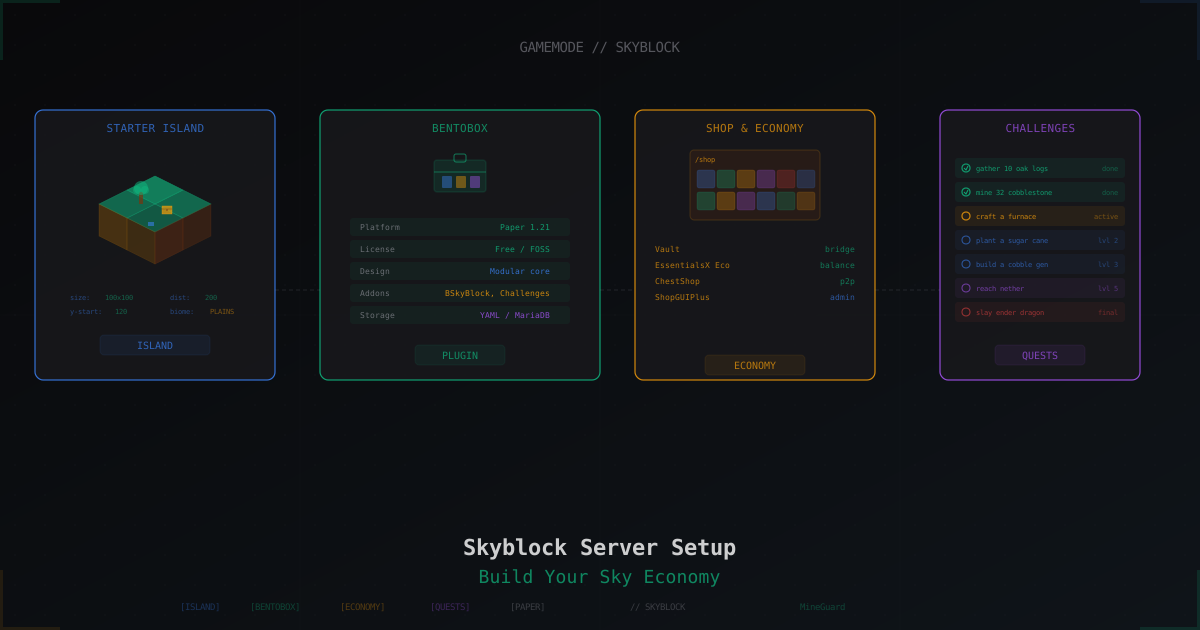
Skyblock Server from Scratch: Setup with BentoBox and Beyond
Complete guide to launching a Skyblock server on Paper 1.21: BentoBox with BSkyBlock, alternatives like SuperiorSkyblock2 and ASkyBlock, economy setup, challenges, island levels, and anti-griefing.
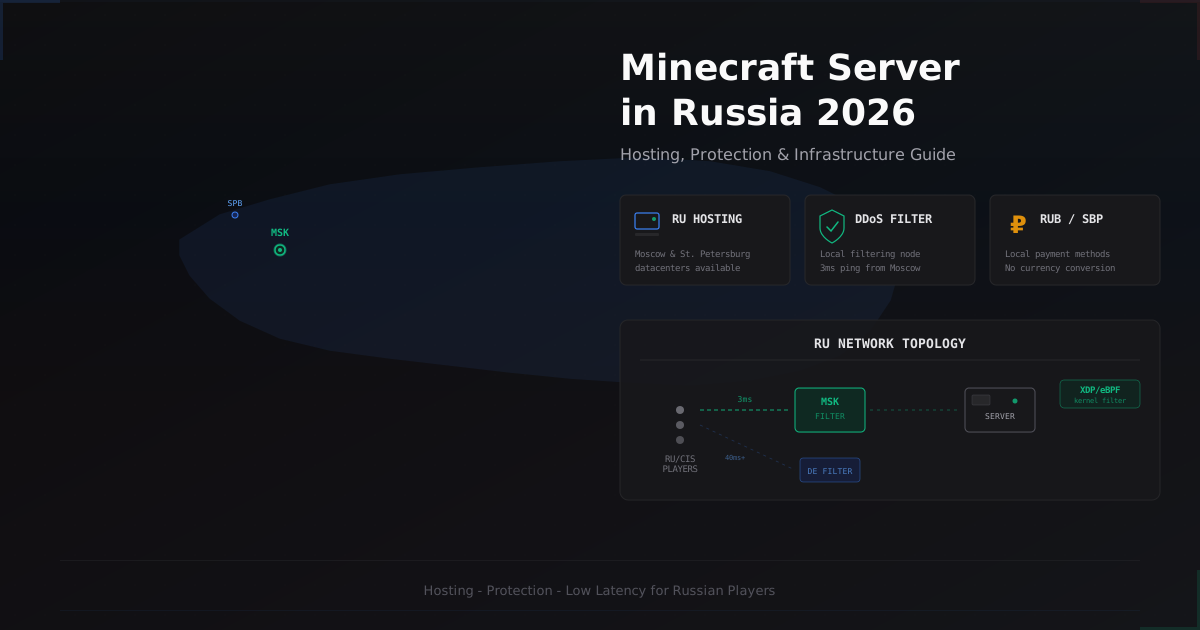
Minecraft Server in Russia 2026 - Hosting, Protection & Specifics
A comprehensive guide to running and protecting a Minecraft server in Russia in 2026. Covers hosting providers, Russian ISP specifics, DDoS protection options, RUB payments via SBP, and CIS community specifics.