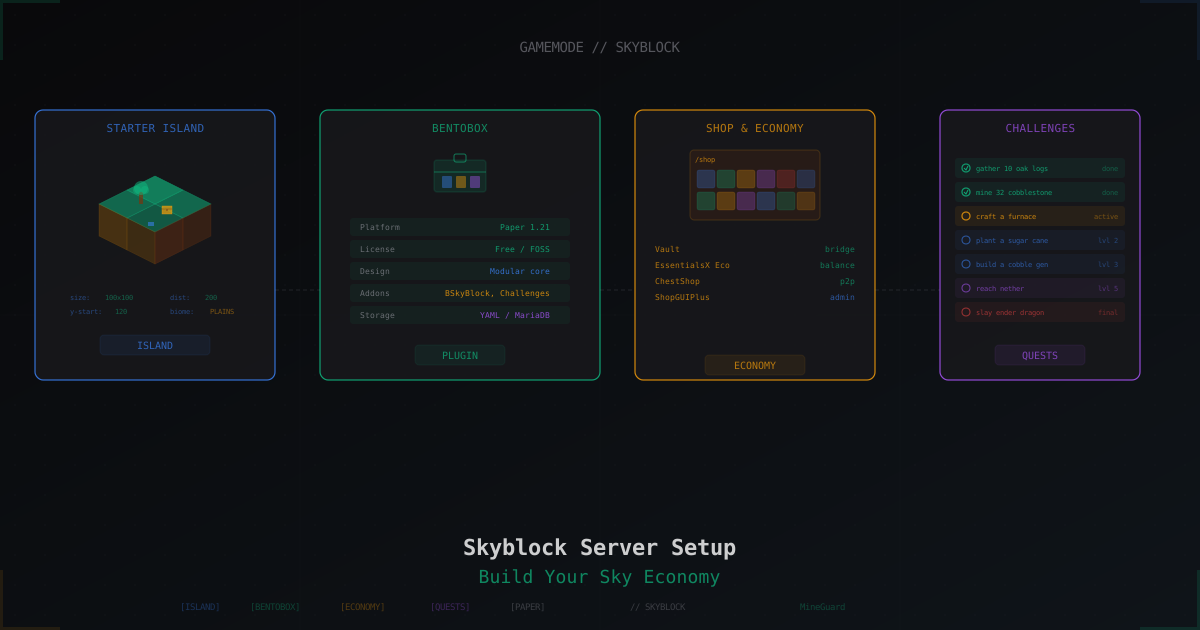
Skyblock Server from Scratch: Setup with BentoBox and Beyond
Skyblock has lived in Minecraft since 2011, when Nooby uploaded the first map with a lonely island floating in the void. Fifteen years later the mode turned from a simple survival challenge on a chunk of dirt into a full genre with economies, clans, island levels, challenges, and leaderboards. Today thousands of servers run Skyblock, and most of them pick one of two engines: BentoBox or SuperiorSkyblock2.
This guide walks the entire path: from installing Paper and BentoBox to fine-tuning economy, challenges, warps, and grief protection. At the end we touch load and DDoS, because skyblock servers get attacked more often than you might think.
What Skyblock Actually Is
The classic scenario looks like this. A player spawns on a tiny island in the middle of the void. The island has a tree, a bit of dirt, a chest with starter loot (ice, lava bucket, seeds), and nothing else. The goal is to survive, expand the island, gather resources, build farms, reach the Nether, and eventually kill the Ender Dragon. The core idea is scarcity. You can't just go chop another tree, because beyond the island there is only empty sky.
Modern Skyblock has layered several systems on top of that base:
- Island levels counted from the sum of valuable blocks on the island, giving a ranking
- Challenges which are a quest system rewarding achievements
- Economy with in-game currency, shops, trading
- Clans and co-op letting multiple players share one island, with roles and invites
- Visits and warps so players can explore other islands
- Top lists ranking islands by level, money, or play time
Skyblock comes in many flavors: pure vanilla-like experience, hardcore with custom mods, RPG-style with classes and skills, or economy-focused with heavy trading. The engine is chosen to fit the concept.
Picking the Engine: BentoBox, SuperiorSkyblock2, ASkyBlock
Three main options today.
BentoBox (+ BSkyBlock)
Open-source, actively developed, fully free. Modular by design: the BentoBox core does nothing on its own, it just provides an API that addons build on. BSkyBlock (classic skyblock), AcidIsland (acid water instead of normal water), CaveBlock (cave variant), OneBlock (a single block instead of an island), and dozens more. Pick the gamemode that fits.
Pros: free, flexible, well documented, large addon ecosystem, active community. Cons: some advanced features need to be assembled from several addons, there is no ready premium bundle.
SuperiorSkyblock2
Popular alternative built with performance and nice out-of-box UI in mind. Async level counting, built-in missions, ranks, leaderboards, animations. The base plugin is free, but some advanced features (hooks into certain paid plugins, certain addons) ship separately. Easier start, less flexibility.
ASkyBlock
The legendary plugin many of us started with. On 1.13+ the authors moved to BentoBox (BSkyBlock is the successor), and ASkyBlock stayed as legacy. Don't pick it for a new server.
AcidIsland and Others
These are not competitors to BentoBox, they are its addons. AcidIsland is a skyblock variation where water damages the player and you start on a tiny island in an ocean. You install it alongside BentoBox.
This guide follows BentoBox + BSkyBlock because it is the modern and most extensible path. SuperiorSkyblock2 configs follow similar logic, differences noted separately.
Server Requirements
BSkyBlock generates several worlds (overworld + nether + end), and each player gets a slice of infinite space. That creates more load than a vanilla server. Baseline requirements:
| Online players | RAM | CPU | Disk |
|---|---|---|---|
| Up to 20 | 4 GB | 2 cores 3+ GHz | 20 GB SSD |
| 20-50 | 8 GB | 4 cores 3.5+ GHz | 50 GB SSD |
| 50-100 | 12 GB | 6 cores 4+ GHz | 100 GB SSD |
| 100+ | 16+ GB | 8+ cores 4+ GHz | 200+ GB NVMe |
CPU matters more than RAM because chunk generation is single-threaded. Pick a CPU with strong single-core performance.
Platform: Paper (recommended), Purpur, or Pufferfish. Spigot works technically but Paper performs visibly better. Folia is partial for now, not every addon is compatible.
Minecraft version: as of April 2026 BentoBox supports 1.19.4 through 1.21.x. Go for the latest 1.21 release. Addons update quickly.
Installing Paper
Fresh Ubuntu 22.04 or Debian 12.
# Java 21 (required for 1.21.x)
apt update
apt install openjdk-21-jre-headless wget screen -y

# Create user and folder
useradd -m -s /bin/bash mcserver
su - mcserver
mkdir skyblock && cd skyblock

# Download Paper 1.21.4 (replace with current build)
wget -O paper.jar "https://api.papermc.io/v2/projects/paper/versions/1.21.4/builds/222/downloads/paper-1.21.4-222.jar"

# Accept EULA before first run
echo "eula=true" > eula.txt

# Start script
cat > start.sh <<'EOF'
#!/bin/bash
java -Xms6G -Xmx6G \
  -XX:+UseG1GC -XX:+ParallelRefProcEnabled -XX:MaxGCPauseMillis=200 \
  -XX:+UnlockExperimentalVMOptions -XX:+DisableExplicitGC -XX:+AlwaysPreTouch \
  -XX:G1HeapWastePercent=5 -XX:G1MixedGCCountTarget=4 \
  -XX:G1MixedGCLiveThresholdPercent=90 -XX:G1RSetUpdatingPauseTimePercent=5 \
  -XX:SurvivorRatio=32 -XX:+PerfDisableSharedMem -XX:MaxTenuringThreshold=1 \
  -Daikars.new.flags=true \
  -jar paper.jar --nogui
EOF
chmod +x start.sh

./start.sh
First launch generates configs and stops (normal). Edit server.properties:
server-port=25565
max-players=50
difficulty=normal
gamemode=survival
spawn-protection=0
view-distance=8
simulation-distance=5
allow-nether=true
online-mode=true
enforce-whitelist=false
view-distance=8 is enough for skyblock and saves RAM. simulation-distance=5 reduces CPU load, especially when many players are active on their islands.
Installing BentoBox and BSkyBlock
BentoBox is two files: the plugin itself and the gamemode addon. Grab latest releases from GitHub or SpigotMC.
cd ~/skyblock/plugins
wget -O BentoBox.jar "https://github.com/BentoBoxWorld/BentoBox/releases/download/2.8.0/BentoBox-2.8.0.jar"
mkdir -p BentoBox/addons
cd BentoBox/addons
wget -O BSkyBlock.jar "https://github.com/BentoBoxWorld/BSkyBlock/releases/download/1.24.0/BSkyBlock-1.24.0.jar"
Restart the server. BentoBox creates plugins/BentoBox/ with its config and generates worlds bskyblock_world, bskyblock_world_nether, bskyblock_world_the_end.
Verify that everything started:
/bentobox version
/bsb
/bsb without args opens the BSkyBlock menu. If you see it, the plugin is live.
Basic BSkyBlock Config
The main file is plugins/BentoBox/addons/BSkyBlock/config.yml. Key settings below.
world:
  friendly-name: Skyblock
  world-name: bskyblock_world
  difficulty: NORMAL

  # Island size (protection range)
  # Player can modify blocks within this radius from the center
  protection-range: 50

  # Distance between islands
  # Must be >= 2 * protection-range plus a buffer
  distance-between-islands: 200

  # Island center height
  island-height: 120

  # Team limits
  max-team-size: 4
  max-coop-size: 4
  max-trust-size: 4

  # Islands per player
  concurrent-islands: 1

  # Mob spawn caps (anti-lag)
  spawn-limits:
    monsters: 30
    animals: 10
    water-animals: 5
    ambient: 5
protection-range and distance-between-islands
This is the key pair. protection-range=50 means the island is protected 50 blocks horizontally from the center, total 100x100 blocks. distance-between-islands=200 sets the grid: islands generate every 200 blocks.
Important rule: distance-between-islands must be at least twice protection-range, otherwise island borders overlap. Usually you add a buffer: distance = 2 * range + 50..100. That leaves a neutral zone between islands.
Typical presets:
| Server style | protection-range | distance | Island size | Buffer |
|---|---|---|---|---|
| Classic | 50 | 200 | 100x100 | 100 blocks |
| Spacious | 75 | 250 | 150x150 | 100 blocks |
| PvP-heavy | 100 | 300 | 200x200 | 100 blocks |
| Compact | 30 | 100 | 60x60 | 40 blocks |
Do not change distance-between-islands on an existing world without regenerating. Decide before launch.
World height
  max-island-height: 319
  sea-height: 0
  max-coords: 30000
max-coords=30000 gives players a playing square of ±30000 blocks from spawn. That fits tens of thousands of islands.
Starter Island Schematic
BentoBox stores starter islands as .blu blueprint files in plugins/BentoBox/addons/BSkyBlock/blueprints/. Default island.blu is the classic preset.
Structure stores blocks, entities, chest inventories. The format is packed JSON.
Custom Schematic with the BentoBox Builder
Easiest path is the built-in editor.
/bsb blueprint open default
Opens a test world where you build the island. Select the area:
/bsb blueprint pos1   # stand at first corner
/bsb blueprint pos2   # stand at opposite
/bsb blueprint copy
/bsb blueprint paste  # verify
/bsb blueprint save my_island
After save the my_island.blu appears in blueprints/. Hook it as the starter:
/bsb blueprint bundle save default
In config.yml:
island:
  default-blueprint-bundle: default
Custom Schematic via WorldEdit
Or use WorldEdit if you prefer it.
//wand
# select area with the wooden axe
//copy
//schematic save my_island
File saves to plugins/WorldEdit/schematics/my_island.schem. Then import:
/bsb blueprint import my_island
BentoBox converts .schem to .blu. Hook it the same way as the builder version.
Good Starter Island Rules
- Small (10-15 blocks wide), otherwise players never feel the need to expand
- Tree with leaves for starter wood
- Chest with basic loot: ice, lava bucket (for the cobble generator), saplings, seeds, food for day one
- Sign or book with a hint on what to do first
- Do not pile on resources, it kills the survival feel
Sample starter chest (config.yml -> bundles -> default -> contents or via GUI):
chest-contents:
  0: ICE:2
  1: LAVA_BUCKET:1
  2: MELON_SEEDS:1
  3: PUMPKIN_SEEDS:1
  4: CACTUS:1
  5: SUGAR_CANE:1
  6: BONE:2
  7: COOKED_BEEF:4
  8: OAK_SAPLING:2
Island Level
The BentoBox Level addon computes a total "value" of the island's blocks. Rare blocks give more points. Result is the island ranking.
Install:
cd ~/skyblock/plugins/BentoBox/addons
wget -O Level.jar "https://github.com/BentoBoxWorld/Level/releases/download/2.15.0/Level-2.15.0.jar"
After restart plugins/BentoBox/addons/Level/config.yml and block_values.yml appear. The second one is the main file: it says how many points each block gives.
block-values:
  COBBLESTONE: 1
  STONE: 1
  DIRT: 1
  OAK_LOG: 4
  DIAMOND_BLOCK: 1000
  NETHERITE_BLOCK: 5000
  BEACON: 2000
  DRAGON_EGG: 10000
Players trigger counting with /island level. Async process, takes seconds on small islands and up to a minute on huge ones. Result goes to /island top.
Anti-Farm Limits
Risk: players will spam one cheap block (cobblestone from a generator) to pump their level. That breaks balance. Fix: cap per block type.
limits:
  COBBLESTONE: 10000
  DIRT: 5000
  STONE: 10000
Above the limit blocks no longer give points. Diamond blocks are usually left uncapped because you cannot physically spam that many.
Challenges
Challenges addon is a quest system. Players get a list of tasks: cut 10 logs, craft a furnace, grow wheat. Completion rewards items and money.
cd ~/skyblock/plugins/BentoBox/addons
wget -O Challenges.jar "https://github.com/BentoBoxWorld/Challenges/releases/download/0.9.0/Challenges-0.9.0.jar"
Challenges live in plugins/BentoBox/addons/Challenges/bskyblock_world/. There is a default set default.json which you can copy and edit.
One challenge structure:
{
  "uniqueId": "gather_wood",
  "friendlyName": "Gather Wood",
  "description": [
    "Cut down 10 oak logs",
    "to start your journey"
  ],
  "icon": "OAK_LOG:1",
  "order": 1,
  "environment": ["NORMAL"],
  "challengeType": "INVENTORY",
  "requiredItems": [
    { "material": "OAK_LOG", "amount": 10 }
  ],
  "takeItems": true,
  "rewardText": "You received some bread and a wooden axe",
  "rewardItems": [
    { "material": "BREAD", "amount": 16 },
    { "material": "WOODEN_AXE", "amount": 1 }
  ],
  "rewardMoney": 50,
  "rewardExperience": 100
}
Challenge types:
INVENTORYplayer must have items (taken on completion)ISLANDisland must contain N blocks (checked by scan)OTHERcustom conditions via placeholders
The GUI is easier:
/challenges admin edit
Opens a menu for creating new challenges, editing existing ones, configuring rewards.
Challenge Tiers
Challenges group into tiers (Novice, Adept, Expert, etc). Unlocking the next tier requires closing N challenges of the current one. That gives progression and a sense of growth.
Economy
Skyblock loses half its depth without economy. You need money, shops, trading.
Vault + EssentialsX Economy
Vault is the bridge between economy plugins. Without it nothing connects. EssentialsX provides the actual economy.
cd ~/skyblock/plugins
wget -O Vault.jar "https://github.com/MilkBowl/Vault/releases/download/1.7.3/Vault.jar"
wget -O EssentialsX.jar "https://github.com/EssentialsX/Essentials/releases/download/2.20.1/EssentialsX-2.20.1.jar"
In plugins/Essentials/config.yml:
starting-balance: 100
currency-symbol: '$'
max-money: 10000000000
min-money: 0
Starting 100 coins give a fresh player something to spend.
ChestShop for Player Shops
ChestShop lets players put a sign next to a chest and sell or buy items.
wget -O ChestShop.jar "https://github.com/ChestShop-authors/ChestShop-3/releases/download/3.12.2/ChestShop.jar"
Player places a chest, signs above:
[Username]
64
B 100 : 200 S
Diamond
Line 1 is the nick (auto). Line 2 is quantity. Line 3 is B <buy> : <sell> S. Line 4 is the item.
ShopGUIPlus for Admin Shop
Paid ($15 on SpigotMC), but the de facto standard for server shops with a polished GUI. Player types /shop and sees categories (blocks, tools, food, materials), prices, quantities. Convenient, configurable.
Free alternatives: TheNewEconomy + DynamicShop, or simple-gui-shop.
Balanced Prices
Common mistake is pricing rare blocks high and consumables low. Result is quick inflation. Keep prices so a player cannot farm cobble for an hour and buy a full armor set.
Rough scale for classic skyblock:
| Item | Buy | Sell |
|---|---|---|
| Cobblestone (64) | 32 | 5 |
| Coal (1) | 10 | 3 |
| Iron (1) | 80 | 25 |
| Diamond (1) | 500 | 150 |
| Diamond block | 4500 | 1350 |
| Ender pearl (1) | 300 | 75 |
Spread between buy and sell (40-70%) prevents infinite loops through the shop.
Warps and Visits
VisitIsland and BSkyBlock Commands
Base BSkyBlock ships with visit commands:
/is warp <player>   # teleport to their island (if allowed)
/is warps           # list of available warps
/is setwarp         # publish your own warp
Island owner publishes a warp for others to come. By default the warp is open to everyone, but you can tune permissions.
Warps Addon
Separate Warps addon gives a nice GUI with the list, search, categories.
cd ~/skyblock/plugins/BentoBox/addons
wget -O Warps.jar "https://github.com/BentoBoxWorld/Warps/releases/download/1.12.0/Warps-1.12.0.jar"
In config.yml you can configure the warp icon (usually a red sign), marker blocks, cost of placing a warp (in the economy).
Public Spawn and Safe Zone
A server needs a regular world (world) with a spawn. That is where players land first and from where they go to skyblock. Use WorldGuard:
/rg define spawn
/rg flag spawn pvp deny
/rg flag spawn build deny -w world
/rg flag spawn interact allow
/rg flag spawn entry allow
Global flag on the skyblock world is also deny-pvp outside island zones, if you do not want inter-island pvp.
PvP and Teams
Safe Island, PvP Zone
Standard setup: the island is PvP-safe, but between islands or in a dedicated arena pvp is allowed.
In plugins/BentoBox/addons/BSkyBlock/config.yml:
island:
  flags:
    PVP_OVERWORLD:
      default: false
      setting: false
    PVP_NETHER:
      default: false
      setting: false
    PVP_END:
      default: true
      setting: true
default: false turns pvp off on the island. Owner can toggle via flag menu /is settings.
Arena / Warzone
For pvp between players make a separate world or zone:
mvcreate warzone normal          # MultiVerse
/rg flag warzone pvp allow
/rg flag warzone keep-inventory false
Teleport there with /warp arena or via NPC.
Clans (team)
BSkyBlock has island teams built in.
/is team invite <player>   # invite
/is team accept            # accept
/is team leave             # leave
/is team kick <player>     # kick (owner only)
/is team promote           # promote to co-op
Max team size is max-team-size from config. Team members share the island: they can build, break, cannot hit each other (if pvp is off).
For bigger clan systems add SimpleClans or Clans with clan chat, wars, alliances, but that sits on top of skyblock rather than inside it.
Anti-Grief Inside the Island
If your visits are open, guests can misbehave. Protection in two layers.
BentoBox Flags
Every island has a flag set (via /is settings): PVP, BUILD, BREAK_BLOCKS, CONTAINERS, FIRE, EXPLOSIONS. Owner decides who can do what: owner only, team, co-op, trusted, or everyone.
Admin sets defaults in config.yml:
default-flags:
  VISITOR_KEEP_INVENTORY: true
  ANIMAL_NATURAL_SPAWN: true
  MONSTER_NATURAL_SPAWN: true
  WATER_FLOW: true
  LAVA_FLOW: false
Turning off LAVA_FLOW blocks the classic griefing trick where a visitor pours lava on the island.
WorldGuard Globally
On top of BentoBox a global WorldGuard region on the skyblock world is useful:
/rg flag __global__ lava-flow deny -w bskyblock_world
/rg flag __global__ creeper-explosion deny -w bskyblock_world
/rg flag __global__ tnt deny -w bskyblock_world
BentoBox allows these things inside an island if the flag is on, but globally everything is denied.
Limits Addon
Caps specific blocks and entities per island. Protects against lag machines and crazy farms.
cd ~/skyblock/plugins/BentoBox/addons
wget -O Limits.jar "https://github.com/BentoBoxWorld/Limits/releases/download/1.10.0/Limits-1.10.0.jar"
In plugins/BentoBox/addons/Limits/config.yml:
blocklimits:
  DEFAULT:
    HOPPER: 100
    CHEST: 500
    PISTON: 50
    STICKY_PISTON: 50
    OBSERVER: 100

entitylimits:
  DEFAULT:
    VILLAGER: 20
    IRON_GOLEM: 10
    COW: 40
    PIG: 40
    CHICKEN: 40
    ZOMBIE: 30
Hopper cap is mandatory. Without it one player builds a farm with a thousand hoppers and the server falls over.
Backups and World Saves
A skyblock server loses more than a regular one. If a player loses their island, that is hours of work gone. Backups matter more than you think.
What to Back Up
plugins/BentoBox/island data (locations, teams, levels)plugins/Essentials/userdata/balances and inventoriesbskyblock_world/,bskyblock_world_nether/,bskyblock_world_the_end/the worlds themselvesworld/the regular world with spawn
systemd timer + restic
Install restic for deduped backups:
apt install restic -y

# init
restic init --repo /backup/skyblock

# first backup
restic backup --repo /backup/skyblock /home/mcserver/skyblock
Systemd timer hourly:
# /etc/systemd/system/skyblock-backup.service
[Unit]
Description=Skyblock Backup

[Service]
Type=oneshot
ExecStart=/usr/bin/restic backup --repo /backup/skyblock \
    /home/mcserver/skyblock/plugins \
    /home/mcserver/skyblock/bskyblock_world \
    /home/mcserver/skyblock/bskyblock_world_nether \
    /home/mcserver/skyblock/bskyblock_world_the_end \
    /home/mcserver/skyblock/world
ExecStartPost=/usr/bin/restic forget --repo /backup/skyblock \
    --keep-hourly 24 --keep-daily 7 --keep-weekly 4
Environment=RESTIC_PASSWORD=your-strong-password
# /etc/systemd/system/skyblock-backup.timer
[Unit]
Description=Hourly Skyblock Backup

[Timer]
OnCalendar=hourly
Persistent=true

[Install]
WantedBy=timers.target
systemctl enable --now skyblock-backup.timer
Full snapshot every hour, automatic retention: 24 hourly, 7 daily, 4 weekly.
Schematic Backups
Separately, keep plugins/BentoBox/addons/BSkyBlock/blueprints/ under git. If you customized the starter schem, it is your work and losing it would sting.
Performance
Skyblock stresses a server in unusual ways: many worlds (world, nether, end plus duplicates for ground plans), each player lighting up their own zone. A few practices.
Pre-generation
Before launch ask the world to generate a square ahead of time. Then live generation does not stall the online session.
Plugin Chunky:
cd ~/skyblock/plugins
wget -O Chunky.jar "https://github.com/pop4959/Chunky/releases/download/1.4.10/Chunky-1.4.10.jar"
/chunky world bskyblock_world
/chunky radius 5000
/chunky start
Generates a 5000x5000 area around spawn. Hours on an SSD. Better to pay that cost once than hit lag spikes later.
Parallel Chunk Workers
In paper-global.yml:
chunk-system:
  io-threads: 4
  worker-threads: 4
Leave a few CPU cores for chunks. Skyblock with 30+ active islands without this starts to stutter.
Spawn Limits
Mobs breed and eat TPS. In bukkit.yml:
spawn-limits:
  monsters: 40
  animals: 10
  water-animals: 5
  water-ambient: 5
  ambient: 5
ticks-per:
  monster-spawns: 4
  animal-spawns: 200
  water-spawns: 200
ticks-per.monster-spawns=4 (instead of 1) cuts spawn-check load significantly.
Per-World view-distance
Paper supports different view-distance per world:
# paper-world-defaults.yml
chunks:
  view-distance: default
entities:
  spawning:
    despawn-ranges:
      monster:
        hard: 48
        soft: 24
10 in the main world, 8 in skyblock, balance between eye candy and performance.
Monetization: Tebex and Server Shop
Commercial skyblock servers spin around donations. Typical items:
- VIP island with bigger protection range (75 instead of 50), more team slots
- Premium starter loot with toolsets and armor
- Crates lootbox-style with in-game rewards
- Cosmetics pets, effects, chat tags
- Commands /fly, /heal, /repair
Keep the pay-to-win balance tight. Selling levels, diamonds, or a head start kills competition and drives regular players away. Sell convenience and cosmetics instead.
Tebex is the standard integration. Player pays by card, the server runs RCON or uses the Tebex plugin to grant the purchase. Setup takes about a day.
Attack Protection
Skyblock servers get attacked a lot. Reasons:
- Top-list competition. A player sees another island climbing the level chart and instead of grinding, orders a DDoS during a major event.
- Clan wars. Inter-clan pvp spills out of the game.
- Child grudges. Banned for duping diamonds, responded with an attack.
Paper alone cannot defend against network attacks. UDP and SYN floods kill the connection between the player and the server, plugins are powerless. You need a network filter in front.
MineGuard does exactly that: a filter sits before the hosting and passes legitimate Minecraft traffic while dropping junk. Players notice nothing, except that during attacks the server stays online. For a skyblock server with economy and top charts that is critical. One downtime during a major event pushes players away harder than a week of lag.
Setup: point DNS play.yourserver.com at the filter IP, set the backend. From there the filter takes care of the rest.
Common Issues
/is Does Nothing
Check that the plugin is loaded:
/bentobox version
/plugins
If BentoBox is red, check the startup log. Usual culprit is a wrong Java or Paper version.
World Does Not Generate
If /is create does nothing or errors out, verify that the worlds exist:
/mvlist
You should see bskyblock_world, bskyblock_world_nether, bskyblock_world_the_end. If not, BentoBox could not create them. Usual causes are chunk limits in server.properties or conflicts with other generation plugins.
Players Pile on One Island
That is not a bug, it is how max-team-size works. The first player creates the island, the rest join. If each should own one, reduce max-team-size or add a quest "create your own island".
Level Counting Lags
The Level addon scans the island block by block. On a big island that takes time. Rate limit it:
# addons/Level/config.yml
task-speed: 40
update-task-speed: 100
task-speed is blocks per tick. Lower value means less lag but slower counting.
One Player Eats TPS
Use /timings or spark (/spark profiler) to find the culprit. Usually it is chest-hopper farms. The Limits addon should stop that, check your caps.
Wrap Up
A skyblock server on BentoBox + BSkyBlock starts in one evening. Adding Level, Challenges, Warps, Limits takes another. Tuning economy with Vault, EssentialsX, and ChestShop takes half a day. The first players arrive after the first mention in a server list.
Then the real work starts: content, events, new challenges, seasons, rewards. Skyblock lives while the community lives, and while the server does not fall under attacks. The first part takes planning, the second a proper network filter in front of your hosting.
Protect Your Server from DDoS Attacks
Free protection with 5-minute setup. 1 TB bandwidth included.
Try for FreeRelated Articles
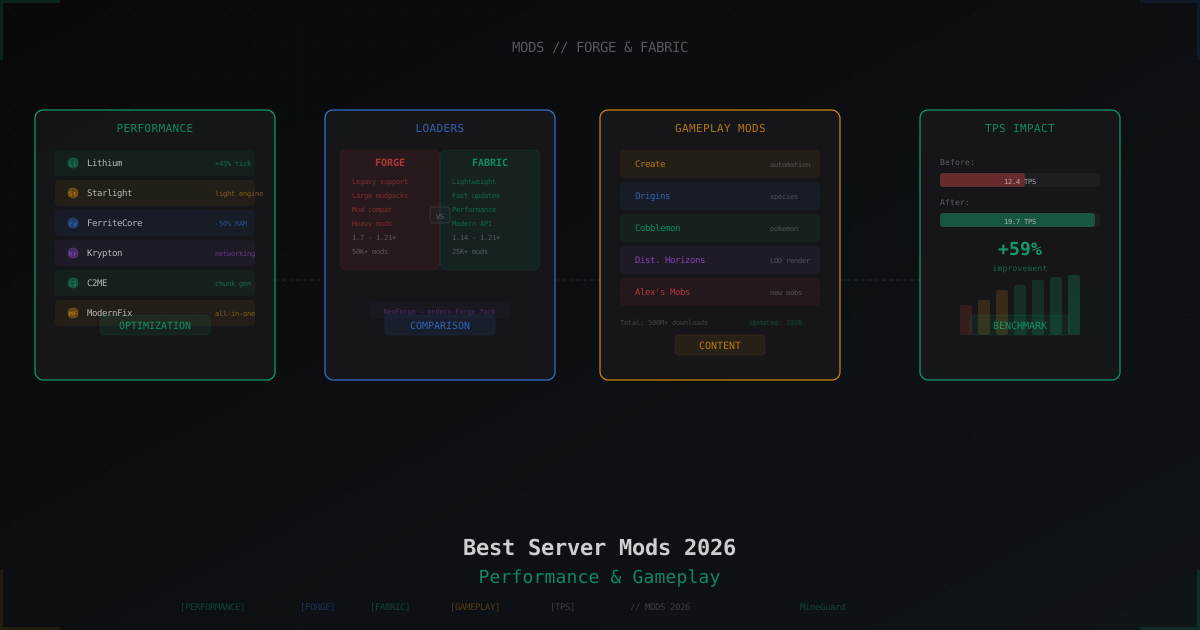
Best Minecraft Server Mods 2026: Forge, Fabric, and What to Install
Curated list of server-side Minecraft mods for 2026: performance, world gen, gameplay, utilities. Forge and Fabric covered separately with versions and compatibility tips.
Java Edition vs Bedrock Edition DDoS Protection: What's Different
Understanding why protecting Java and Bedrock servers requires completely different approaches, and what every server owner needs to know.
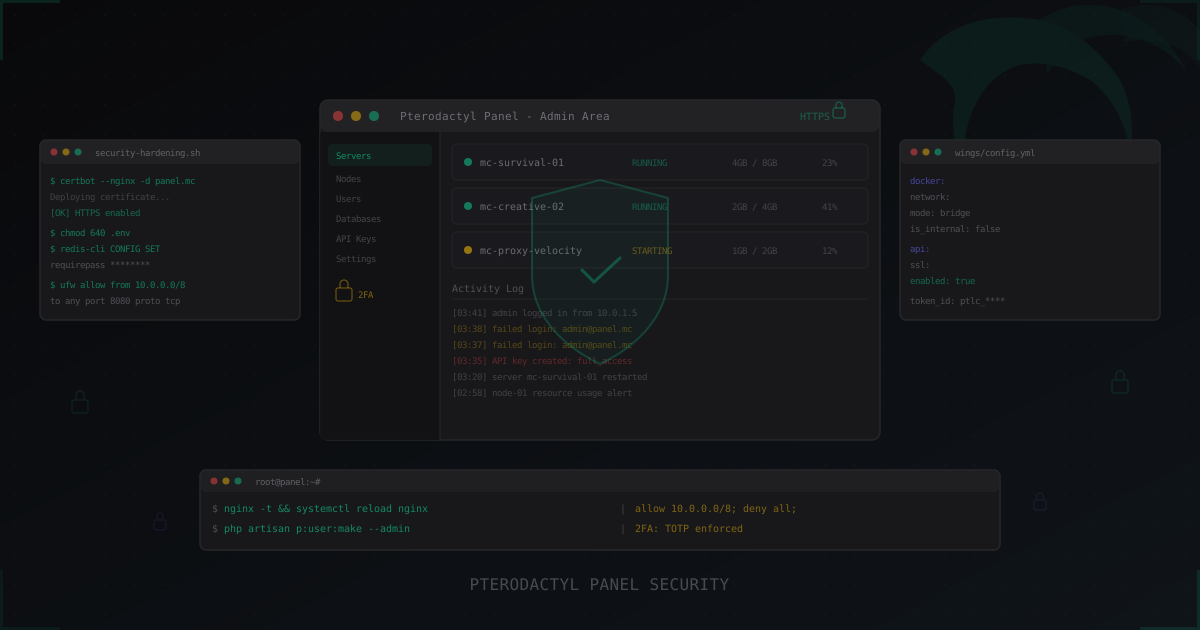
Pterodactyl Panel Security: How to Secure Your Server Management Panel
Complete guide to securing Pterodactyl Panel: SSL, 2FA, Wings hardening, Docker isolation, database and Redis security, API key management, monitoring, and brute-force protection. Plus a look at Pelican as the Pterodactyl successor.