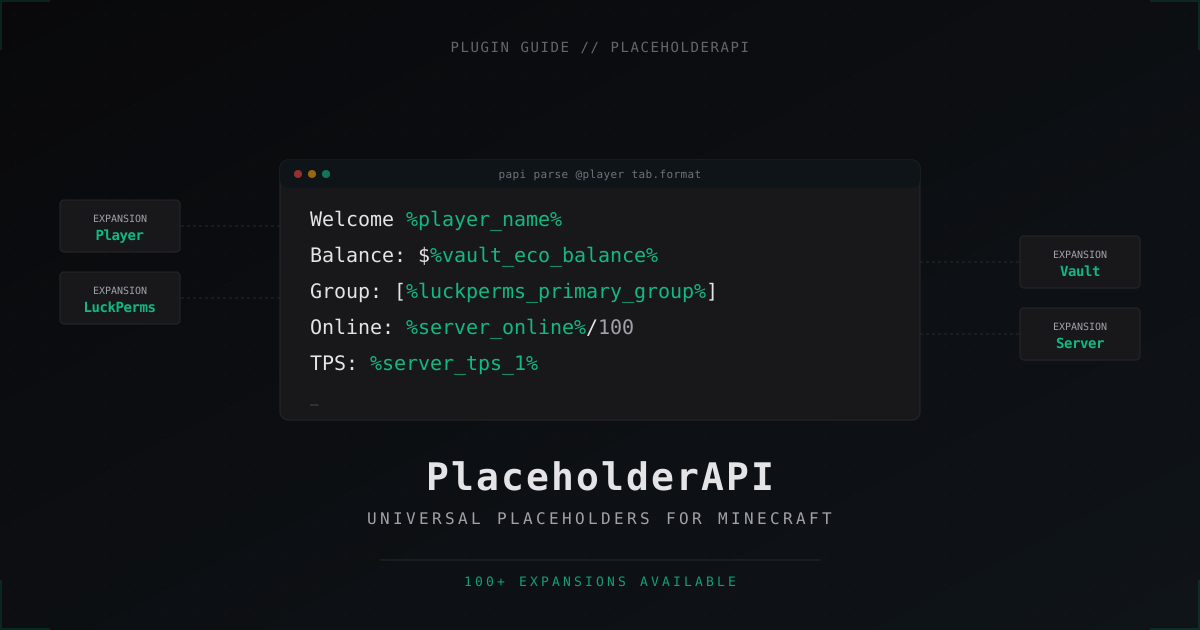
PlaceholderAPI on a Minecraft server: setup, expansions and examples
PlaceholderAPI (usually shortened to PAPI) is a bridge plugin that other plugins use to exchange dynamic data. Without it, half of the modern content in TAB, scoreboards and chat just doesn't work. Let's go through how to install it, which expansions to add, and where it actually gets used.
What PlaceholderAPI is and why you need it
PAPI by itself does nothing. It's an API plugin that gives other plugins a unified format for substituting data into strings. Any plugin that wants to show a player's name, balance, LuckPerms group or current TPS just writes %player_name% or %vault_eco_balance% in its config, and PAPI replaces it with the real value on the fly.
The big win is one format for everything. Previously, your TAB plugin had its own placeholders, your scoreboard plugin had different ones, and chat plugins had a third set. With PAPI it's one universal syntax, and any plugin that supports it can read data from any source.
In practice, PAPI runs on roughly 90% of servers from small SMPs to large minigame networks. If you're running a server with any TAB, scoreboard, custom chat or holograms plugin, you'll almost certainly need it.
Installing PlaceholderAPI
Grab the stable version from Spigot. Drop the .jar into plugins/, restart the server. Done.
On first start PAPI creates a plugins/PlaceholderAPI/ folder with an expansions/ subdirectory. That's where add-ons go to provide the actual placeholders. PAPI on its own is nearly useless, so the next step matters more than the install.
Version compatibility: Paper and Spigot 1.16.5 through 1.21.x. For Folia there's a separate PAPI 2.11+ fork. The regular version won't load on Folia because of scheduler differences.
How it works: provider and consumer
PAPI follows a simple model. There are providers (expansions) - plugins or modules that supply data. And there are consumers - plugins that drop those values into their messages.
For example, you write this in a TAB plugin config:
header: '&aOnline: %server_online%/%server_max_players%'
The TAB plugin sees %server_online%, asks PAPI, PAPI finds the right expansion (here Server) and returns the current player count. The TAB plugin doesn't need to know anything about how the server tracks that number, which is exactly the point.
Useful commands
PAPI ships with a handful of commands for debugging and management:
/papi list
/papi info <expansion>
/papi parse <player> <text>
/papi parse me %player_name% has $%vault_eco_balance%
/papi reload
/papi ecloud download <expansion>
/papi parse me <text> is the single most useful debugging tool. If a placeholder shows up literally in TAB or chat (%player_name% instead of the name), run this command. If PAPI resolves it correctly, the issue is on the consumer side. If it returns the raw text, the expansion isn't installed or you have a typo.
Installing expansions via ecloud
You used to download expansions manually from the website. Now there's a built-in ecloud:
/papi ecloud download Player
/papi ecloud download Vault
/papi ecloud download Statistic
/papi ecloud download Server
/papi ecloud download Math
/papi reload
After each download you need /papi reload or a server restart. Until the reload, the expansion sits in the folder but isn't active.
A solid baseline for most servers: Player, Server, Vault (if you run an economy), LuckPerms (if it's your permissions plugin), Statistic (for general game stats).
Top useful expansions
Player - the most basic one, installed nearly everywhere. Provides %player_name%, %player_displayname%, %player_uuid%, %player_health%, %player_food_level%, %player_world%, %player_ping%, coordinates, gamemode and dozens more.
Server - server-side info. %server_online%, %server_max_players%, %server_unique_joins%, %server_tps_1%, %server_uptime%, %server_ram_used%. The TPS placeholders are gold for admin scoreboards.
Vault - economy and groups via Vault API. %vault_eco_balance%, %vault_eco_balance_formatted% (with thousand separators), %vault_prefix%, %vault_suffix%, %vault_group%. Works with any economy that hooks into Vault: EssentialsX, CMI, TheNewEconomy.
LuckPerms - the choice if you run LuckPerms (and most servers do). %luckperms_primary_group_name%, %luckperms_prefix%, %luckperms_suffix%, %luckperms_meta_<key>%. Better than Vault for prefix/suffix because it preserves color codes properly.
Statistic - in-game stats from the Bukkit API. %statistic_play_one_minute% (total playtime), %statistic_mob_kills%, %statistic_deaths%, %statistic_blocks_broken%. Be careful here: some fields are heavy lookups, don't shove 20 of them into TAB per player.
Math - inline math expressions. %math_0_{%player_health%}/2% returns half of the player's health. Handy for scoreboard arithmetic without writing scripts.
Custom placeholders via JavaScript
For non-standard cases there's the JavaScript expansion. It lets you write custom placeholders in JS without compiling a separate plugin.
Example: you want a %js_kdr% placeholder that calculates a player's k/d ratio. Create plugins/PlaceholderAPI/javascript_placeholders.yml:
kdr:
  description: 'Kill / death ratio'
  script_file: 'kdr.js'
And the script itself at plugins/PlaceholderAPI/javascripts/kdr.js:
function kdr(player, args) {
    var kills = parseInt(PlaceholderAPI.setPlaceholders(player, "%statistic_player_kills%"));
    var deaths = parseInt(PlaceholderAPI.setPlaceholders(player, "%statistic_deaths%"));
    if (deaths === 0) return kills.toFixed(2);
    return (kills / deaths).toFixed(2);
}
After /papi reload the placeholder %javascript_kdr% works everywhere. The Nashorn JS engine was removed in Java 11+, so on modern versions install GraalVM JS or use the PlaceholderAPI Javascript Expansion fork.
Where to use PAPI on a server
TAB / Tablist (TAB plugin) - the most common case. Header, footer, player names in the list, even scoreboard through the same plugin, all powered by PAPI.
Scoreboard plugins - FeatherBoard, AnimatedScoreboard, TAB itself. Dynamic boards with balance, rank and playtime are built entirely on PAPI.
Chat plugins - DeluxeChat, EssentialsXChat, VentureChat. Message format and hover/click events are written with placeholders.
Holograms - HolographicDisplays, DecentHolograms. Top-player leaderboards, balance over a bank ATM, current online count.
ItemsAdder, Oraxen, MMOItems - displayed item name and lore often use PAPI for dynamic fields.
Skript scripts - built-in support via parsed placeholder syntax.
Practical example: TAB and chat formats
TAB plugin config with placeholders:
header:
  - '&8&m-----&r &aMineGuard &8&m-----'
  - '&7Online: &a%server_online%&7/&a%server_max_players%'
  - '&7TPS: &a%server_tps_1%'
footer:
  - '&7Balance: &6$%vault_eco_balance_formatted%'
  - '&7Group: &b%luckperms_primary_group_name%'
  - '&7Ping: &e%player_ping%ms'
DeluxeChat config for chat:
formats:
  default:
    priority: 100
    format: '%luckperms_prefix%%player_name%%luckperms_suffix% &8» &f{message}'
  vip:
    priority: 50
    permission: 'group.vip'
    format: '&6[VIP] %player_name% &8» &e{message}'
In EssentialsXChat placeholders are enabled in essentials/config.yml:
chat:
  format: '{DISPLAYNAME} &8» &f{MESSAGE}'
  group-formats:
    vip: '&6[VIP] {DISPLAYNAME} &8» &e{MESSAGE}'
EssentialsXChat has supported PAPI since EssentialsX 2.19+. Before that you needed a separate EssentialsXChat-PlaceholderAPI hook plugin.
Performance and caching
PAPI itself is fast. Problems start with heavy expansions that hit the database on every placeholder request. For instance, %statistic_play_one_minute% for all 100 players in TAB every 2 seconds is 50 SQL queries per second, and if stats live in a database that's noticeable load.
What to do:
- Don't pile more than 5-10 placeholders per player in a single TAB line. Per-player stats multiply by online count.
- Bump the refresh interval in your TAB plugin. The default is usually 1 second; 5-10 seconds is plenty for most placeholders.
- Use relational placeholders only when actually needed. They're more expensive because they're computed for a pair of players, not one.
- Profile with timings.
/timings pastewill surface plugins eating CPU, and a specific expansion may show up there.
When a placeholder doesn't work
Standard situations where %player_name% shows up literally:
- PAPI isn't installed or didn't load - check
/plugins, the entry should be green. - Expansion isn't downloaded -
/papi listshows active ones. If yours is missing, run/papi ecloud download <name>. - The plugin doesn't use PAPI - not every plugin reads placeholders. Vanilla Bukkit MOTD from server.properties doesn't, you'd need a separate MOTD plugin with PAPI support.
- Typo in the name -
%player_health%works,%player_hp%doesn't./papi listshows the exact names. - PAPI hook is opt-in in the consumer plugin - some configs have a
placeholderapi: trueflag that's off by default.
The /papi parse me <text> command is your main tool. If it resolves the placeholder but the consumer plugin doesn't, the consumer hasn't enabled its PAPI hook.
FAQ
Which is better, PlaceholderAPI or MVdWPlaceholderAPI
PAPI is the industry standard now. MVdWPlaceholderAPI was popular on 1.8 and 1.12 but the author stopped maintaining it years ago. Most modern plugins handle both via the MVdWPlaceholderAPI Hook bridge plugin, but if you're starting from scratch, just use PAPI and don't look back.
How do I write my own expansion
Create a Java plugin or standalone .jar in the expansions/ folder. Your class extends PlaceholderExpansion, you override onPlaceholderRequest(Player p, String identifier) and return the value you want. getIdentifier() defines the prefix (e.g. myplugin for %myplugin_xxx%). The PAPI GitHub wiki has working examples.
Can I use PAPI in an item name
Only if the plugin rendering the item supports placeholders. Vanilla Bukkit ItemStack doesn't parse them. ItemsAdder, Oraxen, MMOItems and DeluxeMenus do. For custom GUIs, DeluxeMenus is usually the front-end of choice.
Why does %vault_eco_balance% return 0
Three reasons. First, Vault isn't installed or didn't find an economy provider (you need EssentialsX, CMI or another plugin with a Vault hook). Second, the player has no economy account yet (Essentials creates one on first join after install). Third, you're using the formatted placeholder %vault_eco_balance_formatted% and the value is just small enough to round to 0.
Does a lot of placeholders in TAB load the server
Depends on which ones. Player and Server placeholders are cheap, they read from memory. Statistic, LuckPerms-meta and custom SQL-backed placeholders are more expensive. In practice 5-10 placeholders per player in TAB with a 5-second interval doesn't add noticeable load even at 200 online. Problems show up at 50+ placeholders refreshing every second.
What are relational placeholders
These are placeholders shaped like %rel_<expansion>_<id>%, computed for a pair of players (viewer and target). They're used mainly in TAB for things like coloring names based on team affiliation (enemy red, ally green). More expensive than regular placeholders because they run N×M times instead of N.
What's next
Install the basic set - Player, Server, Vault, LuckPerms - and run /papi list to see what's available. Then bring in a TAB plugin and start building a scoreboard. When you want something non-standard, the JavaScript expansion covers most cases without writing a separate plugin.
If you use PAPI heavily on a busy server, run /timings paste weekly and check whether any expansion has crept into the top of the cost list. Usually it's Statistic or a custom expansion with heavy queries.
Protect Your Server from DDoS Attacks
Free protection with 5-minute setup. 1 TB bandwidth included.
Try for FreeRelated Articles
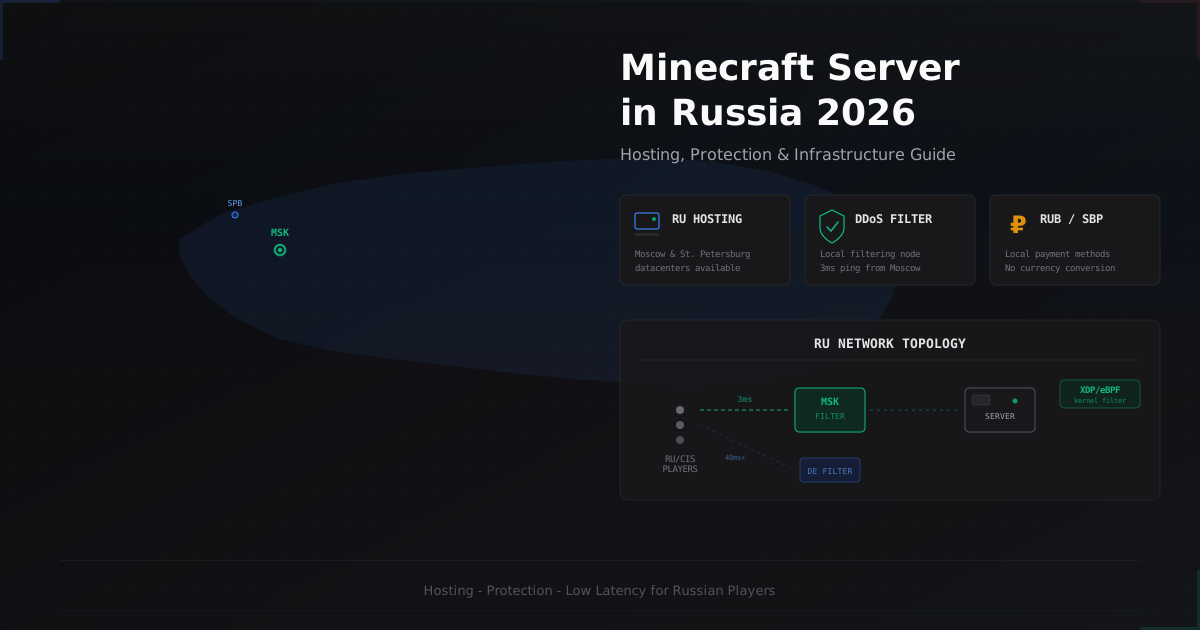
Minecraft Server in Russia 2026 - Hosting, Protection & Specifics
A comprehensive guide to running and protecting a Minecraft server in Russia in 2026. Covers hosting providers, Russian ISP specifics, DDoS protection options, RUB payments via SBP, and CIS community specifics.
Why Free DDoS Protection Isn't Enough for Growing Servers
A free plan works great when you are starting out. But as your server grows, attacks get stronger, and free bandwidth and features fall short. We break down when it is time to upgrade.
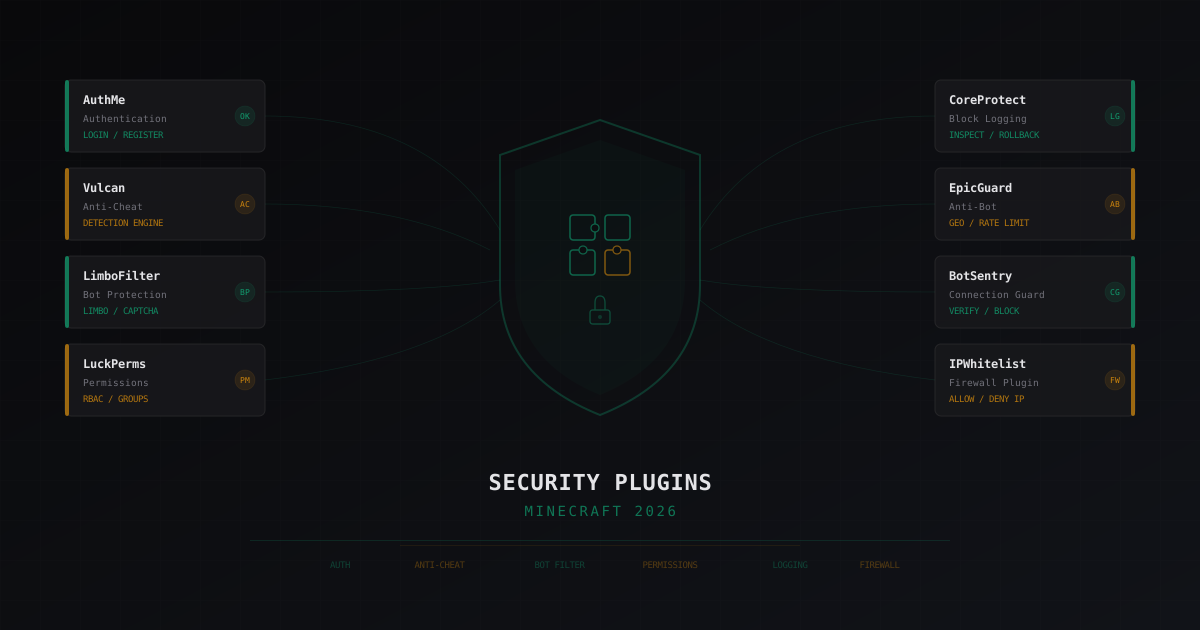
Best Security Plugins for Minecraft 2026: An Honest Review
Breaking down security plugins for Minecraft servers: authentication, anti-cheat, bot protection, permissions, logging. Honest pros and cons for each solution with configuration tips.