Hosting a resource pack for a Minecraft server: complete guide (2026)
If your server runs custom models through ItemsAdder or Oraxen, a custom font, four-language translations, or just a vanilla pack with lore textures, you will eventually hit the same wall: where should this zip live so that the client downloads it fast, without disconnects, without Failed to download resource pack. This guide walks through how to host a pack properly, how to generate the sha1, which server.properties keys are valid on 1.21+, and why Discord CDN dropped out of this game in late 2024.
Why host a pack yourself instead of a plugin handling it
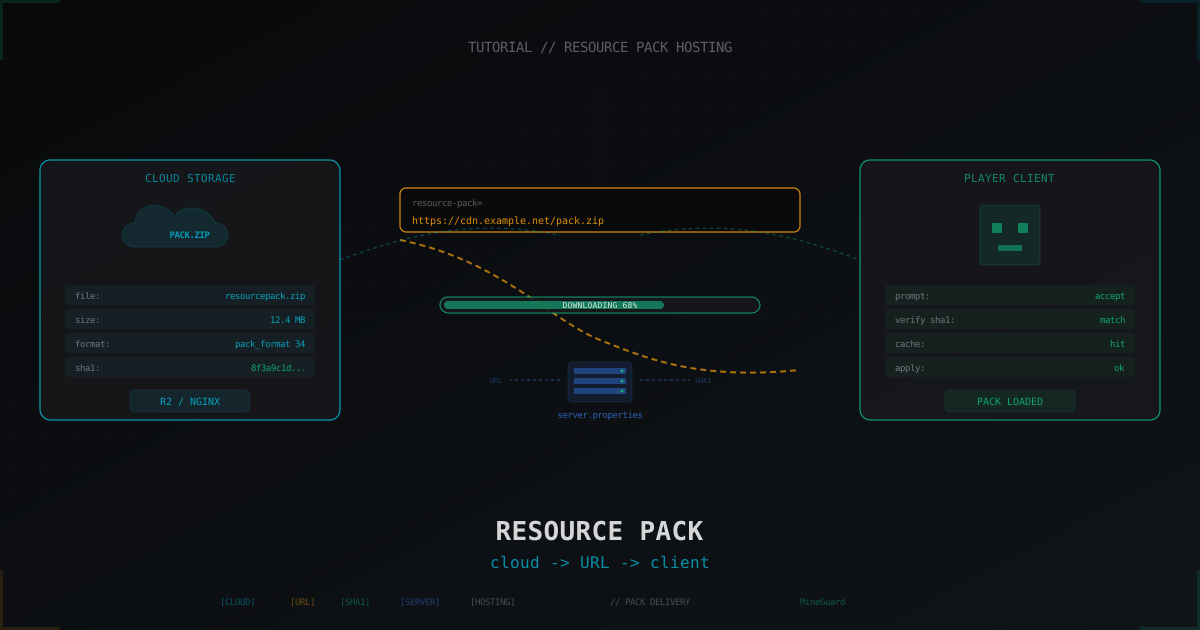
Minecraft 1.20.3+ can push up to fifty resource packs to a single client through the server API, but the actual texture bundle never travels through the Minecraft connection. The vanilla client opens a plain HTTPS GET to the URL from resource-pack= (or whatever the plugin sent) and pulls the zip directly. The Minecraft server takes no part in that exchange: it does not care if the pack lives on the same box or on another continent, only that the URL responds and the hash matches.
That gives you a simple rule: pack download speed and reliability have nothing to do with your Minecraft hosting and everything to do with where the zip lives. If the pack ships from a cheap US VPS at 100 Mbps, a player from Poland on a normal home connection waits 30 seconds just on rope-pull, and any TCP hiccup gives them a timeout. Put the pack behind a real CDN (Cloudflare, Bunny, R2) and the same download finishes in 2-3 seconds regardless of the player's region.
Second piece: force-resource-pack=true plus a correct resource-pack-sha1 is the key to making the client either auto-accept the pack or fail cleanly with Failed to apply resource pack. Without sha1 the client redownloads the pack on every join, which is either wasted bandwidth or wasted seconds for the player. With a correct sha1 the client caches the archive after the first download and on subsequent joins simply pulls it off disk.
Pack prep: pack.mcmeta, format, zipping
Before you host anything, make sure the pack is structured right. Base layout for Minecraft 1.21+:
my-pack/
  pack.mcmeta
  pack.png
  assets/
    minecraft/
      textures/
      models/
      lang/
      sounds/
pack.mcmeta for 1.21.4 (Java Edition) carries the pack_format. Each client version has its own number, the canonical table lives on minecraft.wiki under Pack format. As of mid-2025, 1.21.4 is pack_format 46 and 1.21 is 34. If you set the wrong number the client does not throw an error, it just silently drops some textures.
{
  "pack": {
    "pack_format": 46,
    "supported_formats": [34, 46],
    "description": "MyServer textures 1.21+"
  },
  "language": {
    "en_us": {"name": "English", "region": "US", "bidirectional": false}
  }
}
supported_formats lets clients on different versions accept the same archive, and language is only relevant if you ship a custom lang/en_us.json on top of vanilla. Do not forget pack.png (64x64 or 128x128, normal PNG), the client shows it in the pack list.
Building the archive. The trick is to zip the contents, not the parent folder:
cd my-pack
zip -r -9 ../my-pack.zip . -x "*.DS_Store" -x ".*"
Validation: unzip -l my-pack.zip | head should show pack.mcmeta and assets/ at the top level, no extra my-pack/ wrapper. If there is a wrapping folder inside, the client throws Couldn't load resource pack: invalid pack format.
Generating sha1: sha1sum and online tools
Minecraft checks the SHA-1 of the zip bytes, plain and simple. No salt, no tricks. Linux/macOS:
sha1sum my-pack.zip
8f3a9c1d4e2b6f7a8d9e0f1a2b3c4d5e6f708192  my-pack.zip
Windows via PowerShell:
Get-FileHash -Algorithm SHA1 .\my-pack.zip
The hash must be lowercase in server.properties, otherwise the vanilla client trips its check and reports pack hash mismatch. If you edit the file by hand, paste the sha1sum output verbatim. If you automate pack updates, add a CI step:
HASH=$(sha1sum my-pack.zip | awk '{print $1}')
echo "resource-pack-sha1=${HASH}" > .env.pack
The .env.pack then gets templated into your server.properties at deploy time.
Option 1: GitHub raw
Cheapest and simplest path, especially if the pack already lives in git. Make a public repo, drop my-pack.zip in, take the raw URL:
https://raw.githubusercontent.com/<user>/<repo>/main/my-pack.zip
Pros: free, versioned through git tags and commits, easy rollback. Cons and gotchas:
- GitHub officially does not endorse raw as a binary CDN. If your pack pulls thousands of times per hour you can hit rate limits, and abusive cases get the account flagged.
- One file in a normal repo is capped around 100 MB; bigger packs need Git LFS, and LFS serves through its own URL with its own bandwidth quota.
- Latency is medium. raw.githubusercontent.com fronts through GitHub and Fastly, fine for most regions but rarely the fastest.
When it fits: small server, pack under 20 MB, fewer than 100-200 concurrent players.
Option 2: Mc-Packs.net
A purpose-built host for server resource packs. Drop the zip on mc-packs.net via the web form, get a direct URL plus the precomputed sha1. They offer an API for rotating the same URL on update.
Pros: free, no infrastructure on your side, sha1 ready to copy. Cons: you depend on a third-party service; if their box hiccups your pack stops loading and you only find out from chat. Free tier comes with no SLA, no guarantee that the link is alive a year from now.
When it fits: test server, small production, or as a backup mirror to your primary host.
Option 3: Cloudflare R2
R2 is Cloudflare's S3-compatible object storage with no egress fees (the headline difference vs AWS S3). Storage costs cents, player downloads cost nothing. Reference: developers.cloudflare.com/r2.
Baseline flow:
- Create an R2 bucket.
- Upload the zip via
rcloneoraws s3 cpwith the R2 endpoint. - Bind a public domain (
packs.example.net) to the bucket through R2 settings. - Set Cache-Control:
public, max-age=31536000, immutableon the zip so clients and the Cloudflare edge do not poke origin again.
rclone upload:
rclone copy ./my-pack.zip r2:my-bucket/ --header-upload "Cache-Control: public,max-age=31536000,immutable"
URL for server.properties:
https://packs.example.net/my-pack-v12.zip
Note the -v12 in the filename. That is intentional: instead of fighting cache invalidation, every new pack gets a new filename, the sha1 changes, old players pull the new file, the cache works clean. Free on R2, also a good practice on every other CDN.
R2 pros: Cloudflare anycast, no egress billing, native Cloudflare cache integration, simple public domain. Cons: a one-time setup with the Cloudflare API and rclone, but you do it once.
Option 4: Self-hosted nginx or Caddy
If you already run a VPS or dedicated box for the server website, host static files there. Minimal nginx:
server {
    listen 443 ssl http2;
    server_name packs.example.net;

    ssl_certificate /etc/letsencrypt/live/packs.example.net/fullchain.pem;
    ssl_certificate_key /etc/letsencrypt/live/packs.example.net/privkey.pem;

    root /var/www/packs;

    location ~* \.zip$ {
        add_header Cache-Control "public, max-age=31536000, immutable";
        add_header Access-Control-Allow-Origin "*";
        sendfile on;
        tcp_nopush on;
    }
}
Caddy is even shorter:
packs.example.net {
    root * /var/www/packs
    file_server
    header /*.zip Cache-Control "public, max-age=31536000, immutable"
}
Pros: full control, near-zero latency if pack host and game host live in the same DC. Cons: you own uptime, backups, and bandwidth. With a 100 Mbps VPS and 200 players hitting after a restart, the pipe saturates for 30 seconds and someone times out.
Sane default: front your own nginx with Cloudflare proxy mode (orange cloud). You get free edge caching and the spike absorbs into the edge.
Discord CDN: why NOT
For years admins uploaded the zip to a private Discord channel and copied the attachment URL into server.properties. It worked for ages, and until late 2023 those URLs were permanent.
In late 2023 Discord rolled out signed temporary URLs (?ex=...&is=...&hm=...), and by spring 2024 it became the default for every attachment. The signature expires in roughly 24 hours. So if you set such a URL today, tomorrow your players see Failed to download resource pack. Bot tricks that rotate the signature do not save you either; Discord ToS explicitly bans using their CDN as third-party hosting.
Bottom line: Discord CDN is dead for resource packs. If your server.properties currently points at cdn.discordapp.com/..., migrate to any option above before chat starts blowing up.
server.properties config
On Paper/Spigot/Folia 1.21+ the relevant keys are:
resource-pack=https://packs.example.net/my-pack-v12.zip
resource-pack-sha1=8f3a9c1d4e2b6f7a8d9e0f1a2b3c4d5e6f708192
require-resource-pack=true
resource-pack-prompt=Required textures for the server
Things to know:
resource-pack-sha1is the actual key name, notresource-pack-hash, notsha-1. Documented on minecraft.wiki under Server.properties.require-resource-pack=trueis the modern equivalent of the oldforce-resource-pack. If a player rejects it, the server kicks them with the message fromresource-pack-prompt(or a default message if prompt is empty).- 1.20.3 and earlier had a 224-character URL limit. 1.20.3+ removed it, but try to stay under 1024 chars; some launchers and mods still truncate.
resource-pack-promptaccepts a basic JSON text component, you can color and translate it.
After editing server.properties you must restart the server; hot-reload of these keys does not work.
Per-player packs: ItemsAdder, Oraxen, force-resource-pack plugins
Through server.properties you can ship one pack. But on 1.20.3+ the server API can push up to fifty packs per session, and every major custom-item plugin uses this.
ItemsAdder and Oraxen self-host the pack: install the plugin, it generates the zip, runs an embedded HTTP server (or hands off to your nginx) and pushes to the player via ProtocolLib or the Paper API. Your only job is making sure the listening port is reachable from the public internet, not just the LAN.
If you want to layer your own pack on top, ResourcePackHost or ForceResourcePack-style plugins push a pack on PlayerJoinEvent via Player#setResourcePack(url, sha1). They typically expose per-permission or per-world packs too: a lobby pack for the hub, a survival pack for the gameplay server.
Edge case: BungeeCord/Velocity. The proxy has no server.properties, the pack ships either through the Velocity API or a plugin on the backend server. Most setups go the second way because that gives a per-server control point.
Multi-language packs
If your server runs ru/en/de translations, you have two paths: ship one big pack with lang/ folders for every language (the client picks the right one based on its settings), or ship multiple packs and pick per player via plugin and locale.
The vanilla path is cleaner: drop assets/minecraft/lang/ru_ru.json, en_us.json, de_de.json into one zip and list them in the language section of pack.mcmeta. Archive size barely grows (lang files are 50-200 KB JSON each), and everything works without plugins.
If packs diverge a lot (Halloween textures only for ru clients, for example), then route per locale through a plugin that reads Player#getLocale().
Hosting options table
| Method | Cost | Speed | Limits | When to pick |
|---|---|---|---|---|
| GitHub raw | free | medium | 100 MB file, soft rate-limit | small server, <20 MB pack |
| Mc-Packs.net | free | medium | no SLA, third-party infra | test, mirror, small prod |
| Cloudflare R2 | cents/month | high (anycast) | free egress, any bucket size | mid and large prod |
| Nginx/Caddy | VPS cost | depends on uplink | your uptime, your backups | already have a VPS |
| Classic S3 | $$$ on egress | high | egress is the killer | already on AWS |
| Discord CDN | free | works briefly | URL dies in 24 h | never |
Debugging: pack does not load
Symptoms and where to dig:
-
Failed to download resource pack. Check the URL by hand withcurl -I. If you get 200 OK with sane Content-Type (application/zip or application/octet-stream), move on. 403 means the CDN is blocking you, check the rules. Timeout means the URL does not resolve from a third-party box, fix DNS or firewall. -
Pack hash mismatch. 99% of the time it is a sha1 mismatch betweenserver.propertiesand the actual file. Recompute viasha1sum, paste it verbatim, restart. -
Players say the pack downloads but textures do not apply. Check
pack_formatinpack.mcmeta, it likely does not match the client version. Add asupported_formatsarray. -
Couldn't load resource pack: invalid pack format. The zip has an extra wrapper folder. Repack viacd my-pack && zip -r ../my-pack.zip ., notzip -r my-pack.zip my-pack/. -
Custom CA. If your pack lives behind self-signed TLS, the vanilla client refuses it. Use Let's Encrypt, ZeroSSL, or any public CA.
Versioning without pain
The most common pack-update bug: you replaced the zip at the same URL, refreshed the sha1 in config, restarted the server, but a fraction of players still load the old pack from cache. The cache is keyed on URL, not contents.
Fix: every new pack version gets a new filename. Instead of pack.zip, ship pack-v1.zip, pack-v2.zip. No cache invalidation, no Cache-Control: no-cache, fresh joiners pull the current build. Old files can be dropped a week or two later when stragglers caught up.
The same trick handles long CDN cache: Cloudflare or Bunny edges can hold a file for days, but you uploaded a new build five minutes ago. Versioned filenames sidestep the conflict entirely.
FAQ
Can I ship the pack over plain HTTP without TLS? Technically yes, the vanilla client accepts http://. In practice do not: corporate networks and some ISPs filter unknown http hosts, and Let's Encrypt is free and installs in two commands.
What about a 200 MB pack? The client will accept it, but consider splitting into a base + addon flow and shipping the second piece via ItemsAdder/Oraxen API. Big zips mean long downloads on mobile and more chances for the connection to drop.
Why immutable in Cache-Control?
It tells the browser/client this URL never changes. With a versioned filename (pack-v12.zip) that is true, and the client stops sending revalidation requests.
SHA-1 is broken, can I use SHA-256?
You can, starting Minecraft 1.20.3+ via the server API through Player#setResourcePack with a hash parameter, but the server.properties field is still resource-pack-sha1. Crypto strength is irrelevant here, the hash is just an integrity check and a cache key.
What about Bedrock packs?
Bedrock works differently: the pack ships through the Minecraft protocol itself, no HTTP. If you run cross-platform via Geyser/Floodgate, custom Bedrock packs go in the world's behavior_packs and resource_packs folders separately.
Can I serve the pack from the Minecraft server itself? Technically yes, Paper plugins can spin up a tiny web server. In practice do not: pack traffic competes with player traffic on the same uplink, and tick rate suffers under load. Keep the pack on a separate host or CDN.
Once the pack ships from a CDN with a correct sha1, versioned filenames, and reasonable Cache-Control, the download story stops being a problem. Players get textures in a couple of seconds, the cache works transparently, and on update you just upload a new file with a new name and drop the fresh hash into config.
Protect Your Server from DDoS Attacks
Free protection with 5-minute setup. 1 TB bandwidth included.
Try for FreeRelated Articles
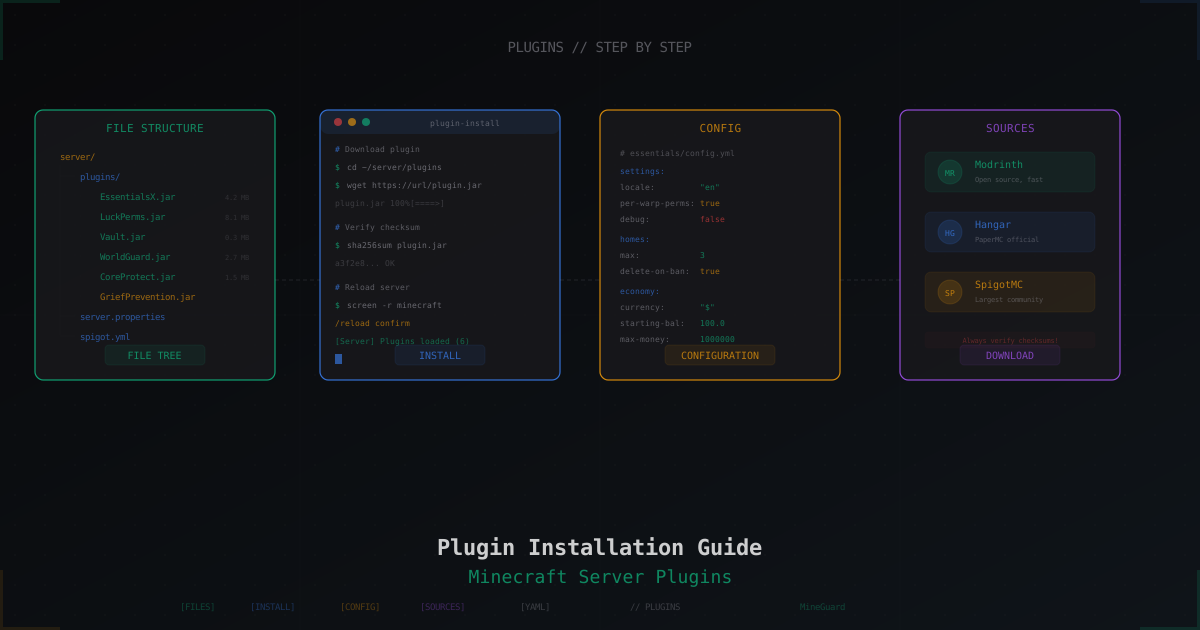
How to Install Plugins on a Minecraft Server: Complete Guide
Step-by-step guide to installing plugins on a Minecraft server: where to download, how to install, how to fix errors. Bukkit, Spigot, Paper - practical walkthrough.
Beginner's Guide: How to Protect Your Minecraft Server
A step-by-step guide to protecting your Minecraft server from DDoS attacks, bots, and other threats. What to look for in a protection provider and how to configure your server properly.
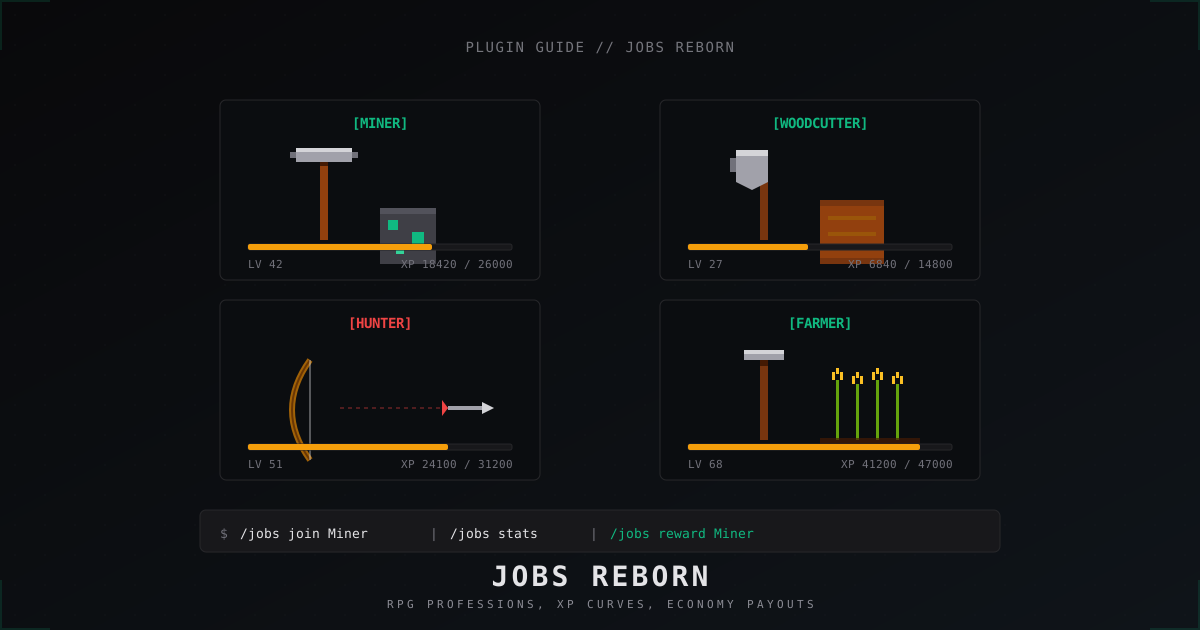
Jobs Reborn: setting up RPG jobs on a Minecraft server (2026)
A full walk-through of Jobs Reborn 5.x in 2026: Vault install, Miner and Woodcutter configs, XP and payment formulas, placed-block anti-abuse, and /jobs reward shops.