GeyserMC and Crossplay: How to Secure a Server with Bedrock Players
Crossplay in Minecraft has gone from a niche experiment to something players expect by default. Bedrock players on phones, consoles, and Windows 10 want to play on Java servers alongside their friends. GeyserMC makes this possible by translating Bedrock protocol to Java on the fly. Sounds great, but from a security standpoint, it opens up a whole layer of problems that most server owners never think about.
This article breaks down what happens under the hood, what risks come with connecting Bedrock players, and how to lock everything down properly.
What GeyserMC Does Under the Hood
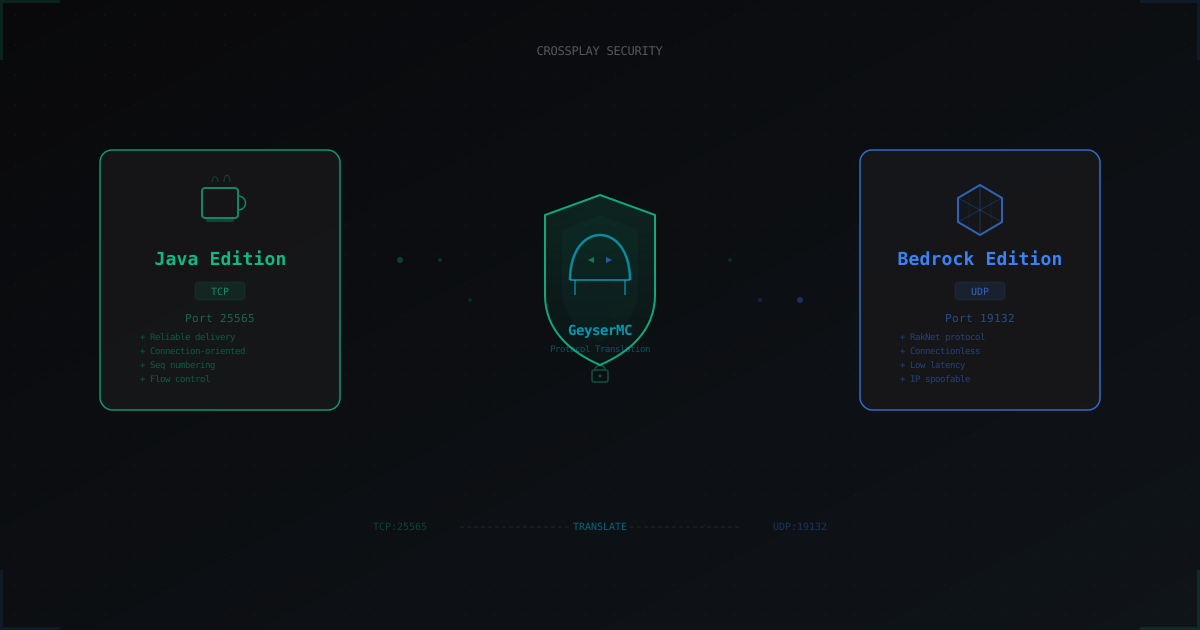
GeyserMC is a protocol translation layer. It accepts connections from Bedrock clients and translates them into Java Edition format. The Bedrock client thinks it is connecting to a normal Bedrock server. The Java server thinks a normal Java client just joined. GeyserMC sits in the middle, converting packets both ways.
The key detail: Bedrock Edition uses UDP (RakNet protocol) on port 19132, while Java Edition runs on TCP port 25565. These are fundamentally different protocols with different security characteristics.
When you install GeyserMC, you are essentially opening a second protocol on your server. Before, you had just a TCP port. Now you also have UDP. That changes things significantly.
Installation Modes
GeyserMC runs in several modes:
Plugin mode. Geyser installs as a plugin on your server (Paper, Spigot) or proxy (Velocity, BungeeCord). Simplest option, but Bedrock traffic arrives directly at the machine running your game server.
Standalone mode. Geyser runs as a separate application, potentially on a different machine. It accepts Bedrock connections and proxies them to your Java server. More flexible from an architecture perspective.
# config.yml (Geyser)
bedrock:
  address: 0.0.0.0
  port: 19132
  motd1: "My Server"
  motd2: "Crossplay Enabled"

remote:
  address: 127.0.0.1
  port: 25565
  auth-type: online
The mode you choose affects your security posture. More on that below.
UDP Port 19132: The New Attack Surface
Here is the core problem. When you install GeyserMC, you expose UDP port 19132 to the outside world. And UDP and TCP are two very different animals when it comes to DDoS protection.
Why UDP Is Riskier Than TCP
TCP has a handshake mechanism (SYN, SYN-ACK, ACK). Before a connection is established, both sides exchange packets and confirm each other's existence. This provides basic protection against IP spoofing.
UDP has no such mechanism. Packet sent, packet received. No handshake, no confirmation, no verification of the source address. This means:
-
IP spoofing is trivial. An attacker can send UDP packets with any source IP address. Your server cannot tell a spoofed packet from a real one until it starts parsing.
-
Amplification attacks. If your Geyser responds to arbitrary UDP requests with larger packets, it can be used as a reflector in attacks against third parties.
-
Flooding is easier. TCP floods require completing a handshake. UDP floods just need to blast packets at the port.
For more on TCP vs UDP attack differences in the Minecraft context, see TCP vs UDP attacks.
RakNet Specifics
Bedrock Edition uses RakNet on top of UDP. RakNet adds its own reliability layer: retransmission of lost packets, ordering, fragmentation. But all of this runs over UDP, which means the first packet still arrives without any verification.
GeyserMC must accept and parse the incoming RakNet packet before deciding whether a client is legitimate. Every junk packet on port 19132 consumes CPU for parsing.
Floodgate: Bedrock Player Authentication
One of the critical crossplay problems is authentication. Java Edition uses Mojang/Microsoft accounts. Bedrock Edition uses Xbox Live. Two different systems that need to be bridged.
What Floodgate Does
Floodgate is a companion plugin for GeyserMC. It lets Bedrock players join Java servers without needing a Java account. Floodgate verifies Xbox Live authentication and allows the player through with a prefix (typically a dot: .PlayerName).
# config.yml (Floodgate)
username-prefix: "."
replace-spaces: true
Why Floodgate Matters for Security
Without Floodgate, you have two options:
Online mode (auth-type: online). Bedrock players must have a licensed Java account and enter its credentials when connecting through GeyserMC. Impractical, since most Bedrock players don't own a Java account.
Offline mode (auth-type: offline). Bedrock players join with no verification at all. Anyone can connect under any name. This is a security disaster on production servers: account spoofing, inventory theft, privilege escalation.
Floodgate solves both problems: Xbox Live authentication verifies identity, and the prefix prevents conflicts with Java nicknames.
Floodgate Encryption Keys
Floodgate generates a key pair (public/private). The public key goes on GeyserMC, the private key on the backend server. This lets the server verify that Bedrock player data actually came from Geyser and was not forged.
If someone obtains your Floodgate private key, they can forge Bedrock player authentication. Store these keys with the same care as your Velocity forwarding secret.
GeyserMC Behind a Proxy: Proper Architecture
The most secure setup puts GeyserMC behind a Velocity proxy. If you haven't switched to Velocity yet, start with Velocity vs BungeeCord: Why It's Time to Switch.
Architecture
Bedrock client (UDP:19132)
    |
GeyserMC (standalone or Velocity plugin)
    |
Velocity proxy (TCP)
    |
Paper backend servers
Java clients connect directly to Velocity over TCP. Bedrock clients connect to GeyserMC over UDP, which translates them into TCP and passes them to Velocity. From the backend's perspective, all players look the same.
Geyser as a Velocity Plugin
The recommended approach. Install Geyser directly on Velocity:
# velocity.toml
bind = "0.0.0.0:25565"

[servers]
lobby = "127.0.0.1:30001"
survival = "127.0.0.1:30002"

try = ["lobby"]

player-info-forwarding-mode = "modern"
Geyser listens on UDP:19132 on the same machine as Velocity. Translation happens within a single process, no network hops.
Floodgate on Velocity + Backends
Floodgate needs to be installed on both Velocity and every backend server. On Velocity, it handles authentication. On backends, it is needed for correct display of Bedrock player skins and UUIDs.
Keys must match across all servers. Copy key.pem from your Velocity instance to each backend.
Defending Against UDP Floods on Port 19132
Time for practical measures.
Rate Limiting with iptables
Basic protection: limit packet rate per source IP.
# Rate limit on port 19132 (Bedrock)
iptables -A INPUT -p udp --dport 19132 -m hashlimit \
  --hashlimit-name bedrock \
  --hashlimit-above 100/sec \
  --hashlimit-burst 150 \
  --hashlimit-mode srcip \
  -j DROP

# Limit packet size (RakNet packets shouldn't be huge)
iptables -A INPUT -p udp --dport 19132 -m length --length 1500:65535 -j DROP
Tune values based on your actual traffic. 100 packets/sec per IP is more than enough for legitimate Bedrock clients.
GeoIP Filtering
If your players are primarily from a specific region, restrict the UDP port by geography:
# Example: allow UDP 19132 only from US, CA, GB
iptables -A INPUT -p udp --dport 19132 \
  -m geoip ! --src-cc US,CA,GB -j DROP
Not a solution on its own, but it reduces the attack surface.
Standalone vs Plugin: Security Trade-offs
Plugin Mode
Geyser runs as a plugin on your server or proxy.
Pros: Simple setup, everything in one process, native Floodgate integration.
Cons: UDP port is open on the same machine as your game server. A DDoS on UDP:19132 loads the same machine serving Java players. A vulnerability in Geyser could theoretically compromise the entire server.
Standalone Mode
Geyser runs as a separate application, possibly on a separate machine.
Pros: Isolation: DDoS on the Bedrock port does not affect the Java server. Can run on a dedicated machine with a different IP. If Geyser crashes, the Java server keeps running.
Cons: More complex setup. Additional network hop (slight latency increase). Separate update management.
For servers with serious player counts, standalone on a separate machine is the way to go. For smaller servers, plugin mode on Velocity works fine.
Xbox Live Auth vs Offline Mode
This decision defines your entire crossplay security model.
Online Mode (Xbox Live)
remote:
  auth-type: online
Every Bedrock player must be authenticated through Xbox Live. Verified identity, account spoofing protection, bans by Xbox Live ID instead of just IP. This is the only sane choice for production servers.
Offline Mode
remote:
  auth-type: offline
No verification. Any client can connect under any name. Acceptable only for local test servers. On production, this is an invitation to chaos: nickname spoofing, admin impersonation, useless bans.
Use online mode. Always.
Performance Impact and DDoS Resilience
GeyserMC adds overhead. Every Bedrock packet must be received over UDP, parsed from RakNet format, converted to Java format, and forwarded over TCP. The reverse path does the same. This is not free.
Each Bedrock player costs roughly 1.5-2x the CPU of a regular Java player. If your server is built for 100 players and 30 are Bedrock, budget them as ~50 Java players in terms of load.
Higher resource consumption means less headroom during a DDoS attack. If 60% of CPU goes to protocol translation in peacetime, there is less room for handling legitimate traffic under attack.
DDoS Protection for Mixed TCP+UDP Traffic
Protecting a crossplay server is harder than protecting a pure Java server. You have two protocols, two ports, two different traffic models.
What your DDoS protection needs to handle:
TCP filtering (Java). Standard: SYN flood, TCP amplification, application-layer attacks. SYN cookies, connection tracking, rate limiting.
UDP filtering (Bedrock). Harder. You need to distinguish legitimate RakNet traffic from junk. Simple IP-based rate limiting works but is crude. A better approach parses RakNet headers and drops packets with invalid structure.
Unified monitoring. Attackers often hit both ports simultaneously: TCP flood + UDP flood. If your protection handles them separately without seeing the full picture, it may miss combined attacks.
Solutions like MineGuard filter both traffic types at the network level, before packets reach your server. This is especially important for UDP, where IP spoofing makes application-level defenses less effective.
Proxy Protocol for Bedrock
If Geyser sits behind a network proxy or DDoS protection, you need to forward real player IPs. Without this, all Bedrock players appear with the proxy's IP, making bans useless.
bedrock:
  enable-proxy-protocol: true
  proxy-protocol-whitelisted-ips:
    - "10.0.0.0/8"
    - "172.16.0.0/12"
Restrict the whitelist to your protection's addresses. Otherwise, an attacker can forge the Proxy Protocol header and spoof IPs.
Security Checklist
Run through this before launching crossplay in production:
Authentication:
- auth-type set to online
- Floodgate installed and configured
- Floodgate keys copied to all backend servers
- username-prefix set (default ".")
Network:
- Port 19132 (UDP) rate-limited via iptables
- Backend ports closed to external access
- GeoIP filtering configured (if applicable)
- Proxy Protocol configured if Geyser is behind a proxy
- proxy-protocol-whitelisted-ips contains only your protection's addresses
Architecture:
- Geyser installed as Velocity plugin (not directly on backend)
- Velocity uses modern forwarding
- forwarding.secret is unique and stored securely
Monitoring:
- UDP traffic on port 19132 monitored
- Alerts on abnormal packet rate increases
- Fail2ban configured for Geyser logs
Common Mistakes
Geyser on backend instead of proxy. If you run Velocity, install Geyser on Velocity, not on Paper servers. Otherwise Bedrock traffic bypasses the proxy and all its protections.
Forgotten offline mode. People set auth-type: offline "for testing" and forget to switch it back. Result: fake accounts appear on the server.
No rate limiting on UDP. Opened port 19132, set up no limits. First attack takes the server down.
Outdated versions. GeyserMC is actively developed, and each update patches vulnerabilities. Don't run a version from a month ago.
Conclusion
GeyserMC is an excellent tool that opens your server to the massive Bedrock player base. But every new door is another entrance that needs guarding.
Key takeaways:
- UDP port 19132 is a new attack surface. Protect it.
- Use Floodgate + online mode. Always.
- Install Geyser on your proxy (Velocity), not on backends.
- Set up rate limiting for UDP traffic.
- For serious servers, use standalone mode with isolation.
- Monitor UDP traffic separately from TCP.
Crossplay is worth setting up right. The mobile and console audience is growing faster than Java. But only if your server is ready for the new threats that come alongside the new players.
For a deeper dive into Java vs Bedrock DDoS protection differences, check out Java vs Bedrock: DDoS Protection.
Protect Your Server from DDoS Attacks
Free protection with 5-minute setup. 1 TB bandwidth included.
Try for FreeRelated Articles
How to Monetize a Minecraft Server: Donations, Ranks, Stores & EULA
Complete guide to earning money from your Minecraft server without breaking the Mojang EULA. Monetization models, donation plugins, pricing strategies, and real revenue numbers.
EliteMobs: setting up PvE bosses on a Minecraft server (2026)
EliteMobs by MagmaGuy: level scaled elites, Adventurers Guild hub, instanced dungeons, custom YAML bosses, abilities, custom items, WorldGuard, Vault and DiscordSRV integration. Install on Paper 1.21+, real config and where the plugin breaks.
Minecraft Server Backups: How to Protect Your Data During Attacks
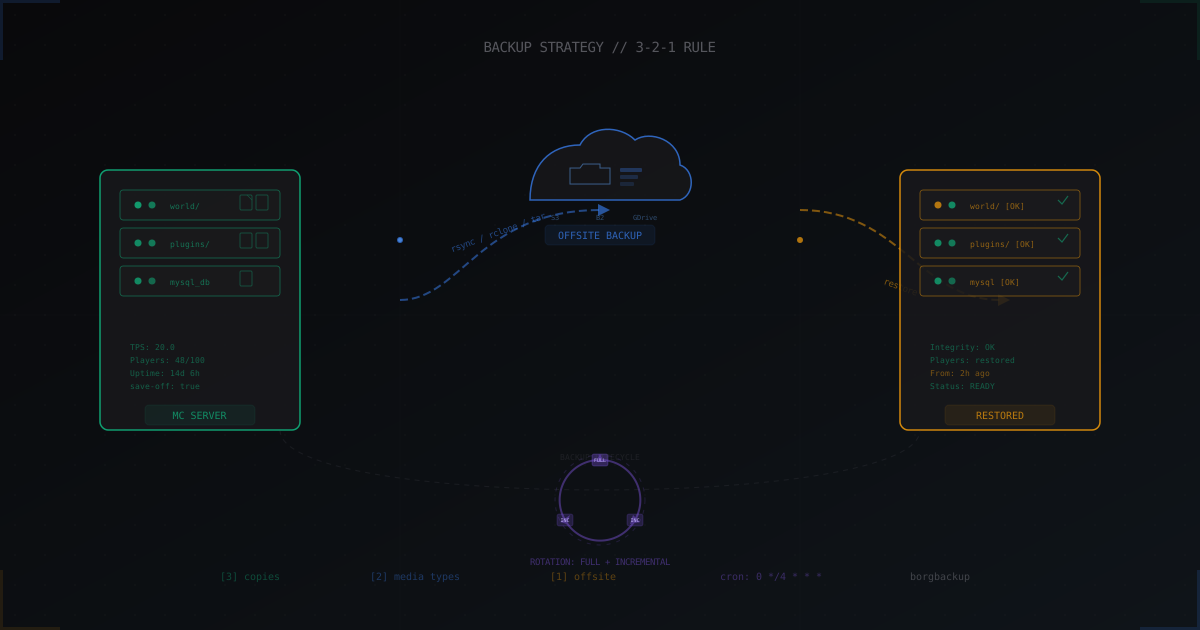
Complete guide to Minecraft server backups: the 3-2-1 rule, cron automation, incremental backups with borgbackup, offsite storage via rclone, live backups without stopping the server, and fast recovery after attacks.