Floodgate: letting Bedrock players join Java servers without a Mojang account (2026)
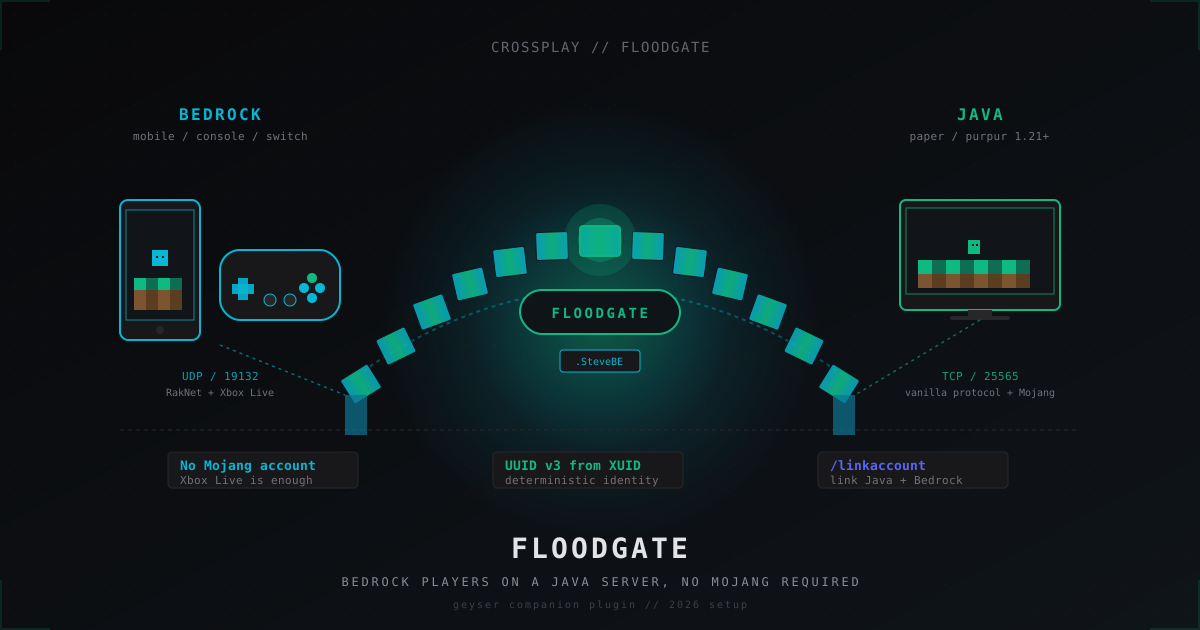
A friend on a phone, a kid on a Switch, an uncle on Xbox: every one of them is locked out of a stock Java server because they do not own a Java/Mojang license. Buying a second account just to play with you is a non-starter. Floodgate, the official companion plugin to Geyser, is the legitimate path Microsoft and GeyserMC agreed on. It generates a stable identity from the player's existing Xbox Live account and lets them onto your Paper or Velocity network without a piracy workaround in sight.
This guide walks through what Floodgate actually does, how to install it next to Geyser on Paper 1.21+, what the config knobs mean, why every Bedrock username gets a dot in front of it, and how the linking command turns a Bedrock-only join into a real Java account session for players who own both editions.
What Floodgate is and what it is not
Geyser by itself translates Bedrock RakNet packets into Java protocol and back. The translation step is the easy half. The hard half is authentication: a vanilla Java server demands a signed login from Mojang's auth server, and a Bedrock client cannot produce one. It only knows how to authenticate against Xbox Live.
Floodgate sits on the Java side of that conversation and tells the server "trust me, this Xbox Live login is valid, here is the player". The server treats the result as a normal player session. Skin, UUID, username, permissions, all behave like any other connection except the UUID is built from the Xbox User ID (XUID) instead of a Mojang record.
What Floodgate is not:
- Not a cracked-account plugin. It does not let people without an Xbox Live account in.
- Not a replacement for Geyser. Geyser still does protocol translation. Floodgate handles the auth bypass for Bedrock clients only.
- Not a piracy tool. Microsoft owns Mojang and Microsoft owns Xbox Live. A valid Xbox Live account is a paid Microsoft identity, the same identity the Bedrock client used to buy the game.
The combination is sanctioned. GeyserMC publishes both projects on the same site, and the GitHub repos sit under the same organisation: github.com/GeyserMC/Geyser and github.com/GeyserMC/Floodgate.
How Microsoft changed the story
A few years ago Java accounts and Microsoft accounts were separate beasts. Mojang ran its own auth server, and Bedrock had its own Xbox-tied login. The migration to Microsoft accounts merged Java logins into the same identity provider, but the protocols did not converge. Java still uses its login flow, Bedrock still authenticates against Xbox Live, and a Bedrock client still has no way to mint a Java session token even though the underlying Microsoft account is the same.
Floodgate exists because of that gap. The official position from GeyserMC is that the plugin signs an Xbox Live identity into the Java pipeline using a server-local key pair, and the server explicitly opts in. There is no Mojang license check skipped, no protected identifier forged. The server trusts a key file that you generate on first start, and Floodgate uses that key to vouch for the Bedrock player.
The result is a clean line: if you want every player to come from Mojang's auth server, run vanilla Java with online-mode true and skip Geyser entirely. If you want Bedrock players too, install Geyser plus Floodgate and accept that Bedrock identities come from Xbox Live, not from Mojang.
Picking the right Geyser and Floodgate flavour
Geyser ships in several flavours. So does Floodgate. They have to match.
| Server type | Geyser jar | Floodgate jar |
|---|---|---|
| Single Paper / Purpur server | Geyser-Spigot | floodgate-spigot |
| Velocity proxy network | Geyser-Velocity | floodgate-velocity (proxy) + floodgate-spigot (each backend) |
| BungeeCord proxy network | Geyser-BungeeCord | floodgate-bungee + floodgate-spigot |
| Standalone host (managed Minecraft host) | Geyser-Standalone | floodgate-standalone |
| Fabric / NeoForge | Geyser-Fabric / NeoForge | floodgate-fabric / floodgate-neoforge |
Rule of thumb for 2026 setups:
- 1.21.x Paper SMP: Geyser-Spigot 2.x + floodgate-spigot 2.2.x.
- Network with Velocity 3.3.x: Geyser-Velocity on the proxy, floodgate-velocity on the proxy, and floodgate-spigot on every Paper backend.
- Managed host that does not let you drop jars next to the server: Geyser-Standalone in a separate VM and floodgate-standalone next to it, with the Paper server in online-mode false (more on that further down).
Always download from the official source. Hangar (hangar.papermc.io/GeyserMC) and the GeyserMC GitHub releases page are the only two places I trust. Some forum mirrors lag months behind and you end up with a build that does not parse 1.21.4 packets correctly.
Install on a single Paper 1.21 server
The shortest path. Paper 1.21 with Java 21, plain old single server, no proxy.
- Stop the server.
- Drop
Geyser-Spigot.jarandfloodgate-spigot.jarintoplugins/. - Start the server. Both plugins create their config directories:
plugins/Geyser-Spigot/andplugins/floodgate/. - Look at the log. Floodgate will say something like
Generated key file for Floodgate. Keep this safe!. That key file isplugins/floodgate/key.pem. - Stop the server again.
- Edit
plugins/Geyser-Spigot/config.ymland setauth-type: floodgateunderremote:. - Optionally adjust the Floodgate config (defaults are sane).
- Start once more.
A trimmed plugins/Geyser-Spigot/config.yml with the lines that actually matter:
bedrock:
  address: 0.0.0.0
  port: 19132
  clone-remote-port: false
  motd1: "SMP"
  motd2: "Java + Bedrock"
  server-name: "SMP"
  compression-level: 6
  enable-proxy-protocol: false

remote:
  address: auto
  port: auto
  auth-type: floodgate
  use-proxy-protocol: false

floodgate-key-file: key.pem
passthrough-motd: true
passthrough-player-counts: true
allow-third-party-capes: true
allow-third-party-ears: false
show-cooldown: title
show-coordinates: true
disable-bedrock-scaffolding: true
emote-offhand-workaround: disabled
default-locale: en_us
The two lines that decide the whole thing are auth-type: floodgate and floodgate-key-file: key.pem. Without them, Geyser will try to ask the Bedrock client for a Java login, which never works.
A trimmed plugins/floodgate/config.yml:
key-file-name: key.pem
username-prefix: "."
replace-spaces: true
default-locale: system
disable-firstjoin-message: false
disable-leave-message: false
metrics:
  enabled: true
  uuid: 00000000-0000-0000-0000-000000000000
player-link:
  enabled: true
  require-link: false
  allow-linking: true
  type: sqlite
The defaults work for most servers. The first thing most operators want to change is username-prefix (more on that in a minute) and the player-link block if they want Bedrock-Java account linking on.
Install on a Velocity 3.3 network
Multi-server setup is a bit more involved. The reason: Velocity terminates the Bedrock connection through Geyser-Velocity, but the actual game session lives on a Paper backend. Floodgate has to be on both sides so the proxy and the backend agree on the player identity.
Order of jars:
Geyser-Velocity.jarandfloodgate-velocity.jargo into the proxy'splugins/folder.floodgate-spigot.jargoes into every Paper backend'splugins/folder.- Geyser-Spigot does not go on the backends. Geyser only translates packets at one entry point, the proxy.
After first start the proxy generates plugins/floodgate/key.pem. Copy that exact file to plugins/floodgate/key.pem on every backend. The backends will refuse to trust the proxy until the keys match.
Velocity needs forwarding-mode: modern in velocity.toml and matching velocity-secret mirrored to each backend's paper-global.yml under the proxies.velocity block. Floodgate works on top of Velocity's modern forwarding without extra wiring as long as the key file is the same on both ends.
In Geyser-Velocity's config.yml set:
remote:
  auth-type: floodgate
The address: auto and port: auto work the same as on a single server, but the proxy will resolve them through Velocity's server list rather than reading server.properties.
The dot in front of every Bedrock name
Open the player list on a Floodgate server and you will see entries like .SteveBE, .MobileMaster, .PixelKing. The leading dot is not cosmetic, it is a safety rail.
Java usernames have a tight allow-list: alphanumeric and underscore, length 3 to 16. Bedrock allows much more, including spaces, periods and a wider Unicode range. If a Bedrock player picks the same string a Java player already owns, you get a UUID and permission collision. The dot prefix sidesteps that. A dot is illegal in a Java name, so a Java account named .SteveBE cannot exist by definition. The Bedrock player owns that namespace.
replace-spaces: true in floodgate config does the rest: spaces in a Bedrock display name get swapped for underscores at join time, so commands and chat parsers do not choke.
You can change the prefix to empty (username-prefix: ""), but you take on every collision. I have seen operators do that on small private SMPs where every player is known and the username space is curated. For a public server, leave the dot in place.
The UUID under that name is a deterministic UUID v3 derived from the Xbox User ID. Two important consequences:
- The same Bedrock player gets the same UUID forever, no matter what Bedrock device they log in from.
- Plugins that key data by UUID (LuckPerms, EssentialsX user files, BlueMap chunk ownership) work without any special handling. Floodgate just looks like another player to them.
Skin handling
Skins on Floodgate split into two cases.
Bedrock player without a linked Java account. Geyser fetches the Bedrock skin from the client itself (Bedrock skins are uploaded with the login packet) and exposes it through the FloodgateAPI. Other players see the Bedrock skin as a Java skin texture. Custom Bedrock skins, including 4D / animated geometry, get flattened to a static Java skin because the Java client cannot render Bedrock skin geometries. Cape support is partial: Bedrock capes show up as Java capes on a per-player basis when allow-third-party-capes: true is set in Geyser config.
Bedrock player with a linked Java account. After /linkaccount succeeds, Floodgate can show the linked Java skin to other Java players. Bedrock players still see the Bedrock skin on the Bedrock side because of how the Bedrock client renders skins from the client's own pack. The skin handling code lives at github.com/GeyserMC/Floodgate, in the core and bukkit modules under the skin package if you want to read the source.
If a plugin needs the Floodgate-driven skin, the entry point is the FloodgateAPI:
import org.geysermc.floodgate.api.FloodgateApi;

if (FloodgateApi.getInstance().isFloodgatePlayer(uuid)) {
    var fp = FloodgateApi.getInstance().getPlayer(uuid);
    String xuid = fp.getXuid();
    String javaUsername = fp.getJavaUsername();
}
Plugins should always check isFloodgatePlayer before assuming a Bedrock-side capability. A Java player has no XUID.
Linking Bedrock and Java identities
A player who owns both editions usually wants their Bedrock progress to merge with their existing Java account. That is what the linking system is for.
With player-link.enabled: true and allow-linking: true, two commands appear:
/linkaccount <code>on Java side, run by the Java account./linkaccount <java-username> <code>on Bedrock side, run by the Bedrock account.
The first command on either side generates a code, the second on the other side enters it. After the link succeeds Floodgate stops minting a fresh Bedrock UUID for that player and starts redirecting their session to the linked Java UUID. Plugins now see one identity instead of two.
require-link: true flips the policy upside down: only Bedrock players who have already linked are allowed in. Useful for gated SMPs where the operator wants every Bedrock account to be tied to a real Java identity. For a public server it is too aggressive.
The default backend is SQLite (plugins/floodgate/linked.db). For a network with multiple proxies or backends you usually want to switch to MySQL so every node reads the same link table. The schema lives at github.com/GeyserMC/Floodgate under database/ and Floodgate creates the tables on first boot.
Anti-abuse: why Floodgate is not a cracked-auth backdoor
This part keeps coming up in admin chats so let's settle it.
A Floodgate UUID is built from the XUID. The XUID is issued by Xbox Live to a Microsoft account that bought Minecraft Bedrock Edition. There is no public way to forge a valid XUID without going through Microsoft's auth flow. A Bedrock client that wants to connect through Geyser presents its login chain, which is signed by Microsoft. Geyser and Floodgate verify that chain before generating the player session.
Compared to actual cracked authentication (online-mode: false, no third-party auth):
| Property | Floodgate Bedrock player | Cracked Java player (online-mode: false) |
|---|---|---|
| Source of identity | Xbox Live signed login | Whatever the client claims |
| Forging an account | Need a Microsoft account that owns Bedrock | Pick any username and connect |
| UUID stability | Deterministic from XUID, cannot collide between accounts | Username-derived, collides easily |
| Microsoft sanctioned | Yes, official GeyserMC + Microsoft path | No, against EULA on public servers |
| Who gets in | Real paying Bedrock customers | Anyone with a client jar |
| Risk to your players | Same as a Java account | High, account theft and impersonation |
A Bedrock player coming through Floodgate is closer to a Java player than to a cracked one. Treating a Floodgate UUID as suspicious by default is wrong. Treating a cracked Java account on a public server as fine is wrong.
For servers that want both Bedrock players and Java players, the correct config is online-mode: true on the Paper backend and auth-type: floodgate in Geyser. The Java side stays under Mojang's auth, the Bedrock side stays under Xbox Live, and Floodgate stitches them together.
If you must run online-mode: false for some reason (some hosts behind a BungeeCord proxy still require it), make sure your proxy enforces auth via something like ViaProxy or a dedicated auth plugin, never leave it open.
Verifying the install with /geyser dump
Geyser ships a diagnostic command that posts a sanitised config and player list to a paste service and gives you a URL.
/geyser dump
Output looks like this in chat:
A copy of the dump has been uploaded to https://dump.geysermc.org/abc123
When asking for help on the GeyserMC Discord, attach that URL. Maintainers can see the version, plugin list, Floodgate state and remote auth config without you copy-pasting yaml.
The two things to check in the dump yourself:
auth-typeshould befloodgate.- The plugin list should include both Geyser and Floodgate, with versions you actually expect.
If auth-type reads online or offline, Bedrock players will hit a "failed to verify username" error or get random UUIDs that collide with Java accounts. Switch it to floodgate and restart.
Common errors
Floodgate could not find a player linker. Linking will not work. The MySQL credentials are wrong, or the SQLite path is on a read-only filesystem. Check player-link in floodgate config, or fall back to type: sqlite.
The given key file does not match. Backends in a network have mismatched key.pem files. Copy the proxy's key over every backend, restart all of them.
Authentication is disabled, this is not safe. Geyser's auth-type is offline. Set it to floodgate.
Bedrock player kicked: Floodgate handshake failed. Spotted on Velocity networks where forwarding-mode is legacy or bungeeguard. Set Velocity to modern and copy the velocity-secret to every backend's paper-global.yml.
Bedrock player connects but plugins do not recognise their UUID. Bedrock player connected before Floodgate finished loading. Plugins that hook PlayerJoinEvent at low priority and read the FloodgateAPI must depend on Floodgate in their plugin.yml so load order is correct.
Players see no Bedrock skin on Java side. allow-third-party-capes and skin loading need internet egress. If your host blocks outbound HTTPS to textures.minecraft.net or the GeyserMC skin service, skins fall back to Steve. Open egress to those domains.
Username already taken / UUID conflict. Almost always caused by username-prefix: "" plus a Bedrock and a Java player with the same name. Restore the dot prefix and have the conflicting player reconnect.
Operational notes for a 2026 SMP
A few things that bite people in production.
Floodgate does not slow down logins meaningfully. The cryptographic verification is on the Geyser side, not Floodgate, and uses a single Ed25519 verification per join. The bottleneck on join is almost always the world load or the resource pack download, not auth.
Bedrock and Java should sit behind the same DDoS filter. RakNet is UDP and a popular target for amplification attacks because of its small unconnected ping packet. If you advertise port 19132/udp on the open internet, you will see traffic. Filters like MineGuard handle this on the network edge and let only verified RakNet sessions through. Crossplay servers attract more bot traffic on average than Java-only servers because the Bedrock entry point is easier to fingerprint, so DDoS coverage is worth setting up early.
Backups must include plugins/floodgate/key.pem and plugins/floodgate/linked.db. Lose the key and every linked account breaks. Lose the link db and every player has to re-link. The whole plugins/floodgate/ folder is small, less than a megabyte even on a packed server.
When upgrading Paper, check that the Geyser and Floodgate versions support the new Minecraft version before you flip the server jar. The plugins lag the protocol by a day or two on minor versions and a week on major ones. Watch the GeyserMC GitHub releases page.
FAQ
Q: Do my Bedrock players need to buy Minecraft Java to play here? No. That is the whole point of Floodgate. Their Xbox Live identity, the same one they used to buy Bedrock, is enough. The Java license stays optional.
Q: Can a player without any Microsoft account join via Floodgate? No. Floodgate requires a signed Xbox Live login chain. There is no path for an offline or unauthenticated Bedrock client to come through.
Q: Should I run online-mode false on the Paper backend? Only if you run a proxy network with proper auth handling on the proxy. For a single-server SMP, online-mode true plus Floodgate is correct: Java players go through Mojang, Bedrock players go through Floodgate.
Q: My anti-cheat sees Bedrock players moving weird, what now? Bedrock physics differ from Java in subtle ways and Geyser does its best to translate. Most anti-cheats now have a "Floodgate-aware" mode that loosens checks for Floodgate UUIDs. Vulcan, Matrix and Grim all support it. Enable that mode rather than disabling checks globally.
Q: Is the linking command safe? Could a malicious player steal my Java account? Linking is a two-sided handshake. The code generated on one side has to be entered on the other side from the same player session. There is no way to link a Java account from outside it. Codes expire on a short timer.
Q: Where do I get help if Floodgate misbehaves?
GeyserMC Discord and the issue tracker at github.com/GeyserMC/Floodgate. Always include /geyser dump output. Maintainers triage that channel daily.
A crossplay server with Floodgate is a small upgrade in plugin complexity and a large upgrade in audience. The plugin is mature, the company behind Minecraft signs off on it, and the only caveat for operators is keeping key.pem safe and the Geyser version current. Spin it up, tell your phone-bound friends the address, and watch the player list fill with names that start with a dot.
Protect Your Server from DDoS Attacks
Free protection with 5-minute setup. 1 TB bandwidth included.
Try for FreeRelated Articles
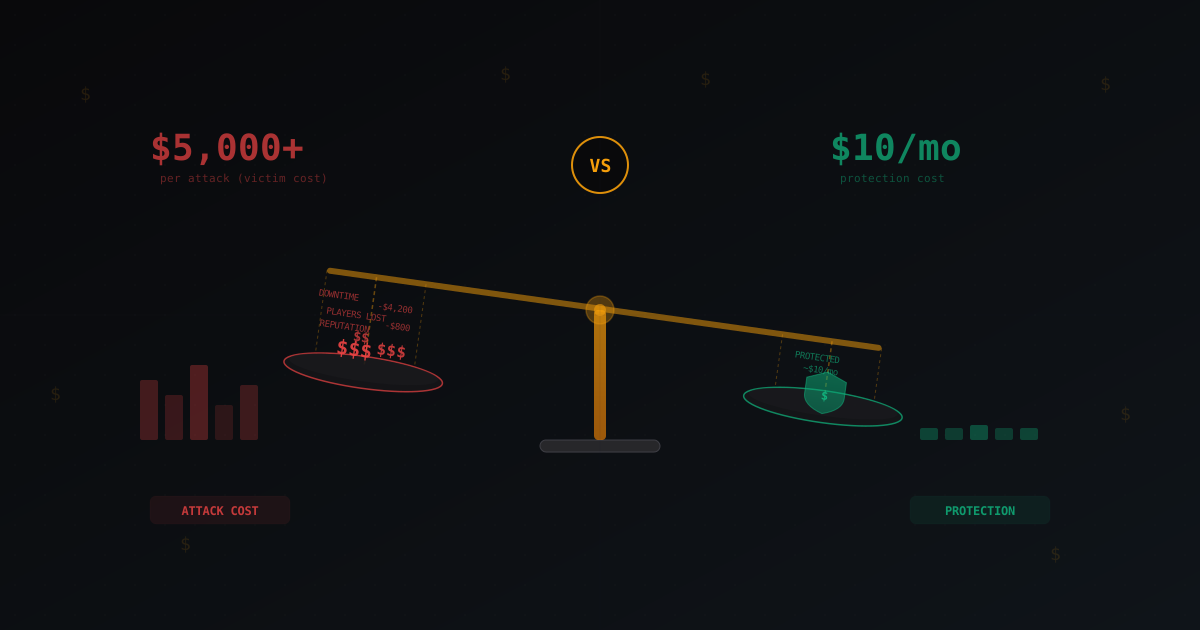
Cost of a DDoS Attack vs Cost of Protection: The Economics of Cyber Attacks
Breaking down real numbers: how much a server owner loses during a DDoS attack, how cheap attacks are to launch, what protection actually costs, and when it pays for itself. ROI calculation for different project sizes.
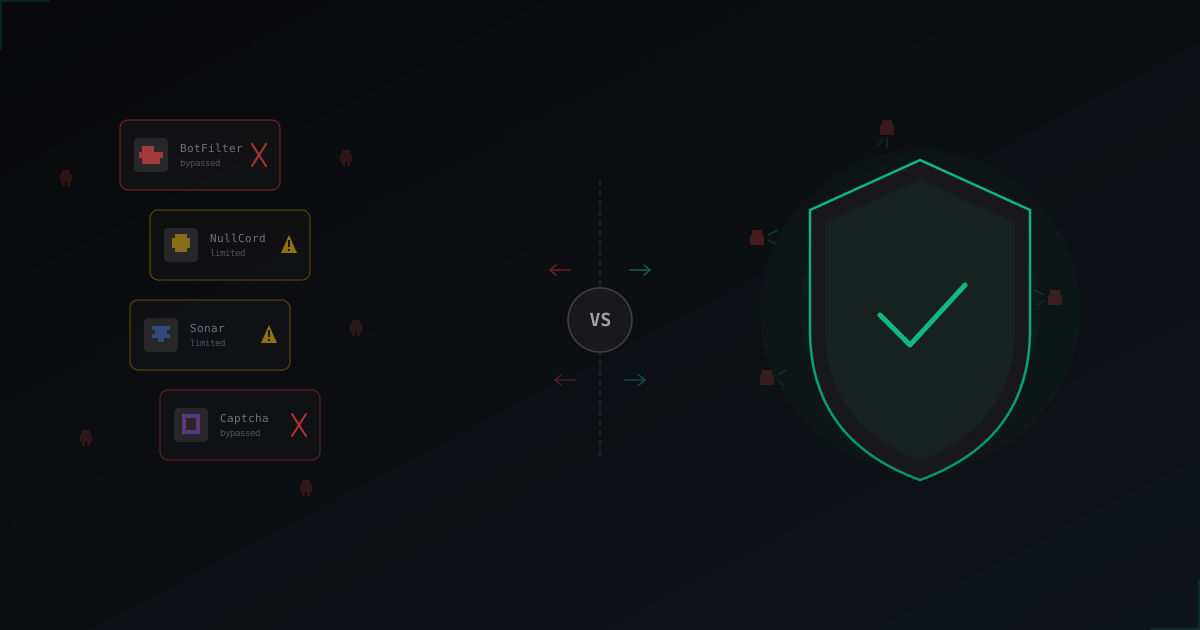
Plugins vs Protection Service: What Actually Works Against Bots in 2026
An honest breakdown of BotFilter, NullCord, Sonar and in-game captcha plugins. Why in-game checks hit a ceiling and what the servers that survive bot attacks are doing differently.
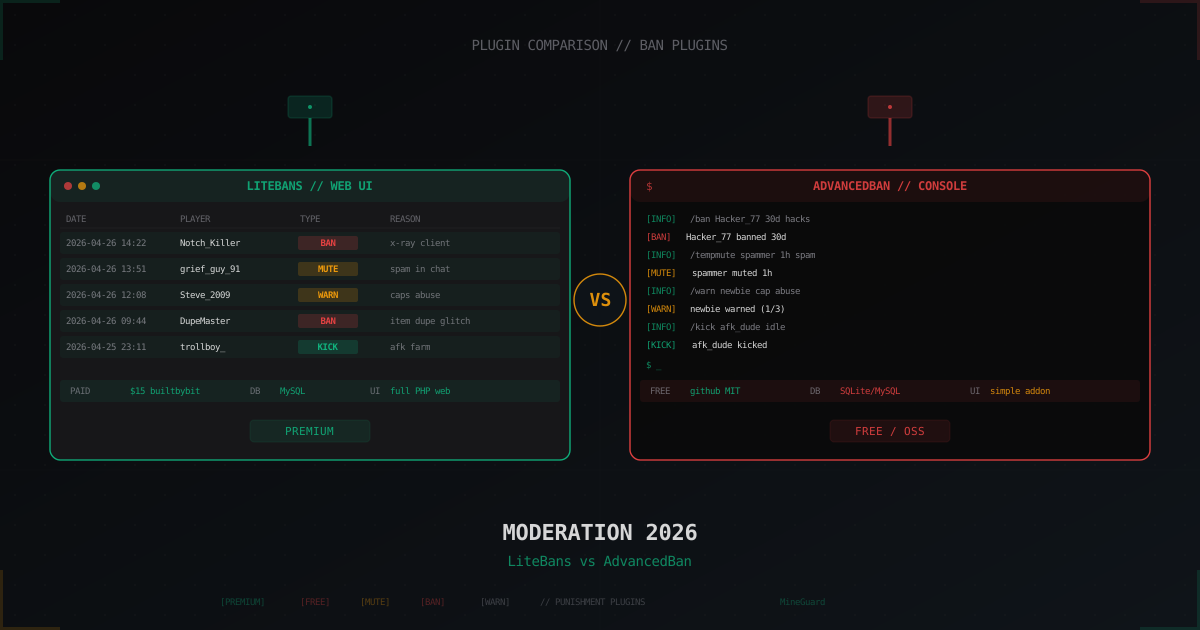
LiteBans vs AdvancedBan: which moderation plugin to pick (2026)
LiteBans is paid with a bundled PHP web UI, AdvancedBan is free and open source. Both cover /ban, /tempban, /mute, /warn, /kick and per-network bans via MySQL. We break down commands, API, migration, performance and when each one fits.