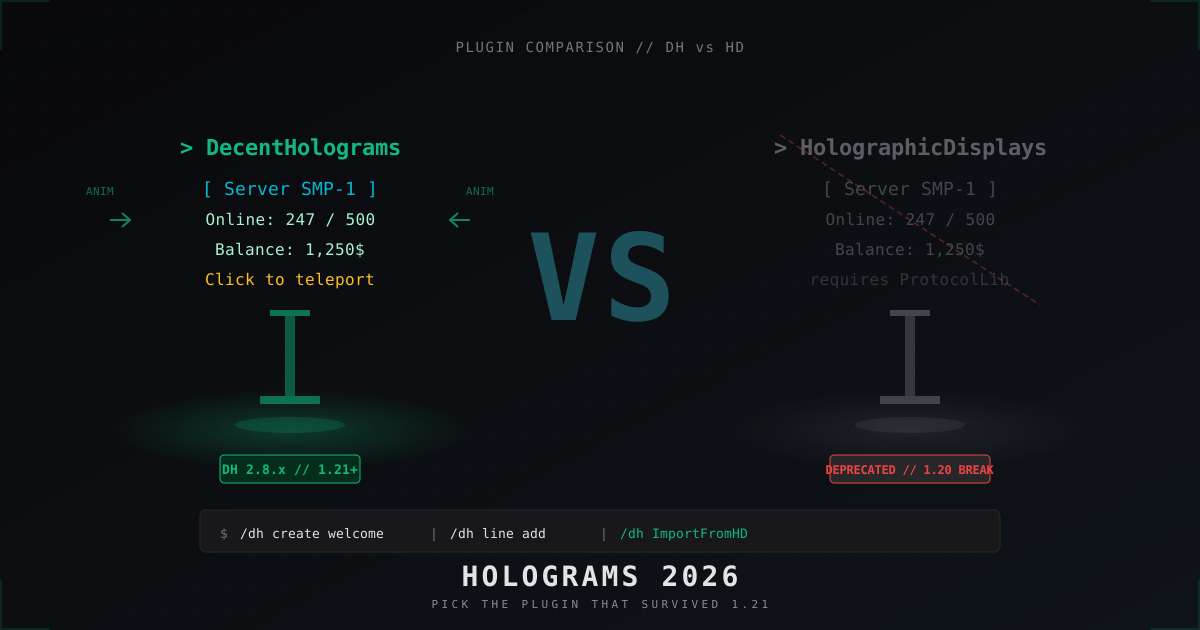
DecentHolograms vs Holographic Displays: which hologram plugin to use in 2026
Holograms on a server are the floating welcome text at spawn, price tags above shop chests, leaderboards on the arena, info panels next to NPCs. For ten years the standard was Holographic Displays by filoghost. Then 1.19, 1.20, 1.21 broke ProtocolLib one after another, and HD, which leaned on ProtocolLib for everything, fell out of the rotation. In 2026, on more or less every Paper 1.21 server, you will find DecentHolograms instead. It is not a fashion swap, it is plain engineering.
This article walks through the technical difference between DH and HD, what their configs look like in real life, how to migrate from HD without losing existing holograms, and what to watch when something goes sideways.
A short history of hologram plugins
Back in 2013 and 2014, holograms on servers were faked using invisible horses with a name tag above their head. The hack worked, but it ate ticks and broke on every version bump. In 2014 filoghost shipped HolographicDisplays, the first proper plugin: it sent fake armor stand entities through ProtocolLib and rendered clean floating text without the entity baggage.
HD was the standard for years. There was one architectural caveat though: the plugin depended on ProtocolLib. Every time Mojang shipped a new Minecraft version, ProtocolLib had to update its packet mappings, then HD had to update against the new ProtocolLib, and only then did your server move to the new release.
From 1.13 onward (the flattening) that chain started snapping regularly. By 1.19 ProtocolLib was switching between legacy and new APIs, HD was getting roughly biannual updates, and on 1.20 the project effectively stalled. On filoghost's GitHub the last serious release of HolographicDisplays was early 2023, version 3.0.x, and since then maintenance has been in "works as is, do not expect timely new versions" mode.
In parallel, DecentSoftware-eu released DecentHolograms in 2021. The technical idea is straightforward: drop the ProtocolLib dependency entirely. DH does its own packet manipulation through NMS reflection with version-specific adapters. When 1.21.4 ships, DH adds an adapter and ships the same week. ProtocolLib is not in the loop.
That turned DH into a plugin that lands on a new Minecraft version one to three days after release. HolographicDisplays might never land on the same version at all.
Why DH is technically better than HD
The split is not really about feature lists, it is about architecture. Feature for feature HD only loses on one front: animations are not native, you need an addon like HolographicExtension. Everything else exists on HD too, sometimes in a slightly nicer form.
But architecturally DH wins on four points:
- No ProtocolLib in the dependency chain. One plugin less, one weak link less, on 1.21+ that matters
- Native text animations through animation files in animations/, no third party addons
- Native click actions: COMMAND, MESSAGE, TELEPORT, SOUND out of the box
- Per player visibility and content via PAPI: a hologram can show different text to different players without hacks
On top of all that there is the basic point: DH is alive. Latest 2.8.x ships for 1.21+, supports Folia, gets tested on Paper and Purpur. HD 3.0.x runs on 1.20.6 with a carefully matched ProtocolLib, and the 1.21 story speaks for itself.
Feature matrix
The whole comparison in one table:
| Criterion | DecentHolograms 2.8.x | Holographic Displays 3.0.x |
|---|---|---|
| Minecraft versions | 1.8 to 1.21.x | 1.8 to 1.20.x (1.21 unstable) |
| ProtocolLib dependency | No | Yes, mandatory |
| Folia support | Yes | No |
| Text animations | Native (animations/ files) | Addon only |
| Click actions | COMMAND, MESSAGE, TELEPORT, SOUND, PAGE | Addon or API only |
| ItemStack lines | Yes, supports enchant glow and custom data | Yes |
| Head lines (player heads, custom skins) | Yes | Yes |
| PlaceholderAPI | Deep integration, per player placeholders | Supported via CommandHolograms or addon |
| Per player holograms | Built in, /dh hologram show <player> | API only |
| Pages (/dh hologram page) | Yes, multi page hologram | No |
| In game GUI editor | /dh gui | No |
| Community and updates | Active releases through 2024 to 2026 | Frozen since 2023 |
| License | GPL-3.0 | GPL-3.0 |
| Jar size | About 1 MB | About 1.5 MB plus ProtocolLib 5+ MB |
Short version: HD is fine for plain static text on legacy versions, but the moment you need interactivity, animations, or a current Minecraft version, the choice is made for you.
Installing DecentHolograms
DH is one jar with no dependencies. Grab a release from GitHub or Modrinth and drop it into plugins/.
# Paper 1.21+
cd /your/server/plugins
wget https://github.com/DecentSoftware-eu/DecentHolograms/releases/latest/download/DecentHolograms-2.8.X.jar
Or via Modrinth, same jar, different CDN:
# from modrinth.com/plugin/decentholograms
wget -O DecentHolograms.jar \\
  \"https://cdn.modrinth.com/data/.../DecentHolograms-2.8.X.jar\"
Restart the server. The plugin builds plugins/DecentHolograms/ with this layout:
plugins/DecentHolograms/
├── config.yml
├── animations/
│   ├── rainbow.yml
│   ├── scroll.yml
│   └── wave.yml
├── holograms/
│   └── (hologram files appear after /dh create)
└── lang/
    └── en.yml
For PlaceholderAPI you also need PAPI itself plus the expansions you intend to use:
wget https://github.com/PlaceholderAPI/PlaceholderAPI/releases/latest/download/PlaceholderAPI.jar
# then in the server console
papi ecloud download Player
papi ecloud download Server
papi reload
After that DH picks up PAPI automatically and any %placeholder% in hologram lines starts resolving live.
First /dh create
Make a simple hologram at spawn. Stand on the spot you want and run:
/dh create welcome &aWelcome to the server
One line shows up. Add a second:
/dh line add welcome &7Online: %server_online%/%server_max_players%
If PAPI is installed and the expansions are downloaded, the placeholder resolves into live numbers right away.
A third line with an item:
/dh line add welcome ICON:DIAMOND
A floating diamond appears in the hologram. You can also drop in a player head:
/dh line add welcome HEAD:Notch
To edit through the GUI:
/dh gui welcome
This opens an inventory with the hologram's lines, up and down buttons, edit, delete, and a button to add a new line. Handy when you tweak a hologram in flight and do not want to type long commands.
Animations without addons
DH looks for animation files in plugins/DecentHolograms/animations/. Each file is a YAML defining frames. Minimal example, a wave:
# animations/wave.yml
name: wave
type: INTERNAL
text:
  - \"&aWave\"
  - \"&2Wave\"
  - \"&aWave\"
  - \"&fWave\"
speed: 5
speed is in ticks per frame. 5 means four frames per second. After a reload:
/dh reload
Drop the animation into a line with the #ANIMATION prefix:
/dh line add welcome #ANIMATION: wave
You can also embed inline animation effects through DH placeholders:
/dh line add welcome %animation: rainbow%Server Name
Out of the box you get rainbow, scroll, wave, and you can write your own with arbitrary frame counts. On Folia animations work fine, on 1.21.4 nothing breaks.
Clickable holograms and actions
Hologram with TELEPORT on right click:
/dh hologram setclickable welcome true
/dh hologram action add welcome RIGHT_CLICK TELEPORT 100 65 -200
Run a command as the player:
/dh hologram action add welcome LEFT_CLICK COMMAND warp shop
Run a command as console:
/dh hologram action add welcome RIGHT_CLICK COMMAND_AS_CONSOLE eco give %player_name% 100
Send a message:
/dh hologram action add welcome RIGHT_CLICK MESSAGE &aHello %player_name%!
Play a sound:
/dh hologram action add welcome RIGHT_CLICK SOUND minecraft:entity.experience_orb.pickup 1.0 1.5
Actions stack in order. Add a few, click the hologram, and they fire one after another. That is effectively a clickable NPC, just without the model.
PlaceholderAPI to the limit
The deep DH feature is per player placeholders. The hologram knows which specific player is looking and substitutes %player_name%, %vault_eco_balance%, %luckperms_prefix% individually.
A balance board above a shop:
/dh create shop_info
/dh line add shop_info &aShop
/dh line add shop_info &7Your balance: &e%vault_eco_balance%$
/dh line add shop_info &7Prefix: %luckperms_prefix%
Every player sees their own balance and their own prefix. With 100 online that is 100 different text renders, but the load is tiny because everything resolves locally.
Top money leaderboard:
/dh create top_money
/dh line add top_money &6&l[Top Rich]
/dh line add top_money &e1. %ajleaderboards_pos_1_money%
/dh line add top_money &e2. %ajleaderboards_pos_2_money%
/dh line add top_money &e3. %ajleaderboards_pos_3_money%
With AJLeaderboards (or an alternative) the top updates automatically. Without it you can use CMI or the built in %vault_eco_balance_top1% variants.
Migrating HD to DH
DecentHolograms ships a built in import command. That is the key reason migration is not scary: the command reads the old database.yml from HolographicDisplays and pulls every hologram across.
Steps:
- The server should run with both plugins side by side. HD does not have to actually start up on the new MC version, DH only reads the files, it does not touch HD's API
- Place the old plugins/HolographicDisplays/ folder on the DH server (configs are enough, you can leave the HD jar out)
- Run the import command
/dh ImportFromHD
DH walks the database.yml and creates a YAML in plugins/DecentHolograms/holograms/ for each hologram. Names are kept. Animations from the old HolographicExtension addon are not migrated (DH does not know about that addon), but static text, ItemStack lines, and placeholders from CommandHolograms come over.
After import:
/dh reload
/dh list
You should see all the old names. Remove the HolographicDisplays jar and ProtocolLib, restart the server. On the new version everything flies.
Migration gotchas:
- If old holograms used HolographicExtension placeholders like {animation: ...}, those will not migrate. After import walk the list and replace with DH syntax
- CommandHolograms (the old HD addon for actions) imports partially. Complex multi action holograms are best recreated through /dh hologram action add
- Per player holograms built against the HD API (someone's custom plugin) will not migrate, only files do
Performance
DH is faster than HD for two reasons:
- It does not bounce packets through ProtocolLib (on big online ProtocolLib itself eats 5 to 10 percent TPS)
- It uses per hologram view distance: outside default-display-range the hologram does not send packets at all
In DH config.yml there is default-display-range: 48. That means a player further than 48 blocks does not receive packets for that hologram. For static spawn holograms you can set it down to 32 or lower. For arena leaderboards push it to 64 if the arena is big.
# plugins/DecentHolograms/config.yml
default-display-range: 48
default-update-range: 48
default-update-interval: 20
update-interval in ticks. 20 is once per second. If the hologram has cheap PAPI placeholders (server_online), 20 is fine. For rarely changing ones (top_money) push it to 100 to 200 (every 5 to 10 seconds), which saves PAPI calls.
A bench on a test Paper 1.21.4 with 50 online and 30 holograms at spawn:
- HD 3.0.0 plus ProtocolLib 5.3.0: average TPS 19.4, spikes during placeholder rebuild
- DH 2.8.10 without ProtocolLib: average TPS 19.95, dead flat graph
Numbers from a home rig, not a peer reviewed measurement, but the direction is clear.
Common mistakes and how to track them
Hologram does not appear:
- Check /dh list, is it actually there
- Check display-range, might be too small
- Check if the hologram is enabled: /dh hologram disable welcome then /dh hologram enable welcome
- Check view permissions (if the hologram YAML has a permission requirement)
Placeholder does not resolve:
- Is PlaceholderAPI installed: /papi list
- Is the expansion downloaded: /papi ecloud list installed
- Reload: /dh reload then /papi reload
Animation does not run:
- Animation file lives in animations/, not in the plugin root
- Animation name matches the file name without .yml
- speed greater than 0
- /dh reload after editing
Hologram disappears after /reload:
- /reload in Bukkit breaks things, do not use it. Use /stop and start the server. This is a rule for any plugin, not just DH
ItemStack does not render:
- Material name must be valid for your MC version (DIAMOND, IRON_INGOT, GRASS_BLOCK)
- Player head by name only works if Mojang has a profile. Offline servers need custom textures
Hologram flickers or jitters:
- view-distance in server.properties is smaller than the hologram's display-range. Set display-range below client render distance
- Multiple holograms overlap on one point, move coordinates or remove duplicates
What to pick in 2026
If you spin up a fresh server on Paper 1.21+, install DecentHolograms and stop thinking about it. There is no argument left in favor of HD on current versions, except maybe "that is what I always installed". Habit is not worth a broken plugin after the next update.
If you run an old 1.16 to 1.18 server with HD that works, you can leave it alone, holograms on those versions are stable. But the moment a Minecraft upgrade to 1.20+ is on the table, the migration via /dh ImportFromHD takes about five minutes and leaves you with a working, supported, faster plugin that ships animations and click actions out of the box.
DH today is not an "alternative" to HD, it is a backwards compatible replacement. HolographicDisplays earned its place in the history of server Minecraft. But pinning a new project to it in 2026 is a deliberate dead end.
FAQ
Can DH and HD run side by side?
Technically yes, the plugins use different namespaces and do not collide on commands. But the only valid reason is migration: load both, run /dh ImportFromHD, switch HD off. Long term running two hologram plugins makes no sense.
Does DecentHolograms support BungeeCord and proxies?
Holograms are a server side feature, proxies (BungeeCord, Velocity) do not see them and should not. DH runs on each backend server independently. Holograms do not sync between servers, that is normal, every world has its own.
What about performance on 200+ holograms?
It is tested without issues. Each hologram costs little. The bottleneck is usually not the hologram count, it is the cost of active PAPI placeholders. If a hologram shows %ajleaderboards_pos_1_money%, that placeholder is cached on the AJLeaderboards side and is essentially free. If someone wires in a custom placeholder that hits the database every tick, that is what eats CPU.
Can I hide a hologram from specific players?
Yes, via permission or per player visibility. In the hologram YAML you can write permission: server.vip and players without it will not see it. Through API: DH.getInstance().getHologramManager().getHologram("name").hide(player).
Does DH run on Folia?
Yes, since 2.8.0 there is Folia support (the regional multithreaded Paper variant). That is another point for DH because HD on Folia does not work at all, ProtocolLib does not play well with the regional model.
Where do animations come from beyond the bundled ones?
The DecentSoftware-eu GitHub has an example-animations folder with dozens of ready files. Drop one into animations/, /dh reload, and it works. You can also write your own, the format is small enough that any text editor handles it.
DH is not a stopgap, it is the standard for the next several years on Paper and Purpur. For preparing for new Minecraft versions, for Folia, for projects with interactive holograms and live leaderboards the choice is obvious. Holographic Displays stays in the books as a plugin that held the line for a decade, but in 2026 it is time to thank it and move on.
Protect Your Server from DDoS Attacks
Free protection with 5-minute setup. 1 TB bandwidth included.
Try for FreeRelated Articles
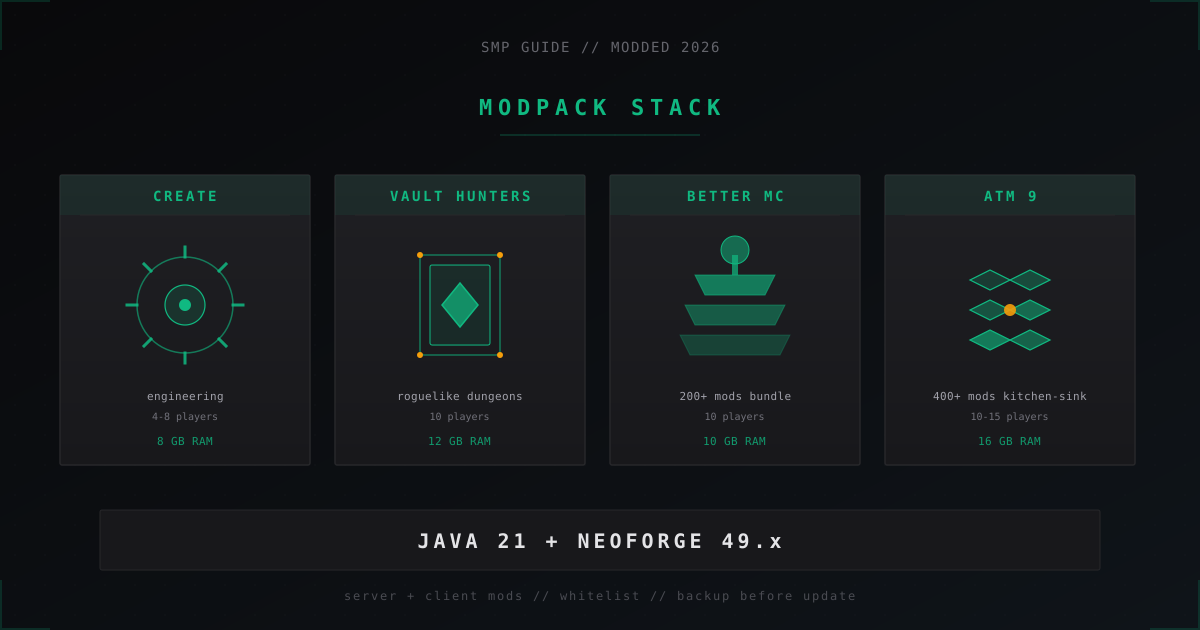
Modded SMP Server in 2026: Create, Better MC, Vault Hunters Setup
Modded SMP in 2026: Create, Better MC, Vault Hunters and ATM 9 packs, NeoForge vs Fabric, RAM needs, backups and Java 21 setup.
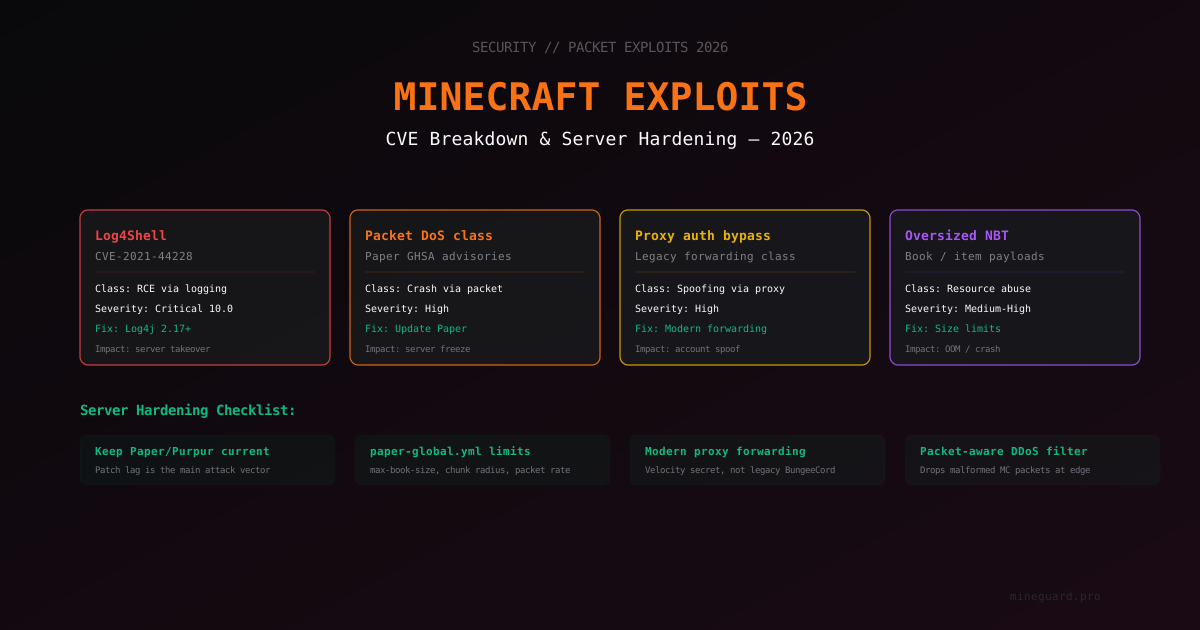
Minecraft Server Vulnerabilities in 2026: CVE Breakdown and Hardening
Overview of Minecraft server vulnerability classes: Log4Shell, packet DoS, proxy forwarding bypass, NBT overflows. How to know if your server is protected, which versions to install, and how to spot exploit attempts.
Why Free DDoS Protection Isn't Enough for Growing Servers
A free plan works great when you are starting out. But as your server grows, attacks get stronger, and free bandwidth and features fall short. We break down when it is time to upgrade.