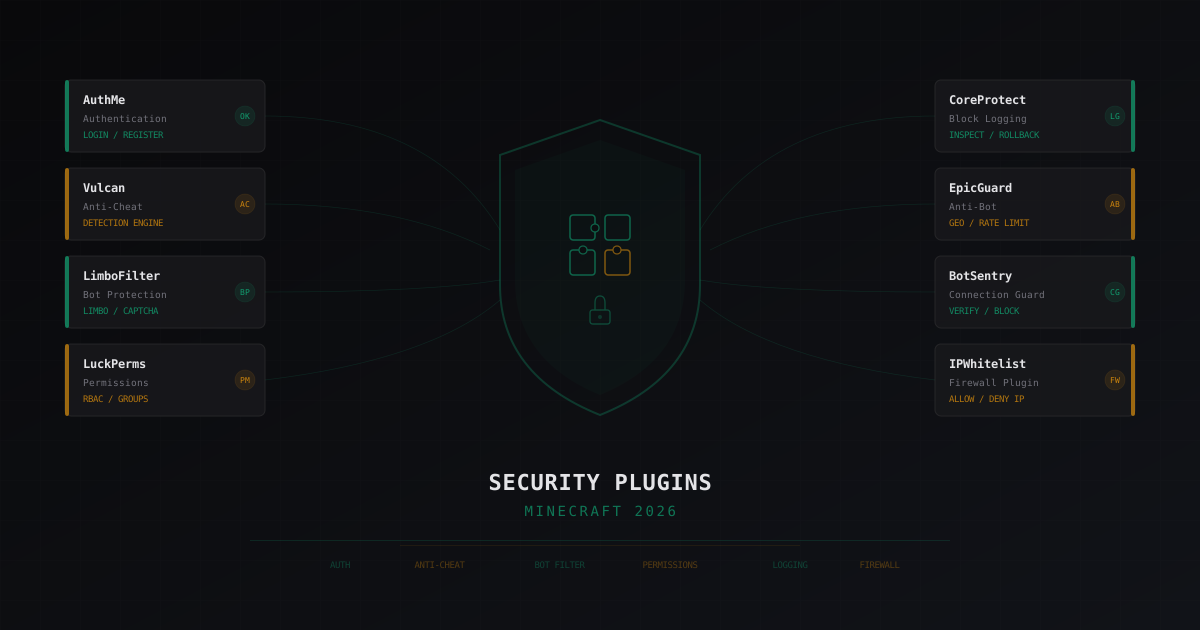
Best Security Plugins for Minecraft 2026: An Honest Review
Minecraft server security is built in layers. Firewalls, proper network architecture, backups - all crucial. But plugins are the layer that works inside the game server itself. They handle tasks that can't be solved at the network level: player authentication, action control, world change logging.
In this review, I'll break down the key security plugins that matter in 2026. No marketing fluff - just real pros, cons, and configuration advice.
Authentication: The Foundation
If your server runs in offline mode (cracked) or behind a proxy, authentication is the first thing you need. Without it, anyone can join with someone else's username and access their inventory, permissions, and builds.
AuthMe Reloaded
The classic. AuthMe has been around for years, and it's installed on the majority of offline-mode servers.
What it does: password registration and login, session protection, restricting actions before authentication (no moving, breaking blocks, or chatting).
Pros:
- Battle-tested, stable, and reliable
- Massive number of configuration options - adaptable to any scenario
- Supports bcrypt and other hashing algorithms
- Integration with forums and websites through shared databases
- Large community, easy to find help
Cons:
- Chat-based registration interface isn't the friendliest for new players
- No built-in 2FA support (needs a separate plugin)
- On large servers (500+ online), the database can become a bottleneck if you're using SQLite instead of MySQL
Configuration tips:
- Always use MySQL/MariaDB instead of SQLite for production
- Enable
security.minPasswordLength: 8- short passwords get cracked in seconds - Configure
settings.restrictions.allowedNicknameCharactersto block special characters in names - Set maximum registrations per IP via
restriction.maxRegPerIp
FastLogin
FastLogin solves a specific problem: automatic authentication for licensed players on cracked servers. If a player owns Minecraft, they don't need to enter a password - the plugin verifies their session through Mojang's servers.
Pros:
- Removes friction for licensed players - join and play
- Works alongside AuthMe as a complement
- Reduces load on the authentication system
Cons:
- Adds dependency on Mojang's servers - if they're down, auth can break
- Requires proper proxy-side configuration, otherwise IP-forwarding issues can arise
- Doesn't replace AuthMe, only complements it - you still need auth for unlicensed players
Tip: if your server is purely licensed - you don't need FastLogin. It's only useful for mixed servers.
LibreLogin
A relatively new plugin positioning itself as a modern AuthMe replacement. Written from scratch with native Velocity support.
Pros:
- Native Velocity and BungeeCord support
- Modern codebase, active development
- Built-in TOTP (2FA) support
- Auto-login for licensed players built in (no separate FastLogin needed)
Cons:
- Less mature than AuthMe - potential bugs in non-standard configurations
- Less documentation and guides available
- Migration from AuthMe is possible but requires manual database work
Tip: if you're setting up a fresh Velocity server - consider LibreLogin over the AuthMe + FastLogin combo. But if you already have a working AuthMe setup - don't migrate for the sake of migrating.
Anti-Cheat: Quick Overview
Anti-cheat is its own deep topic, so I'll keep this brief. These plugins matter for security, but their main job is fair gameplay, not infrastructure protection.
Vulcan
Paid anti-cheat, one of the market leaders. Good at catching kill aura, fly, speed hacks. Regularly updated against new cheat clients.
- Pros: high accuracy, few false positives, active support
- Cons: paid (around 20 EUR), requires fine-tuning for your specific server
- Tip: after installing, run tests with cheat clients on a test server to verify everything works
Grim (GrimAC)
Free open-source anti-cheat that works on predictive movement. Instead of a set of checks, it models expected player movement and compares it to actual movement.
- Pros: free, accurate, fundamentally different detection approach
- Cons: heavier on the server than Vulcan, more complex to configure
- Tip: works well on servers under 200 online. On larger servers, watch the performance impact
Matrix
Another option with a limited free version and a paid version with full checks.
- Pros: free version exists, sufficient for small servers
- Cons: free version is heavily limited, updates come less frequently than competitors
- Tip: fine for starting servers, but for serious projects look at Vulcan or Grim
Connection Protection: Bot Filtering
This is the most interesting security category. These plugins protect against mass bot connections that can crash your server or fill all player slots.
LimboFilter
A plugin for Velocity and BungeeCord from the LimboAPI developers. When connecting, a player enters a virtual "limbo" server where they're verified before reaching the actual server.
Pros:
- Verification happens before the main server - minimal backend load
- Flexible checks: fall from height (gravity check), captcha, connection speed
- Works at the proxy level - no need to install on each backend
- Free and open-source
Cons:
- Requires LimboAPI, adding complexity to your stack
- Configuration isn't the most intuitive - you'll need to read the docs
- Gravity check can be bypassed by advanced bots (but captcha solves this)
Configuration tips:
- Start with gravity check - it filters 90% of simple bots
- Add captcha for suspicious connections (many connections from one IP)
- Configure connection rate limiting:
connectionLimitin the config - Use alongside network-level filtering for maximum protection
BotSentry
A commercial bot protection plugin with a more user-friendly interface.
Pros:
- Easy configuration through GUI
- Multiple verification levels: from light to strict
- Good documentation and support
- Automatic mode - increases protection when an attack is detected
Cons:
- Paid
- Closed source - you depend on the developer
- Updates sometimes lag behind new Minecraft versions
Tip: BotSentry is easier to set up than LimboFilter but less flexible. If you need "install and forget" - it's a good choice.
EpicGuard
A free plugin with a set of bot filtering checks: geographic restrictions, rate-limiting, DNSBL verification.
Pros:
- Free and open-source
- Geo-filtering - block connections from specific countries
- DNSBL checking to block known proxies and VPNs
- Lightweight, minimal server impact
Cons:
- Fewer checks than LimboFilter or BotSentry
- Geo-filtering can block legitimate players using VPNs
- No "humanness" verification (captcha, gravity check) - only network-level checks
Tip: works well as an additional layer alongside LimboFilter. Geo-filtering is useful if your audience is from a specific region.
Permissions: LuckPerms
LuckPerms is the de facto standard for permissions management on Minecraft servers. What does it have to do with security? Everything.
What it does for security:
- Controls who can execute which commands
- Separates permissions between moderators, admins, and owners
- Logs permission changes (who gave what permission to whom and when)
- Prevents privilege escalation
Pros:
- Flexible group and inheritance system
- Web editor for convenient permission management
- Context support (different permissions on different servers in a network)
- Built-in change log
Cons:
- Honestly - there are virtually no downsides to LuckPerms as a permissions system. It's the best option available
Security tips:
- Never give operator (OP) on a production server. Use LuckPerms only
- Create separate groups for each access level: helper, moderator, admin, owner
- Follow the principle of least privilege - grant only permissions that are actually needed
- Regularly audit who has access to dangerous commands:
/lp search <permission> - Don't forget to configure the
defaultgroup - new players shouldn't have anything extra
Firewall Plugins
IPWhitelist
A simple plugin for restricting connections by IP address. Useful for closed-access servers or protecting backend servers in a network.
Pros:
- Simple and straightforward - IP whitelist, everyone else gets blocked
- Minimal server load
- Useful for backend servers that should only accept connections from the proxy
Cons:
- Too simple for public servers - you can't whitelist thousands of players by IP
- Doesn't replace proper connection protection
Tip: install on backend servers paired with a proxy (Velocity). Backends should only accept connections from the proxy server's IP - IPWhitelist handles this at the plugin level.
ServerSecurity
A plugin with a set of basic security features: command restriction, plugin-level port scan protection, blocking certain packets.
Pros:
- All-in-one - several security features in a single plugin
- Notifications about suspicious activity
Cons:
- "All-in-one" often means "nothing done well" - each feature is weaker than a dedicated solution
- Irregular updates
Tip: can be used as a supplement but not as a security foundation.
Logging and Analytics
CoreProtect
An absolutely essential plugin for any server. CoreProtect logs every action in the world: block placement and destruction, container access, interactions.
Pros:
- Complete log of all world actions
/co inspectcommand - click a block and see who placed/broke it- Action rollback - undo griefing in seconds
- MySQL support for large servers
- Minimal performance impact
Cons:
- Database can grow very fast on active servers
- Doesn't log commands (you need a separate plugin for that)
Tips:
- Set up auto-purge:
purge-time: 30- data older than 30 days gets deleted - Use MySQL instead of SQLite for servers with 50+ online
- Train your moderators to use
/co inspectand/co rollback- it's their primary tool
Plan (Player Analytics)
An analytics plugin that collects player statistics: online count, play time, TPS, server resource usage.
Pros:
- Beautiful web interface with graphs
- Helps spot anomalies: sudden connection spikes, TPS drops
- Player statistics help identify suspicious accounts
- Free and open-source
Cons:
- It's an analytics tool, not a security tool - don't expect protection from it
- The web interface needs to be properly secured from public access
Tip: set up alerts for anomalous values - if TPS drops below 15 or player count jumps 50% in a minute, it could be an attack.
Plugins Don't Replace Network Protection
This is the most important point in this article. Every plugin I've described works at the application level. They process traffic that has already reached your server, traveled through the network, and established a TCP connection.
The problem is that during a serious attack, traffic floods the pipe before any plugin even sees it. A 10 Gbps DDoS will take down a server with a 1 Gbps connection - and no LimboFilter will help because the packets simply won't arrive.
Plugins are internal protection. For network-level attack defense, you need filtering at the network level - before traffic reaches your server. Services like MineGuard work exactly this way: filtering traffic at their nodes and forwarding only legitimate connections to you.
The ideal security setup looks like this:
- Network protection (MineGuard or similar) - filters DDoS and junk traffic
- Proxy server (Velocity) with LimboFilter - filters bots at the protocol level
- Backend plugins (AuthMe, LuckPerms, CoreProtect) - in-game protection
- Monitoring (Plan) - anomaly tracking
Each layer covers its own responsibilities, and none replaces another.
Summary
Here's the minimum security plugin set I recommend for 2026:
- Authentication: AuthMe + FastLogin (or LibreLogin for new Velocity servers)
- Connection protection: LimboFilter (free) or BotSentry (paid, simpler)
- Permissions: LuckPerms - no contest
- Logging: CoreProtect - mandatory
- Anti-cheat: Vulcan (paid) or GrimAC (free)
- Analytics: Plan - optional but useful
And remember: plugins are one layer of many. Without proper network architecture and external protection, even the best plugins won't save you from a serious attack.
Protect Your Server from DDoS Attacks
Free protection with 5-minute setup. 1 TB bandwidth included.
Try for FreeRelated Articles
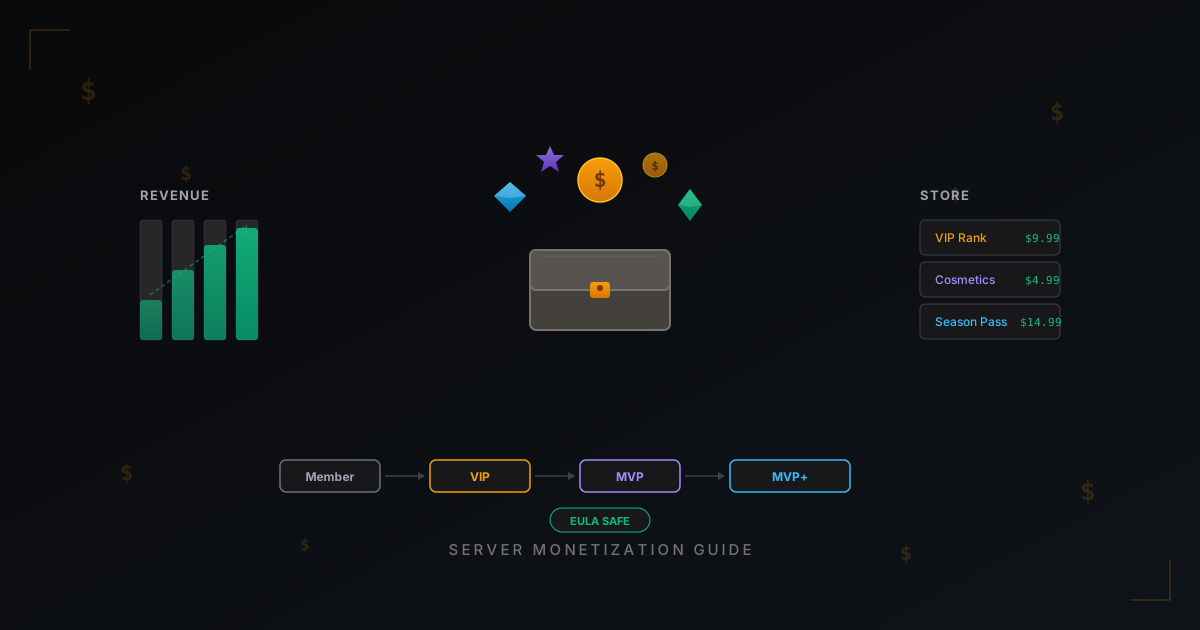
How to Monetize a Minecraft Server: Donations, Ranks, Stores & EULA
Complete guide to earning money from your Minecraft server without breaking the Mojang EULA. Monetization models, donation plugins, pricing strategies, and real revenue numbers.
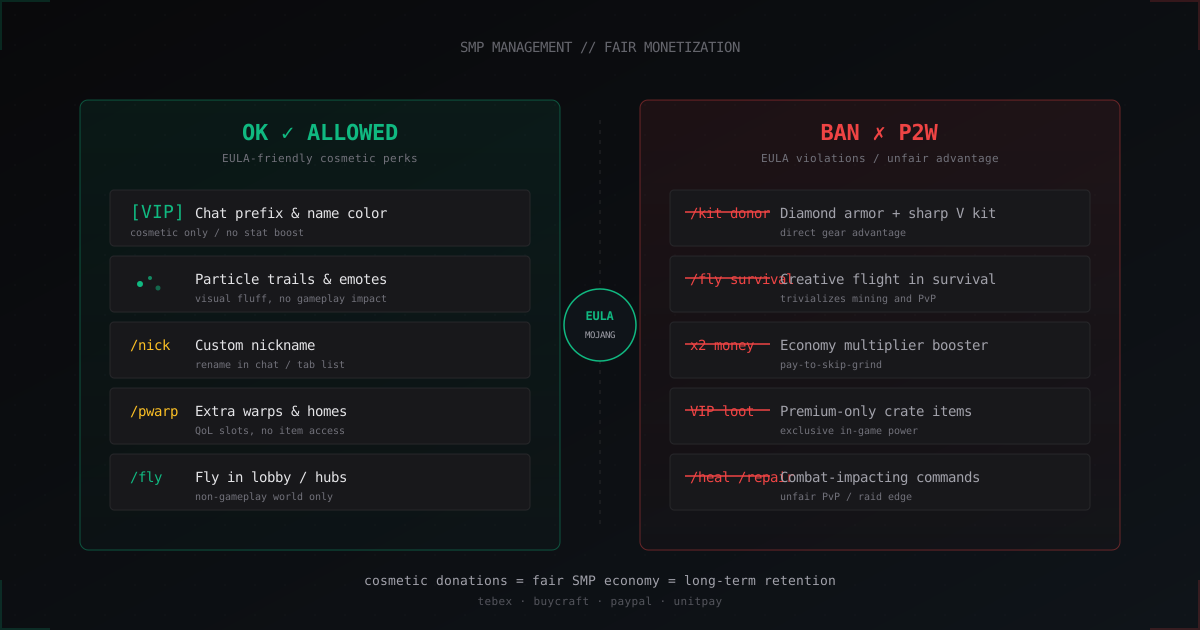
SMP Economy Without Pay-to-Win: Fair Monetization & EULA Guide
How to monetize an SMP without P2W: what EULA allows, what it forbids, ranks, Tebex, vote rewards, and realistic revenue numbers.

TCP vs UDP Attacks on Minecraft Servers: Breaking Down the Differences
Minecraft Java runs on TCP, Bedrock on UDP. Attacks on these protocols differ fundamentally: SYN floods vs amplification, stateful filtering vs DPI. We break down each attack type, real traffic volumes, and defense strategies.