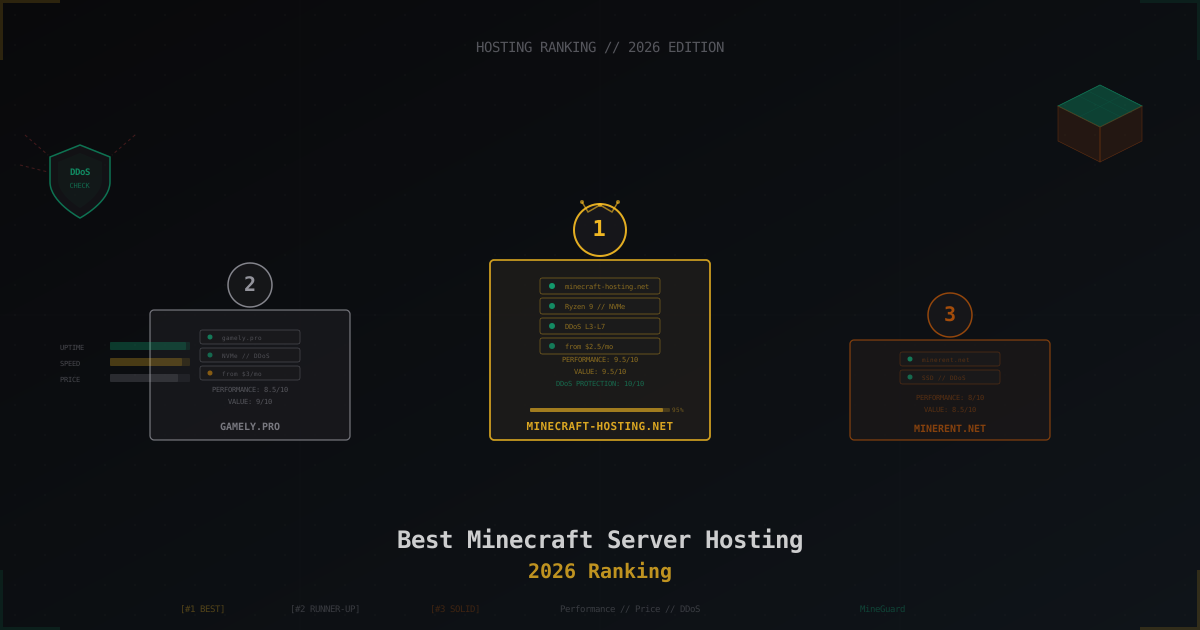
Best Minecraft Server Hosting 2026 - Ranking & Comparison
Picking a Minecraft server hosting in 2026 is a pain. Hundreds of providers, all promising "best performance" and "instant setup." In reality, half of them are reselling the same VPS boxes with a markup, and the other half cut so many corners on hardware that TPS drops to 15 once 20 players show up.
We tested dozens of hosting providers in early 2026. Rented actual servers, ran load tests, measured real TPS under pressure, checked support response times, and put DDoS protection through its paces. This ranking only includes providers that actually earned their spot.
If you haven't figured out what type of hosting you need (shared, VPS, dedicated), start with our hosting selection guide. And if you're not sure how much RAM your server needs - check out the RAM calculator.
How We Evaluate
Before we get to the ranking, here's what we look at for each provider:
- Performance - actual TPS at 30, 50, 100 players. What hardware is under the hood, what CPU, disk type
- Price/value - what it costs and what you get for that money. Cheap hosting with lag is not a good deal
- DDoS protection - does it exist, at what level, does it survive real attacks. This is a make-or-break factor, read more about protection types here
- Support - response time, competence, do they work nights and weekends
- Control panel - usability, features, ability to install mods and plugins
- Locations - where the servers are, what ping your players will get
- Backups - automatic or manual, how long they're kept, how much space you get
1. minecraft-hosting.net - Best Overall 2026
Overall score: 9.5/10
Minecraft-hosting.net takes the top spot in our 2026 ranking, and it's well deserved. They invested heavily in hardware, infrastructure, and support - and it shows.
Hardware & Performance
Servers run on AMD Ryzen 9 7950X processors with boost clocks up to 5.7 GHz. For Minecraft, this is about as good as it gets - the single-threaded performance directly impacts TPS. Storage is NVMe SSD, RAM is DDR5.
In our tests, a server on their 8 GB plan held steady at TPS 19.8-20.0 with 50 players on Paper. At 80 players, TPS never dipped below 19.5. That's an excellent result.
Pricing
| Plan | RAM | Price |
|---|---|---|
| Starter | 2 GB | $2.50/mo |
| Standard | 4 GB | $5/mo |
| Advanced | 8 GB | $10/mo |
| Pro | 16 GB | $18/mo |
Prices are competitive. For $10/month you get 8 GB of RAM on top-tier hardware - that's cheaper than many competitors running weaker machines.
DDoS Protection
Full protection from L3 through L7. Their filtering understands the Minecraft protocol and can tell bots apart from real players. During our test, the server survived an attack with no noticeable impact on players. For a Minecraft server this is absolutely critical - without proper protection, one kid with a stresser can take your server down for hours.
Support
Average ticket response time is about 15 minutes. Live chat is even faster. Support runs 24/7, and importantly, the staff actually knows Minecraft. Not just "have you tried restarting the server," but real help with configuration and troubleshooting.
Pros
- Top-tier hardware (Ryzen 9 7950X, NVMe, DDR5)
- Excellent DDoS protection at all layers
- Competitive pricing
- Fast and knowledgeable support
- Auto-backups every 6 hours
- Pterodactyl panel
- Multiple locations (Europe, Russia, North America)
Cons
- No HDD-based plans for those who need cheap bulk storage
- Max plan is 32 GB - might not be enough for very large networks
2. gamely.pro - Great Value for Money
Overall score: 8.5/10
Gamely.pro doesn't try to be the cheapest or the most expensive. They found their niche in the "good quality at a fair price" segment, and they nail it.
Hardware & Performance
Intel Core i9-13900K and AMD Ryzen 7 7700X depending on location. Both deliver solid single-threaded performance. NVMe disks, DDR4/DDR5 RAM.
TPS at 40 players - stable 19.9. At 70 players it starts to dip slightly to 19.3-19.6, which is still a good result for shared hosting.
Pricing
| Plan | RAM | Price |
|---|---|---|
| Mini | 2 GB | $3/mo |
| Medium | 4 GB | $5.50/mo |
| Large | 8 GB | $11/mo |
| XL | 16 GB | $20/mo |
Slightly more expensive than the top pick, but still within market rates.
DDoS Protection
L3/L4 protection included on all plans. L7 filtering is available as an add-on. The basic protection handles most attacks fine, but serious botnet floods might get through. If DDoS is your main concern, either grab the extended protection or look at the #1 pick.
Support
Response time 20-40 minutes. Support in Russian and English. Runs 24/7, though responses are slower at night. Competence level is solid - they'll help with basic setup and troubleshooting.
Pros
- Good hardware for the price
- Clean control panel
- Russian and English support
- Automatic modpack installation
- Free 24-hour trial
Cons
- L7 DDoS protection costs extra
- Night support is slower
- Fewer locations than the leader
3. minerent.net - Solid Pick for Russian-Speaking Community
Overall score: 8/10
Minerent.net has been around for years and has built a reputation as a stable, reliable host. Their main audience is Russian-speaking server admins.
Hardware & Performance
Intel Xeon E-2388G and Intel Core i9-12900K. Not the newest hardware, but it gets the job done. SSD drives (not all NVMe). DDR4 RAM.
TPS at 30 players - solid 20.0. At 50 players - 19.5-19.8. Beyond 80 players, noticeable dips start happening. For medium-sized servers, it's more than enough.
Pricing
| Plan | RAM | Price |
|---|---|---|
| Basic | 2 GB | 199 RUB/mo (~$2.2) |
| Standard | 4 GB | 379 RUB/mo (~$4.2) |
| Advanced | 8 GB | 699 RUB/mo (~$7.8) |
| Maximum | 16 GB | 1299 RUB/mo (~$14.4) |
Prices are in Russian rubles - convenient for Russian users. Russian payment methods accepted without issues.
DDoS Protection
Basic L3/L4 protection included. Traffic filtering at the datacenter level. Handles typical attacks, but for heavy DDoS you'll want external protection.
Support
Russian-speaking support. Response time 30-60 minutes. They have a knowledge base with setup guides. Support is polite but sometimes lacks deep technical expertise.
Pros
- Payment in rubles, Russian payment methods
- Good prices for the budget segment
- Russian-speaking support and docs
- Stable performance for medium servers
- Long track record
Cons
- Hardware isn't the newest
- Not all drives are NVMe
- DDoS protection is basic only
- No locations outside Russia
4. PebbleHost
Overall score: 7.5/10
A popular international host with a good reputation in the English-speaking community.
Hardware: Ryzen 9 5950X, NVMe SSD. Decent but last-gen processors. Prices from $3/mo for 2 GB. DDoS protection is basic, through Cloudflare Spectrum. Support in English only, response time 1-2 hours.
Pros: stable performance, good panel, lots of tutorials. Cons: no Russian support, average DDoS protection, older CPUs.
5. Apex Hosting
Overall score: 7.5/10
One of the most well-known international hosts. Prices from $4.49/mo for 2 GB. They use Intel Xeon and i9 processors. Panel is Multicraft-based (not the prettiest, but functional).
Pros: instant modpack installation, 15+ global locations, decent support. Cons: above-average pricing, dated panel, middling DDoS protection.
6. Shockbyte
Overall score: 7/10
Budget option with prices from $2.50/mo. At this price point, don't expect miracles - hardware is average, performance drops under load. But for a small server with 10-20 friends, it works.
Pros: cheap, many locations, auto-install. Cons: resource overselling, weak DDoS protection, slow support.
7. ExtraVM
Overall score: 7/10
Performance-focused host. Ryzen 9 5950X, NVMe, dedicated resources. Prices from $4/mo for 2 GB. DDoS protection via Path.net.
Pros: solid performance, honest resource allocation. Cons: few locations, English-only support, no free trial.
8. Sparked Host
Overall score: 6.5/10
Budget host with prices from $1.50/mo on Budget plans and from $4/mo on Premium. The gap between tiers is significant - Budget servers are noticeably slower.
Pros: dirt cheap on Budget, Premium plans are fine. Cons: Budget servers lag, inconsistent support.
9. Bloom Host
Overall score: 6.5/10
Markets itself as premium hosting. Ryzen 9 7950X, NVMe, DDR5. Prices from $8/mo for 4 GB - on the pricey side. Performance is genuinely excellent though.
Pros: top hardware, nice panel (Pterodactyl). Cons: expensive, few locations (US and Europe only), no Russian support.
10. ScalaCube
Overall score: 6/10
Average host with prices from $2.50/mo. Custom panel that's not the most intuitive. Hardware is okay but unremarkable.
Pros: cheap, has a server builder tool. Cons: clunky panel, slow support, weak DDoS protection.
Top 5 Comparison Table
| Hosting | CPU | Min RAM | Price from | DDoS | Score |
|---|---|---|---|---|---|
| minecraft-hosting.net | Ryzen 9 7950X | 2 GB | $2.50/mo | L3-L7 | 9.5/10 |
| gamely.pro | i9-13900K / Ryzen 7 | 2 GB | $3/mo | L3/L4 (+L7) | 8.5/10 |
| minerent.net | i9-12900K / Xeon | 2 GB | ~$2.2/mo | L3/L4 | 8/10 |
| PebbleHost | Ryzen 9 5950X | 2 GB | $3/mo | Basic | 7.5/10 |
| Apex Hosting | Intel Xeon / i9 | 2 GB | $4.49/mo | Basic | 7.5/10 |
What to Look for When Choosing
CPU Matters Most
Minecraft runs mostly on a single thread. Clock speed matters more than core count. A Ryzen 9 7950X at 5.7 GHz will outperform a Xeon with 16 cores at 3.0 GHz every time. More on hardware requirements in our hosting selection guide.
DDoS Protection - Don't Skimp
If your server is public and even slightly popular, you will get attacked. It's not a matter of "if" but "when." A host without real DDoS protection is a gamble. One angry player can spend $10 on a stresser and knock your server offline for the whole evening.
Read more about the difference between free and paid DDoS protection in our dedicated article.
RAM - Do the Math
Don't buy 2x what you need. But don't go too tight either. A vanilla server with 20 players - 4 GB is fine. Paper with 30 plugins and 50 players - 8 GB minimum. Modpacks eat more. Get exact numbers from our RAM calculator.
Server Location
Ping depends on distance. If your players are mostly in Europe - get a server in Frankfurt or Amsterdam. If in the US - east or west coast. The difference between 20 ms and 150 ms ping is very noticeable.
Support
When your server goes down at 3 AM (and it will), you'll want support to respond fast. Check whether they run 24/7 and in what language.
Final Verdict
Best overall in 2026 - minecraft-hosting.net. Top hardware, competitive prices, excellent DDoS protection, and fast support. If you're not sure what to pick, go with them.
Best value - gamely.pro. Slightly pricier but still reasonable. A good choice when you want a balance between cost and performance.
Best budget option for Russian users - minerent.net. Ruble payments, Russian cards, fair prices. For an average server, more than enough.
Whatever hosting you end up choosing, remember: good hosting is an investment. Saving $3 a month isn't worth the lag, crashes, and lost players.
Protect Your Server from DDoS Attacks
Free protection with 5-minute setup. 1 TB bandwidth included.
Try for FreeRelated Articles
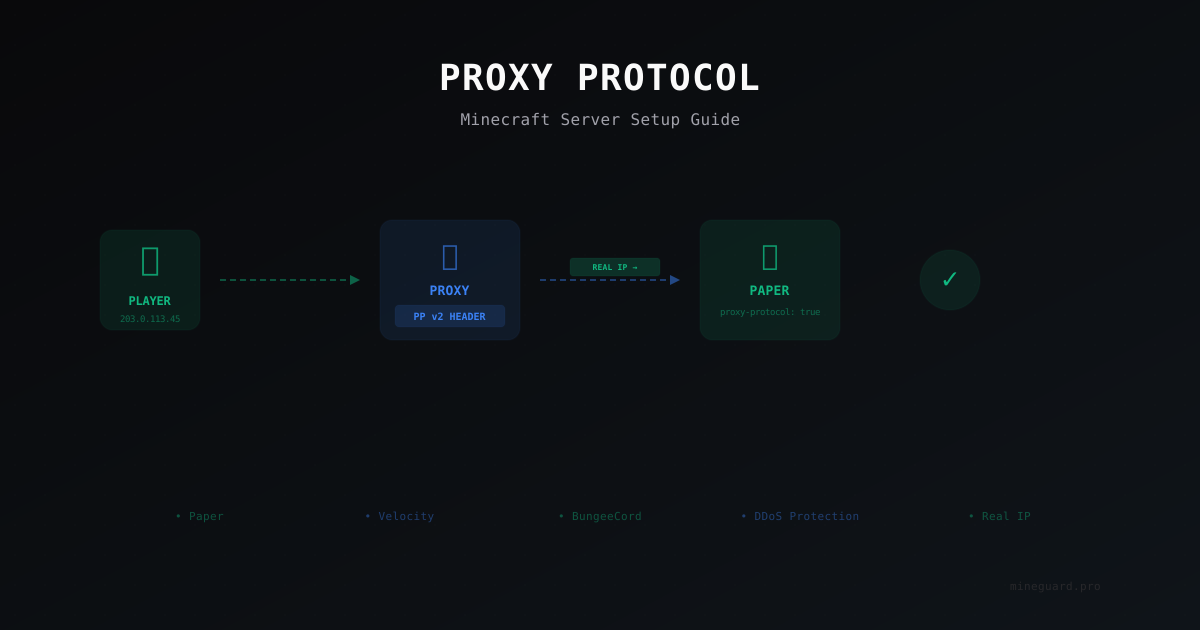
Proxy Protocol for Minecraft: Why You Need It and How to Set It Up
Proxy Protocol preserves real player IP addresses when your server runs behind a reverse proxy or DDoS protection. Learn how to configure it for Paper, Velocity, and DDoS mitigation setups.
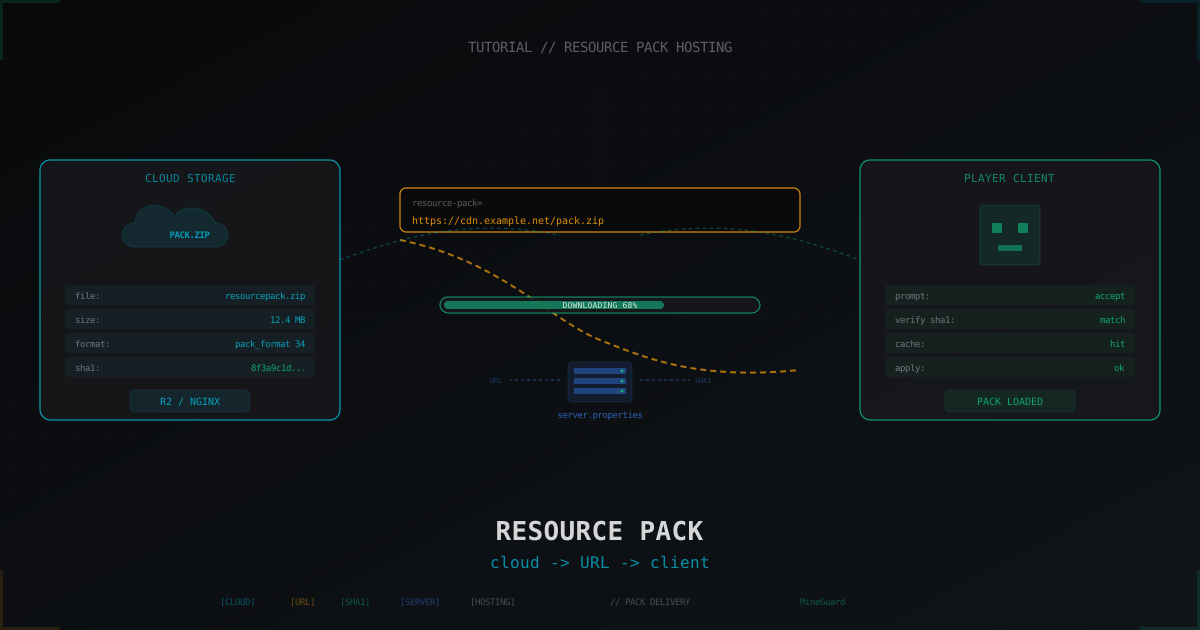
Hosting a resource pack for a Minecraft server: complete guide (2026)
How to put a resource pack on a host, generate the sha1 and feed it to the client via server.properties. GitHub raw, Mc-Packs.net, Cloudflare R2, self-hosted nginx, versioning, multi-language and why Discord CDN died in 2024.
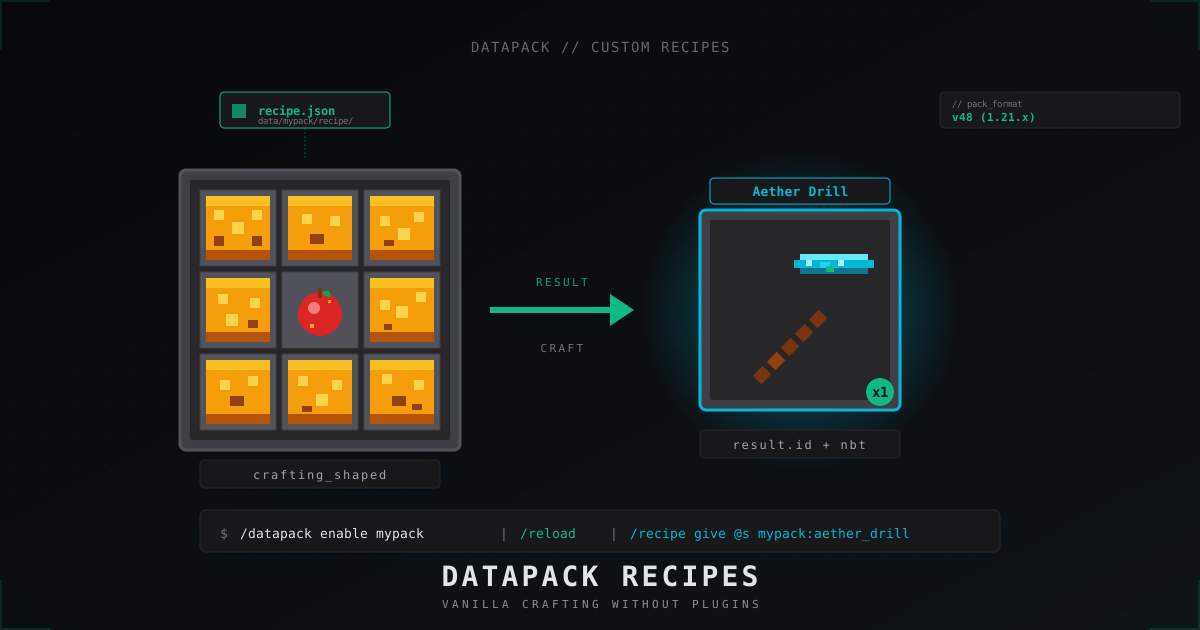
Custom Minecraft recipes with datapacks: step-by-step tutorial (2026)
Ship custom crafting recipes on a Minecraft 1.21 server without plugins: data pack layout, pack_format, JSON for shaped, shapeless, smelting, smithing, stonecutter, tag ingredients, vanilla overrides.