Beginner's Guide: How to Protect Your Minecraft Server
Why Protecting Your Minecraft Server Matters
If you run a Minecraft server, you already know how hard it is to build and keep a player base. A single successful DDoS attack lasting 15 minutes can scare off dozens of players who will never come back. If the attacks keep happening, people simply move on to your competitors.
Lost players mean lost donations. For servers with 500+ online, even an hour of downtime can cost real money. And the reputation damage? That takes months to rebuild.
The good news: basic protection does not require deep technical expertise. In this guide, we will walk through the essential steps that will neutralize 90% of threats to your server.
Step 1: Choose a DDoS Protection Provider
This is the most important decision, and everything else depends on it. Here is what to look for:
Latency (ping). For Minecraft, this is critical. If the provider adds 50+ ms to your ping, players will feel it. Look for protection with minimal added latency, ideally under 5-10 ms.
Bandwidth capacity. Modern DDoS attacks on game servers can reach 100+ Gbps. Make sure your provider can filter that volume of traffic without quality degradation.
Minecraft protocol support. Generic DDoS protection often works poorly with game traffic. Choose a solution that understands Minecraft specifics and can distinguish legitimate players from bots at the protocol level.
Control panel. A convenient dashboard with real-time analytics lets you see what is happening with your server and respond to problems quickly.
Step 2: Set Up DNS Properly
After choosing a provider, you need to route traffic through the protection correctly. This is usually done via DNS records.
Create a CNAME record for your domain pointing to the address provided by your protection service. This means all traffic passes through filtering first, and only clean traffic reaches your server.
Hide your real server IP. This is one of the most critical points. If an attacker knows your actual IP, they can bypass any protection and hit you directly. Check:
- Whether your real IP exists in old DNS records
- Whether it leaks through email headers or API responses
- Whether it is listed in public configs or on forums
Use SRV records for Minecraft. They let players connect via a clean domain name (play.yourserver.com) without specifying a port.
Step 3: Configure Firewall Rules
A firewall on your server acts as a second line of defense after external DDoS protection.
Restrict port access. Only open the ports you actually need: Minecraft (25565), SSH (preferably on a non-standard port), and possibly a control panel port. Close everything else.
Block suspicious regions. If your server targets a specific audience, traffic from unusual countries can be blocked at the firewall level. This immediately cuts off a significant portion of bots.
VPN and proxy traffic. Many attackers use VPNs to mask themselves. Set up rules to block or add extra verification for traffic from known VPN ranges. Just be careful: some legitimate players use VPNs too.
Rate limiting. Restrict the number of connections from a single IP address within a time window. A normal player will not connect 20 times per second, but a bot certainly might.
Step 4: Enable Captcha for Bot Protection
Minecraft server bots come in many flavors: spam bots that flood chat, botnets that simulate thousands of players and overload the server, and everything in between.
A good protection provider offers a built-in verification system (captcha). When a suspicious connection is detected, the player is kicked with a message containing a link to a web page where they pass Google reCAPTCHA in their browser, after which they can reconnect to the server. A new player completes a quick check on first connection, then plays without interruption.
When setting up captcha, pay attention to:
- It should be simple for real players (no longer than 10-15 seconds)
- Multiple challenge types so automated solvers cannot beat them
- Customization support: colors, text, your server logo
- Whitelists for verified players so they do not have to repeat the captcha
Step 5: Monitor Your Server
Protection without monitoring is blind. You might not even know an attack is happening right now until players start complaining in Discord.
Set up notifications. A good protection service sends alerts for anomalous traffic. Connect them to Telegram or Discord for instant response.
Track backend health. Monitoring ping, TPS (ticks per second), and player count helps you spot problems before they become critical.
Analyze statistics. Look at where attacks originate, what types are used, and what time of day they happen most often. This helps you fine-tune your protection.
Step 6: Keep Backups and Have a Plan
Even with the best protection in the world, you need a Plan B.
Regular backups. Set up automatic backups of your world, configs, and database. At minimum once a day, ideally every 6 hours. Store backups on a separate server.
Recovery plan. Know in advance what to do if your server goes down despite everything. How long will recovery take? Who on your team is responsible for what? Is there a backup server?
Test your restores. A backup you cannot restore is useless. Once a month, verify that your backups actually work.
Additional Tips
- Never share your real server IP. Not in Discord, not in plugin configs, not in console screenshots. One leaked IP renders all your protection worthless.
- Use Proxy Protocol. It allows you to see real player IPs even through DDoS protection, which is important for bans and analytics.
- Enable two-factor authentication on your server management panel. If someone gains panel access, they can cause far more damage than any DDoS.
- Keep your software updated. New versions of server cores and plugins patch vulnerabilities that attackers can exploit.
- Do not skimp on protection. The cost of downtime almost always exceeds the cost of good protection. Think of it as an investment, not an expense.
Conclusion
Minecraft server protection is built in layers: external DDoS filtering, proper DNS configuration, firewall, player verification, and monitoring. None of these components works perfectly alone, but together they create a solid barrier.
Start with choosing a solid protection provider, hide your IP, and set up basic firewall rules. These three steps alone will block most threats. Then gradually add captcha, monitoring, and automation.
Your server deserves stable uptime, and your players deserve a smooth experience.
Protect Your Server from DDoS Attacks
Free protection with 5-minute setup. 1 TB bandwidth included.
Try for FreeRelated Articles
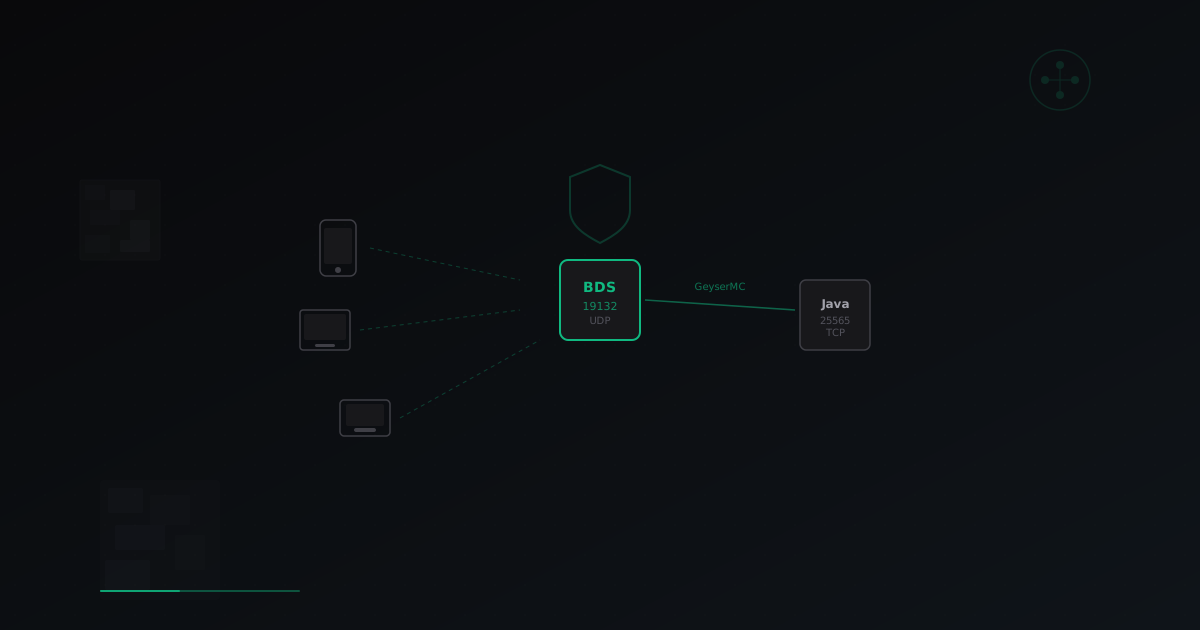
Minecraft Bedrock Server Setup: Complete Guide for 2026
Step-by-step guide to launching a Minecraft Bedrock server. BDS installation, GeyserMC crossplay setup for Java+Bedrock, performance optimization, and DDoS protection.
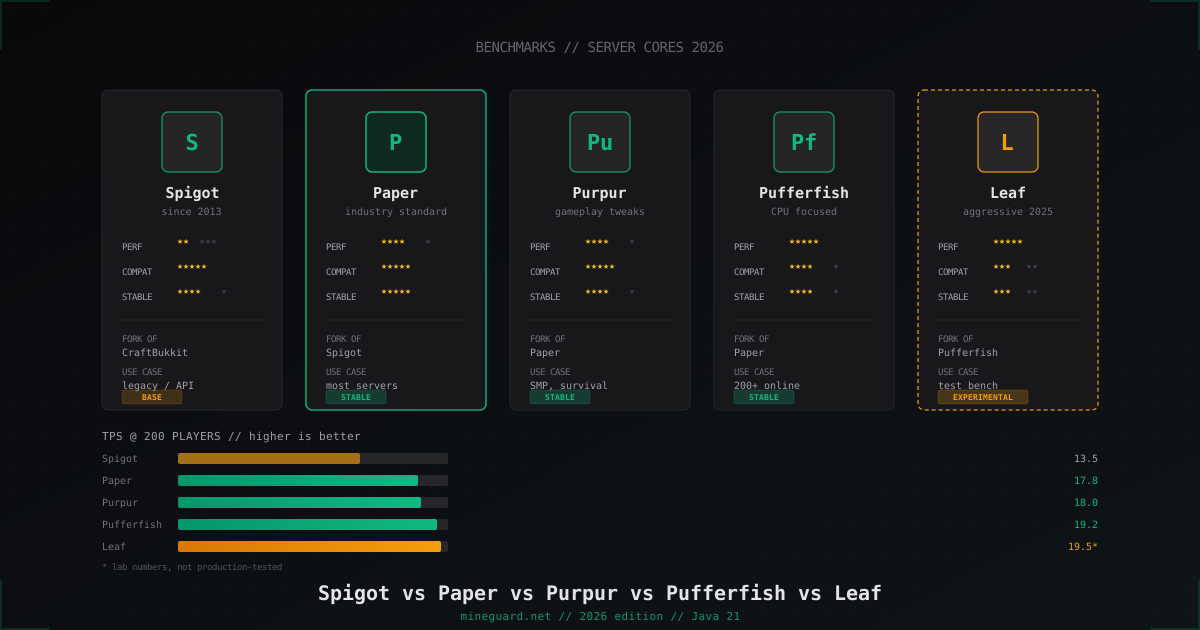
Minecraft Server Cores Compared 2026: Spigot vs Paper vs Purpur vs Pufferfish vs Leaf
Which Minecraft server core to pick in 2026: deep dive into Spigot, Paper, Purpur, Pufferfish and Leaf with real TPS numbers and player-count guidance.
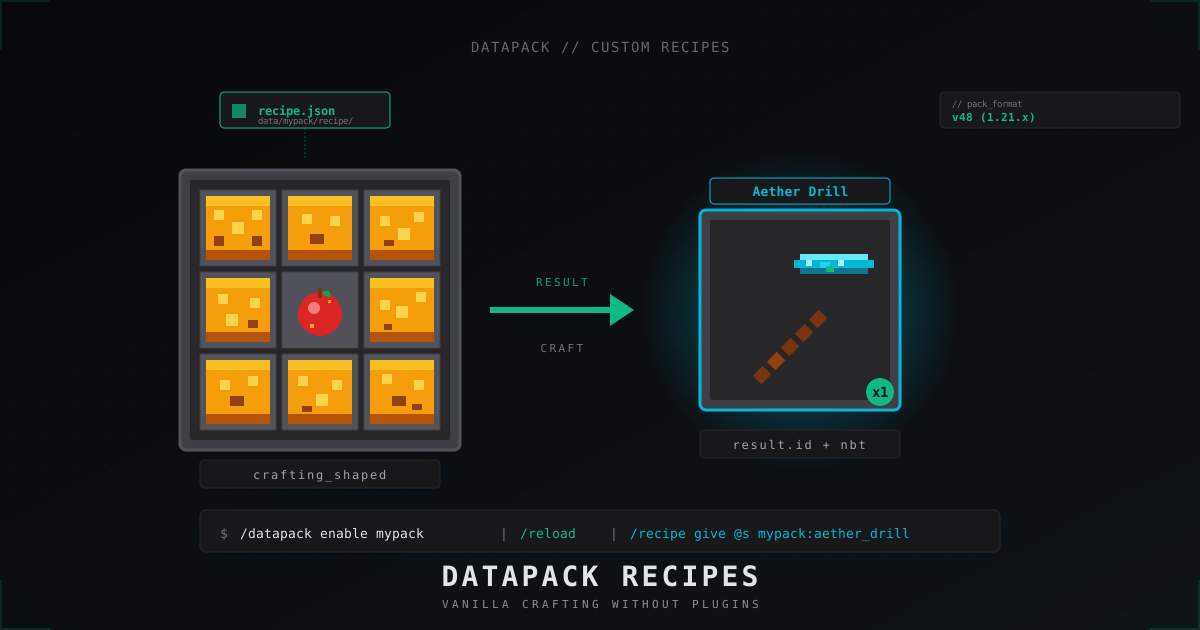
Custom Minecraft recipes with datapacks: step-by-step tutorial (2026)
Ship custom crafting recipes on a Minecraft 1.21 server without plugins: data pack layout, pack_format, JSON for shaped, shapeless, smelting, smithing, stonecutter, tag ingredients, vanilla overrides.