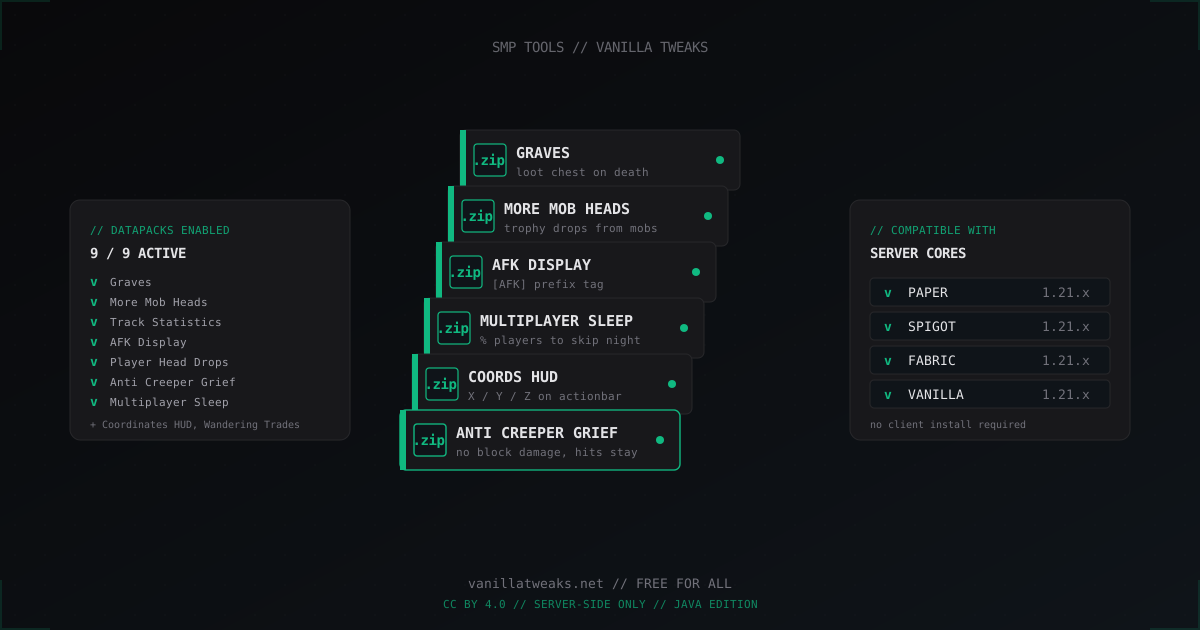
Vanilla Tweaks: best datapacks for your SMP server in 2026
Running an SMP and tired of players losing gear in lava, creepers wrecking spawn, and night never skipping because three people are AFK? Vanilla Tweaks is the cleanest fix. It is server-side, free, no client mods needed, and works on every Java edition core out there. Below is what to install, how to install it, and the things that actually break.
What Vanilla Tweaks is
Vanilla Tweaks is a project from the same crew that produces the official Hermitcraft tweaks. It is a curated set of small datapacks, resource pack modules, and crafting tweaks that smooth out vanilla rough edges without wrecking balance. Everything is free, the license is CC BY 4.0, and you can use it on commercial servers with no fuss.
A datapack is a native Minecraft feature. Internally it is plain JSON: functions, loot tables, advancements, recipes, predicates. The server loads them through /datapack and that is it. No third-party API. Works on Paper, Spigot, Purpur, Fabric, and pure vanilla without changes.
Datapack vs plugin: when to pick which
A plugin gives you more: Bukkit API, custom events, async hooks, complex commands. A datapack is bound to whatever the vanilla engine exposes - functions, advancements, loot tables, tags, predicates. In return a datapack:
- Runs anywhere a Java server runs
- Survives core updates without rewrites
- Adds zero extra threads or JVM bytecode
- Requires nothing from the player - join and go
In practice, for a small to medium SMP, Vanilla Tweaks datapacks cover about 80% of what people usually reach for plugins to do. You will still want EssentialsX and LuckPerms, but past that you can run very lean.
Installing datapacks step by step
Fresh start. Open vanillatweaks.net, click Datapacks, pick your Minecraft version (1.21.x for current 2026 servers). Tick the boxes for what you want, hit Download Pack at the bottom. You get one zip with all your selected datapacks bundled inside.
# on the server
cd ~/minecraft/world/datapacks/
unzip ~/Downloads/VanillaTweaks_d1234.zip
ls -la
# you should see files like VanillaTweaks_v2.6.5_GRAVES.zip
Important: each VT datapack arrives as its own zip. Do not extract them. Minecraft reads zip files directly. Just drop all the inner zip files into world/datapacks/ and you are good. If you only want a datapack in the nether, drop it into world_nether/datapacks/ instead.
Then in the server console:
# live, no restart
/reload
/datapack list
Every pack should show up with a file/ prefix. If one fails, the console prints the actual reason, almost always a version mismatch.
Top datapacks for SMP
After running these on a few servers, here is the must-have shortlist for any SMP in 2026. These are the ones people install and almost never remove.
Graves - the single most requested feature on any SMP. When a player dies, a chest spawns at the death location with their full inventory and XP. They walk back, break it, get their stuff. Solves lava deaths, void drops, raid wipes where a full netherite kit vanishes. After 6 minutes by default the grave breaks and items drop, so you do not get permanent chest litter.
More Mob Heads - drops mob heads from almost every mob, not just zombies, skeletons, and creepers. Drop chance varies. Great motivation to farm and decorate, zero performance impact - it is just an extended loot table.
Track Statistics - a book with player stats. Blocks walked, mobs killed, jumps, time played. Long-term content for SMPs where players compete on records.
AFK Display - puts an [AFK] tag above the name when the player has not moved for a while. Lets you tell who is actually online and who is camping a farm.
Player Head Drops - PvP victims drop their head. Mount them on the wall in your trophy room. Disable on non-PvP servers.
Anti Creeper Grief - creepers still explode, still hurt you, but do not break blocks. The single most asked-for tweak for shared spaces and spawn. Players still fear creepers and lose HP, the base does not crater.
Multiplayer Sleep - configurable percentage of players that need to sleep to skip night. Default is 50%, you can set anything from 1 player to all of them. On a 20+ online SMP this is a sanity saver.
Coordinates HUD - X/Y/Z on the actionbar, no F3 needed. Cleaner UX, works for Bedrock players via GeyserMC, can be toggled with a trigger.
Wandering Trades - extended trade list for the wandering trader, including rare decorative blocks. Makes the trader actually worth catching instead of "two llamas guy."
Crafting tweaks: quality of life
Separate category - small recipe additions that save real time.
More Recipes - adds intuitive recipes the vanilla game lacks: dirt block from 4 dirt, brown dye crafted alternatives, extra paths to rare items.
Dragon Drops Egg - the Ender Dragon drops its egg every respawn, not only the first kill. On older SMPs where the dragon is long dead, this is a lifesaver.
Enderman Drops Eyes - small chance for ender pearls to convert to ender eyes in your inventory. Trims the End portal grind.
Larger Phantoms - phantoms grow with age and drop more membranes. Cosmetic plus slightly better elytra economy.
Bundle - early access bundle recipe before Mojang shipped them. Largely obsolete in 2026.
Admin utilities
Less flashy packs that exist purely to make admin life easier.
Custom Nether Portals - portals of any shape, not just the 4x5 vanilla rectangle. Build the obsidian frame, light it with a trigger, done. Useful for builds and themed transit hubs.
Sleep Percentage - same idea as Multiplayer Sleep but with a runtime command to change the threshold. Handy if you want 50% during build days and 100% during PvP events.
Easy Elytra Takeoff - jump with a firework rocket and you take off without needing to fall first. Polarizing tweak, great for sky-base SMPs.
How not to break progression
Main rule: do not install datapacks that gut early game on a progression SMP. Things like Enderman Drops Eyes early, More Recipes with cheap diamond block recipes, or sapling-from-leaves with high drop rates kill the grind phase that gives an SMP its arc.
Read the description on vanillatweaks.net. Each pack has a clear "what it does" blurb. If you are unsure, test on a throwaway world first:
mkdir -p /tmp/test-world/datapacks
cp ~/Downloads/VanillaTweaks_*.zip /tmp/test-world/datapacks/
java -Xmx2G -jar paper-1.21.x.jar --world-dir /tmp/test-world
You will see the actual behavior without risking the main world.
Plugin compatibility
99% of Vanilla Tweaks datapacks coexist fine with plugins. Conflicts only happen when both try to override the same vanilla behavior.
- Anti Creeper Grief + WorldGuard with
creeper-explosion: deny- they both block grief, but WG also blocks the damage. Pick one. Usually disable the WG flag and let the datapack handle it. - Graves + plugins like Deluxe Death Chest - obvious clash, both spawn a chest, pick one.
- AFK Display + EssentialsX AFK - both add an AFK prefix. Disable one.
Safest test: install, play a session, watch the console for warnings. If the log is quiet, you are fine.
Performance
Vanilla Tweaks packs are written reasonably well, but it is worth knowing the cost.
Graves writes persistent chest data to the world plus owner metadata. On 100+ players with frequent deaths you might see an extra 5-10 MB in world/playerdata. Not critical, just monitor du -sh world/.
More Mob Heads is zero impact - just a loot table.
Track Statistics updates a book through scoreboard tick. On 200+ concurrent players you may see a tiny TPS dip. Most SMPs will not notice.
Multiplayer Sleep does a score check every tick, negligible cost.
If you run a 4 GB host with 50 players online, install everything from VT. You will not feel it. If you push 500 concurrent, profile with /spark profiler and trim packs that show up hot.
Resource pack: optional companion
Vanilla Tweaks also ships a resource pack picker. Pick modules: better compass, simplified swords, color-coded arrows, readable font. Download the zip, set it on your server:
# in server.properties
resource-pack=https://your-cdn.com/vt-pack.zip
resource-pack-sha1=ABC123...
require-resource-pack=false
Unlike a datapack, the resource pack downloads on the client. Players see a "load pack?" prompt. If you set require-resource-pack=true, joining without it is denied.
Updating after a Minecraft release
This is the painful bit. Every major Minecraft release breaks datapack format. When 1.21 to 1.22 lands, your existing VT packs throw Pack version is outdated.
Workflow:
# 1. snapshot the current pack list
ls world/datapacks/ > ~/datapacks_backup.txt

# 2. remove the old ones
rm world/datapacks/VanillaTweaks_*.zip

# 3. on vanillatweaks.net switch the version, tick the same packs,
#    download the fresh bundle

# 4. drop it back in
unzip ~/Downloads/VanillaTweaks_new.zip -d world/datapacks/

# 5. /reload in console
Vanilla Tweaks usually updates within a few days of a major release. Until they do, either stay on the previous Minecraft version or temporarily disable the affected packs.
Customization: VT is just JSON
If a VT pack does something you want to tweak, you can. Example - change Graves expiry from 6 minutes to 1 hour.
unzip VanillaTweaks_v2.6.5_GRAVES.zip -d graves_unpacked/
cd graves_unpacked
cat pack.mcmeta
{
  "pack": {
    "pack_format": 48,
    "description": "VanillaTweaks Graves"
  }
}
Inside data/vt_graves/functions/ are the functions, data/vt_graves/loot_tables/ has the loot. Find the scoreboard objective the timer uses, change the threshold, repack:
zip -r VanillaTweaks_v2.6.5_GRAVES_modified.zip *
mv VanillaTweaks_v2.6.5_GRAVES_modified.zip ~/server/world/datapacks/
Just do not break pack.mcmeta or the server refuses to load it.
Alternatives to Vanilla Tweaks
If VT does not cover your need, there are options:
- Modrinth Datapacks - large catalog, both small tweaks and serious overhauls like better raids or new biomes
- Datapack Hub - smaller, more curated
- Individual GitHub releases (more custom, less battle-tested)
VT wins on "everything in one place and standardized." For exotic stuff like skill trees, custom crafting workstations, or RPG systems, look at Modrinth.
FAQ
Is Vanilla Tweaks free?
Yes, completely free. The team funds itself through Patreon and Hermitcraft revenue, but the packs themselves have always been free for everyone.
Can I use Vanilla Tweaks on a commercial server?
Yes. The CC BY 4.0 license allows commercial use as long as you attribute. Most monetized SMPs run VT without issues.
Do datapacks work on Bedrock Edition?
No. Datapacks are a Java Edition feature. Bedrock has addons (behavior packs) which are not compatible with Java datapacks. If your server runs GeyserMC for Bedrock players, datapacks still work because the logic runs server-side - so Graves works for a Bedrock player too, since the server handles death.
How many datapacks can I run at once?
Dozens, technically. The real ceiling is conflicting commands and scoreboard objectives. I have seen SMPs run 25+ VT packs without trouble. If something breaks, the console gives a clear error.
Do players need to install Vanilla Tweaks?
No, datapacks are server-side only. Players just join. The resource pack is a separate, optional product that downloads to the client.
Why does /reload throw an error?
Most likely the pack_format does not match the Minecraft version. Check the number in pack.mcmeta against the pack_format wiki page. Re-download from vanillatweaks.net for your specific version.
Can I add datapacks without a restart?
/reload without arguments hot-reloads all datapacks live. On a busy SMP it may dip TPS for a second or two but players do not disconnect. Always prefer /reload over a full restart when adding zips.
What is next
Minimum starter set for a fresh SMP in 2026: Graves, Multiplayer Sleep, Anti Creeper Grief, More Mob Heads, AFK Display. Those five fix the most common player complaints without breaking balance. Add the rest as your community asks.
If your SMP is going public, also think about traffic protection. MineGuard filters out junk traffic before it touches the Java server, so your datapacks run smoothly even under attack. But that is another article.
Protect Your Server from DDoS Attacks
Free protection with 5-minute setup. 1 TB bandwidth included.
Try for FreeRelated Articles
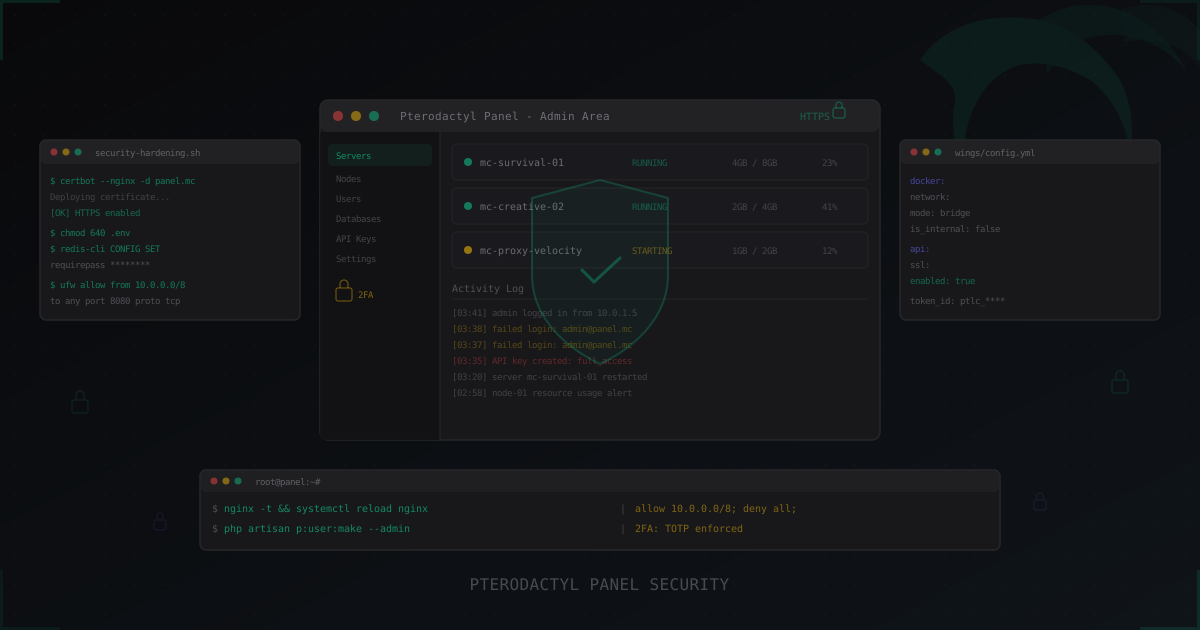
Pterodactyl Panel Security: How to Secure Your Server Management Panel
Complete guide to securing Pterodactyl Panel: SSL, 2FA, Wings hardening, Docker isolation, database and Redis security, API key management, monitoring, and brute-force protection. Plus a look at Pelican as the Pterodactyl successor.
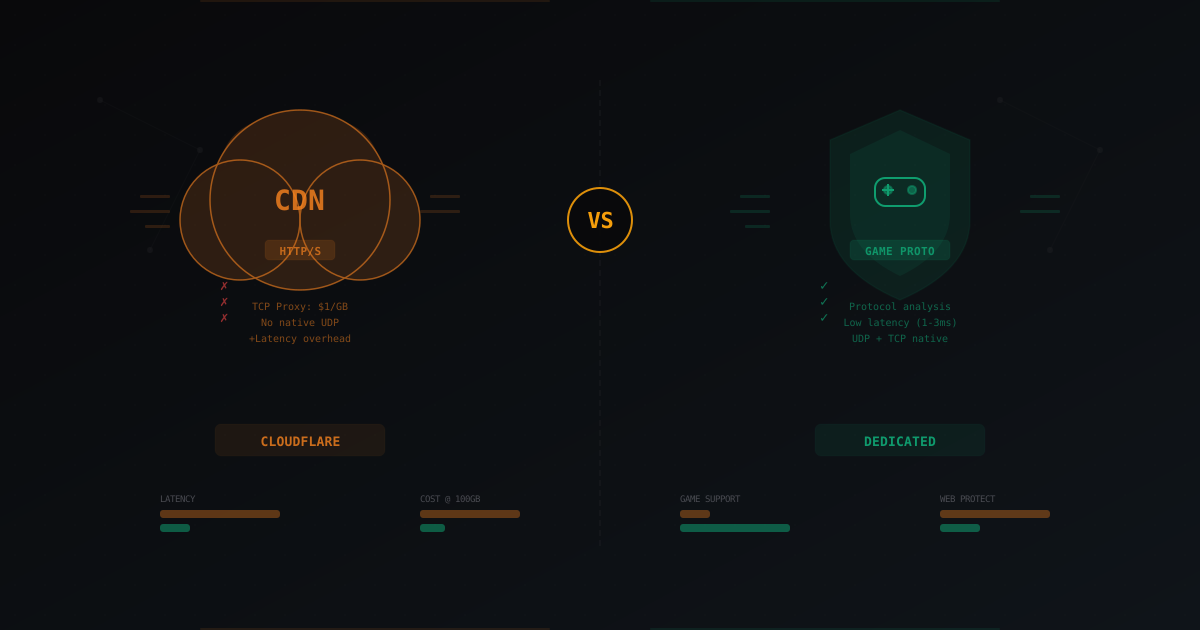
Cloudflare vs Dedicated DDoS Protection for Gaming Servers
Breaking down Cloudflare Spectrum, free tier, and the CDN approach to game server protection. Comparing with dedicated gaming DDoS protection: latency, cost, protocol support, real-world scenarios.
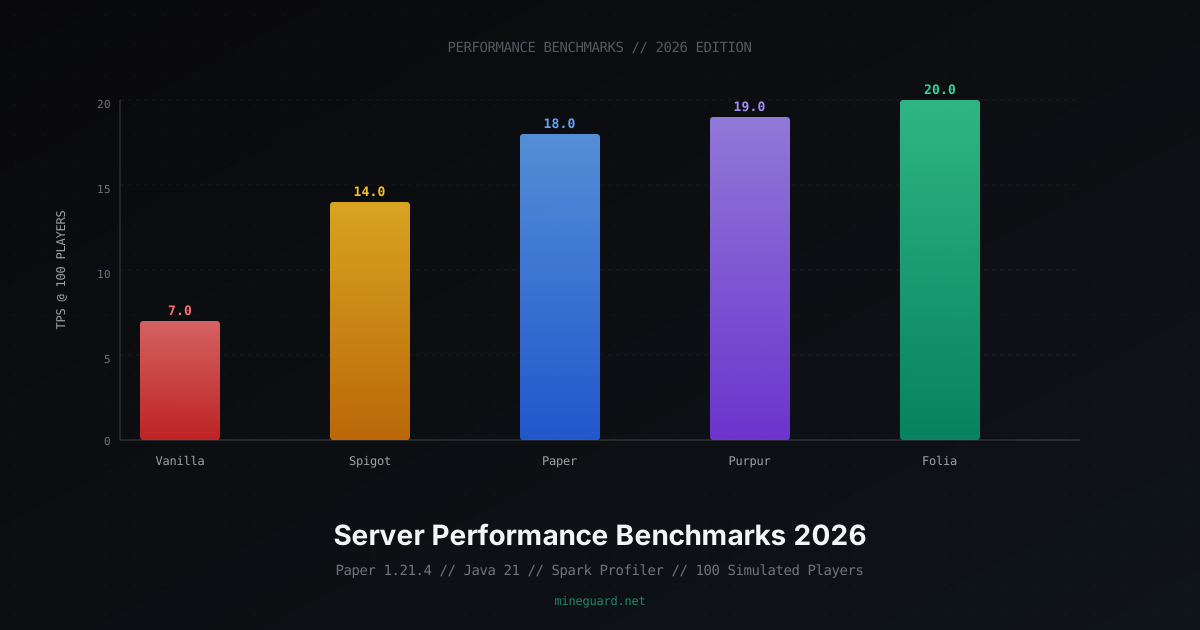
Minecraft Server Performance Benchmarks 2026: Vanilla vs Paper vs Folia
Detailed comparison of Minecraft server software by TPS, RAM usage, chunk loading speed. Java 17 vs 21 benchmarks, JVM flags, hosting comparison, and network requirements.