OneBlock SMP Minecraft Server: Complete Setup Guide for the One Block Mode
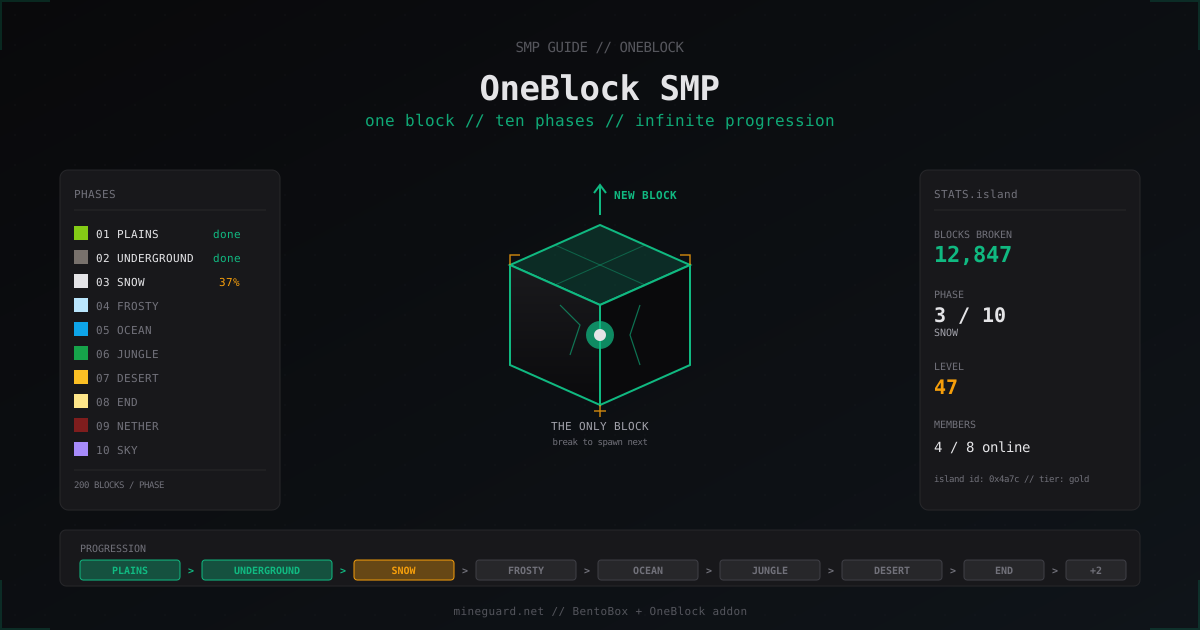
OneBlock takes the SkyBlock idea and crushes it down to a single block. The player spawns in the void with one block under their feet, and every block they break drops the next one according to a phase table. This guide shows how to launch your own OneBlock SMP on Paper 1.21 with the BentoBox plugin, configure phases, add real SMP features with visitors and shared chat, and not blow up the server when the first hundred players show up.
What OneBlock is and how it differs from SkyBlock
In classic SkyBlock the player gets a starter island with a tree, a chest and a bit of lava and water. In OneBlock all you get is one block. Break it and the next one appears. First it is a grass block, then dirt, sometimes a sapling or seeds. After 200 blocks the phase switches and the same magic block starts dropping stones, ores and dungeon mobs. Another 200 blocks and you hit snow and ice, then ocean, jungle, desert, End, Nether and the final Sky phase.
Progression in OneBlock is strict and linear, unlike SkyBlock where you decide what to build and where to dig. That makes OneBlock much closer in spirit to the Hypixel original from 2020. Open-source ports appeared almost immediately, and today the main pick is the OneBlock addon for the BentoBox plugin.
Which plugin to choose: BentoBox vs aOneBlock
BentoBox + OneBlock addon is free, actively maintained, runs on Paper 1.20-1.21 and is written against the modern API. BentoBox has a modular architecture: there are addons Level, Challenges, Warps, Bank, Boxed, and every plugin from this ecosystem plays nice with the others. If you want to run a server with five game modes at once (SkyBlock + OneBlock + AcidIsland), BentoBox handles that on a single base.
aOneBlock by MWHunter is paid (around 12 euro on SpigotMC) but installs in one click, has a built-in GUI for phase tuning and needs no extra addons. If you have no time to dig into YAML, this one makes sense.
For this guide I will go with the free BentoBox + OneBlock combo because it covers 90% of server needs and does not lock you into one author.
Installing BentoBox and OneBlock on Paper 1.21
Set up Paper 1.21.4 like any other server. RAM: 4 GB for fifty players online, 6-8 GB for a hundred. Download two jars:
- BentoBox from Modrinth
- OneBlock addon from BentoBox download
plugins/
├── BentoBox-2.5.x.jar
└── BentoBox/
    └── addons/
        └── OneBlock-1.21.x.jar
After the first launch BentoBox creates plugins/BentoBox/addons/OneBlock/ with all configs. If the addons/ folder is missing, create it manually and drop the addon jar in. Restart the server.
Log check:
[BentoBox] Loaded addon OneBlock v1.21.x
[OneBlock] Phases loaded: 10 (plains, underground, snow, frosty, ocean, jungle, desert, end, nether, sky)
Main OneBlock addon config
The main file is plugins/BentoBox/addons/OneBlock/config.yml. The minimal useful parameters:
oneblock:
  command:
    island: "ob is island"
    admin: "obadmin oba"
  world:
    friendly-name: "OneBlock"
    world-name: "oneblock_world"
    difficulty: NORMAL
    island-distance: 200
    island-protection-range: 50
    island-start-x: 0
    island-start-z: 0
    sea-height: 0
    max-islands: 0
  island:
    max-team-size: 8
    max-homes: 5
    reset:
      reset-blocks: true
      on-join: false
Important detail: island-distance is the grid step between islands inside one world, not the world radius. All OneBlock islands live in a single world divided into cells. On disk this is still one folder oneblock_world/, which simplifies backups.
Phases: how the phase tables work
Phases live in plugins/BentoBox/addons/OneBlock/phases/. Every phase is a separate YAML with a table of blocks, mobs, loot and drop weights. Here is a trimmed example of phase one Plains (0_plains.yml):
phaseName: Plains
firstBlock: GRASS_BLOCK
biome: PLAINS
blocks:
  GRASS_BLOCK: 250
  DIRT: 200
  OAK_LOG: 80
  OAK_LEAVES: 60
  WHEAT_SEEDS: 30
  POPPY: 20
  COW_SPAWN_EGG: 10
  CHICKEN_SPAWN_EGG: 10
  CHEST: 5
chests:
  rarity: COMMON
  contents:
    - {material: BREAD, qty: 3, rarity: 0.6}
    - {material: APPLE, qty: 2, rarity: 0.4}
    - {material: IRON_INGOT, qty: 1, rarity: 0.1}
goToNextPhase: 200
Numbers in blocks: are weights. The total is arbitrary, the drop chance for each block is proportional to its weight against the sum. If you want iron to drop more often, raise its weight.
COW_SPAWN_EGG means a mob will spawn instead of a block. Same with creeper, zombie, zombified_piglin in later phases. Chests drop as a CHEST block with loot from the chests: section.
goToNextPhase: 200 means after 200 broken blocks the player moves to the next phase. The default rate is 10 phases × 200 blocks = 2000 blocks to the finale. Want it longer, set 500.
Building a custom phase
Say we want to add a Beach phase between Plains and Underground. Create plugins/BentoBox/addons/OneBlock/phases/1_beach.yml:
phaseName: Beach
firstBlock: SAND
biome: BEACH
blocks:
  SAND: 300
  SANDSTONE: 100
  CACTUS: 30
  BAMBOO: 20
  TURTLE_EGG: 5
  CHEST: 8
  PUFFERFISH_SPAWN_EGG: 5
  TROPICAL_FISH_SPAWN_EGG: 10
chests:
  rarity: UNCOMMON
  contents:
    - {material: PRISMARINE_SHARD, qty: 4, rarity: 0.5}
    - {material: HEART_OF_THE_SEA, qty: 1, rarity: 0.05}
goToNextPhase: 200
The filename starts with a number: BentoBox uses it for phase order. Important: after phase changes you need to restart the server or run /oba reload. Hot reload without restart does not always behave correctly on existing islands.
Player and admin commands
Basic player set:
/ob create               # create island
/ob home                 # back to your island
/ob warps                # list of player warps
/ob top                  # top islands by level
/ob settings             # GUI for island rules (PvP, mobs, visitors)
/ob team invite <player> # invite to team
/ob level                # recalculate island level
Admin interface:
/oba teleport <player>   # teleport to player's island
/oba info <player>       # island info
/oba reset <player>      # reset island
/oba setisland <player>  # assign home to player
/oba switch              # toggle admin mode (creative bypass on islands)
If an admin wants to look at someone's island without an invite, /oba teleport <player> works instantly. BentoBox protection by default blocks block breaking on foreign territory, and /oba switch bypasses it.
SMP layer: visitors, shared chat, economy
OneBlock SMP differs from solo OneBlock in that players actively visit each other and trade. To make this work, three doors need to be open.
Visitors. In /ob settings every island owner can toggle visits. By default Visitors: true and any player runs /ob visit <name>. If you want centralized warps, enable the Warps addon in BentoBox. The player places a sign with [warp] and their island shows up in the public /ob warps list.
Shared chat. OneBlock usually lives in a separate world, and chat plugins like EssentialsX or Chatty have to be configured so messages cross worlds. In EssentialsX this is enabled via chat: without a local radius.
Economy. Hook up Vault and EssentialsX Economy or CMI. BentoBox has a Bank addon that adds an island bank and shared team money. Useful for joint purchases and auctions. The team balance is stored separately from personal, but /bank deposit and /bank withdraw work solo too.
PvP, protection and shared zones
PvP on your own island is off by default. The owner enables it through /ob settings. For competitive servers people make a separate arena world that players reach via /warp arena. Better than PvP straight on islands: an island is full of builds and gear, and pvp turns into griefing.
If you want a shared hub with spawn and shops, create a separate hub world via Multiverse-Core and put a WorldGuard region with pvp deny flag. Spawn on hub is configured through EssentialsX:
spawn-on-join: true
respawn-at-home: false
newbies:
  spawn: hub
That gives every newcomer one entry point from which they head to their own OneBlock.
Performance and backups
OneBlock is lighter than SkyBlock CPU-wise. Islands do not spread for kilometers, chunk load is localized, and phases are computed by a table, not by geometric generation. In practice 100 online on Paper 1.21 fit into 4-6 GB of RAM at 19.5+ TPS on any decent CPU.
What actually eats resources is mobs. When every player has 30 iron golems on a farm, the server will cry. Limit them via paper-world-defaults.yml:
entities:
  spawning:
    monster-spawn-max-light-level: 0
  per-player-mob-spawns: true
OneBlock backups are easier than SkyBlock. All islands are in one world folder plus BentoBox data in plugins/BentoBox/database/. Minimum backup set:
tar -czf backup-$(date +%F).tar.gz \
  oneblock_world/ \
  plugins/BentoBox/database/ \
  plugins/BentoBox/addons/OneBlock/
On a public server with a couple hundred islands, the archive is around 2-4 GB. Run an incremental backup every 6 hours and a full one once a day.
Seasons and leaderboards
Many OneBlock SMPs run 60-90 day seasons. The idea is simple: during the period islands compete in /ob top, at the end of the season top-3 get rewards, the world resets and the new season starts. This keeps interest alive, new players do not feel like everything is already taken.
Implemented through a cron job calling /oba reset * and a world rename. BentoBox has a built-in Boxed addon that can rotate worlds, but a shell script triggered every three months is simpler.
DiscordSRV and notifications
Connect the server to Discord via DiscordSRV. Useful hooks for OneBlock:
- a message in
#milestoneswhen any island levels up its phase - a daily post with the top-10 islands by level
- island reset log in
#mod-log
The phase change hook is built via PlaceholderAPI placeholder %bentobox_oneblock_phase% plus the Discord Webhook Plugin, or manually through a script reading the log.
Monetization without breaking EULA
Mojang EULA forbids selling pay-to-win advantages. What is definitely off the table: phase boosters, drop multipliers, paid access to final phases. What is fine: cosmetics, extra team slots, extra homes, custom chat prefixes, expanded warp radius.
Do not sell a "VIP island with 2x drops from the block". That breaks balance and formally violates EULA. Better sell a VIP warp, access to a private forum or a colored nickname.
FAQ
How many phases does OneBlock have by default
Ten phases with two hundred blocks each. Plains, Underground, Snow, Frosty, Ocean, Jungle, Desert, End, Nether and the final Sky. The full cycle is 2000 blocks. Every phase can be stretched or shortened with the goToNextPhase parameter.
Can someone break another player's island
No, BentoBox protection by default blocks block breaking on foreign territory. Visitors only get the right to walk and look. If you want destructive PvP, give it a separate arena world, do not allow griefing of islands.
Does OneBlock work on Folia
BentoBox 2.x and the OneBlock addon are partially Folia compatible but with no guarantees. Some addons (Level, Challenges) may break. If you run a Folia build, test on a dev server before going live. The most stable target for OneBlock is still Paper or Purpur.
How do I add ItemsAdder custom items to a phase
The OneBlock addon supports namespaced IDs. In your phase YAML add the custom block as itemsadder:my_block:
blocks:
  GRASS_BLOCK: 200
  itemsadder:custom_ore: 30
Same for Oraxen with the oraxen: prefix. The block has to be in the registry before OneBlock loads, so add ItemsAdder to BentoBox softdepend.
Can OneBlock run on a cracked server
Yes. OneBlock does not depend on premium auth. With online-mode=false everything works as usual, plus people often add AuthMe for password protection. On cracked servers OneBlock is even more popular because of the low entry barrier.
How much RAM for 100 online
4-6 GB for Paper 1.21 with BentoBox, OneBlock and a basic plugin set (EssentialsX, Vault, LuckPerms, DiscordSRV). If you add ItemsAdder with heavy resource packs, mobs on every island and a heavy chat plugin, plan for 8 GB.
How to reset a player's island
/oba reset <name> zeroes the island and rolls all blocks back to the start. Instant. To reset everything in one shot, /oba reset *, but that wipes ALL islands including teams and loot. Only use it at the start of a new season.
What is next
Once the base is set up, move on to details. Add the Challenges and Level addons for gamification, set up Discord with auto-posted leaderboards, and pick a season length. Without seasons any OneBlock SMP loses interest in half a year: top players already sit on phase 10, newcomers cannot catch up. A 60-90 day season with a final reset and rewards is the cleanest fix.
And do not forget bot and DDoS protection. OneBlock with farms looks attractive to griefers and botnet ddosers. MineGuard has a free plan for small servers and paid plans for bigger projects.
Protect Your Server from DDoS Attacks
Free protection with 5-minute setup. 1 TB bandwidth included.
Try for FreeRelated Articles
Anarchy SMP Server from Scratch: How to Build a 2b2t Style Server
Full guide: how to launch an anarchy Minecraft server in 2b2t style. Paper, Velocity, queue, DDoS protection, no-rules philosophy without anti-cheat.
MineGuard vs DDoS-Guard: Minecraft DDoS Protection Comparison 2026
Detailed comparison of MineGuard and DDoS-Guard for Minecraft server protection. We break down features, pricing, specialization and help you choose.
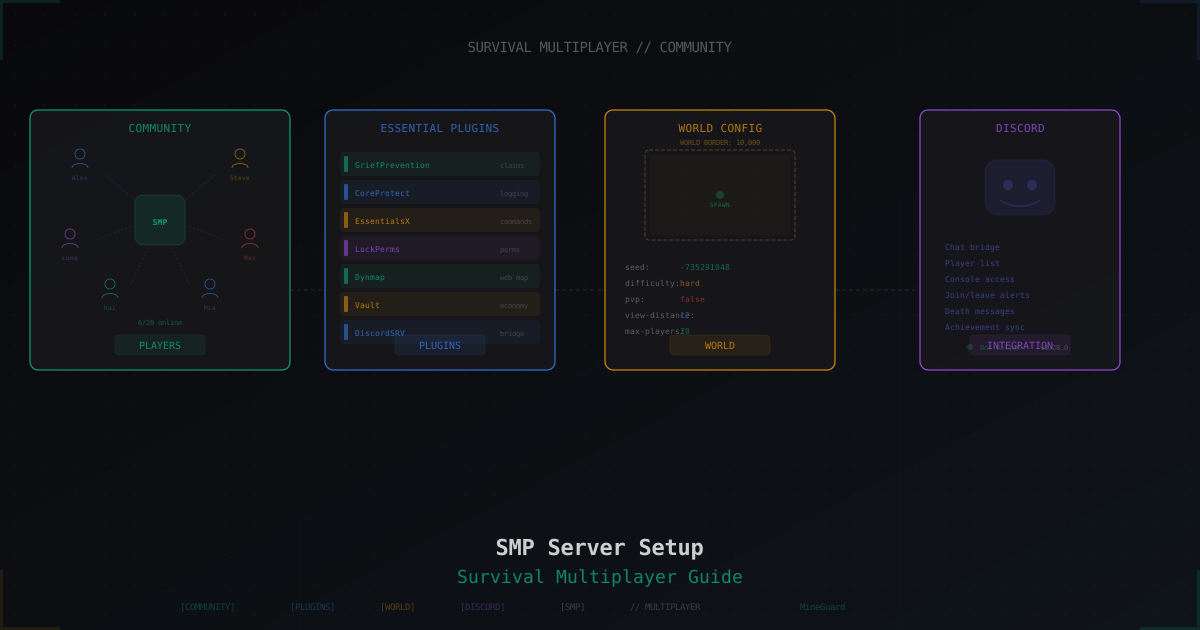
Minecraft SMP Server in 2026 - Setup and Configuration Guide
Full SMP playbook: core choice (Paper, Purpur, Folia, Fabric), JVM flags, server.properties and paper.yml tuning, pre-generation, claim and economy plugins, Grim vs Vulcan anti-cheat, anti-bot, voice chat, 3-2-1 backups, monetization without pay-to-win and DDoS protection.