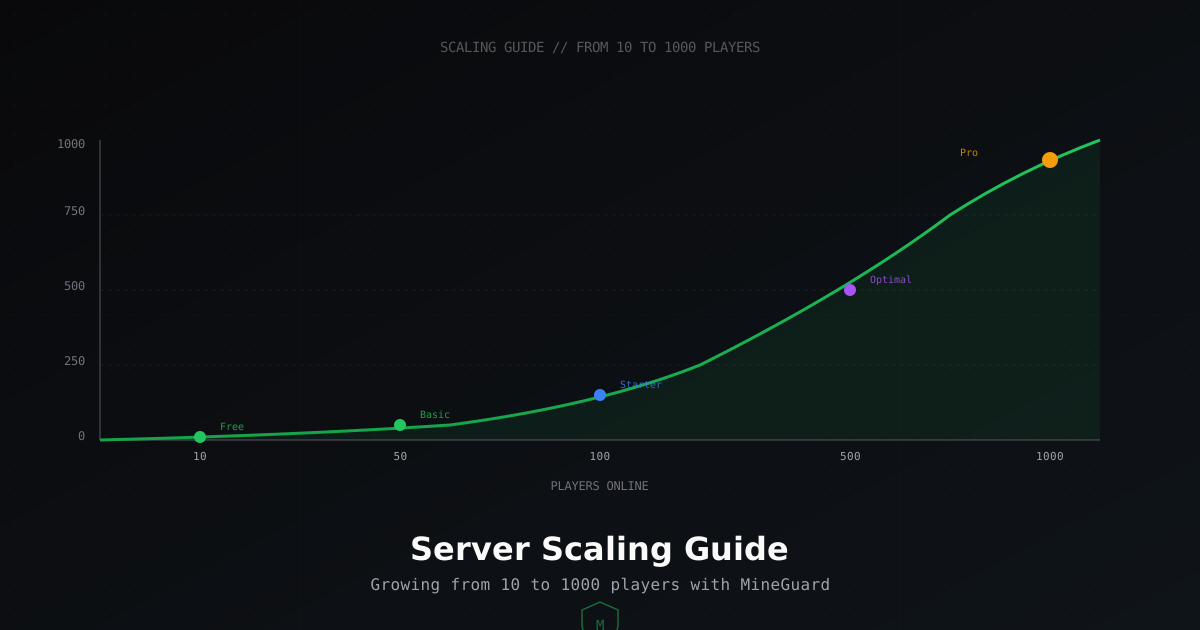
How to Scale Your Minecraft Server: From 10 to 1000 Players
Why plan for scaling early
Every successful Minecraft server started with a few friends in a single world. But as your project grows, you will eventually face lag spikes, bandwidth limits, and DDoS attacks. At MineGuard, we see this every day: a server builds its audience, but the infrastructure is not ready for it.
In this guide, we will break down what happens at each growth stage, how much resources you need, and how our plans help at every step. No fluff, just practical advice.
10 players: project launch
What happens on the server
At 10 players, everything is simple. Even a budget VPS with 4 GB RAM will handle it. TPS stays solid at 20, the world loads without delays. Bandwidth is minimal, roughly 100-300 KB/s.
Do you need protection?
It might seem like a small server is not worth attacking. But reality says otherwise. Even servers with 5 players get DDoS attacks, often from competitors or just for fun. Our free plan is perfect for getting started: 1 network, 3 domains, 1 TB of protected traffic. More than enough.
Recommendations
- Use Paper or Purpur instead of vanilla server
- Set view-distance to 6-8 chunks
- Install basic security plugins
- Connect MineGuard Free for baseline DDoS protection
50 players: the first real milestone
Server requirements
At 50 players, you need a dedicated server or a powerful VPS. At least 8 GB RAM, preferably a CPU with high single-core frequency (Minecraft is still single-threaded in its main loop). Bandwidth grows to 0.5-1.5 MB/s.
Problems you will face
This is where real issues begin. TPS can drop due to redstone, too many entities, or unoptimized plugins. DDoS attacks become more likely since your server is now visible on monitoring sites.
Which plan fits
The Basic plan at 390 RUB/month. You get 5 domains and 3 TB of traffic. Plenty for stable operation. If you run multiple game modes on different subdomains (lobby.server.com, survival.server.com), five domains is exactly what you need.
Recommendations
- Set up automatic server restarts every 12-24 hours
- Use Spark for performance monitoring
- Optimize bukkit.yml, spigot.yml, and paper.yml
- Consider entity-limiter plugins
100 players: mid-size server
Infrastructure requirements
100 players online is serious. You need a dedicated server with at least 16 GB RAM and a CPU like Ryzen 5600X or Intel i7. Bandwidth: 1-3 MB/s. At this stage, many owners start thinking about proxy networks (BungeeCord/Velocity).
Why a proxy network matters
Splitting your server into multiple instances through Velocity provides huge advantages. Each game mode runs in its own process, so one crash does not bring down everything. Load distributes across CPU cores. From a protection standpoint, the proxy serves as a single entry point, making traffic filtering much simpler.
Which plan fits
The Starter plan at 860 RUB/month. 10 domains, 5 TB of traffic, plus VPN blocking and firewall. VPN blocking is especially important at this stage: bots often connect through VPNs, and filtering those connections significantly reduces load.
Resource table
| Parameter | Minimum | Recommended |
|---|---|---|
| RAM | 16 GB | 32 GB |
| CPU | 4 cores, 4+ GHz | 6+ cores, 4.5+ GHz |
| Disk | NVMe SSD 100 GB | NVMe SSD 250 GB |
| Bandwidth | 1 MB/s | 3 MB/s+ |
500 players: large-scale project
Architecture
At 500 players, a single server simply cannot keep up. You need a full network: Velocity proxy on a separate machine, multiple game servers, shared database (MySQL/MariaDB), Redis for caching and synchronization.
Bandwidth and DDoS threats
Bandwidth reaches 5-15 MB/s. But the main problem is not legitimate traffic, it is attacks. A server with 500 online attracts serious attackers. We see attacks up to 100+ Gbps targeting projects like these. Standard hosting cannot withstand that.
Which plan fits
The Optimal plan at 2,790 RUB/month. That is 3 networks, 25 domains, 30 TB of traffic. Plus captcha verification and Bedrock support. Captcha filters out bots before they reach your server. Bedrock tunnels are needed if part of your audience plays on mobile devices.
Recommendations for large servers
- Use Velocity with modern forwarding
- Put your database on a separate server
- Set up monitoring (Grafana + Prometheus)
- Enable captcha verification in MineGuard to block bots
- Consider Bedrock tunnels for mobile players
- Keep backups on a separate server
1000 players: top-tier project
What it takes to hit 1000 online
1000 players is the elite of Minecraft servers. Very few projects reach this level, and each one is a complex engineering system. Multiple physical servers, cluster architecture, load balancing, failover. Bandwidth: 10-30 MB/s of legitimate traffic.
Maximum-level protection
At this level, attacks are constant. Competitors, disgruntled players, random trolls. Attacks can reach hundreds of gigabits. You need industrial-grade protection.
Which plan fits
The Professional plan at 8,600 RUB/month. This is the maximum: 10 networks, 100 domains, 150 TB of protected traffic. For projects at this scale, we also offer custom configuration and priority support.
MineGuard plan comparison by growth stage
| Stage | Players | Plan | Price | Traffic | Key features |
|---|---|---|---|---|---|
| Launch | 1-20 | Free | 0 RUB | 1 TB | 1 network, 3 domains, basic protection |
| Growth | 20-70 | Basic | 390 RUB | 3 TB | 5 domains |
| Mid-size | 70-200 | Starter | 860 RUB | 5 TB | 10 domains, VPN blocking, firewall |
| Large | 200-700 | Optimal | 2,790 RUB | 30 TB | 3 networks, 25 domains, captcha, Bedrock |
| Top | 700+ | Professional | 8,600 RUB | 150 TB | 10 networks, 100 domains, priority support |
How to tell it is time to upgrade
There are several clear signs that your current plan is no longer enough:
- Traffic is approaching your plan limit (visible in the MineGuard dashboard)
- DDoS attacks are becoming more frequent or using new vectors
- You need more domains for new game modes
- Players are complaining about VPN connections, and you need VPN blocking
- You are adding Bedrock support for mobile players
- Your online count is consistently above your previous stage
Switching between plans in MineGuard is instant. All settings are preserved, zero downtime.
Server optimization: checklist for any scale
Regardless of player count, these optimizations will help you get the most from your server:
- Server software: Paper for stability, Purpur for extra configuration options. Never use vanilla or CraftBukkit in production.
- Java flags: use Aikar flags for optimal garbage collection.
- view-distance: 6-8 for survival, 4-6 for minigames. Set simulation-distance 1-2 lower.
- Pre-generate chunks: use Chunky to generate the world ahead of time so chunks are not loaded in real-time.
- Plugins: every plugin adds overhead. Remove anything unused. Check with Spark.
- Entity timers: increase activation-range and decrease tick-rate for distant mobs.
Example: growth plan from zero to 500 players
Month 1-3: Launch
Rent a VPS for $5-15/month. Install Paper, basic plugins. Connect MineGuard Free. Advertise on server listings. Online: 5-20 players.
Month 3-6: First growth
Online is stable at 30-50. Move to a dedicated server. Add new game modes. Upgrade to the Basic plan. Start investing in advertising.
Month 6-12: Steady growth
Online 80-150. Migrate to Velocity proxy. Multiple servers. Starter plan with VPN blocking. First serious attacks happen, but MineGuard filters them.
Month 12+: Large project
Online 300-500. Full infrastructure. Optimal plan. Captcha for bot protection. Bedrock tunnels for mobile audience. You are now in the top of server listings.
Conclusion
Scaling a server is not a one-time action, it is a process. Hardware, networking, protection, everything must grow alongside your player count. At MineGuard, we built our plan lineup exactly for this: from a free plan to get started, to a professional solution for the largest servers. Start with Free, grow at your own pace, and we will keep you protected at every stage.
Protect Your Server from DDoS Attacks
Free protection with 5-minute setup. 1 TB bandwidth included.
Try for FreeRelated Articles
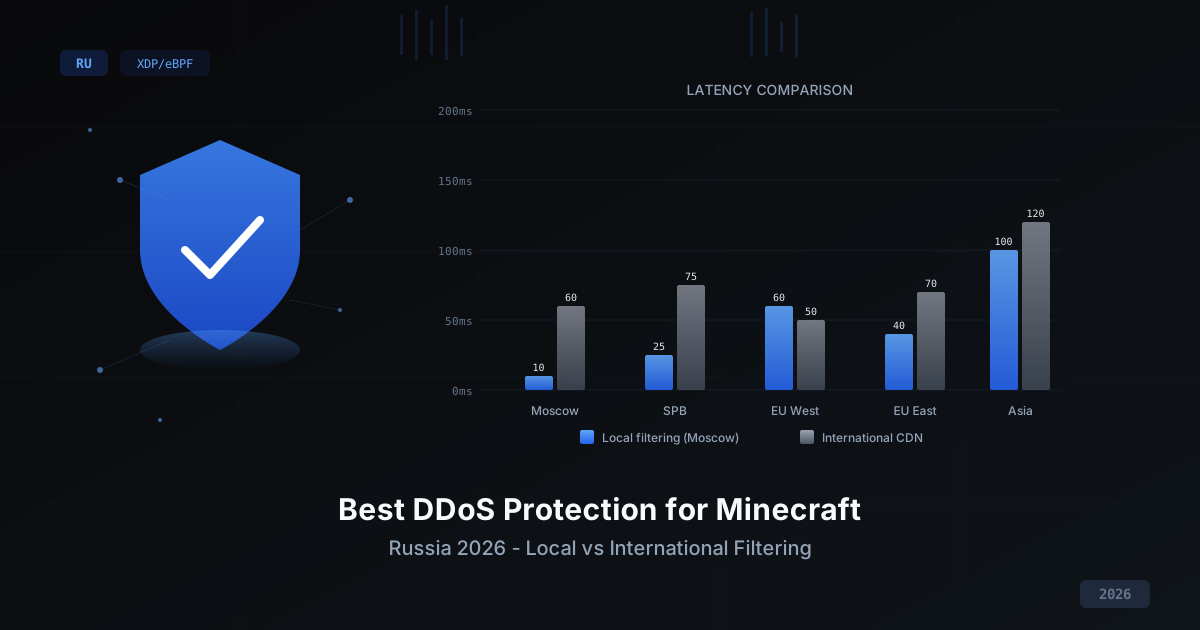
Best DDoS Protection for Minecraft in Russia 2026
Comparing DDoS protection approaches for Minecraft servers in 2026: international CDN vs local filtering, self-hosted vs managed, free vs paid. Selection criteria, XDP/eBPF technology breakdown, and why latency matters for PvP gameplay.
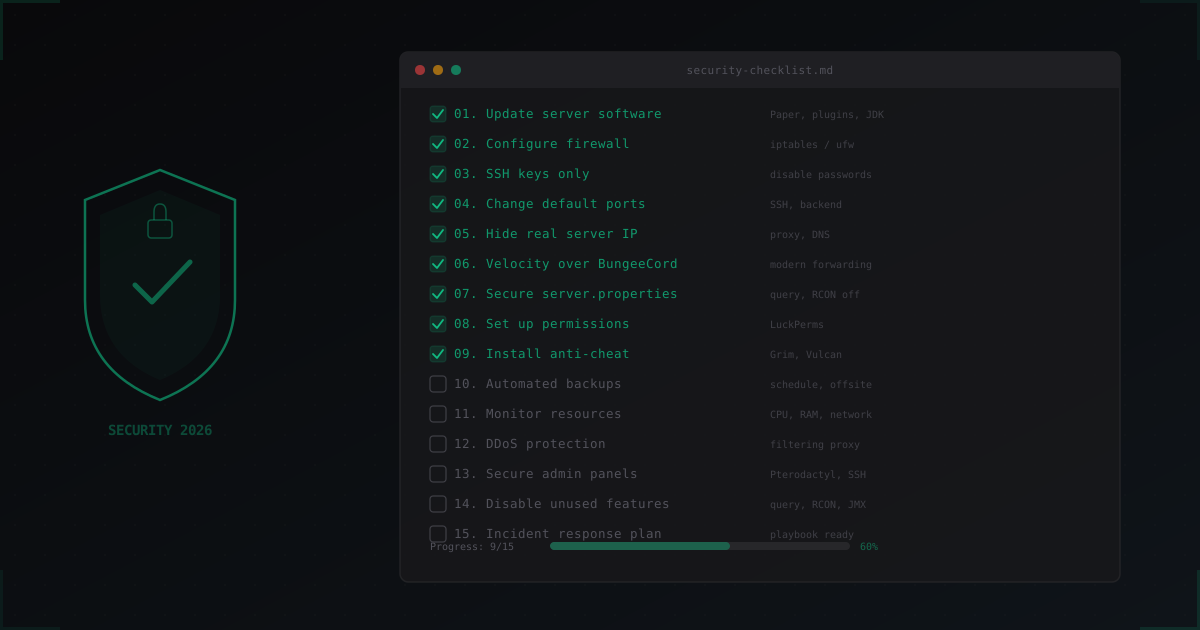
Minecraft Server Security Checklist: 15 Essential Points for 2026
Complete Minecraft server security checklist: from software updates and firewall setup to DDoS protection and incident response planning. 15 actionable steps with config examples.
MineGuard vs DDoS-Guard: Minecraft DDoS Protection Comparison 2026
Detailed comparison of MineGuard and DDoS-Guard for Minecraft server protection. We break down features, pricing, specialization and help you choose.