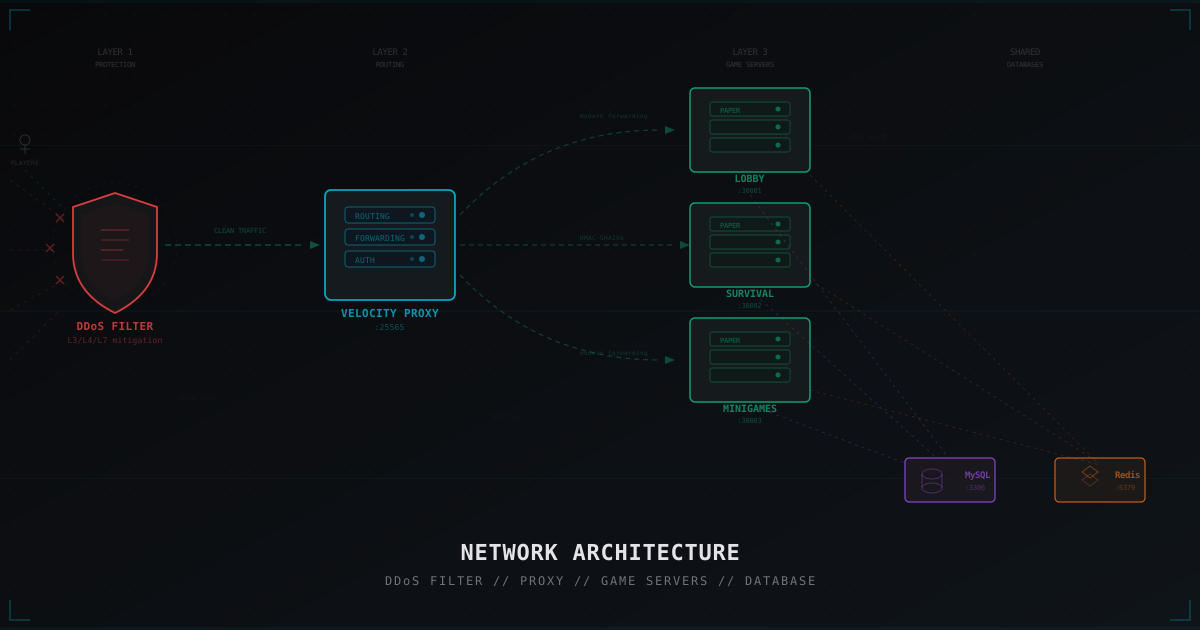
Minecraft Network Architecture: From Single Server to Full Cluster
Every Minecraft project starts the same way. One server, a few friends, vanilla survival. Then plugins show up, then minigames, then hundreds of players join, and suddenly you realize: one server can't handle it anymore.
This article covers how to properly scale a Minecraft project. From a single Paper server to a full cluster with proxies, load balancing, and failover. No fluff. Configs and diagrams included.
Stage 1: Single Server
The simplest architecture. One VPS or dedicated server. Paper (or Purpur) runs everything: all plugins, all worlds, all players in a single process.
Players → [Paper Server :25565]
              ├── world/
              ├── world_nether/
              ├── world_the_end/
              └── plugins/
This works up to a point. Roughly 80-120 players online, depending on hardware and server type. Survival with farms will hit the limit sooner than a lobby with NPCs.
A typical single-server launch config:
# Aikar's JVM flags for optimal GC
java -Xms8G -Xmx8G -XX:+UseG1GC -XX:+ParallelRefProcEnabled \
  -XX:MaxGCPauseMillis=200 -XX:+UnlockExperimentalVMOptions \
  -XX:+DisableExplicitGC -XX:+AlwaysPreTouch \
  -jar paper-1.21.4.jar nogui
Pros:
- Simple setup and maintenance
- One config, one process
- No data sync issues
- All plugins work out of the box without extra setup
- Minimal admin knowledge required
Cons:
- Minecraft is single-threaded at its core. More cores won't help
- All players share one instance. Lag in minigames = lag in survival
- No isolation. One plugin crash kills everything
- Can't update one game mode without stopping the whole server
- One large world eats all available memory
- Backups require downtime or risk corrupted data
The key limitation here is Minecraft's tick loop. Every 50 milliseconds (20 TPS), the server processes all game logic: mobs, redstone, chunks, players. If one heavy process (like chunk loading for new players) takes longer than 50 ms, the entire server stutters. Vertical scaling has a ceiling. After that ceiling, you go horizontal.
When a single server stops keeping up, don't buy a bigger machine. Change the architecture.
Stage 2: When You Need a Proxy
Clear signs it's time to go multi-server:
- TPS drops below 18 with 60+ players
- You have more than two game modes
- You need to update one mode without touching others
- You want to spread load across multiple machines
- You need shared data between servers (economy, ranks, friends)
A proxy solves the core problem: players connect to one address, and the proxy routes them to the right backend server. Players can switch between servers without reconnecting.
Stage 3: Basic Network with Velocity
Velocity is the modern proxy for Minecraft. If you're still on BungeeCord, switch. Velocity is faster, more secure (modern forwarding with HMAC-SHA256), and actively maintained. We covered this in detail in our Velocity vs BungeeCord comparison.
Basic setup:
Players → [Velocity Proxy :25565]
               ├── [Lobby :30001]       (Paper)
               ├── [Survival :30002]    (Paper)
               └── [Minigames :30003]   (Paper)
Velocity Configuration
# velocity.toml
bind = "0.0.0.0:25565"
motd = "<green>MyServer Network"
show-max-players = 500
player-info-forwarding-mode = "modern"
online-mode = true

[servers]
lobby = "127.0.0.1:30001"
survival = "127.0.0.1:30002"
minigames = "127.0.0.1:30003"
try = ["lobby"]

[forced-hosts]
"survival.myserver.com" = ["survival"]
"games.myserver.com" = ["minigames"]
Backend Server Configuration
On each Paper server in config/paper-global.yml:
proxies:
  velocity:
    enabled: true
    online-mode: false
    secret: "your-secret-key-from-forwarding.secret"
In server.properties for each backend:
server-port=30001  # unique per server
online-mode=false  # auth handled by proxy
Key point: online-mode=false on backends, online-mode=true on Velocity. The proxy verifies licenses, backends trust the proxy through modern forwarding.
Network Topology: Proxy, Lobby, Game Servers
Good topology means every new player lands on a lobby first. This matters for several reasons:
- Load buffer. Lobbies are lightweight and barely use CPU
- Server selection. Players choose where to go via GUI or commands
- Fallback. If a game server crashes, players get sent back to the lobby instead of being disconnected
- Maintenance. You can restart a game server without kicking players from the network
Fallback config in Velocity:
[servers]
lobby = "127.0.0.1:30001"
survival = "127.0.0.1:30002"
try = ["lobby"]
Shared Databases: MySQL and Redis
With multiple servers, data needs to sync. Two primary tools: MySQL for persistent storage and Redis for caching and messaging.
MySQL: Shared Data
Economy, ranks, stats, friends lists. One database accessible to all servers.
# LuckPerms config example
storage-method: MySQL
data:
  address: 127.0.0.1:3306
  database: minecraft_network
  username: minecraft
  password: "strong-password-here"
  pool-settings:
    maximum-pool-size: 10
Every plugin that runs across multiple servers should use MySQL instead of flat files. LuckPerms, economy plugins, cross-server data.
Redis: Cache and Messaging
Redis is faster than MySQL for frequent operations. Online player counts, data caching, real-time sync.
MySQL: accounts, balances, inventories, stats
Redis: online status, cache, cross-server messages, queues
Cross-Server Messaging
Servers need to talk to each other. A player on Survival sends a message to a friend on Minigames. Global chat. Money transfers. Party invites.
Plugin Messaging Channel
Velocity supports BungeeCord plugin messaging. Backends can route messages through the proxy.
Redis Pub/Sub
For more complex logic, Redis Pub/Sub works well. Each server subscribes to channels and can send/receive messages:
Survival publishes → Redis channel "global_chat" → All servers receive
Minigames publishes → Redis channel "party_invite" → Target server receives
This works even when servers are on different machines.
One thing to note about Plugin Messaging: it only works when at least one player is on both the sending and receiving server. If a server has zero players, messages won't be delivered. Redis Pub/Sub has no such limitation, which makes it more reliable for cross-server communication.
Example Redis Pub/Sub usage in a plugin:
// Subscribe to channels
jedis.subscribe(new JedisPubSub() {
    @Override
    public void onMessage(String channel, String message) {
        if (channel.equals("global_chat")) {
            Bukkit.broadcastMessage(message);
        }
    }
}, "global_chat", "party_invite");

// Publish a message
jedis.publish("global_chat", playerName + ": " + chatMessage);
Load Balancing Strategies
When you have multiple servers of the same type (e.g., three minigame servers), you need to distribute players.
Round-Robin: Players go in sequence. First to Minigames-1, second to Minigames-2, third to Minigames-3, repeat. Simple but doesn't account for server load.
Least Connections: Smarter approach. Player goes to the server with fewest players. Implemented via a Velocity plugin that checks each backend's player count. Better distribution in practice.
Queue-based: For modes like BedWars or SkyWars. Players join a queue, the system finds an available server (or spins up a new one) and sends a group of players there. Most complex to implement but provides the best player experience for competitive modes.
Security at Each Layer
Security in a multi-server architecture is more complex than on a single server. Each layer needs its own protection.
Layer 1: DDoS Protection
First layer: traffic filtering BEFORE it reaches you. A specialized DDoS filter in front of the entire network. More on choosing protection in our hosting and DDoS protection guide.
Layer 2: Firewall
Backend servers must not be accessible from the internet. Only the proxy can reach them:
# On each backend server
iptables -A INPUT -p tcp --dport 30001:30010 -s PROXY_IP -j ACCEPT
iptables -A INPUT -p tcp --dport 30001:30010 -j DROP
Layer 3: Modern Forwarding
Velocity Modern Forwarding with HMAC-SHA256. No legacy BungeeCord forwarding. Details in our security checklist.
Layer 4: Database Access
MySQL and Redis listen only on localhost or the internal network. No external access:
# MySQL localhost only
bind-address = 127.0.0.1

# Redis localhost only
bind 127.0.0.1
requirepass "strong-password"
Separating Services
On a small network, everything can live on one machine. As you grow, you need to separate.
One Machine (up to 100 players)
[Machine 1]
├── Velocity
├── Lobby
├── Survival
├── Minigames
├── MySQL
└── Redis
Two Machines (100-300 players)
[Machine 1: Proxy + Lightweight]     [Machine 2: Heavy + DB]
├── Velocity                          ├── Survival
├── Lobby                             ├── Minigames
├── Redis                             └── MySQL
Three+ Machines (300+ players)
[Machine 1: Proxy]     [Machine 2: Games]     [Machine 3: DB]
├── Velocity            ├── Survival            ├── MySQL
├── Lobby               ├── Minigames-1         └── Redis
                        └── Minigames-2
Rule of thumb: heavy game servers separate from the database. A loaded DB can eat all disk I/O and cause game servers to lag.
Docker for Server Management
Docker simplifies multi-server management. Each server in its own container, isolated environment, easy scaling.
# docker-compose.yml
version: '3.8'

services:
  velocity:
    image: itzg/bungeecord
    environment:
      TYPE: VELOCITY
    ports:
      - "25565:25565"
    volumes:
      - ./velocity:/server

  lobby:
    image: itzg/minecraft-server
    environment:
      TYPE: PAPER
      VERSION: "1.21.4"
      EULA: "TRUE"
      SERVER_PORT: 30001
    volumes:
      - ./lobby:/data

  survival:
    image: itzg/minecraft-server
    environment:
      TYPE: PAPER
      VERSION: "1.21.4"
      EULA: "TRUE"
      SERVER_PORT: 30002
    volumes:
      - ./survival:/data

  mysql:
    image: mysql:8.0
    environment:
      MYSQL_ROOT_PASSWORD: root-password
      MYSQL_DATABASE: minecraft

  redis:
    image: redis:7-alpine
    command: redis-server --requirepass redis-password
Docker gives you isolation, fast deployment, resource limits per container, and easy rollback via images.
Horizontal Scaling
Horizontal scaling means adding more servers instead of beefing up existing ones.
The principle is simple: when Minigames-1 is loaded, you don't buy it more RAM. You spin up Minigames-2 on another machine.
Requirements:
- Stateless backends. Player data in MySQL/Redis, not local files
- Uniform config. Ansible or similar for consistent deployments
- Dynamic registration. A Velocity plugin that auto-adds new backends
- Monitoring. You need to know each backend's load for distribution
High Availability
Single points of failure are the enemy. If Velocity goes down, the whole network is unreachable. If MySQL dies, nothing works.
Redundant Proxies
Two Velocity instances behind DNS Round-Robin or a TCP load balancer:
DNS: play.myserver.com
    → 10.0.0.1 (Velocity-1)
    → 10.0.0.2 (Velocity-2)
Or with HAProxy:
frontend minecraft
    bind *:25565
    default_backend velocity_servers

backend velocity_servers
    balance roundrobin
    server velocity1 10.0.0.1:25565 check
    server velocity2 10.0.0.2:25565 check
Database Replication
MySQL master-slave replication. Master handles writes, slave handles reads. Redis Sentinel for automatic failover when the master goes down.
Where DDoS Protection Fits
DDoS protection sits in front of everything. It's the very first layer all player traffic passes through.
Internet
    ↓
[DDoS Filter: MineGuard]   ← L3/L4/L7 filtering
    ↓
[Velocity Proxy :25565]     ← routing
    ↓
[Backend Servers]           ← game logic
    ↓
[MySQL / Redis]             ← data
Your real server IP is hidden behind the DDoS filter. Players connect to the filter's address. The filter passes legitimate traffic and blocks attacks. Backend servers never see attack traffic.
Important: the DDoS filter must sit before the proxy, not after. If an attack reaches Velocity, even a powerful proxy will buckle under volumetric attacks.
Real-World Architecture Examples
Small Network (50-100 players)
One VPS with 16 GB RAM and 4 cores.
[DDoS Filter]
    ↓
[VPS: 16GB RAM]
├── Velocity          (256 MB)
├── Lobby             (512 MB)
├── Survival          (6 GB)
├── Creative          (2 GB)
├── MySQL             (1 GB)
└── Redis             (256 MB)
Budget: 30-50 EUR/month. Focus on proper JVM flags and Paper config optimization (view-distance, simulation-distance, entity-activation-range). Velocity barely uses any resources at this scale. Give your game servers as much RAM as possible.
Medium Network (200-500 players)
Two dedicated servers. Separate heavy game servers from the proxy and databases.
[DDoS Filter: MineGuard]
    ↓
[Server 1: 32GB, 8 cores]       [Server 2: 64GB, 8 cores]
├── Velocity                      ├── Survival        (12 GB)
├── Lobby           (1 GB)        ├── SkyBlock         (8 GB)
├── Redis                         ├── Minigames-1      (4 GB)
├── MySQL                         └── Minigames-2      (4 GB)
Budget: 100-200 EUR/month. At this stage, monitoring becomes mandatory. Set up Prometheus + Grafana, or at least a basic script tracking TPS, CPU, and RAM per server. Without monitoring, you won't know about problems until players start complaining.
Automate backups at this level too. Each server backed up separately, stored on external storage (S3, separate disk). Data loss on one server shouldn't affect the rest.
Large Network (1000+ players)
A cluster of 5+ servers. This is a full production-grade infrastructure project.
[DDoS Filter]
    ↓
[HAProxy / DNS Round-Robin]
    ↓
[Proxy-1] [Proxy-2]   ← two Velocity behind load balancer
    ↓
[Lobby-1] [Lobby-2]   ← two lobbies for redundancy
    ↓
[Survival-1] [Survival-2] [Survival-3]  ← survival cluster
[SkyBlock-1] [SkyBlock-2]               ← skyblock cluster
[BedWars-1..10]                          ← minigame pool
    ↓
[MySQL Master] → [MySQL Slave-1] [MySQL Slave-2]
[Redis Master] → [Redis Slave] + [Sentinel]
Budget: 500+ EUR/month. Full redundancy, horizontal scaling, automatic failover. At this level you need a DevOps engineer or at least a sysadmin with cluster experience. Ansible for deployment, CI/CD for automated updates. Every component must be replaceable without taking down the whole network.
Pre-Launch Checklist
Before moving to a multi-server architecture:
- Verify all plugins support MySQL/networked storage
- Set up Velocity with modern forwarding
- Firewall backend ports
- Ensure Redis and MySQL listen on internal interfaces only
- Set up per-server backups
- Deploy monitoring (TPS, CPU, RAM per backend)
- Connect DDoS protection in front of the network
- Test failback: what happens when a backend goes down
- Verify cross-server sync (ranks, balance, inventory)
- Document your architecture
Start simple. One Velocity, one lobby, one game server. When that runs stable, add the next server. Don't try to build a 10-machine cluster on day one.
Network architecture isn't a final state. It's constant evolution. As your project grows, the infrastructure grows with it. Just make sure the foundation is right from the start.
Protect Your Server from DDoS Attacks
Free protection with 5-minute setup. 1 TB bandwidth included.
Try for FreeRelated Articles
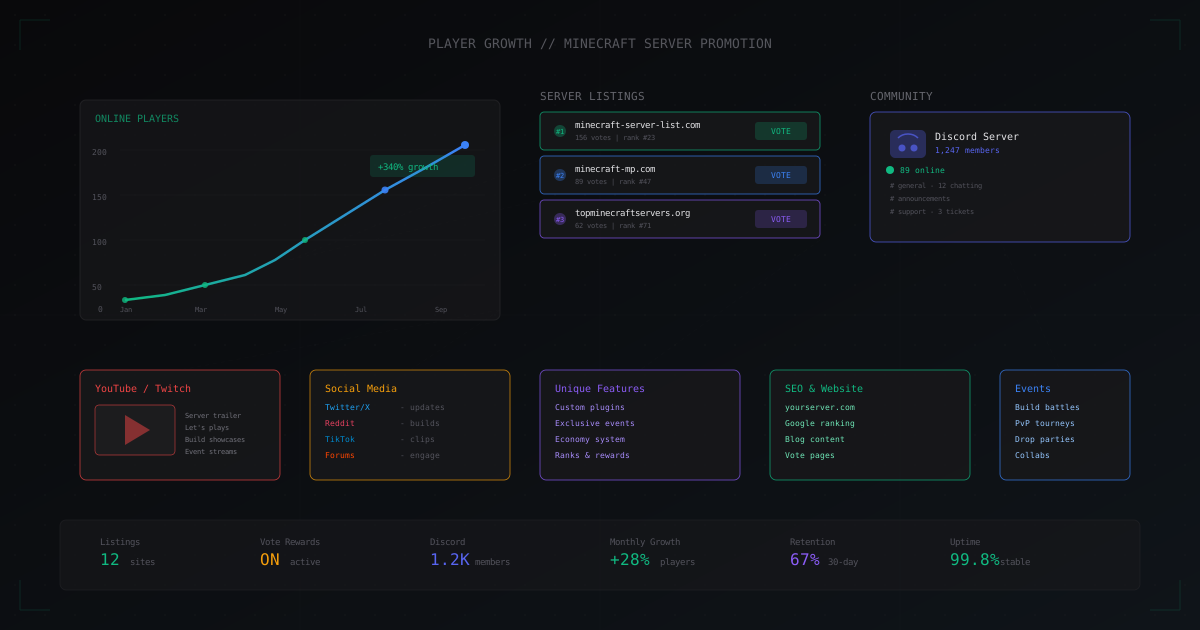
How to Get More Players on Your Minecraft Server
A hands-on guide to growing your player base: server listings, Discord community building, social media promotion, unique gameplay, events, vote rewards, website SEO, partnerships, and YouTube/Twitch promotion.
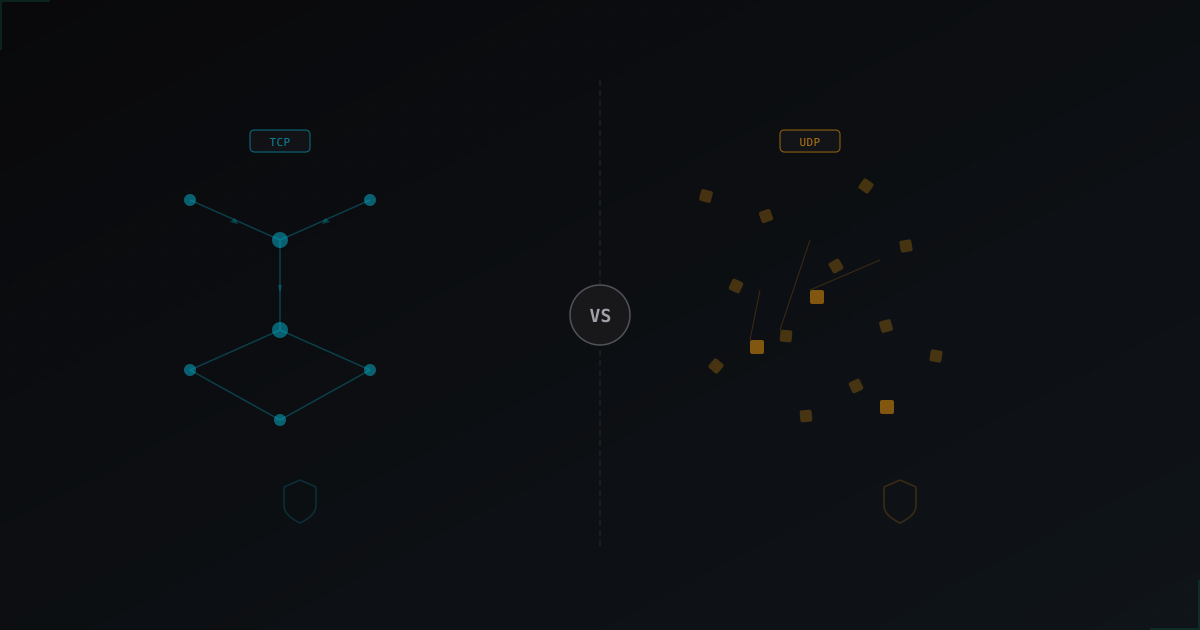
Java Edition vs Bedrock Edition DDoS Protection: What's Different
Understanding why protecting Java and Bedrock servers requires completely different approaches, and what every server owner needs to know.
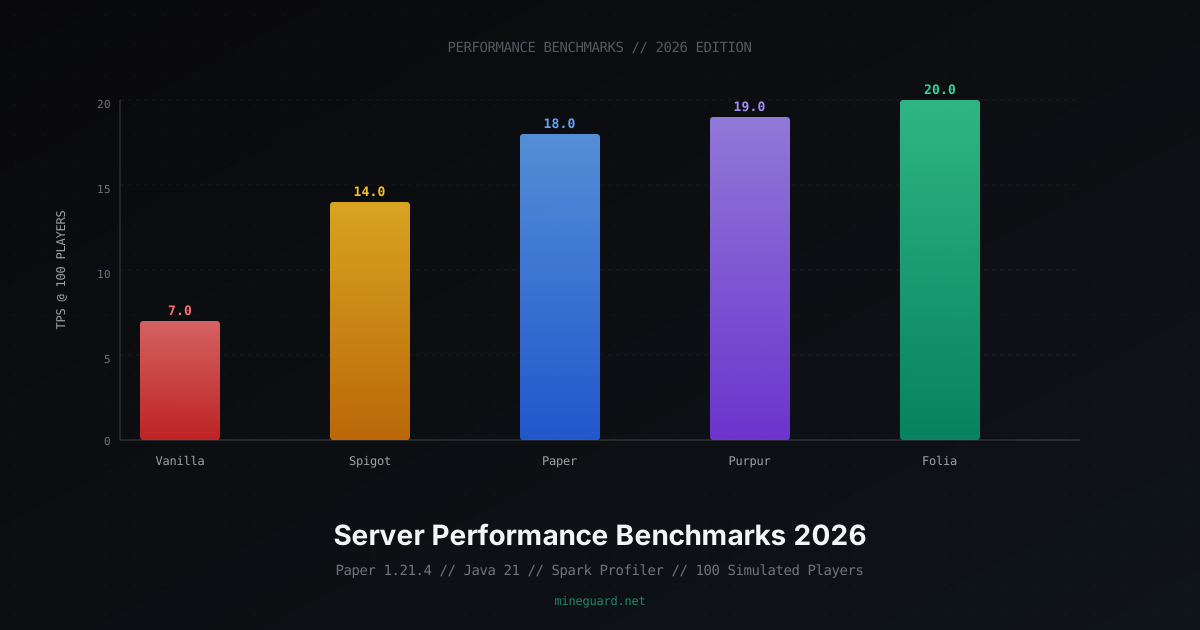
Minecraft Server Performance Benchmarks 2026: Vanilla vs Paper vs Folia
Detailed comparison of Minecraft server software by TPS, RAM usage, chunk loading speed. Java 17 vs 21 benchmarks, JVM flags, hosting comparison, and network requirements.