How to Choose Minecraft Hosting with DDoS Protection
Why This Even Matters
If you run a Minecraft server with at least 20-30 players online, DDoS attacks are inevitable. It's not a question of "if" but "when." A banned player, a competitor, or someone testing their new stresser - the reasons don't matter. What matters is whether your server stays up.
You browse hosting websites, see "DDoS Protection Included" in bold letters, buy a server, and then the first real attack takes everything down. Let's figure out why and how to avoid it.
Types of Minecraft Hosting
Before we talk about protection, let's cover the basics.
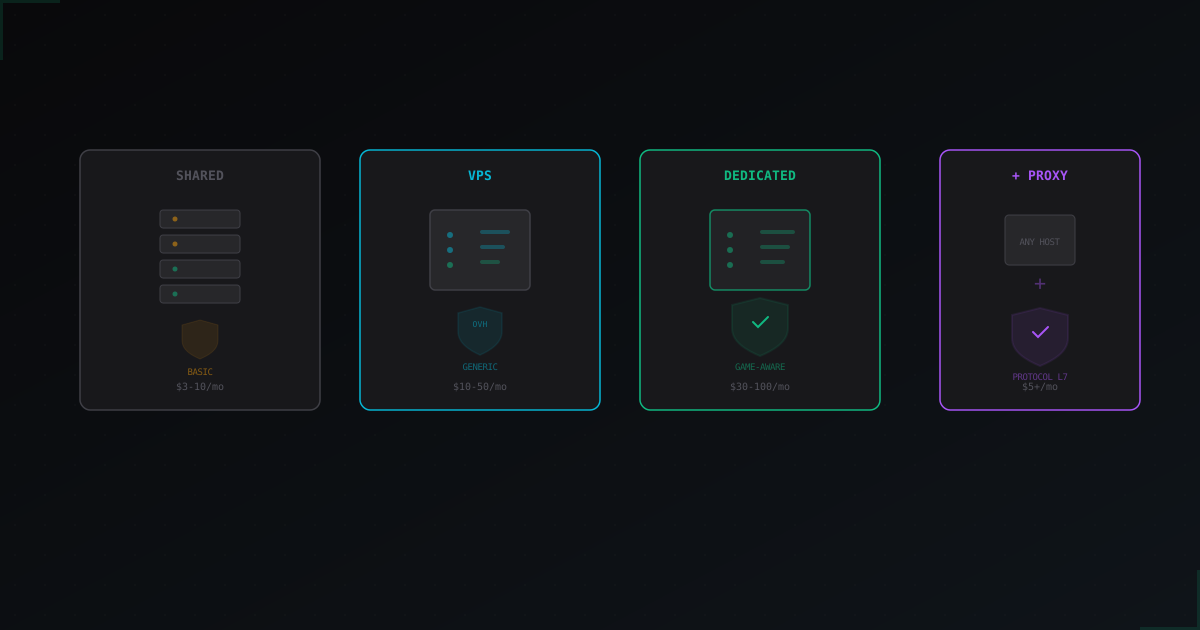
Shared hosting (game hosting panels) - you get a panel (Pterodactyl, Multicraft), some allocated resources on a shared machine, and that's it. Cheapest option, starting at $3-5/month. You don't control the OS, network, or anything. Protection is entirely on the host.
VPS/VDS - a virtual server where you have root access. You can set up your own firewalls and configure things however you like. Starting at $5-10/month. But resources are still shared, and if someone attacks your neighbor, you might feel it too.
Dedicated server - a physical machine just for you. Full control, no noisy neighbors. Starting at $30-50/month and up. Best option for serious projects, but also the most expensive.
What "DDoS Protection Included" Actually Means
Here's where it gets interesting. Almost every host advertises DDoS protection now. But what's behind it?
In 90% of cases, it's one of two things:
Option 1: Data center level protection. Hetzner, OVH, and other big providers have their own filtering systems. They can handle volumetric attacks, SYN floods, UDP floods at the network level. Great for websites, not enough for Minecraft.
Option 2: Marketing copy. The host rents servers from Hetzner, gets their basic protection, and sells it as their own. No additional filtering whatsoever.
The problem is that Minecraft attacks in 2025-2026 are mostly L7 (application layer). A botnet of 5,000 bots connects to your server using the Minecraft protocol, passes all network filters because the traffic looks legitimate, and kills your server with load.
Data center level protection does nothing against this.
OVH and Hetzner: Good for Web, Bad for MC
These two deserve special mention as the most popular providers for game servers.
OVH Game DDoS Protection is probably the best "built-in" solution out there. OVH actually filters game traffic and has profiles for Minecraft. However, their filters are tuned for common patterns, updates aren't frequent, and against fresh botnets with realistic-join attacks, they often fall short.
Hetzner offers excellent servers for the price, but DDoS protection is purely network-level. A Minecraft server on Hetzner absolutely needs external protection. Without it, the first L7 attack will take you down.
Bottom line: don't rely on your provider's built-in protection for Minecraft. It was designed for different problems.
What Game-Specific Protection Looks Like
Web protection (Cloudflare, generic DDoS mitigation) works with HTTP/HTTPS. It analyzes headers, cookies, JavaScript challenges. None of that applies to Minecraft.
Minecraft-specific protection needs to:
- Parse the Minecraft protocol. Understand handshake, login, and play packets. Distinguish bots from real players based on connection behavior.
- Filter at L7. Not just block IPs, but analyze packet contents. A bot sending invalid packets or connecting too fast should be dropped.
- Add minimal latency. For web, +50ms is fine. For Minecraft where every tick matters, 50ms of extra ping is noticeable. Good protection adds no more than 1-5ms.
- Support versions and mods. The Minecraft protocol changes every six months. Forge, Fabric, BungeeCord, Velocity - the filter needs to handle all of them.
Hosting + External Proxy vs Built-in Protection
You have two paths:
Path 1: Hosting with "built-in" MC protection. Some game hosts claim Minecraft-specific protection. Often it's something custom with no public details. Pro: nothing to configure. Con: you can't control quality, can't switch if there are problems, and you're locked in.
Path 2: Good hosting + external protection. Get a solid VPS or dedicated server from a reliable provider, then route traffic through an external proxy with Minecraft filtering. This is more flexible - you can change hosting without losing protection, and vice versa.
For most serious projects, path two wins. You don't depend on a single provider.
Red Flags When Choosing a Host
Some signs that the protection won't hold up:
"Unlimited DDoS protection" - physically impossible. Every provider has bandwidth limits. "Unlimited" usually means null-route during heavy attacks (your IP simply gets disconnected).
No SLA on protection. If the host won't put response time and uptime guarantees in writing, expect "we're doing our best" when you're under attack.
No mention of specific games. "Game DDoS protection" without mentioning Minecraft, protocol analysis, or L7 filtering is usually rebranded web protection.
Too cheap. Proper Minecraft filtering requires resources. If hosting with "full DDoS protection" costs $3/month, the protection exists only on the website.
When Built-in Protection Is Enough
Let's be honest - not everyone needs external protection.
Small server with 10-20 players for friends, no one targeting you specifically? Basic host protection is fine. A shared host with a decent reputation will handle it.
Launching a public server but haven't grown to serious numbers yet? Start with OVH Game servers. Their built-in protection will cover most standard attacks.
When You Need External Protection
An external service like MineGuard becomes necessary when:
- 50+ players online and the server generates revenue
- You're getting attacked regularly with L7 attacks (bot joins, protocol-level floods)
- Your hosting can't cope, server crashes or lags during attacks
- You want to stay on your current host but add protection
- You need captcha verification for players during attacks
- Low ping matters for your player base
MineGuard works as a proxy between players and your server. Traffic passes through a filter that understands the Minecraft protocol, drops bots, and only lets real players through. Your server's real IP stays hidden, so attackers can't bypass the protection directly.
Final Checklist
What to look for when making your choice:
- Ping to your audience. If players are in Europe, a server in the US means 100-150ms. This matters more than any protection.
- Real reviews about DDoS situations. Not on the host's website - check forums and Discord communities.
- CPU type. Minecraft needs single-thread performance. Ryzen 7950X or similar, not a 2020 Xeon.
- NVMe storage. HDD for Minecraft in 2026 is unacceptable.
- Ability to use external protection. Some hosts block proxying. Make sure you can change DNS records.
One last thing. Don't lock yourself into one solution. A good host with bad protection can always be supplemented with an external service. But a bad host with good protection is still a bad host. Pick your hardware and ping first, then solve the DDoS problem.
Protect Your Server from DDoS Attacks
Free protection with 5-minute setup. 1 TB bandwidth included.
Try for FreeRelated Articles
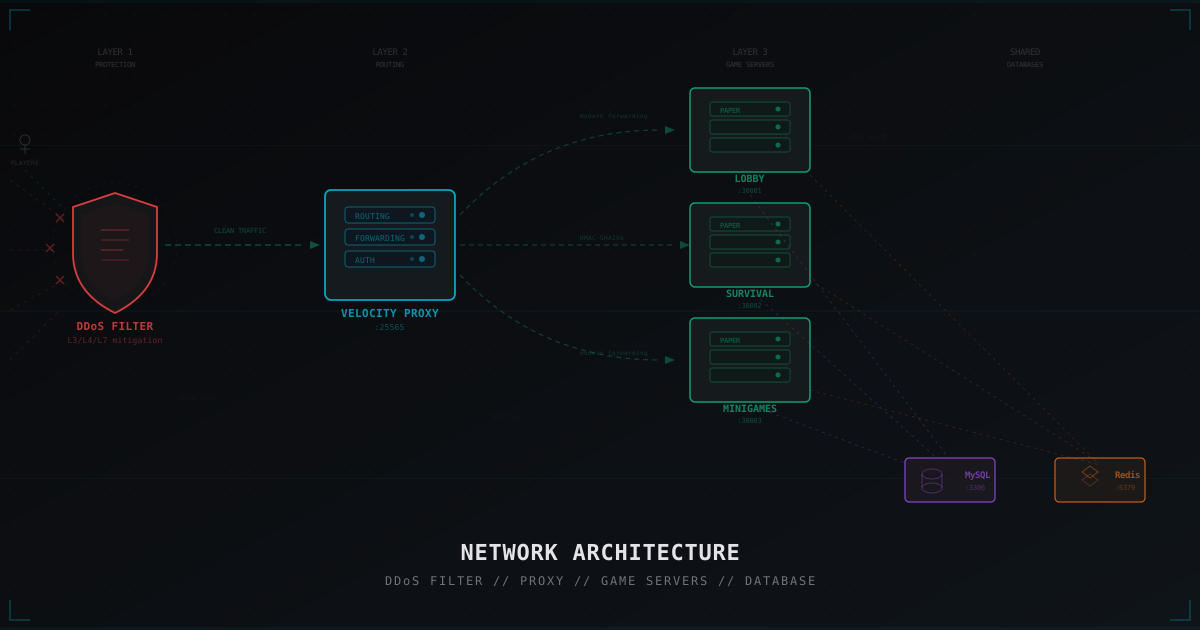
Minecraft Network Architecture: From Single Server to Full Cluster
Deep dive into Minecraft network architecture: from a single server to a full cluster with Velocity, backend servers, shared databases, and DDoS protection. Diagrams, configs, real examples.
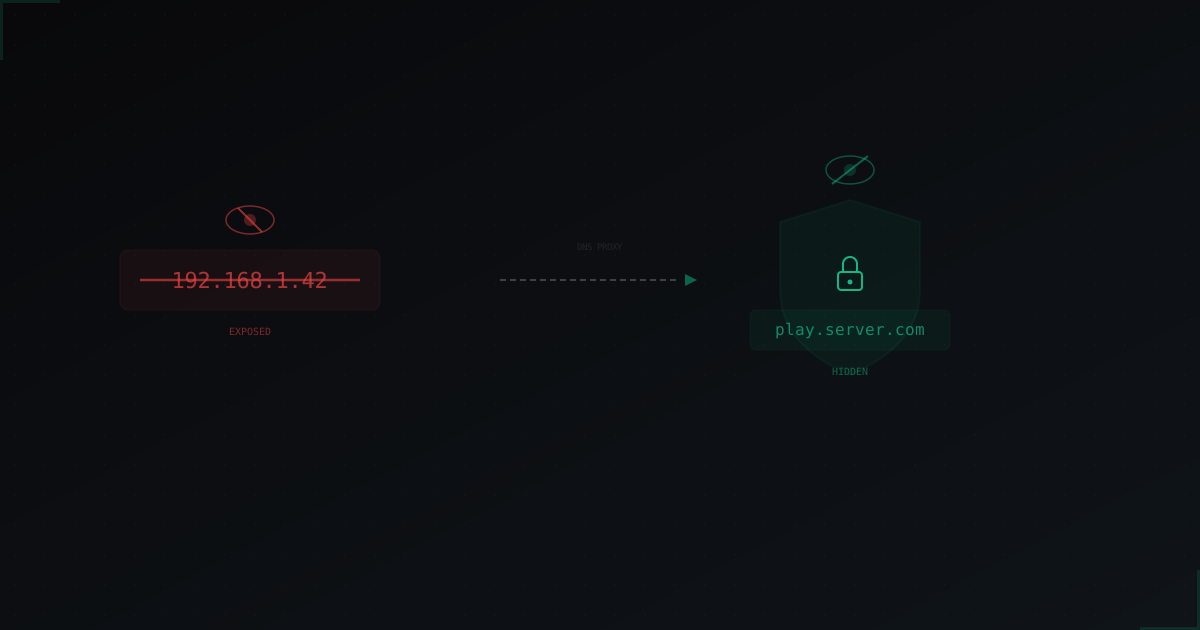
How to Hide Your Minecraft Server IP: Complete Guide
An exposed server IP is the #1 reason DDoS attacks succeed. We break down how attackers find your real IP and what you can do to make it impossible to discover.
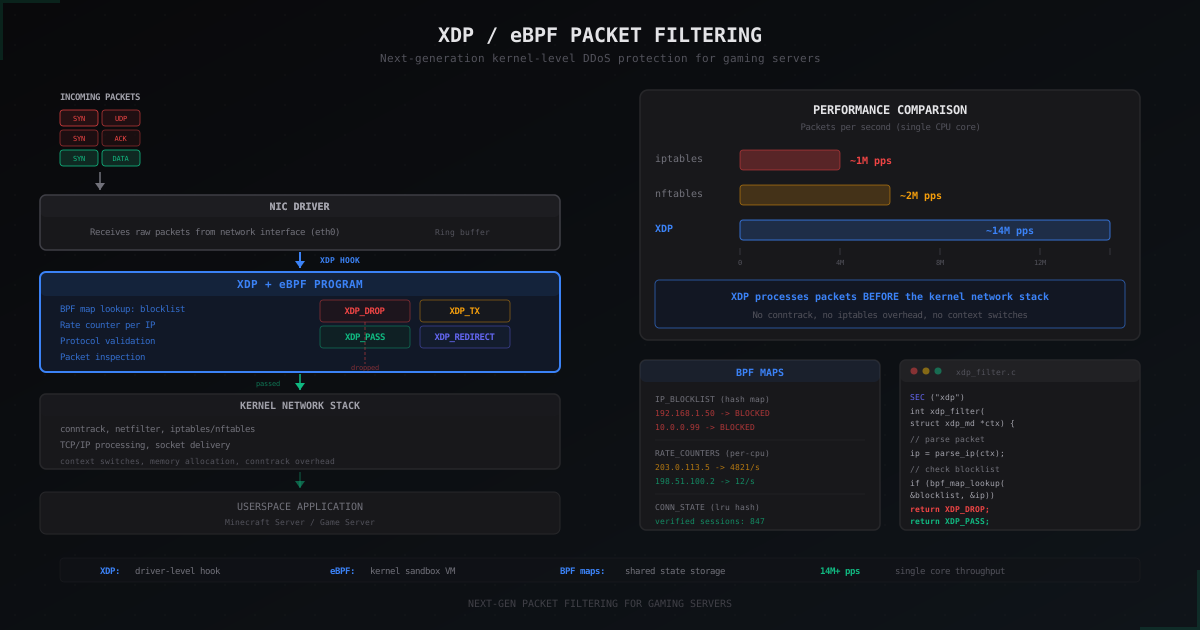
XDP and eBPF: Next-Gen Packet Filtering for Gaming Servers
How XDP and eBPF filter packets at the NIC driver level, processing 14+ million packets per second on a single core. Why iptables is too slow for modern DDoS attacks and how programmable filtering changes gaming server protection.