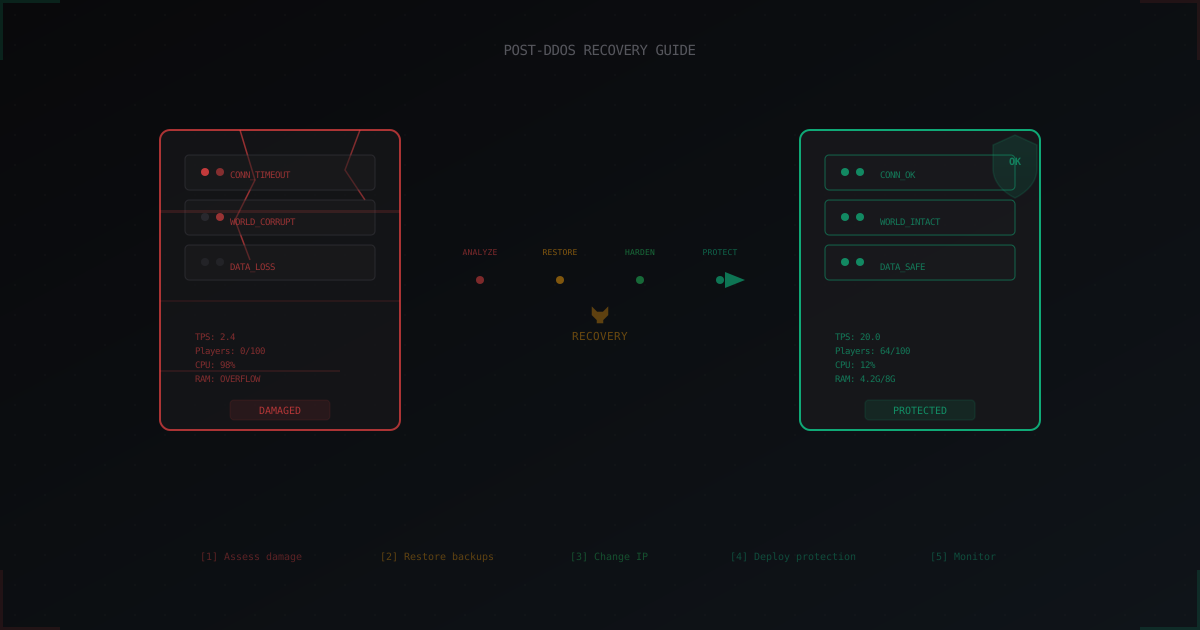
After a DDoS Attack: How to Recover Your Minecraft Server and Prevent Repeats
The DDoS attack is over. Your server is either down or barely responding. The console is full of errors, players are asking "when will it be fixed?" in Discord, and you have no idea where to start. Sound familiar?
This article is for those who have already been hit by a DDoS and are now picking up the pieces. We won't discuss what DDoS is or how it works. Instead, we'll focus on concrete steps: what to do right now, how to check your server, how to recover, and how to make sure it doesn't happen again.
I've broken the process into 12 steps. You can follow them in order or jump to whichever section you need. But if you have the time, go through all of them. Each one matters.
Step 1: Assess the Current State
Before fixing anything, understand the scope of the damage. Do not open your server to players immediately after an attack. Check everything quietly first. This is critical: if you open the server with corrupted data, players will start playing, and the corruption will be cemented at the next save.
Is the server even running?
SSH in and check the basics:
# Check if the Java process is alive
ps aux | grep java

# Check system load
top -bn1 | head -20

# Check disk space
df -h

# Check network connections
ss -tulnp | grep 25565
If the Java process crashed, don't restart it just yet. Check the logs first. If the server is hanging but the process is alive, try getting a thread dump (kill -3 <PID>) before killing it. This can reveal what exactly froze.
Pay attention to the process CPU time (TIME column in top). If Java has been consuming 100% CPU for a long time, it's likely stuck in an infinite loop or a GC storm. A thread dump will be especially useful in this case.
Check the network
A DDoS attack may have overloaded your network interface, and residual problems can persist after the attack ends:
# Check network interface
ip -s link show eth0

# Look for errors and drops
ifconfig eth0 | grep -i "error\|drop"

# Check conntrack table
cat /proc/sys/net/netfilter/nf_conntrack_count
cat /proc/sys/net/netfilter/nf_conntrack_max
If conntrack is full, new connections will be rejected. Let old entries expire on their own or do a clean restart rather than flushing the table on a live system.
Also check if your host has applied an automatic null-route. Some providers block your IP at the network level for several hours when they detect a DDoS. In that case, your server will be unreachable from the internet even after the attack has stopped. Check the host panel or contact their support.
Record the timeline
Write down the exact start and end times of the attack. You'll need this for:
- Determining which backup to restore from
- Log analysis
- Writing the post-mortem
- A potential law enforcement report
If you don't know the exact start time, look for the moment of mass player disconnections or the first spike in errors in your server logs.
Step 2: Check Data Integrity
This is the most critical step. A DDoS attack itself doesn't modify files on your server. But if the server crashed uncleanly (kill -9, OOM, freeze), data corruption can occur. Minecraft saves the world periodically, and if the process was interrupted mid-write, files can end up in an invalid state.
World files
World corruption is the most painful problem. Warning signs:
- Server crashes when loading specific chunks
- Chunks have reverted to an older version
- Empty chunks ("holes") in the world
- Corrupted
level.datfile - Errors about reading region files in the logs
How to check:
# World file sizes - sudden shrinkage is suspicious
ls -la world/region/
ls -la world/level.dat

# Check for zero-byte region files
find world/region/ -size 0
If level.dat is corrupted, try level.dat_old. Minecraft keeps a backup of the previous version automatically. The level.dat file contains critical information: world time, spawn position, world generator, game rules. Without it, the server won't start.
Region files (.mca) store chunk block data. Each file covers a 32x32 chunk area. If a specific region file is corrupted, you only lose that area, not the entire world. MCASelector lets you visually find and delete corrupted chunks, after which Minecraft will regenerate them.
Player data
# Check playerdata files
ls -la world/playerdata/

# Find zero-byte files (lost player data)
find world/playerdata/ -size 0

# Check advancements
find world/advancements/ -size 0

# Check stats
find world/stats/ -size 0
Zero-byte playerdata files mean that player's data is gone. Inventory, position, achievements, health, XP level, everything. Recovery is only possible from a backup.
If only some players lost their data but not all, it usually means the server crashed exactly during the save cycle for those specific players. This happens when the OOM killer or kernel kills the process in the middle of an auto-save.
Separately, check economy data. If you use plugins like Vault, EssentialsX, or CMI with file-based storage, check their data files too. Losing a player's balance is a serious issue that can cause community conflicts.
Configurations
Configs usually survive a DDoS just fine. But check anyway:
# Check if configs were modified after last known good state
find . -name "*.yml" -newer /tmp/last_known_good -type f

# Check ops.json for suspicious changes
cat ops.json
Pay special attention to server.properties, spigot.yml, paper.yml, and plugin configs. If you suspect someone gained access during the attack (unlikely with pure DDoS, but possible with combined attacks), check ops.json, whitelist.json, and banned-players.json.
A combined attack is when DDoS is used as a smokescreen. While you're busy fighting the DDoS, the attacker tries to exploit plugin vulnerabilities, brute-force RCON or SSH passwords. Sounds paranoid, but it happens.
Database
If you use MySQL/MariaDB for plugins (LuckPerms, ShopGUI+, etc.), check table integrity:
-- MySQL
CHECK TABLE luckperms_user_permissions;
CHECK TABLE luckperms_group_permissions;
Databases are generally resilient to sudden interruptions thanks to transaction journaling (WAL/InnoDB log). But it doesn't hurt to verify.
Step 3: Analyze the Logs
Logs tell you what happened. Don't skip this step, even if you're eager to get everything back online. Understanding the nature of the attack will help you set up the right defenses.
Server logs
# Last entries before the crash
tail -200 logs/latest.log

# Look for attack patterns
grep -i "connection\|disconnect\|timeout\|overflow" logs/latest.log | tail -50

# Connection count over time
grep "logged in with entity" logs/latest.log | awk '{print $1, $2}' | uniq -c | sort -rn | head -20
Look for:
- Sudden spike in connections over a short period. If 500 "players" connected within a minute, that's a bot attack
- Mass disconnects with identical error messages
- Read/write timeouts ("Read timed out", "Connection reset")
- OutOfMemoryError or similar critical errors
- Unusual IPs connecting repeatedly
- "Can't keep up! Is the server overloaded?" messages
If you're running Paper or its forks, there may be date-stamped files in the logs/ folder. Check the logs from the attack days. Also look at timings reports if they were enabled; they'll show which server components were under the most stress.
System logs
# Check dmesg for network or memory issues
dmesg | tail -100

# OOM killer?
dmesg | grep -i "oom\|killed"

# Network issues
dmesg | grep -i "eth0\|network\|link"

# Check syslog for conntrack issues
grep -i "conntrack\|nf_conntrack" /var/log/syslog | tail -20
If the kernel killed your process via OOM killer, you'll see the entry there. That means the attack exhausted all available memory. Consider increasing memory limits or setting up swap.
The entry nf_conntrack: table full, dropping packet in syslog means the connection tracking table overflowed. This is a classic sign of a DDoS attack with a high connection count.
Hosting panel
If you're on a VPS, check your host's panel. Many providers log network anomalies and provide traffic graphs. Some automatically null-route your IP when they detect a DDoS, which means your IP may have been blocked at the provider level. Check with their support.
Ask your host for netflow data or at least a traffic graph for the attack period. This helps you understand the attack volume (Gbps/Mpps) and choose an appropriate protection level.
Identify the attack type
From the logs, you can determine the nature of the attack:
- Volumetric (UDP/ICMP flood): server was unreachable, very little in the logs, the host reported an incoming traffic spike. Your server was not at fault; the pipe was simply flooded with junk.
- TCP SYN flood: many half-open connections, conntrack overflowed, server was running but new players couldn't connect.
- Application-layer (bot attack): mass connections in the server logs, server lagged due to CPU load, TPS dropped.
- Combined: signs of multiple types at once. The worst-case scenario.
The attack type determines what protection you need. Only an external filter helps against volumetric attacks. Plugins and firewall rules can help against application-layer attacks.
Step 4: Check If Your IP Was Leaked
One of the main reasons for repeat attacks: the attacker knows your IP and can strike again whenever they want. As long as your IP is known, you're at risk.
How your IP may have leaked:
- DNS A record pointing directly to your server. Anyone can do an nslookup of your domain
- A player running a client mod that logs server IPs
- Your IP was published on a server listing site (mc-monitoring, minecraft-server-list, etc.)
- An admin shared the IP in a chat or forum
- The attacker found it through DNS history lookups (SecurityTrails, DNSHistory)
- An SRV DNS record that resolves to an A record with the real IP
- One of your plugins made external requests and exposed the server IP
If the attack targeted your IP directly (not a domain), that IP is compromised and needs to change. You can check DNS history at SecurityTrails. If your real IP was ever in a DNS record, it's already known.
For a detailed guide on hiding your IP: How to Hide Your Minecraft Server IP.
Step 5: Restore from Backups
If data is corrupted, you need to restore from a backup. If you don't have backups, this is a painful lesson learned. After recovery, set up automated backups immediately. Backups are the thing you never need right until the moment you need them desperately.
Proper restoration process
-
Stop the server completely. Never restore files on a running server. The Java process may have files open, and your changes will be overwritten at the next save.
-
Identify the restore point. Find the last backup made before the attack started. Don't use a backup created during the attack; it may contain corrupted data. If auto-backups run every 6 hours and the attack started at 3 PM, use the backup from 12 PM.
-
Back up the current state before restoring, even if it's corrupted. Just in case something goes wrong, or if you later discover that the corrupted data contains something useful.
# Back up the damaged state
tar czf /backup/damaged_$(date +%Y%m%d_%H%M%S).tar.gz ./
- Restore the data:
# Restore only the world if that's the only issue
tar xzf /backup/world_backup_clean.tar.gz -C ./

# Or full restore
tar xzf /backup/full_backup_clean.tar.gz -C ./
- Verify and launch the server in test mode, without opening to players. Log in yourself, visit the main locations, verify the world loads correctly.
Recovery without backups
If you have no backups and the world is corrupted, try recovery tools:
- MCASelector - a visual tool for working with region files. Lets you find and delete corrupted chunks. Minecraft will regenerate them on load.
- NBTExplorer - for manually editing
level.datand other NBT files. - Region Fixer - a Python script for automated checking and repair of region files.
No guarantees, but better than starting from scratch. If just a few chunks are corrupted, MCASelector will handle it. If level.dat is damaged, NBTExplorer can help you fix it manually.
More on backup strategies: Minecraft Server Backup Strategy.
Step 6: Harden Your Server
Restoring isn't enough. You need to make sure the next attack doesn't cause the same damage. Think of it as upgrading your defenses after a siege.
Change your IP address
If the attacker knows your IP, they will come back. Changing your IP is the first thing to do. As long as you're on the same IP, you're vulnerable to a repeat attack at any moment.
- On VPS: request a new IP from your host or migrate to a different server. Most hosts provide IP changes for free or for a small fee
- On dedicated: request an IP change from your provider. Usually free but may take time
- On a home server: restart your router (if your IP is dynamic) or request a change from your ISP
- After changing: update DNS records but don't publish the new IP publicly
Critical: the new IP should be hidden behind a proxy or DDoS protection from day one. Otherwise it'll be found again through DNS or server listing sites.
Firewall rules
Basic iptables rules that every Minecraft server should have:
# Limit connections to port 25565
iptables -A INPUT -p tcp --dport 25565 -m connlimit --connlimit-above 3 -j DROP

# Rate limit new connections
iptables -A INPUT -p tcp --dport 25565 -m state --state NEW -m recent --set
iptables -A INPUT -p tcp --dport 25565 -m state --state NEW -m recent --update --seconds 60 --hitcount 10 -j DROP

# Close all ports except what's needed
iptables -A INPUT -p tcp --dport 22 -j ACCEPT
iptables -A INPUT -p tcp --dport 25565 -j ACCEPT
iptables -A INPUT -m state --state ESTABLISHED,RELATED -j ACCEPT
iptables -A INPUT -j DROP
This won't stop a serious DDoS, but it filters small attacks and port scans. Also consider restricting SSH access by IP if you connect from a static address. This eliminates brute-force attempts.
More detail on iptables for Minecraft: What to Do When Your Minecraft Server Gets DDoSed.
Kernel network tuning
For Linux servers, it's useful to optimize sysctl parameters:
# Increase conntrack table
net.netfilter.nf_conntrack_max = 262144

# Speed up conntrack timeouts
net.netfilter.nf_conntrack_tcp_timeout_established = 600
net.netfilter.nf_conntrack_tcp_timeout_time_wait = 30

# SYN flood protection
net.ipv4.tcp_syncookies = 1
net.ipv4.tcp_max_syn_backlog = 4096

# Faster socket reuse
net.ipv4.tcp_tw_reuse = 1
These parameters help the server handle connection spikes better and free resources from completed connections faster.
Server settings
In server.properties:
max-players=100
rate-limit=10
network-compression-threshold=256
The rate-limit parameter limits packets per second from a single client. If a client exceeds the limit, the connection is dropped. A value of 10 is a good balance between protection and usability.
In spigot.yml:
settings:
  connection-throttle: 4000
connection-throttle is the minimum interval in milliseconds between connections from the same IP. A value of 4000 (4 seconds) doesn't bother normal players but slows down bots.
Anti-bot plugins
- EpicGuard - free anti-bot with CAPTCHA verification, VPN blocking, and geo-filtering
- AntiBot - connection limits, client verification, geo-filtering
- BotSentry - advanced bot protection with machine learning
Plugins help against simple bot attacks. They do nothing against volumetric DDoS. For real protection, you need an external service. A plugin can't filter traffic that never even reaches the Java process because the pipe is already flooded.
Step 7: Set Up DDoS Protection
If you've read this far, you've been through a DDoS and understand that it's not a joke. Plugins and iptables provide a baseline. Against a serious attack, you need an external DDoS filter that processes traffic before it reaches your server.
What a good filter should do:
- Filter traffic before it reaches your server. Traffic should pass through a filtering node, not arrive directly
- Hide your server's real IP. Players connect to the filter's IP, not yours
- Handle both TCP and UDP protocols (Bedrock uses UDP)
- Add minimal latency (< 5 ms added)
- Detect and mitigate attacks automatically without manual intervention
- Pass legitimate players through even during an attack
MineGuard provides exactly this kind of protection: all traffic passes through a filtering proxy, the real IP is hidden, and attacks are mitigated automatically. Setup takes 5 minutes and requires no changes to your server software.
Why not CloudFlare or regular "anti-DDoS" hosting?
CloudFlare is a great service for websites, but it doesn't proxy TCP/UDP traffic for Minecraft on the free plan. CloudFlare Spectrum can do it, but starts at $5/mo for 5 Gbps and lacks Minecraft-specific filtering.
Hosts often advertise "DDoS protection included," but in practice this means null-routing on detection (your IP gets blocked for 24 hours) or basic L3/L4 filtering that doesn't help against application-layer attacks.
Step 8: Set Up Auto-Backups
If you didn't have backups before the attack, set them up right now. Don't postpone it. The next incident could be tomorrow.
The 3-2-1 strategy
The classic backup strategy:
- 3 copies of your data
- On 2 different media types
- 1 copy offsite
For a Minecraft server, this could look like:
- Local backup on the same server (for fast recovery)
- Backup on a separate VPS or NAS
- Cloud backup (S3, Google Cloud Storage, Backblaze B2)
Schedule
- Every 30 minutes: world auto-save (built-in
save-allcommand) - Every 4-6 hours: full backup of the world and player data
- Daily: full backup including configs and plugins
- Weekly: full server backup including databases
Automation
A simple cron backup script:
#!/bin/bash
# /opt/backup-minecraft.sh
BACKUP_DIR="/backup/minecraft"
SERVER_DIR="/opt/minecraft"
DATE=$(date +%Y%m%d_%H%M%S)

# Send save-all via screen/tmux
screen -S minecraft -p 0 -X stuff "save-all\n"
sleep 5
screen -S minecraft -p 0 -X stuff "save-off\n"
sleep 2

# Create backup
tar czf "$BACKUP_DIR/world_$DATE.tar.gz" -C "$SERVER_DIR" world world_nether world_the_end

# Re-enable auto-save
screen -S minecraft -p 0 -X stuff "save-on\n"

# Delete backups older than 7 days
find "$BACKUP_DIR" -name "world_*.tar.gz" -mtime +7 -delete
Add to crontab: 0 */4 * * * /opt/backup-minecraft.sh
More on backup strategies: Minecraft Server Backup Strategy.
Step 9: Communicate with Your Players
Don't ignore your community. Players noticed the downtime and want to know what happened. Transparency matters more than looking tough. Players who understand the situation are more loyal than players left in the dark.
What to tell them
- The server was hit by a DDoS attack (no shame in that, it happens to the best. Hypixel, 2b2t, MineHeroes have all been through it)
- What data may have been affected (world rollback, lost progress)
- What you did to recover
- What measures you've taken to prevent it from happening again
- How players can report issues (missing items, wrong position)
What NOT to say
- Don't blame specific people without proof. Even if you suspect someone, public accusations can cause community toxicity
- Don't share technical attack details (type, volume, sources). That's info for the attacker about what worked
- Don't promise "this will never happen again." Promise "we've taken measures to prevent it"
- Don't panic or dramatize. "We got hacked by hackers!!!" sounds unprofessional
Example Discord message
Hey everyone. Yesterday between 2 PM and 6 PM UTC, the server was
down due to a DDoS attack. We've restored service, but the world
was rolled back about 2 hours (to the last auto-save before the
attack).

What we've done:
- Restored the world from backup
- Changed the server IP
- Set up DDoS protection

If you notice missing items or other issues, please create a ticket
in #support. We'll do our best to help.

Sorry for the inconvenience.
Short, honest, no panic. Players appreciate that. If the attack caused significant data loss, consider compensating affected players. This could be item restoration, bonuses, or in-game currency. Not mandatory, but it builds goodwill.
Message timing
- During the attack: brief message saying "Server is temporarily down, we're working on it"
- Right after recovery: detailed message describing the situation
- 24-48 hours later: update about protection measures taken, if there were major changes
Step 10: Legal Aspects
Can you report a DDoS attack to law enforcement? Technically yes. Practically, it's complicated, but there are situations where it's necessary.
DDoS attacks are illegal in virtually every jurisdiction. In the US it falls under the Computer Fraud and Abuse Act (CFAA). In the EU, various national cybercrime laws apply. In Germany, it's StGB paragraph 303b (Computersabotage). In the UK, the Computer Misuse Act 1990. The challenge is cross-border investigation, especially when the attacker uses a botnet spanning multiple countries.
What you need for a report
- Server logs with timestamps
- Traffic data from your hosting provider (netflow, graphs)
- Any communication with the attacker (threats, ransom demands)
- Information about financial damages (lost donations, server costs)
Practical advice
Save all logs and evidence, even if you don't plan to file a report right now. If attacks continue or escalate to extortion ("pay $500 or we'll DDoS you every day"), the chance of law enforcement taking action increases significantly. Statutes of limitations for cybercrimes range from 2 to 6 years in most jurisdictions, so evidence may come in handy later.
What to preserve:
- Complete server logs from the attack period
- Screenshots of traffic graphs from your host
- Any communication with the attacker
- Records of downtime and financial losses
- IP addresses from logs (though they're usually spoofed or belong to a botnet)
Step 11: Incident Response Plan
Don't wait for the next attack to start thinking about what to do. Prepare a plan in advance. When a DDoS is raging, you'll be nervous and forget obvious things. A ready plan saves time and nerves.
What the plan should include
- Contacts: who manages the server, how to reach the host/protection provider, co-admin contact info
- Priorities: what matters more, speed of recovery or data integrity. For a PvP server with rankings, every minute of downtime is critical. For an RPG server, preserving player progress matters more
- Procedures: step-by-step instructions for each incident type. Write them so that even a non-technical moderator can perform the initial steps
- Backups: where they're stored, how to restore, who has access. Keep this information in multiple places
- Communication: message templates for players, notification channels (Discord, Twitter, forums)
- Escalation: when to call the host, when to deploy additional protection, when it's time to change IPs
- Post-mortem: what to do after recovery (fill the template, update the plan)
Quick response checklist
Print this checklist or bookmark it. When an attack starts, you'll thank yourself:
[ ] Attack detected, time recorded
[ ] Team notified (Discord/Telegram)
[ ] Assessment: is the server up or down?
[ ] If DDoS protection exists: check filter status
[ ] If no protection: contact host
[ ] Players notified (brief, no panic)
[ ] Logs saved (copy to separate location)
[ ] Attack ended: check server state
[ ] Verify data integrity (world, playerdata, configs)
[ ] Restore from backup if needed
[ ] Launch server in test mode
[ ] Open to players
[ ] Post-mortem: record what happened and what to improve
Step 12: Post-Mortem Template
After every incident, write down what happened. It helps you (and your team) learn from mistakes and react faster next time. Here's a simple template:
# Post-Mortem: [Incident Date]

## Timeline
- [HH:MM] Problem detected (who detected it, how)
- [HH:MM] Identified as DDoS
- [HH:MM] Actions taken
- [HH:MM] Server restored
- [HH:MM] Opened to players
- [HH:MM] Post-mortem completed

## Impact
- Downtime: X hours Y minutes
- Data affected: (world rolled back N hours / data lost / no loss)
- Players affected: ~N
- Financial losses: (lost donations, recovery costs)

## Root cause
- Attack type: (TCP SYN flood / UDP flood / bot attack / unknown)
- Volume: (if known from host, in Gbps or Mpps)
- Duration: (from first signs to full cessation)
- Suspected motive: (competitor / disgruntled player / extortion / unknown)

## What worked
- (what helped during recovery)
- (what preparedness measures paid off)

## What didn't work
- (what needs improvement)
- (what procedures were missing)

## Action items
- [ ] (specific action 1, owner, deadline)
- [ ] (specific action 2, owner, deadline)
- [ ] (specific action 3, owner, deadline)
Five to ten minutes filling this out after an incident will save you hours during the next one. Keep post-mortems in one place (Google Docs, Notion, a simple file folder) and review them before updating your response plan.
Summary: Minimum Action Plan
If you're recovering from a DDoS right now, here's the condensed plan on one page:
- Don't launch the server immediately. Check its state via SSH.
- Verify world files (
level.dat, region files), player data, and configs. - Read the logs. Understand the type and scale of the attack.
- Restore from backup if data is corrupted.
- Change your IP address. The old one is compromised.
- Set up firewall rules, sysctl tuning, and server limits.
- Deploy DDoS protection before reopening.
- Set up automated backups if you haven't already.
- Tell your players what happened. Honestly and without panic.
- Write a post-mortem while the details are fresh.
A DDoS attack is not the end. It's an incident you can and should handle. Servers that go through DDoS and draw the right conclusions become more resilient. Many of the largest Minecraft networks have weathered dozens of attacks and come out stronger. The key is to not ignore the problem and not hope that "maybe it won't happen again." It will. The only question is whether you'll be ready.
Protect Your Server from DDoS Attacks
Free protection with 5-minute setup. 1 TB bandwidth included.
Try for FreeRelated Articles
Minecraft Server Setup on Ubuntu Linux: Step-by-Step Guide
Complete guide to installing and configuring a Minecraft server on Ubuntu 22.04/24.04. Java 21, Paper, systemd, firewall, JVM flags, and auto-restart.
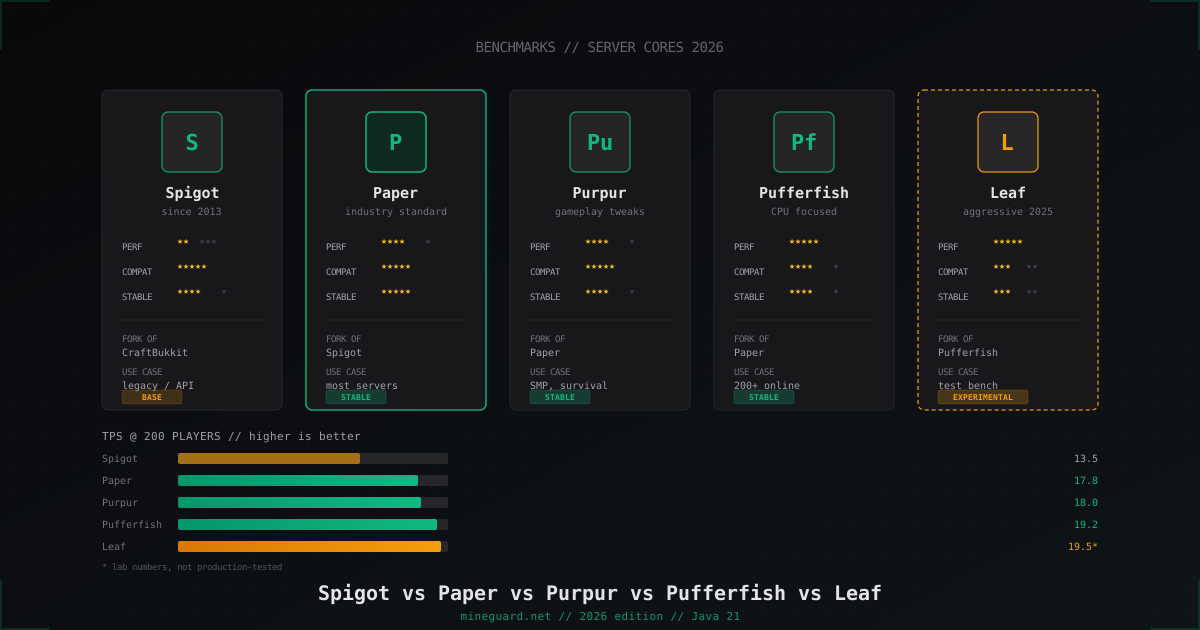
Minecraft Server Cores Compared 2026: Spigot vs Paper vs Purpur vs Pufferfish vs Leaf
Which Minecraft server core to pick in 2026: deep dive into Spigot, Paper, Purpur, Pufferfish and Leaf with real TPS numbers and player-count guidance.
DiscordSRV: Discord Bot Setup for Minecraft Server
Full DiscordSRV guide: installing the plugin, creating a bot in the Developer Portal, configuring the chat bridge, syncing roles and linking accounts. Includes common pitfalls.