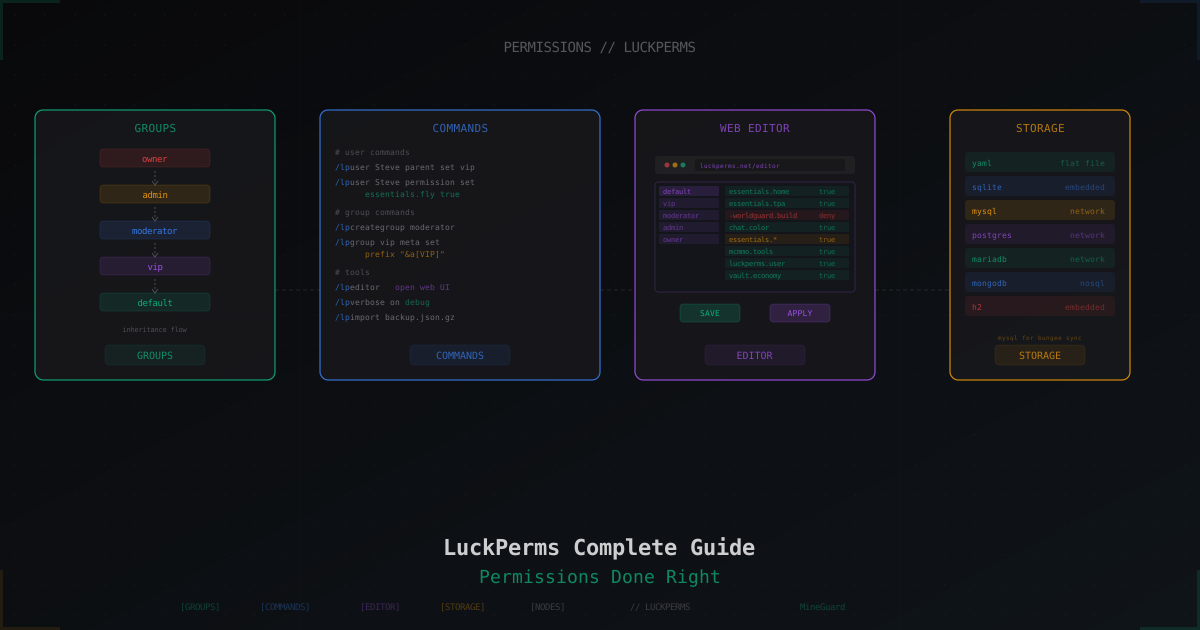
LuckPerms: Complete Guide to Permissions on a Minecraft Server
LuckPerms is the de facto standard for managing permissions on Minecraft servers. If you run Paper, Spigot, Velocity, BungeeCord, Fabric, or Forge, and need to separate access between players, moderators, and admins, this is almost certainly what you will install. The plugin has been around since 2016, is actively maintained, and handles billions of permission checks on tens of thousands of servers.
We'll walk through everything: installation, first commands, groups, inheritance, prefixes, tracks, contexts, the web editor, storage backends, syncing across a BungeeCord network, PlaceholderAPI integration, and the usual pitfalls.
Why LuckPerms and not PEX or GroupManager
PermissionsEx (PEX) is dead, officially unmaintained, has critical data loss bugs, and works poorly with modern Paper. GroupManager from EssentialsX is considered outdated and is missing half the features. LuckPerms won for several reasons:
- Storage in any database: YAML, SQLite, H2, MySQL, MariaDB, PostgreSQL, MongoDB
- Web editor at luckperms.net/editor with an admin panel feel
- Contexts (world, server, gamemode, dimension) out of the box
- Tracks for promotions: default to vip to moderator to admin with one command
- Solid API for plugin developers
- Permission sync across a BungeeCord / Velocity network via MySQL + messaging
If you are still on PEX, this is the time to migrate. The migration command is built in: /lp import pex.
Installation
Paper / Spigot / Purpur
- Grab the latest version from luckperms.net/download. You need
LuckPerms-Bukkit-5.x.x.jar - Drop it into
plugins/ - Restart the server (not
/reload, which routinely breaks plugins) - Verify:
/plugins
LuckPerms should appear in green. Red means a problem: usually a Java version mismatch or a clash with another permission plugin.
Velocity (proxy)
- Download
LuckPerms-Velocity-5.x.x.jar - Drop into the Velocity
plugins/folder - Restart the proxy
On Velocity, LuckPerms controls perms for proxy commands (server switching, global commands). Backend game servers need their own install.
BungeeCord / Waterfall
Same drill as Velocity, grab LuckPerms-Bungee-5.x.x.jar, drop in plugins/, restart.
Fabric
- You need Fabric Loader and Fabric API
- Download
LuckPerms-Fabric-5.x.x.jar - Drop into
mods/ - Restart
On Fabric the client does not need LuckPerms, only the server does.
Forge / NeoForge
Download LuckPerms-Forge-5.x.x.jar or LuckPerms-NeoForge-5.x.x.jar, put it in mods/, restart.
Platform support matrix
| Platform | Support | Notes |
|---|---|---|
| Paper 1.16+ | Yes | Recommended |
| Spigot 1.8-1.20 | Yes | For legacy servers |
| Velocity | Yes | Proxy |
| BungeeCord | Yes | Proxy, legacy |
| Fabric 1.17+ | Yes | Requires Fabric API |
| Forge 1.16+ | Yes | |
| NeoForge | Yes | 1.20.1+ |
| Sponge | Yes | API 7/8 |
| Nukkit | Yes | Bedrock servers |
First steps
After install, LuckPerms creates a default group automatically. Every player without another assignment goes here. You cannot delete it.
Sanity check:
/lp info
Shows plugin version, active storage backend, messaging service, and counts of unique players and groups.
List groups:
/lp listgroups
You will see just default at weight 0.
Building a basic group hierarchy
Most servers are happy with five groups: default, vip, moderator, admin, owner. Create them:
/lp creategroup vip
/lp creategroup moderator
/lp creategroup admin
/lp creategroup owner
Now set weights. Weight controls tiebreakers (who can mute whom, whose prefix wins) and sort order. Higher weight = higher rank.
/lp group default permission set weight.1 true
/lp group vip permission set weight.10 true
/lp group moderator permission set weight.50 true
/lp group admin permission set weight.100 true
/lp group owner permission set weight.1000 true
Or set weight via meta:
/lp group vip meta setweight 10
/lp group moderator meta setweight 50
/lp group admin meta setweight 100
/lp group owner meta setweight 1000
Setting up inheritance
So that admin automatically gets everything moderator has, and moderator inherits from vip, set up parents:
/lp group vip parent set default
/lp group moderator parent set vip
/lp group admin parent set moderator
/lp group owner parent set admin
Your tree is now default -> vip -> moderator -> admin -> owner. Anything granted to default is also granted to everyone above.
Verify:
/lp group admin info
Under Parents you will see moderator. Under Inherited Permissions, every node from the groups below.
Granting permissions
Give a group a permission
/lp group default permission set essentials.help true
/lp group default permission set essentials.spawn true
/lp group vip permission set essentials.fly true
/lp group vip permission set essentials.hat true
/lp group moderator permission set essentials.ban true
/lp group moderator permission set essentials.kick true
Remove a permission
/lp group vip permission unset essentials.fly
Unset fully removes the node. If you want to explicitly deny (say, the group has a wildcard essentials.* but you want to block one specific command), set to false:
/lp group vip permission set essentials.nuke false
Grant a permission to an individual player
/lp user Steve permission set worldedit.limit.unrestricted true
/lp user Steve parent set vip
Line one grants Steve a personal permission. Line two places him in the vip group.
Temporary permissions
LuckPerms supports expiring entries:
/lp user Steve parent add vip 30d
/lp group vip permission set essentials.fly true 7d
First line adds Steve to vip for 30 days. Second gives the group flight for 7 days.
Supported units: s (seconds), m (minutes), h (hours), d (days), w (weeks), mo (months), y (years).
Permission node syntax
Every plugin defines its own nodes. They are typically hierarchical with dots:
essentials.fly
essentials.home
essentials.home.multiple
worldedit.region.copy
worldedit.region.paste
Wildcards
An asterisk * grants everything under that branch:
/lp group admin permission set essentials.* true
/lp group moderator permission set worldedit.region.* true
Convenient, but dangerous. essentials.* unlocks commands like /fly, /heal, /god that you might not have wanted moderators to have.
Negative permissions
Setting false explicitly denies:
/lp group vip permission set essentials.* true
/lp group vip permission set essentials.nuke false
/lp group vip permission set essentials.burn false
VIP gets almost all EssentialsX commands except the two risky ones.
Global and root nodes
Some nodes carry special weight:
*is the absolute wildcard, granting literally everything. Owner only.luckperms.*gives all LuckPerms commands. Dangerous, lets the player hand out permissions.-bukkit.command.pluginsdenies/pluginsso players cannot see your plugin list.
Contexts: world, server, gamemode
Contexts let you grant permissions only under specific conditions. Classic example: allow /fly in lobby, deny it in survival.
/lp group vip permission set essentials.fly true world=lobby
/lp group vip permission set essentials.fly false world=survival
Contexts also apply to groups:
/lp user Steve parent add builder world=creative
Steve gets builder's permissions only when in the creative world.
Server contexts
If you run several servers under one LuckPerms (via MySQL + BungeeCord), server contexts let you split perms:
/lp user Steve permission set essentials.fly true server=survival
/lp user Steve permission set essentials.gamemode true server=creative
Set the server name in LuckPerms's config.yml on each backend:
server: survival
Built-in contexts
Out of the box: world, server, dimension (Forge), gamemode. Addons can add region (WorldGuard), faction (Factions), and more.
Prefixes and suffixes
LuckPerms does not render prefixes in chat or tab on its own, it only stores them. Rendering is handled by Essentials Chat, VentureChat, DeluxeChat, or TAB.
Set a group prefix:
/lp group vip meta setprefix "&a[VIP] "
/lp group moderator meta setprefix "&9[MOD] "
/lp group admin meta setprefix "&c[ADMIN] "
/lp group owner meta setprefix "&4[OWNER] "
Suffix:
/lp group admin meta setsuffix " &7*"
Prefixes inherit. If a player has no personal prefix, the highest-weight group's prefix is used.
Multiple prefixes with priorities
/lp user Steve meta addprefix 100 "&6[DEV] "
/lp user Steve meta addprefix 50 "&a[VIP] "
Higher number = higher priority. The first prefix shown wins.
EssentialsX Chat config
In plugins/EssentialsChat/config.yml (or the shared config in recent versions), set the format:
chat:
  format: '{PREFIX}&f{DISPLAYNAME}&7: &f{MESSAGE}'
Per-group formats:
chat:
  format: '{PREFIX}&f{DISPLAYNAME}&7: &f{MESSAGE}'
  group-formats:
    Default: '{PREFIX}&7{DISPLAYNAME}&7: &f{MESSAGE}'
    admin: '{PREFIX}&c{DISPLAYNAME}&7: &f{MESSAGE}'
Tracks: promotions and demotions
A track is an ordered chain of groups. Handy for rank systems.
/lp createtrack staff
/lp track staff append vip
/lp track staff append moderator
/lp track staff append admin
/lp track staff append owner
Verify:
/lp track staff info
Promote a player to the next group in the track:
/lp user Steve promote staff
If Steve was vip, he becomes moderator. Next promo, admin.
Demote:
/lp user Steve demote staff
Server-scoped tracks
Tracks work with contexts. You can promote a player only on a specific server:
/lp user Steve promote staff server=survival
Web editor
The killer feature. Run:
/lp editor
You get a URL like https://luckperms.net/editor/abc123. Open in a browser and you get a full UI: group tree, permission list, contexts, prefixes. Bulk edits, drag & drop, sorting.
After changes, hit Save, you get a code back. Apply it on the server:
/lp applyedits abc123
Safe by design: the editor does not store server data, just the snapshot you sent.
Open the editor for a specific group:
/lp editor group vip
Or a specific player:
/lp editor user Steve
Storage
By default LuckPerms uses H2, an embedded file database. Fine for a single server. If you run a BungeeCord or Velocity network with multiple backends, you need MySQL for sync.
Config lives in plugins/LuckPerms/config.yml:
storage-method: h2
Options: h2, sqlite, yaml, json, hocon, mysql, mariadb, postgresql, mongodb.
MySQL for a network
storage-method: mysql

data:
  address: 127.0.0.1:3306
  database: luckperms
  username: luckperms
  password: YOUR_PASSWORD
  pool-settings:
    maximum-pool-size: 10
    minimum-idle: 10
    maximum-lifetime: 1800000
    connection-timeout: 5000
  table-prefix: 'luckperms_'
Create the database and user (MySQL 8):
CREATE DATABASE luckperms CHARACTER SET utf8mb4 COLLATE utf8mb4_unicode_ci;
CREATE USER 'luckperms'@'localhost' IDENTIFIED BY 'YOUR_PASSWORD';
GRANT ALL PRIVILEGES ON luckperms.* TO 'luckperms'@'localhost';
FLUSH PRIVILEGES;
LuckPerms will create all tables on first start.
Messaging for instant sync
MySQL alone is not enough. Change perms on server A and server B does not know until restart or manual sync. Messaging fixes this:
messaging-service: pluginmsg
Options:
pluginmsguses the Minecraft plugin channel, free, needs a proxy (BungeeCord/Velocity)redisneeds a Redis serverrabbitmqneeds RabbitMQsqlpolls MySQL, not instant
pluginmsg is enough for most networks.
Backups
Export everything:
/lp export backup.json.gz
File lands in plugins/LuckPerms/. Import:
/lp import backup.json.gz
Back up before big changes (migrations, bulk edits in the web editor).
Migrating from other plugins
From PermissionsEx
/lp import pex
Reads PEX data and creates matching groups and permissions in LuckPerms.
From GroupManager
/lp import groupmanager
From PermissionsBukkit
/lp import permissionsbukkit
After importing, check group weights and inheritance, these often come across imperfectly.
PlaceholderAPI integration
Install PlaceholderAPI, then download the expansion:
/papi ecloud download luckperms
/papi reload
Available placeholders:
| Placeholder | Returns |
|---|---|
%luckperms_prefix% | Player's prefix |
%luckperms_suffix% | Player's suffix |
%luckperms_primary_group_name% | Primary group name |
%luckperms_groups% | Comma-separated list of all groups |
%luckperms_meta_<key>% | Any meta key |
%luckperms_has_permission_<node>% | true/false for the node |
%luckperms_expiry_time_<group>% | Expiry time of a temporary group |
In TAB plugin:
tablist-name-format: '%luckperms_prefix%%player_name%%luckperms_suffix%'
In a scoreboard:
lines:
  - '&7Group: %luckperms_primary_group_name%'
  - '&7Rank: %luckperms_prefix%'
Common tasks
Give VIP flight
/lp group vip permission set essentials.fly true
/lp group vip permission set essentials.fly.others false
Stop default from blowing up TNT
/lp group default permission set worldguard.region.bypass.* false
Plus in WorldGuard on the mainworld region:
/region flag __global__ tnt deny
Let moderators ban but not op
/lp group moderator permission set essentials.ban true
/lp group moderator permission set essentials.kick true
/lp group moderator permission set essentials.tempban true
/lp group moderator permission set essentials.op false
/lp group moderator permission set minecraft.command.op false
Build-only zone for VIP builders
/lp creategroup builder
/lp group builder parent set vip
/lp group builder permission set worldedit.* true world=build
/lp group builder permission set worldedit.* false world=survival
Give AFK perm to one group
/lp group afkers permission set essentials.afk true
/lp user Steve parent add afkers 1h
Debugging permissions
Verbose mode
Cannot figure out why a player's command is denied? Turn on verbose:
/lp verbose on
Every permission check now logs. Ask the player to try the action, console lines appear like:
[LP] Steve - essentials.fly - true (from group.vip)
[LP] Steve - worldguard.region.bypass.spawn - undefined
Turn off:
/lp verbose off
Save to a file:
/lp verbose record
You can then download the log from the web editor, there's a link in console.
/lp user info
All info about a player:
/lp user Steve info
Shows primary group, weights, prefixes, suffixes, contexts, full permission list.
/lp check
Quick single-node check:
/lp user Steve permission check essentials.fly
/lp user Steve permission check essentials.fly world=survival
Tells you true or false and where it came from (inherited from vip, explicit set, default node).
Common mistakes
Changes do not apply
Almost always cache. After a big edit:
/lp sync
Or with messaging on, wait a couple seconds.
Player in two groups by mistake
If you did /lp user Steve parent set vip then /lp user Steve parent add moderator, Steve now has two parents. set replaces, add appends. Check with /lp user Steve info.
Prefix does not show in chat
LuckPerms only stores. Rendering is EssentialsX Chat, VentureChat, DeluxeChat, TAB, HuskChat, set up the format with {PREFIX} or %luckperms_prefix%.
Wildcard not working
Some plugins (old WorldEdit, for example) do not register their nodes with Bukkit's permission API, so worldedit.* does not catch them. You have to set nodes explicitly.
Conflict with other permission plugins
You cannot run PEX and LuckPerms together. Remove PermissionsEx.jar from plugins/ before installing LuckPerms. Check:
/plugins
Only LuckPerms should show.
Permission loss after restart
With YAML storage, a crash mid-write can corrupt data. That's why serious servers avoid YAML, pick H2, SQLite, or MySQL.
SQLSTATE 28000 when connecting to MySQL
Wrong credentials or user lacking DB access. Check:
SELECT user, host FROM mysql.user WHERE user = 'luckperms';
SHOW GRANTS FOR 'luckperms'@'localhost';
The user needs ALL PRIVILEGES ON luckperms.*.
Security
Do not hand out luckperms.* to anyone except the owner. That node lets you grant and revoke any permission, effectively making the player a full admin. Moderators only need luckperms.user.info and luckperms.user.parent.add without luckperms.user.parent.set.
Block the op command for everyone except owner:
/lp group default permission set minecraft.command.op false
/lp group admin permission set minecraft.command.op false
/lp group owner permission set minecraft.command.op true
In server.properties:
enable-command-block=false
op-permission-level=4
OP players get every permission ever, regardless of LuckPerms. That's why production servers never use /op, everything goes through LuckPerms groups.
Performance
LuckPerms is well-engineered and has almost zero TPS impact. On huge servers (500+ players, thousands of nodes), a few optimizations help:
- Use MySQL over YAML for faster lookups
- Do not bloat your permissions with a million negatives, lean on clean inheritance
- Default cache is 60 seconds, good for most workloads
Check stats:
/lp info
Shows last sync time and cache size at the bottom.
Wrap-up
LuckPerms is a must-have for any serious Minecraft server. Five minutes to install, thirty minutes for basic groups and inheritance, then you just add perms as new plugins come in. The web editor saves hours on bulk changes, contexts enable advanced per-world and per-server rules, and tracks clean up rank and donor-ladder systems.
Core rule: build the group tree via inheritance first, then add individual player permissions. If you find yourself granting the same permission to ten people by hand, stop and make a group for it. The system stays maintainable even when the server scales to hundreds of players.
Protect Your Server from DDoS Attacks
Free protection with 5-minute setup. 1 TB bandwidth included.
Try for FreeRelated Articles
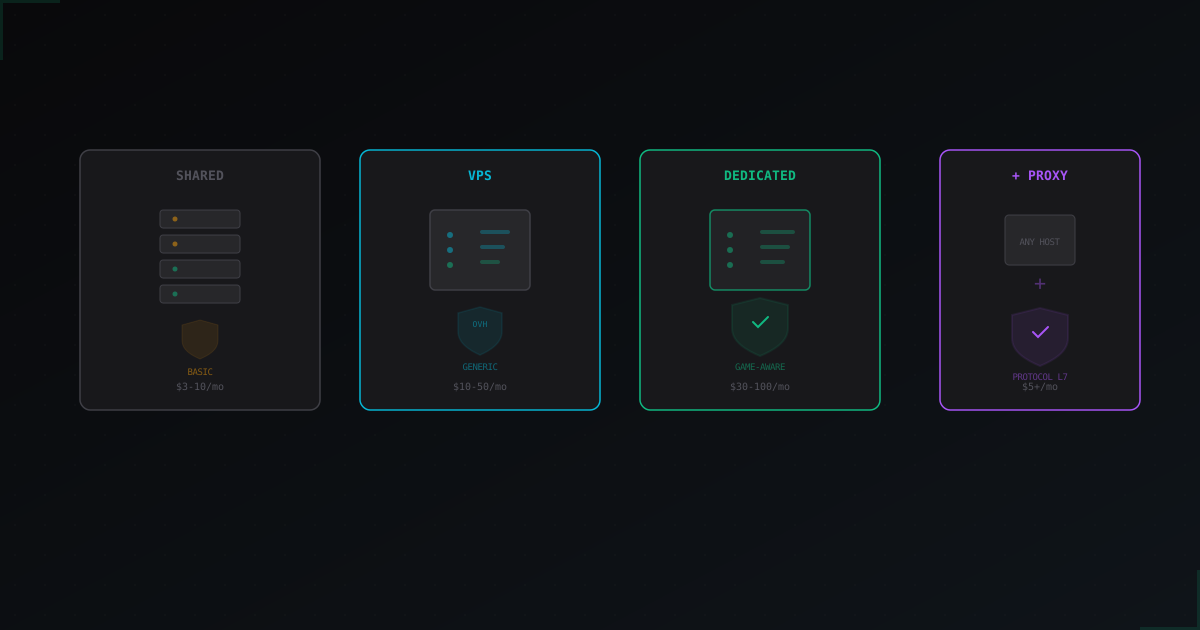
How to Choose Minecraft Hosting with DDoS Protection
What does "DDoS protection included" actually mean at different hosting providers?
EliteMobs: setting up PvE bosses on a Minecraft server (2026)
EliteMobs by MagmaGuy: level scaled elites, Adventurers Guild hub, instanced dungeons, custom YAML bosses, abilities, custom items, WorldGuard, Vault and DiscordSRV integration. Install on Paper 1.21+, real config and where the plugin breaks.
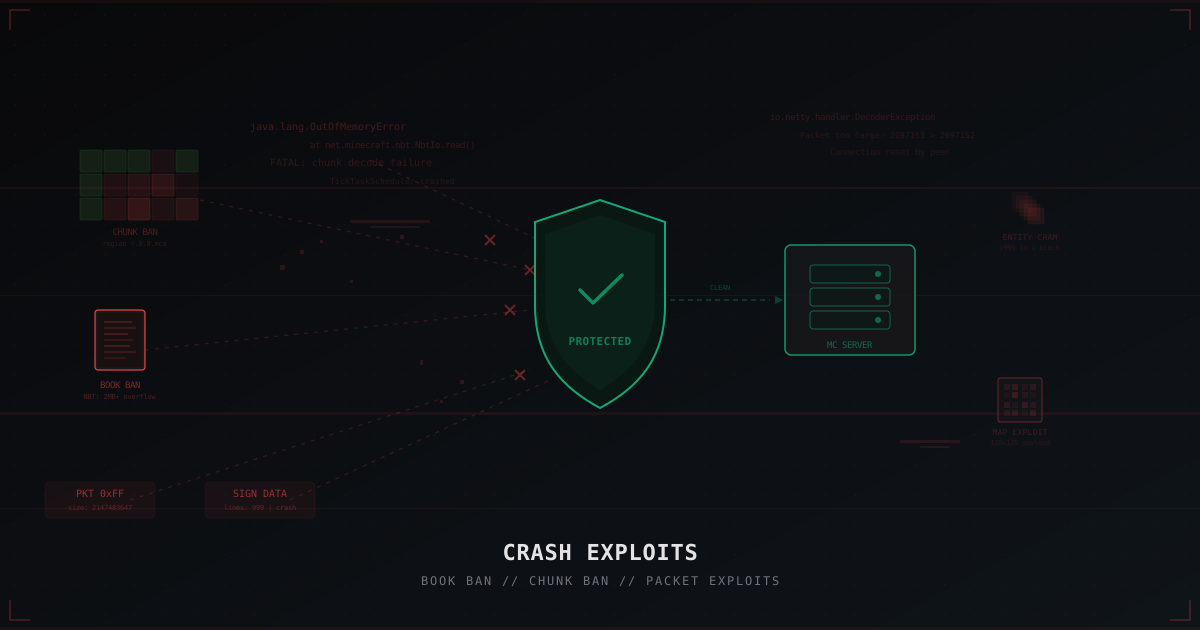
Crash Exploits in Minecraft: Book Ban, Chunk Ban and How to Protect Against Them
A deep dive into crash exploits: book ban, chunk ban, packet exploits, entity cramming and more. How they work, how they differ from DDoS, and how to protect your server with Paper settings, plugins, and network filtering.