Quick Start
Connect protection in 5 minutes
Connecting protection takes 5 steps. The short version: create a network, add a domain, update DNS — you're done.
1. Create an account
Go to the registration page and sign up. After registering you'll land in the control panel on the free plan.
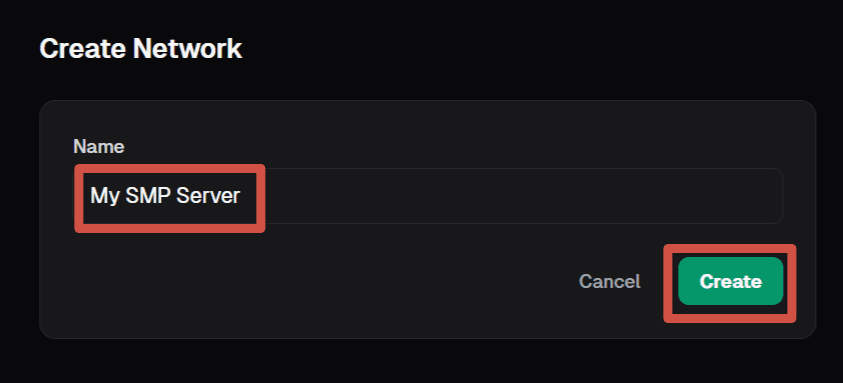
2. Create a network
In the panel, open the Networks section and click Create network. Give it a name — just for yourself, to tell your projects apart (e.g. "My SMP Server").
3. Add a backend
A backend is the IP and port of your real Java Edition server. On the network page, click + Set (create a server group), then Add and enter the backend details:
IP:   185.100.50.25
Port: 255654. Add a domain
Go to the Domains tab inside the network and add your domain. For example: myserver.com. On paid plans its subdomains (like play.myserver.com) start working automatically once the root is verified, no need to add them here.
After adding it, MineGuard will show a TXT record for verification. Add it at your DNS provider:
Type:  TXT
Name:  _mineguard.play
Value: mineguard-verify=abc123... (copy from the panel)
TTL:   300
5. Update DNS
The final step — point your domain to MineGuard. After adding the domain in the panel you'll receive a unique protected address like xxxxx.ipv4.mineguard.pro. Copy it and create a CNAME record at your DNS provider:
Type:  CNAME
Name:  play  (or @ for the root domain)
Value: <your protected address from the panel>.ipv4.mineguard.pro
TTL: 300Done
Once the domain is verified and DNS has updated, protection is active. Players connect using your domain as usual — the only difference is that traffic now passes through filtering.
From here you can configure filtering, enable Captcha, add rules to the Firewall, or set up attack notifications.