Captcha
Player verification via browser
Captcha adds another layer of protection — before connecting to the server, the player completes a browser-based verification. This is highly effective against botnets that mimic real Minecraft clients.
How it works
🎮
Player connects to the server
play.server.com
🛡
MineGuard analyses the connection
Signatures, behaviour, ML
🔀
Decision: allow or verify?
Clean player
Goes straight to server
Suspicious
Captcha link in chat
reCAPTCHA in browser
Access to server
1
Player connects
The player joins the server via their Minecraft client as usual.
2
Smart algorithm decides whether verification is needed
The algorithm analyses the connection and determines whether to send the player to verification or let them through immediately.
3
Redirect to verification
If a check is needed, the player lands on a special server where they see a message with a link to the verification page.
4
Browser verification
The player opens the link and completes the captcha.
5
Connection
After passing verification the player connects to the server. The verification is saved — they won't need to do it again.
Customization
The captcha page can be tailored to your project:
- Logo — upload your server's logo
- Background — use your own background image
- Colors — set the primary color for buttons and accents
- CSS — full customization via custom CSS
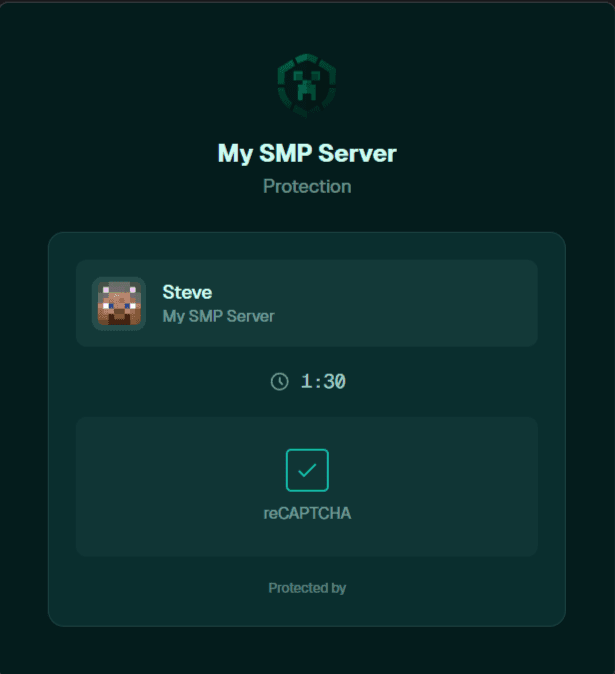
Verification page with server logo and timer
Captcha is available on the Optimal plan and above.