Skript: основы скриптинга для админов Minecraft серверов (2026)
Skript позволяет вешать логику на сервер без единой строчки Java. Пишешь почти по-английски в файлике .sk, кладёшь в plugins/Skript/scripts/, перезагружаешь и оно работает. Для админа, который хочет добавить приветствие при заходе, кастомный /heal, счётчик килов или мини-экономику без поиска Java-разработчика, это самый быстрый путь от идеи до работающей механики.
В 2026 году актуальная ветка Skript это 2.9.x и выше от команды SkriptLang (github.com/SkriptLang/Skript), поддерживается Paper 1.21+, Folia экспериментально через отдельные ветки. Ниже разберём установку, структуру .sk файлов, синтаксис, аддоны (skBee, skript-yaml, skript-reflect, skquery) и типичные грабли с производительностью.
Что такое Skript и кому он реально полезен
Skript это плагин-интерпретатор. Он читает текстовые файлы с расширением .sk, парсит их как DSL похожий на английский и превращает в события, команды и эффекты на стороне Bukkit/Paper. Для админа это значит: можно за вечер собрать механику, под которую раньше пришлось бы заказывать плагин или ставить пять разных существующих.
Кому это реально полезно:
- Админ небольшого SMP, которому нужны 3-5 кастомных команд и пара триггеров.
- Админ публичного сервера, который хочет быстро накидывать ивенты (двойной XP на выходные, kill-streaks, пасхалки).
- Девелопер, которому надо протестировать идею перед тем, как писать полноценный плагин.
Кому не подойдёт: разработчик MMORPG-механик с тысячами одновременных игроков и сложными системами боя. Skript отлично работает на типичной нагрузке SMP/мини-игр, но если каждое событие парсится через десятки условий, имеет смысл переписать критичный кусок на Java.
Установка и первый /sk reload
Качаем последнюю стабильную версию Skript с GitHub релизов: github.com/SkriptLang/Skript/releases или с Modrinth: modrinth.com/plugin/skript. На 2026 год это Skript 2.9.x для Paper 1.21+.
Кладём JAR в plugins/, запускаем сервер один раз, чтобы плагин создал свою папку. Структура после первого запуска:
plugins/Skript/
├── config.sk              # глобальный конфиг
├── aliases-english.sk     # имена предметов
├── scripts/
│   ├── -disabled-script.sk   # дефис в начале = выключен
│   └── examples/
└── lang/
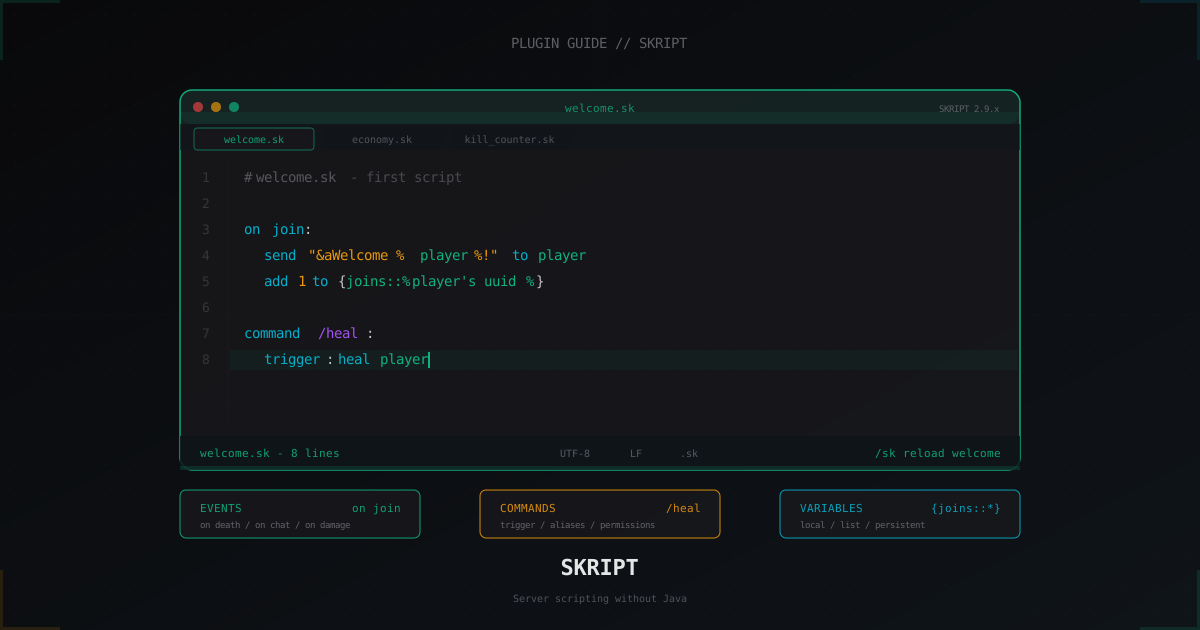
Создаём первый файл plugins/Skript/scripts/welcome.sk:
on join:
    send "&aWelcome %player% to the server!" to player
    add 1 to {joins::%player's uuid%}
В консоли или в игре с пермом skript.admin:
/sk reload welcome
Skript ответит, сколько триггеров загружено и были ли ошибки. Заходим на сервер и видим зелёное приветствие. Это ваш первый рабочий скрипт.
Структура .sk файла: events, commands, functions
Файл .sk это набор блоков на верхнем уровне. Каждый блок начинается без отступа, всё что внутри блока имеет отступ ровно 4 пробела или 1 таб. Skript строго относится к отступам: смешивать табы и пробелы в одном файле нельзя, плагин выбросит inconsistent indentation.
Три основных типа блоков:
1. Event handler. Срабатывает на событие сервера.
on death of a player:
    broadcast "&c%victim% died at %location of victim%"
2. Command. Регистрирует кастомную команду.
command /fly [<player>]:
    permission: server.fly
    permission message: &cYou cannot fly here.
    trigger:
        if arg-1 is set:
            set {_target} to arg-1
        else:
            set {_target} to player
        if {_target} is flying:
            set flight mode of {_target} to false
            send "&7Flight disabled for &e%{_target}%" to player
        else:
            set flight mode of {_target} to true
            send "&aFlight enabled for &e%{_target}%" to player
3. Function. Переиспользуемая логика, как процедура.
function welcomeMessage(p: player):
    send "&aWelcome back, %{_p}%!" to {_p}
    if difference between {lastSeen::%{_p}'s uuid%} and now is greater than 7 days:
        send "&7You were gone for a while. Server is on Paper 1.21.4 now." to {_p}
    set {lastSeen::%{_p}'s uuid%} to now

on join:
    welcomeMessage(player)
Имя файла не влияет на логику, только на удобство /sk reload <file>. Префикс - перед именем файла отключает скрипт без удаления.
Типы данных: player, item, location, block, vector, number, text
Skript типизирован, но типы выводятся автоматически. Базовые:
| Тип | Пример значения | Где встречается |
|---|---|---|
player | player, arg-1, victim | event handler, target команды |
item | 1 diamond, player's tool | инвентарь, дропы |
location | location of player, block's location | телепорт, спавн моба |
block | targeted block, event-block | placement, break |
vector | vector(0, 1, 0) | velocity, knockback |
number | 42, player's health | счётчики, координаты |
text | "hello", "&a%player%" | сообщения, имена |
entity | attacker, loop-entity | мобы, NPC |
world | world "world_nether" | проверка мира |
timespan | 5 seconds, 2 minutes | задержки, кулдауны |
chatcolor | red, &c | форматирование |
Конвертация делается через выражения вроде block at location, location of entity, name of item. Не нужно явно кастовать.
Базовый event handler: on join со всеми деталями
Реальный приветственный скрипт с проверкой первого захода, разными сообщениями для VIP и подсчётом онлайна:
on first join:
    broadcast "&6%player% &ejoined for the first time! Welcome!"
    give 1 stone pickaxe of efficiency 1 to player
    give 16 cooked beef to player
    teleport player to {spawn}

on join:
    if player has permission "server.vip":
        send "&6&l[VIP] &eWelcome back, %player%" to player
    else:
        send "&aWelcome back, %player%" to player
    add 1 to {stats::joins::%player's uuid%}
    set {stats::lastjoin::%player's uuid%} to now
    wait 2 ticks
    set tab list header "&aServer Online" and footer "&7Players: %size of all players%" for player

on quit:
    set {stats::lastquit::%player's uuid%} to now
first join срабатывает один раз, join каждый заход. Между ними нет конфликта, оба отработают для нового игрока.
Кастомные команды: command /heal с правами и аргументами
Skript-команды регистрируются автоматически при загрузке скрипта, ничего трогать в plugin.yml не нужно.
command /heal [<player>] [<integer>]:
    description: Heals a player to full or to a specific amount
    aliases: /h
    permission: server.heal
    permission message: &cMissing permission &7server.heal
    cooldown: 30 seconds
    cooldown message: &cWait %remaining time% before using /heal again.
    cooldown bypass: server.heal.bypass
    trigger:
        if arg-1 is set:
            if sender does not have permission "server.heal.others":
                send "&cYou cannot heal others." to sender
                stop
            set {_target} to arg-1
        else:
            if sender is not a player:
                send "&cConsole must specify a player." to sender
                stop
            set {_target} to sender
        if arg-2 is set:
            set health of {_target} to arg-2
        else:
            heal {_target}
        feed {_target}
        send "&aHealed %{_target}%" to sender
        if {_target} is not sender:
            send "&aYou were healed by &e%sender%" to {_target}
Что тут важно: cooldown идёт встроенный, permission message показывается при отсутствии перма, aliases создаёт /h, stop прерывает trigger. Аргументы получаются через arg-1, arg-2.
Переменные: local, list, persistent
Skript различает три типа переменных:
Локальная ({_name}) живёт только внутри текущего trigger или function:
on damage:
    set {_dmg} to damage
    set {_attacker} to attacker
    if {_dmg} is greater than 10:
        send "Big hit by %{_attacker}%" to victim
Глобальная ({name}) сохраняется в файл variables.csv и переживает рестарт:
set {spawn} to location of player
set {server.motd} to "&aPaper 1.21.4"
List/индексированная ({name::%key%} или {name::*}) это словарь:
add 1 to {kills::%attacker's uuid%}
loop {kills::*}:
    send "%loop-index%: %loop-value%" to player
clear {kills::%player's uuid%}
delete {kills::%player's uuid%}
Важный нюанс: всегда используйте uuid как ключ, не имя. Игрок может сменить ник и вы потеряете данные. Также не пишите туда тяжёлые объекты типа inventory без необходимости, файл переменных раздуется.
Для серьёзных проектов рекомендую перевести переменные на SQL через аддон skript-db или на YAML через skript-yaml. CSV держится до 50-100 тысяч записей, дальше начинаются проблемы с загрузкой.
Полезные аддоны: skBee, skript-yaml, skript-reflect, skquery
Skript из коробки покрывает 70% задач. Остальное делают аддоны.
| Аддон | Назначение | Ссылка |
|---|---|---|
| skBee | NBT, scoreboards, world borders, recipes, fastboards, particles | github.com/ShaneBeee/skBee |
| skript-yaml | Чтение и запись YAML файлов | github.com/SkriptLang/skript-yaml |
| skript-reflect | Доступ к Java через рефлексию (Bukkit API напрямую) | github.com/TPGamesNL/skript-reflect |
| skquery | Старые расширения, частично перекрывается со skBee | github.com/Tuke-Nuke/SkQuery |
| skript-placeholders | Интеграция с PlaceholderAPI | github.com/APickledWalrus/skript-placeholders |
| skript-db | SQL запросы к MySQL/SQLite | github.com/btk5h/skript-db |
В 2026 году skBee 3.x закрывает почти всё что раньше делал skquery, плюс добавляет современные фичи Paper. Если ставить только один аддон, то это skBee.
Пример с skBee для скорборда:
on join:
    create new scoreboard named "stats_%player's uuid%"
    set line 1 of player's scoreboard to "&7&m-----------"
    set line 2 of player's scoreboard to "&aKills: &f%{kills::%player's uuid%} ? 0%"
    set line 3 of player's scoreboard to "&cDeaths: &f%{deaths::%player's uuid%} ? 0%"
    set line 4 of player's scoreboard to "&7&m-----------"
    set title of player's scoreboard to "&6Server Stats"
    set player's displayed scoreboard to player's scoreboard
Типичные паттерны: kill counter, простая экономика, welcome
Счётчик килов с топом.
on death of a player:
    if attacker is a player:
        add 1 to {kills::%attacker's uuid%}
        add 1 to {deaths::%victim's uuid%}
        send "&a+1 kill &7(total: %{kills::%attacker's uuid%}%)" to attacker

command /killtop:
    trigger:
        send "&6&l=== Top 10 Killers ===" to player
        set {_sorted::*} to sorted indexes of {kills::*} in descending order
        loop {_sorted::*}:
            if loop-iteration > 10:
                stop loop
            set {_uuid} to loop-value
            set {_name} to name of offline player from uuid {_uuid}
            send "&e%loop-iteration%. &f%{_name}% &7- &c%{kills::%{_uuid}%}% kills" to player
Мини-экономика без Vault.
on join:
    if {money::%player's uuid%} is not set:
        set {money::%player's uuid%} to 100

command /balance [<player>]:
    aliases: /bal, /money
    trigger:
        if arg-1 is set:
            set {_t} to arg-1
        else:
            set {_t} to player
        send "&aBalance of &e%{_t}%&a: &6%{money::%{_t}'s uuid%} ? 0%$" to player

command /pay <player> <integer>:
    trigger:
        if arg-1 is sender:
            send "&cYou cannot pay yourself." to sender
            stop
        if arg-2 is less than 1:
            send "&cAmount must be positive." to sender
            stop
        if {money::%sender's uuid%} is less than arg-2:
            send "&cNot enough money." to sender
            stop
        remove arg-2 from {money::%sender's uuid%}
        add arg-2 to {money::%arg-1's uuid%}
        send "&aPaid &6%arg-2%$ &ato &e%arg-1%" to sender
        send "&aReceived &6%arg-2%$ &afrom &e%sender%" to arg-1
Производительность и подводные камни
Skript мощный, но если писать наивно, легко уронить TPS. Главные правила:
1. Не делайте циклы по всем игрокам каждый тик.
Плохо:
every tick:
    loop all players:
        set action bar of loop-player to "&aServer"
Хорошо:
every 5 seconds:
    loop all players:
        set action bar of loop-player to "&aServer"
Каждый тик это 20 раз в секунду. Action bar обновлять 2-4 раза в секунду более чем достаточно.
2. Async где можно.
Тяжёлые операции (HTTP запросы, чтение больших YAML, SQL) делайте в async:
command /lookup <text>:
    trigger:
        send "&7Looking up..." to player
        set {_p} to player
        execute async:
            set {_data} to text from "https://api.example.com/lookup/%arg-1%"
            execute sync:
                send "&aResult: &f%{_data}%" to {_p}
Без async сервер замёрзнет на время запроса.
3. Не сохраняйте предметы и инвентари в персистентные переменные просто так. Они сериализуются дорого и надувают variables.csv. Если нужно хранить лут-боксы, держите рецепт (тип + количество + meta), а не сам ItemStack.
4. Используйте wait вместо вложенных every. Плохо: every 1 second: внутри on join:. Хорошо: wait 1 second или таймер через переменную.
5. Профилируйте через spark. /spark profiler --thread server покажет, где Skript ест тики. Если в стеке много Trigger.execute, ищите тяжёлый event handler (обычно это every tick или on damage).
Отладка: /sk reload, /sk debug
Базовые команды Skript для админа с пермом skript.admin:
/sk reload allперезагружает все скрипты./sk reload <name>грузит один файл (без.sk)./sk reload configперечитываетconfig.skбез рестарта плагина./sk disable <name>добавляет дефис к имени и выгружает./sk enable <name>обратно./sk infoпоказывает версию и список аддонов./sk update checkпроверяет апдейты.
Если скрипт не грузится, ошибки будут в консоли с указанием строки. Типичные причины: несовпадающий отступ, опечатка в событии, отсутствует аддон для нужного выражения.
Для глубокой отладки используйте:
on damage:
    broadcast "DEBUG: %attacker% hit %victim% for %damage% (final: %final damage%)"
    if attacker is a player:
        broadcast "DEBUG: weapon = %attacker's tool%, projectile = %projectile%"
В продакшене не оставляйте broadcast для отладки, замените на send to console или вообще уберите. Также есть скрипт-фреймворк skUnity Parser для проверки синтаксиса без перезапуска сервера.
FAQ
Skript подойдёт для крупного публичного сервера?
Для типичного PvP/SMP/мини-игр сервера на 100-300 онлайн без проблем, если писать по правилам выше. Под нагрузку 1000+ онлайн с тысячами событий в секунду имеет смысл переписывать критичные куски на Java и оставлять Skript для нечастых ивентов и кастомных команд.
Где брать готовые скрипты?
skUnity Forums, SkriptHub, GitHub. Перед запуском в продакшен читайте код, не просто кидайте в scripts/. Чужой скрипт может содержать every tick цикл по всем игрокам и убить TPS.
Почему Skript ругается на inconsistent indentation?
Вы смешали табы и пробелы. Откройте файл в редакторе с показом whitespace (VS Code: View > Render Whitespace) и приведите к одному стилю. Рекомендую 4 пробела.
Что делать если переменные потерялись после краша?
Skript пишет variables.csv периодически. Если сервер упал жёстко, последние изменения могут не успеть. В config.sk есть параметр save interval, по умолчанию 5 минут. Можно ужесточить до 1 минуты, но это IO-нагрузка. Для важных данных используйте skript-db с SQL или backup variables.csv каждые 10 минут rsync-ом.
Можно ли запускать Skript на Folia?
На 2026 год официальный SkriptLang/Skript Folia не поддерживает полноценно, есть форки и экспериментальные ветки. Для региональных серверов это работает с ограничениями (нельзя обращаться к чужому региону без getRegionScheduler). Если у вас Folia, проверьте в issue tracker github.com/SkriptLang/Skript/issues текущий статус.
Как защитить сервер с Skript-логикой от DDoS?
Skript работает на уровне игровых событий и от L4-атак не защищает. Для защиты от DDoS используйте сетевой фильтр перед сервером, например MineGuard. Skript про логику внутри игры, а не про сетевой стек.
Skript остаётся одним из самых быстрых способов превратить идею в работающую механику без поднятия Java-проекта. Установите, напишите первый welcome.sk, добавьте /heal, потом счётчик килов, и через неделю у вас будет десяток собственных скриптов под нужды сервера. Главное держать every tick подальше от тяжёлых циклов и не забывать про async для всего, что лезет в сеть или диск.
Proteja Seu Servidor de Ataques DDoS
Proteção gratuita com configuração em 5 minutos. 1 TB de tráfego incluso.
Experimentar GrátisArtigos Relacionados
Уязвимости Minecraft серверов в 2026: разбор CVE и защита
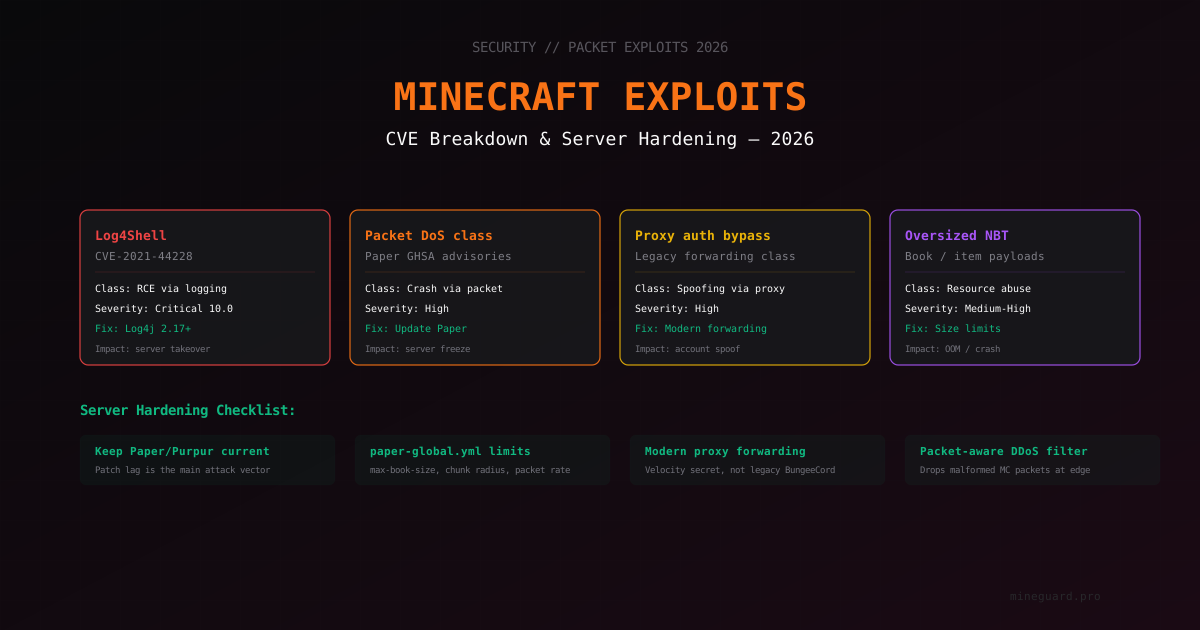
Обзор классов уязвимостей Minecraft серверов: Log4Shell, packet DoS, обход forwarding прокси, NBT-переполнения. Как узнать, защищён ли ваш сервер, какие версии ставить и как заметить попытку эксплуатации.
ZGC vs G1GC для Minecraft на Java 21: бенчмарки и выбор GC (2026)
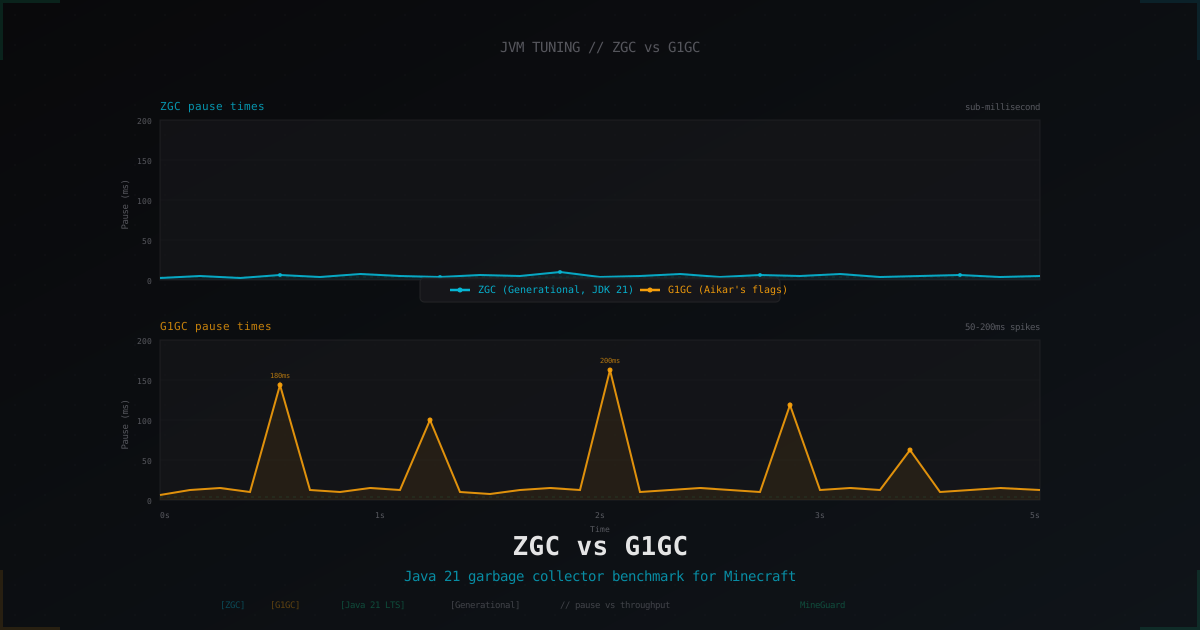
С Java 21 Generational ZGC стал стабильным и уже не игрушечным. Разбираемся, где он реально обгоняет вылизанный G1GC с флагами Aikar, а где старый добрый G1 всё ещё правильный выбор для сервера Minecraft.
Как сделать лаунчер для Minecraft сервера
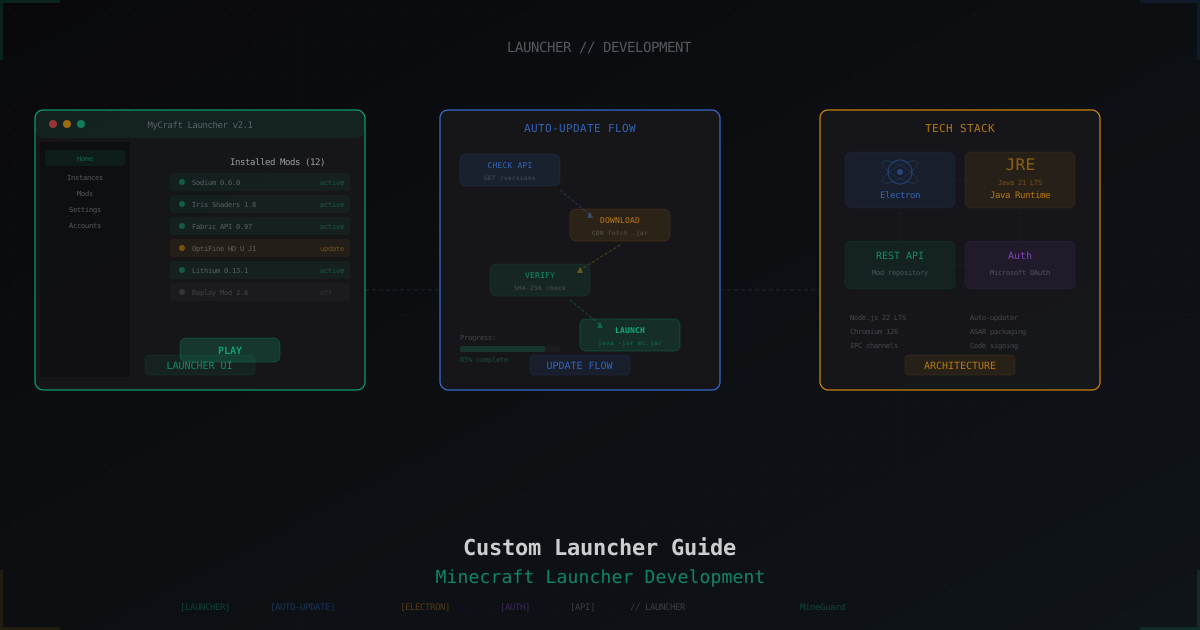
Полное руководство по созданию кастомного лаунчера для Minecraft сервера: популярные движки, авто-обновление модов, скины, Electron, альтернативы в виде модпаков, хостинг и безопасность.